1
Configuring Firewall Policies
Working with Firewall Options policies
When you configure the Quarantine Options policy, you specify a list of protected IP addresses
and subnets. Any user assigned one of these addresses is quarantined by Host Intrusion
Prevention upon returning to the network.
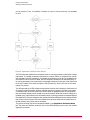
When the Quarantine Options policy is applied to a client, Host Intrusion Prevention uses the
ePolicy Orchestrator agent to determine if the client has the most recent policies and files. This
involves checking if all ePolicy Orchestrator tasks have run properly.
If the system is up-to-date, Host Intrusion Prevention immediately releases the client from
quarantine.
If one or more ePolicy Orchestrator tasks have not run, however, the system is not up-to-date
and Host Intrusion Prevention does not automatically release the quarantine. The client system
could remain quarantined for a few minutes while the ePolicy Orchestrator agent updates policies
and files. Host Intrusion Prevention can continue or stop the quarantine as determined by
settings in the Quarantine Options policy. If you configure Host Intrusion Prevention to continue
enforcing the quarantine, clients could remain quarantined for a prolonged period.
In addition, the Quarantine Options policy allows you select startup protection, so that when a
client starts it will be quarantined and network access will be blocked until a Firewall Rules
policy can be applied.
NOTE: Quarantine mode requires the firewall be enabled. Even if the quarantine mode is enabled,
the quarantine does not take effect unless the firewall is also enabled.
Working with Firewall Options policies
The Firewall Options policy turns on and off the firewall and allows you to apply adaptive or
learn mode to create new firewall rules.
This policy category contains four preconfigured policies and an editable My Default policy.
You can view and duplicate preconfigured policies; you can, create, edit, rename, duplicate,
delete, and export custom policies.
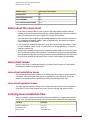
Preconfigured policies include:
Off (McAfee Default)
All settings are disabled
On
• Enable Firewall
• Enable regular protection
• Retain client rules
Adaptive
• Enable Firewall
• Enable Adaptive mode
• Retain client rules
Learn
• Enable Firewall
• Enable Learn mode, Incoming and Outgoing
• Retain client rules
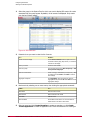
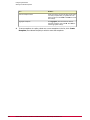
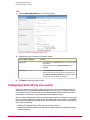
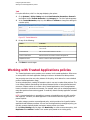
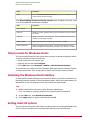
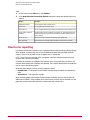
On the Policy Catalog policy list page, click New Policy to create a new custom policy; click
Duplicate under Actions to create a new custom policy based on an existing policy.
56
McAfee Host Intrusion Prevention 7.0 Product Guide for use with ePolicy Orchestrator 4.0