1
252090554_myZ-55_en.book Page 23 Mercredi, 25. mai 2005 1:24 13
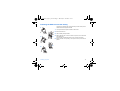
Storing a new contact
Depending on the location where you want to store a new contact, select Add phone contact to store it in the phone memory
or Add SIM contact to store it in the SIM card memory or in the Fixed Dialling (Fixed Dialling is available depending on PIN
number 2 options of your SIM card).
Adding a contact in the SIM card memory
- Select the Contacts menu and press the OK key.
- Select Add SIM contact and press the OK key.
- Select SIM card or Fixed directory and press the OK key.
- Enter the last name and press the OK key.
- Enter the number and press the OK key.
- Press [Save] to store it.
Adding a contact in the phone memory
- Select the Contacts menu and press the OK key.
- Select Add phone contact and press the OK key.
- Enter the last name and press the OK key.
- Enter the number and press the OK key.
- Fill in other fields if you want.
- Press [Save] to store it.
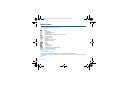
Contacts menu
Mailing lists
You can create a mailing list with contacts to whom you want to send SMS or MMS.
- Select the Contacts menu and press the OK key.
- Select Mailing Lists and press the OK key. The phone asks you to confirm the creation of a new list.
- Select the list type (SMS or MMS) and press the OK key.
- Enter a name and press the OK key.
- Then, on a list press [Options]. Select Add contact each time you want to add a contact in the list.
Phonebook
23