1
Chapter 3: Configuration Application
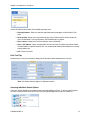
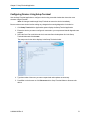
Note: If you read a serial device's settings using the diagnostics cable, the device is
placed into Setup mode automatically and all three LEDs on the device turn
solid green. If you are reading a serial device's setting using the serial port, Tool
Suite prompts you to place the device into Setup mode.
Programming Devices
As you define the changes for a device in your network in the Configuration application, you can send the
changes to the device when it is connected to the computer running Tool Suite. You can also return the device
to its factory default settings.
Note: It is not currently possible to read a serial radio in the Configuration application
connected locally to the computer running Tool Suite. The TCP terminal server
network is only useful for network diagnostics where you want to gather
diagnostics of a serial network through a TCP/IP connection to a terminal
server.
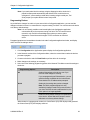
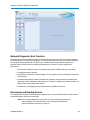
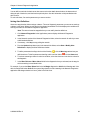
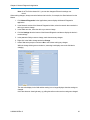
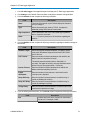
Programming options are located above the tabs in the main Configuration application window, and display
when Tool Suite is reading a device.
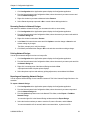
1. Click Configuration in the Applications pane to display the Configuration application.
2. In the Networks section of the Configuration ribbon, select the network that contains the devices
you want to program.
3. Connect to the device and click Read Radio to poll the device for its settings.
4. Make changes to the settings, as necessary.
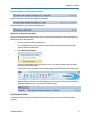
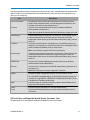
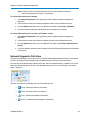
5. Select one of the following programming options in the Network Title ribbon to send the settings to
the device:
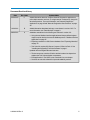
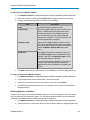
Programming Options
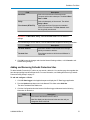
All
Description
Sends all the settings to the device, even if you
have not made changes to a setting.
If you are programming an Ethernet device, you can
send the settings to another device in the network.
Enter that device's IP address when prompted.
Quick
Sends only the settings that you have changed.
Note: The Quick programming option is only
available for changes made in the current session. If
you close Tool Suite or select a different device, the
Quick option is no longer applicable.
Default
Sends the factory default settings for all parameters
to the device. Answer Yes at the prompt to set the
radio back to its factory default settings.
When the device is programmed, the device's Carrier Detect (CD) LED displays solid green and
the Clear to Send (CTS) LED displays solid red.
LUM0030AB Rev C
28