1
Baud Rate
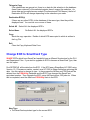
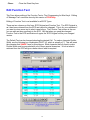
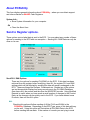
• The Baud Rate for ECR Communications is selected here. The range available is
from 1200 to 38400 baud. The standard setting for Sharp ECR's is 9600. This
corresponds to a 5 setting with the 6112 PGM2 Job. The ER-A750, ER-A770, UP600/700 and UP-3300 can communicate at up to 38400 baud. A setting of 19200
gives good results providing the cabling is not of excessive length and in a noisy
(electrically), environment.
Register Type
• Select the type of the ECR.
Modem Number
• If there is a modem number, this number will be dialed if a modem is found on the
selected comm port, instead of normal communications.I
Comms Logging
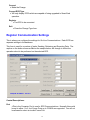
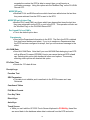
• Select 'ON' to log all ECR communications to file POSUtilityLog.txt. Using this
option is useful when trying to resolve a problem communicating to the ECR.
• Information written to the file includes; Date & Time, Port & Settings, ECR Number
& Type, what has been sent and the reply from the ECR.
• This obviously takes up Hard Disk space, so it should be deleted at regular intervals
if you choose to leave it selected.
• The options are;
On
Comms Logging On
Off
Comms Logging Off
Logo Width
• The ER-A750, ER-A770, UP-600/700 and UP-3300 can use a number of
Receipt/Kitchen Printers. These printers can have different number of columns.
The ER-01PU is 30 columns, but these ECR's can use up to 40 characters for the
Receipt Logo. The default setting is selected here.
Comms Retries
• There can be various reasons for Communications to fail. The number of times to
retry is selected here. A setting of 2 should suit most applications, but a range from
0 to 20 is available.
Register Name
• You can give each ECR in the database a name to help identify it. This name along
with the ECR number will be displayed on all forms that refer to specific ECR's.
Realm Name and Password
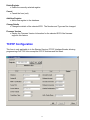
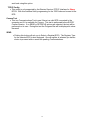
• For communicating to the Starrtec TCP/IP Interface for Sharp ECR's, you must
supply a name and password, which has been set in the ECR, before
communications is possible.
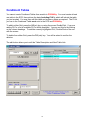
Buttons:
16