1
If set to 'y' then the Reading (X) and Clearing (Z) options will access the Term Files.
i.e. the readings will now be X2/Z2. The default is to do X1/Z1's. Obviously the Term
Files must be configured in the ECR!
ReportPrintControl = ?
With this set, printing during a Z Read can be controlled. The default is Not to print.
The options for ? here are;
0
=
print on Receipt and Journal
1
=
print on Receipt only
2
=
print on Journal only
3
=
no printing
If the 'POSUtility.cfg' file is missing the default values are assumed. The entries in the
configuration file are not case sensitive.
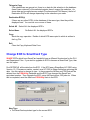
Delete Data
As POSUtility has been designed as a Maintenance Tool for a range of SHARP ECR's,
from time to time it will be necessary to remove some ECR's and/or the PLU and
Department Data from the Database. It would be wise to backup the Current Database
before doing this.
If you are using multiple databases in sub-directories, these should be backed up.
There are a number of warnings issued by POSUtility before any deletion takes place. If
you delete ALL of the ECR's, you will be advised that this has happened and the ECR
related controls will be disabled. Once at least one ECR is added these controls will be
enabled again.
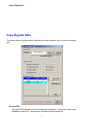
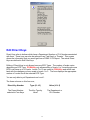
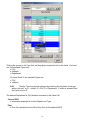
Delete Data Options
Register & Its Data
• Delete Register from database
PLU & Department Data
4