1
 Advanced Operation
CellarPro cooling systems can be programmed with advanced settings to achieve
more control over conditions inside the cellar. Conditions like humidity, the
Temperature Differential, and alarm settings all can be modified for custom
applications. To access the advanced settings, do the following:
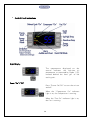
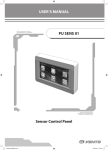
Press the “Set” button and the “Down” button together at the same time, and
hold for three seconds. Then, use the “Up” or “Down” button to scroll to the
following screen:
HUMIDITY: The factory preset for this setting is “3”.
If the humidity inside the cellar is too low, press the “Set”
button, then use the “Up” button until the desired setting
is reached. The recommended range for this setting is 0-6.
TEMPERATURE DIFFERENTIAL: The factory preset for this
setting is “2.2”.
This setting determines the Temperature Differential and therefore the
temperature at which the cooling unit will cycle on. The recommended range
for this setting is 2.2 or 2.8.
HIGH TEMPERATURE ALARM: The factory preset for this
setting is “21.1”.
This setting designates the High temperature inside the
cellar at which the alarm is triggered. We recommend
leaving this setting at the factory preset.
LOW TEMPERATURE ALARM: The factory preset for this
setting is “7.2”.
This setting designates the Low temperature inside the
cellar at which the alarm is triggered. We recommend
leaving this setting at the factory preset.
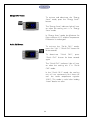
ENERGY SAVINGS MODE DIFFERENTIAL: The factory
preset for this setting is “2.2”.
Thi s se tt i n g in cr e as e s o r d e c r e a s e s t h e T e m p e r a t u r e
Differential for the Energy Savings Mode. The
recommended range for this setting is 1.1-2.2.
23