1
Crestron STX-1700CXP
2-Way RF Wireless Touchpanel
touchpanel’s flash PROM. The touchpanel uses the project until another is uploaded
from the PC. The PC may be disconnected from the control processor except when
uploading a project.
For additional software information, refer to the help file provided with the software.
The latest version of VT Pro-e can be obtained from the Crestron website.
Optional Pushbuttons
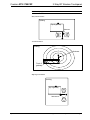
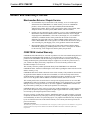
Pushbutton Layout and Join
Number Assignment
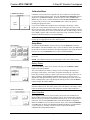
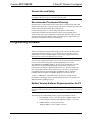
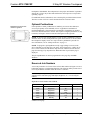
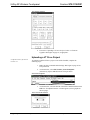
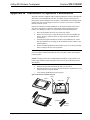
If the optional ten “hard” pushbuttons are installed, you can use these buttons to
access any frequently used commands (refer to “Appendix B: Installation of
Optional Pushbuttons”). Each button has a permanently fixed digital join number;
refer to the illustration shown to the left. The sequence of digital join numbers is (top
to bottom) 1 through 5 on the left side and 6 through 10 on the right side.
NOTE: A user may not want the display to come on after a pushbutton is pressed
when the unit is off. The Startup Preference option allows the user to select whether
the touchpanel’s display comes on or stays off after a pushbutton is pressed. For
more information, refer to “Startup Preference” on page 11.
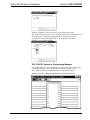
NOTE: To program a quick pushbutton to flip a page (change a screen) on the
STX-1700CXP, go to the Hard Keys tab of the “Project Properties” window in VT
Pro-e. Select a button from the Button drop-down list, and then select the desired
page from the Page Flip drop-down list. When the button is pressed, the page is
displayed.
The quick pushbuttons can also be programmed to do a page flip via SIMPL
Windows.
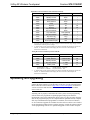
Reserved Join Numbers
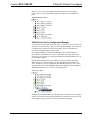
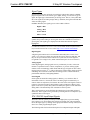
A reserved join number is a feature of the software that enables a designer to create a
button that completes a predetermined function. The following tables provide lists of
reserved join numbers available within the VT Pro-e software.
NOTE: Many touchpanel configuration “shortcuts” are available via the software.
A button can be created on a page that adjusts brightness, etc., via reserved join
numbers.
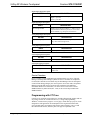
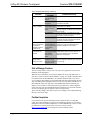
Digital Reserved Join Numbers STX-1700CXP
JOIN NUMBER
17200
17216
17217
17218
17219
17220
17230
FUNCTION
Power
Brightness
Brightness
Brightness
Brightness
Brightness
Standby
VALUE
Off
Up
Down
High
Medium (Default)
Low
On
DIRECTION
I
I
I
I
I
I
2
I/O
continued on next page
Operations Guide – DOC. 6227A
2-Way RF Wireless Touchpanel: STX-1700CXP • 19