1
Chapter 2: Installation
Power/Data Cable Considerations
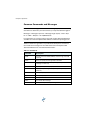
Before mounting the V102 consider the following regarding power/data
cable routing:
•
Cable must reach an appropriate power source
•
Cable may connect to a data storage device, computer, or other
device that accepts GPS data
•
Avoid running the cable in areas of excessive heat
•
Keep cable away from corrosive chemicals
•
Do not run the cable through door or window jams
•
Keep cable away from rotating machinery
•
Do not crimp or excessively bend the cable
•
Avoid placing tension on the cable
•
Remove unwanted slack from the cable at the V102 end
•
Secure along the cable route using plastic wraps
Improperly installed cable near machinery can be dangerous
Flush Mount
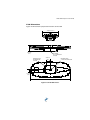
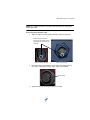
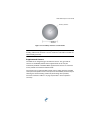
The bottom of the V102 contains four holes for flush mounting the unit to a
flat surface (Figure 2-7). The flat surface may be something you fabricate per
your installation, an off-the-shelf item (such as a radar mounting plate), or an
existing surface on your vessel.
Note: Hemisphere GPS does not supply the mounting surface hardware.
You must supply the appropriate fastening hardware required to complete
the installation of the V102.
14