1
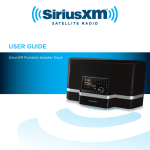
Soloist
Universal
Sound Station
System
Desktop
Docking
USING SPECIFIC SOURCES
from being able to turn on your Sirius radio when the
Alarm Clock or Music Timer goes off.
Sirius Radio
Soloist will control Sirius portable radios by putting them
to sleep and waking them up as needed. The power to
the cradle will always be on to allow the battery in the
portable to charge.
Docking your Sirius Radio
You can insert your Sirius radio into Soloist at any
time. Soloist can be on or off. Once your Sirius radio is
docked, Soloist will control the powering on and off of
the radio. The method of power control varies depending on whether you insert a plug and play radio or a
portable.
If you insert a plug and play radio, Soloist will control
the power supply to the radio. If your Sirius radio does
not power up when Soloist is turned on, it was likely
switched off when you removed it from the previous
cradle. You will need to switch it on once you insert it in
Soloist. You must turn Soloist on prior to attempting to
switch on your Sirius radio. After it is powered up, Soloist will switch your radio on and off. Once successfully
docked in Soloist, it is never necessary to turn off a plug
and play radio using the power button on the radio.
NOTE: Switching off your Sirius plug and play radio with
the power button on the Sirius radio will prevent Soloist
© Directed Electronics, all rights reserved.
Your Sirius portable radio must be on or asleep before
inserting it into Soloist. If it is fully off, please turn it on
and wait for it to boot up before inserting it into Soloist.
If Soloist is on when you insert your Sirius portable
radio:
if your Sirius portable radio is on, it will stay on.
if your Sirius portable radio is asleep, it will wake up
and stay on.
If Soloist is off when you insert your Sirius portable
radio:
if your Sirius portable radio is on, it will go to sleep.
if your Sirius portable radio is asleep, it will wake up
briefly and then go to sleep.
If you insert your Sirius portable radio in Soloist with
Soloist off and your Sirius portable radio asleep, do not
attempt to turn on Soloist until your Sirius portable radio
turned on and gone back to sleep. If you turn on Soloist
21