1
NGFW Engine Commands
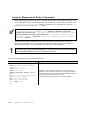
The commands in the following two tables can be run on the command line on Firewall, Layer 2
Firewall, IPS engines and/or Master Engines.
Note – All command line tools that are available for single Security Engines are also
available for Virtual Security Engines that have the same role. However, there is no direct
access to the command line of Virtual Security Engines. Commands to Virtual Security
Engines must be sent from the command line of the Master Engine using the
se-virtual-engine command.
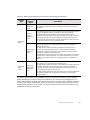
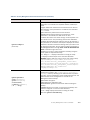
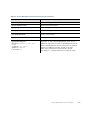
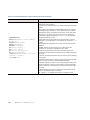
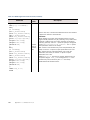
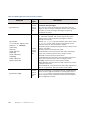
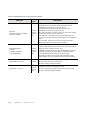
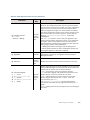
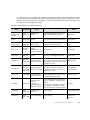
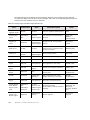
Table A.2 NGFW Engine Command Line Tools
Command
avdbfetch
[--dbzip
=<path to zip file>]
[--proxy=<proxy address>]
[--proxy-pass
=<proxy password>]
[--proxy-user
=<proxy user>]
[--url=<url path>]
Engine
Role
Description
Firewall
If the separately-licensed anti-virus feature is enabled on a
Firewall, use this command to manually update the anti-virus
database.
--dbzip defines the location of the locally-stored database zip
file. This option can be used when there is not an internet
connection and you have manually copied the database to a
folder on the engine. This parameter does not need to be defined
if the zip file is stored in /var/tmp.
--proxy defines the address of an HTTP proxy if one is required
to connect to the database mirror.
--proxy-pass defines the password (if required) for the HTTP
proxy.
--proxy-user defines the username (if required) for the HTTP
proxy.
--url defines the address of the database mirror. If not
specified, the default address is http://update.nai.com/
Products/CommonUpdater.
NGFW Engine Commands
139