1
Getting Started with NAT Addresses
If there is network address translation (NAT) between communicating SMC components, the
translated IP address may have to be defined for system communications. All communications
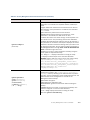
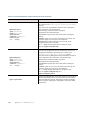
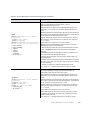
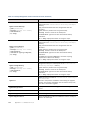
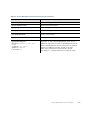
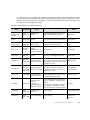
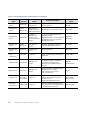
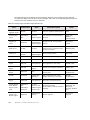
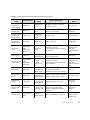
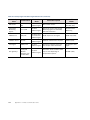
between the SMC components are presented as a table in Default Communication Ports
(page 149).
You use Location elements to configure SMC components for NAT. There is a Default Location to
which all elements belong if you do not assign them a specific Location. If NAT is applied
between two SMC components, you must separate them into different Locations and then add a
contact address for the component that needs to be contacted.
You can define a Default contact address for contacting an SMC component (defined in the
Properties dialog of the corresponding element). The component’s Default contact address is
used in communications when SMC components that belong to another Location contact the
component and the component has no contact address defined for their Location.
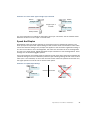
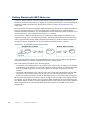
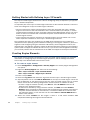
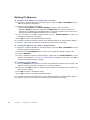
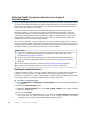
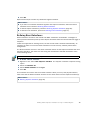
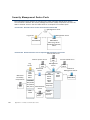
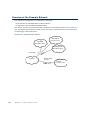
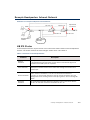
Illustration 4.1 An Example Scenario for Using Locations
Headquarters Location
Intranet
Management/
Log Server
Branch Office Location
Intranet
Internet
IPS
Firewall
Firewall
IPS
In the example scenario above, the same Management Server and Log Server manage SMC
components both at a company’s headquarters and in a branch office.
NAT could typically be applied at the following points:
• The Firewall at the headquarters or an external router may provide the SMC servers external
IP addresses on the Internet. The external addresses must be defined as contact addresses
so that the SMC components at the branch offices can contact the servers across the
Internet.
• The branch office Firewall or an external router may provide external addresses for the SMC
components at the branch office. Also in this case, the external IP addresses must be
defined as contact addresses so that the Management Server can contact the components.
When contact addresses are needed, it may be enough to define a single new Location element,
for example, for the branch office, and to group the SMC components at the branch office into
the “Branch Office” Location. The same Location element could also be used to group together
SMC components at any other branch office when they connect to the SMC servers at the
headquarters.
28
Chapter 4
Configuring NAT Addresses