1
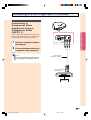
Connecting to RGB
Video Equipment Using
the DVI to 15-pin D-sub
Adaptor and the RGB
Cable (INPUT 2)
Optional
accessory
DVI to 15-pin D-sub adaptor
Type: AN-A1DV (20 cm)
1
Connections and Setup
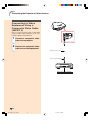
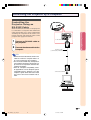
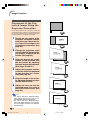
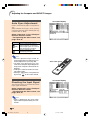
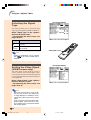
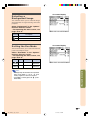
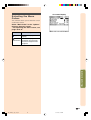
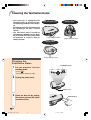
Use the DVI to 15-pin D-sub adaptor and the
RGB cable when connecting RGB video equipment such as DVD players and DTV decoders
to INPUT 2 terminal.
Connect a DVI to 15-pin D-sub
adaptor to the projector.
To INPUT 2 terminal
2
Connect the above adaptor to
an RGB cable.
3
Connect the above cable to the
video equipment.
DVI to 15-pin
D-sub adaptor
(sold separately)
• Secure the connectors by tightening the
thumbscrews.
Note
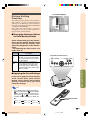
• When connecting this projector to DVI output of the DTV decoder, select “RGB” for
“Signal Type” on the OSD menu or press
on the remote control. (See page 52.)
RGB cable
(commercially
available)
To RGB output terminal
DVD player or
DTV decoder
-19
XV_Z200E_E_p13_24.p65
19
03.10.30, 13:13PM