1
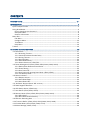
CONTENTS
RELEASE NOTES .............................................................................................................................. - 3 INTRODUCTION .................................................................................................................................... 1
System Requirements ....................................................................................................................... 2
Using ScanMaster .............................................................................................................................3
How to Configure the Scanner?................................................................................................... 4
Setup Barcodes ............................................................................................................................ 6
Scanner Information ....................................................................................................................8
Menu Bar............................................................................................................................................9
File Menu ...................................................................................................................................... 9
Configure Menu ..........................................................................................................................10
Tools Menu .................................................................................................................................11
Help Menu...................................................................................................................................13
Toolbar .............................................................................................................................................14
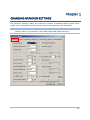
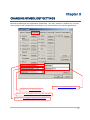
CHANGING SCANNER SETTINGS .......................................................................................................15
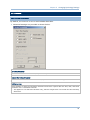
1.1 Scan Mode ................................................................................................................................17
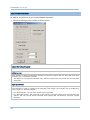
1.1.1 Scanning Timeout.............................................................................................................19
1.1.2 Continuous Mode Decode Delay .....................................................................................19
1.1.3 Aiming Timeout .................................................................................................................19
1.1.4 Re-read Delay ...................................................................................................................20
1.1.5 Read Redundancy ............................................................................................................20
1.1.6 Addon Security for UPC/EAN ...........................................................................................20
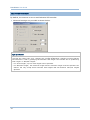
1.2 Power Management (1560/1562/1564/1660/1661/1664) .............................................21
1.2.1 Before/After Bluetooth Connection.................................................................................21
1.2.2 Power-Saving ....................................................................................................................22
1.2.3 Auto Power Off ..................................................................................................................23
1.2.4 Auto Power off Ignoring Scan Mode (1560/1564) ........................................................23
1.2.5 Low Battery Alarm ............................................................................................................23
1.3 Status Indicator.........................................................................................................................24
1.3.1 Beeper Volume .................................................................................................................24
1.3.2 Good Read Beep...............................................................................................................24
1.3.3 Good Read LED.................................................................................................................24
1.4 "No Read" Support (Send "NR" to Host) ..................................................................................24
1.5 Read Negative Barcode............................................................................................................24
1.6 CCD Always Active (1560 Only) ................................................................................................24
1.7 Auto Sense (1500/1560/1564) .............................................................................................25
1.8 Memory Mode (1560/1562/1564/1660/1661/1664).......................................................26
1.8.1 Data Delay.........................................................................................................................26
1.8.2 Send Data & Clear Memory .............................................................................................26
1.9 Effective Decoding Area ...........................................................................................................27
1.10 Transmit Buffer (1560/1562/1564/1660/1661/1664) ..................................................28
1.11 Picklist Mode (1504/1564/1664/1704) ............................................................................29
1.12 More Settings (1664/1704)..................................................................................................29