1
Names for Station and Server PCs:
- It is required that a NetVision station and SiteWatch server must have names to ping them in both directions on a
LAN.
- Both PCs must acknowledge each other by name (any alphanumeric entry and not case sensitive).
- To make "ping by Name" work, check the IP assignments, and the Wins/DNS servers configuration. If no such
servers exist, edit the following file to resolve the IP - Name pairing:
…Windows\System32\Drivers\etc\hosts Open the “hosts” file with notepad.
- Proceed to the end of the file and enter the other computer IP/Name in a row by itself: (enter IP e.g) 10.100.123.56
(press the “Tab” key) (enter the host name e.g.) swserver.
- Do this for both PCs. Restart both and try pinging the PCs by name, which should be successful.
Timeout Event: (Hard Drive not Properly Configured)
- This will appear after 15 minutes delay in the current NetVision schedule.
- If the Timeout Event clock icon displays but communications appear okay, check to see if the Timeout Event
needs to be reset in the harddrive roots.
- Check the server harddrive root at e.g. C:\sitewatchserver.log or the NetVision at C:\sitewatchnetvision.log
- If the error message lines: “(Date) (Time) – Error when sending data to server ! Error when saving rec status info:
Error when getting drive info.” appear after these harddrive prompts, not all the events will be sent to the server.
- This means that the NetVision station has not been properly configured.
- Do the following to correct this fault:
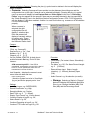
- On the NetVision station, enter Control Panel and select “DSR Configuration”.
- Select recording set-up and deselect/select hard drives in use.
- Press Apply and Exit.
NetVision / SiteWatch Application Status Reports:
- NetVision not running: SiteWatch is sending data to the server but the NetVision application is not running.
- NetVision running: SiteWatch is sending data to the server and the NetVision application is running.
- NetVision SiteWatch Service not responding: the SiteWatch application is out of schedule but the status of the
NetVision application is unknown.
USB Key:
- When the NetVision Station establishes the first communication with the server, the server sends a registration
number to it.
- This registration number is stored in the station USB key.
- Following this the station can only send data to the server that has the same registration number.
- Or, an Invalid Key registration error will occur.
Instant Events:
- The following events are sent to the server as soon as they occur. They are checked every minute in the
SiteWatch NetVision:
- Configuration changes (Camera Settings, Recorder Settings, Option Settings). These items are accessible
through Menu Utility in the NetVision application.
- NetVision starts/shutdown.
- Changes in Video status (video loss, online, offline).
21-0402E v1.1.3
SiteWatch™ User and Technical Guide
17