1
Power Management Utility
The DLI 9200 includes a comprehensive suite of power management functions. The power
management is based upon the ACPI Standard (Advanced Configuration and Power
Interface Specification) and is operated within the Embedded Controller (EC) at low level
management. A graphical interface is supplied so that customer specific power plans can be
controlled. The Power Management Utility is accessible from the DLI Control Center
application as well as from the control panel within Windows.
Optional Auto Power On & Off Setup
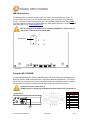
Your device can be set to power on when external power is detected via the BIOS and powered
off at a certain battery percentage via the Operating System.
To enable the Auto Power On feature please contact DLI Technical Support, 800.526.1299 x774.
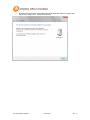
To enable the Auto Power Off feature based on battery percentage:
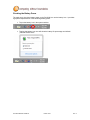
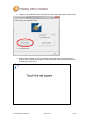
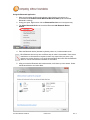
Tap Start>Control Panel>Power Options.
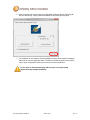
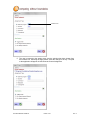
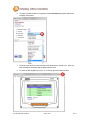
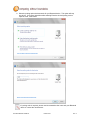
Select Change Plan Settings under the current Power Plan. This will bring up the Sleep and
Display settings (shown above on the left). Now select Change Advanced Power Settings
(shown above on the right).
(Continued on page 12.)
DLI 9200 PRODUCT MANUAL
PAGE 11/39
Rev. 3