1
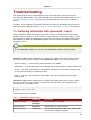
Chapter 7. Troubleshooting
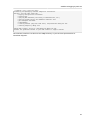
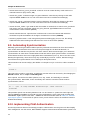
service oracle status
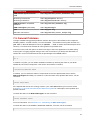
To determine the version of your database schema, run the command:
rhn-schema-version
To derive the character set types of your Satellite's database, run the command:
rhn-charsets
If the administrator is not getting email from the RHN Satellite, confirm the correct email addresses
have been set for traceback_mail in /etc/rhn/rhn.conf.
If the traceback mail is marked from [email protected] and you would like the address to be
valid for your organization, include the web.default_mail_from option and appropriate value in /
etc/rhn/rhn.conf.
If importing/synchronizing a channel fails and you can't recover it in any other way, run this command
to delete the cache:
rm -rf temporary-directory
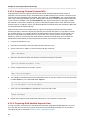
Note that Section 6.2.2.1, “Preparing Channel Content ISOs” suggested that this temporary directory
be /var/rhn-sat-import/.
Next, restart the importation or synchronization.
If yum (or up2date) or the push capability of the RHN Satellite ceases to function, it is possible that
old log files may be at fault. Stop the jabberd daemon before removing these files. To do so, issue the
following commands as root:
service jabberd stop
cd /var/lib/jabberd
rm -f _db*
service jabberd start
7.4. Host Not Found/Could Not Determine FQDN
Because RHN configuration files rely exclusively on fully qualified domain names (FQDN), it is
imperative key applications are able to resolve the name of the RHN Satellite into an IP address.
Red Hat Update Agent, Red Hat Network Registration Client, and the Apache Web server are
particularly prone to this problem with the RHN applications issuing errors of "host not found" and the
Web server stating "Could not determine the server's fully qualified domain name" upon failing to start.
This problem typically originates from the /etc/hosts file. You may confirm this by examining /etc/
nsswitch.conf, which defines the methods and the order by which domain names are resolved.
Usually, the /etc/hosts file is checked first, followed by Network Information Service (NIS) if used,
followed by DNS. One of these has to succeed for the Apache Web server to start and the RHN client
applications to work.
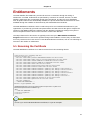
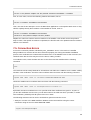
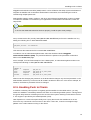
To resolve this problem, identify the contents of the /etc/hosts file. It may look like this:
58