1
Key Reference
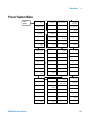
CAL OUT
On Off
Language
4
Turns the internal amplitude
reference signal on or off. When this
signal is on, the RF input is disabled.
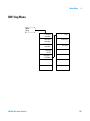
Key access: Preset/
System > Alignment > Align
Timebase
verifies the 10 MHz reference signal setting may
be adjusted for changed operating conditions,
such as temperature.
Key access: Preset/
System > Alignment
Load Default
Loads the default values for the alignment
system, turns on the frequency corrections, and
resets the timebase to the factory values.
Key access: Preset/
System > Alignment
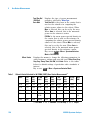
Accesses the softkeys for selecting the screen menu language.
Key access: Preset/
System
Diagnostics
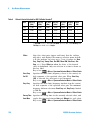
Accesses the Front Panel Test softkey to verify the functionality
of each front- panel key. The number next to each key name
increments once each time the key is pressed. Rotating the
knobs causes the number of pulses to be counted. Press
Return will go back to the main menu.
Key access: Preset/
System
Show System
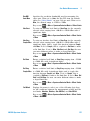
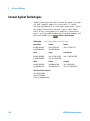
Displays the number and description of the options installed
in your analyzer. It also displays the instrument model
number, product number, serial number, the date of
production, etc.
Key access: Preset/
System > More
Show
Hardware
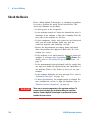
Provides detailed information about the hardware installed
on the analyzer, including the model number and firmware
revision.
Key access: Preset/
System > More
Show
Software
Provides detailed information about the software installed on
the analyzer.
Key access: Preset/
System > More
N9320A Spectrum Analyzer
113