1
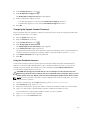
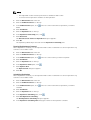
5.
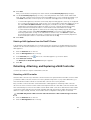
Enable or disable a NAS volume snapshot space consumption threshold alert.
– To enable a NAS volume snapshot space consumption threshold alert, select the Alert when
snapshot space is over check box.
6.
– To disable a NAS volume snapshot space consumption threshold alert, clear the Alert when
snapshot space is over check box.
If a NAS volume snapshot space consumption threshold alert is enabled, in the Over X % of NAS
Volume Size field, type a number (from 0 to 100) to specify the percentage of used NAS volume
space that triggers an alert.
7.
Click OK.
Deleting a NAS Volume
After deleting a NAS volume, the storage space used by the deleted NAS volume is reclaimed by the NAS
pool. Deleting a NAS volume deletes all the files and directories as well as its properties, that is, CIFS
shares and NFS exports, snapshots definitions, and so on. Once deleted, the NAS volume cannot be
restored unless it is redefined and restored from an external backup.
•
Before a NAS volume can be deleted, you must remove its CIFS shares, NFS exports, replications,
quota rules, NAS volume clones, and any other reference to the NAS volume.
•
Ensure that the NAS volume is not mounted and warn affected clients that the data will be deleted.
1.
Click the NAS Volumes tab on the left.
2.
Click the All NAS Volumes tab on the top.
3.
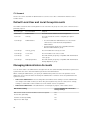
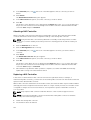
In the All NAS Volumes pane, click
4.
Click Delete.
in the row of the volume you want to modify.
The Delete NAS Volume dialog box appears.
5.
Click OK.
Cloning a NAS Volume
Cloning a NAS volume creates a writable copy of the NAS volume. This is useful to test against non‐
production data sets in a test environment without impacting the production file system environment.
Most operations that can be performed on NAS volumes can also be performed on clone NAS volumes,
such as resizing, deleting, and configuring CIFS shares, NFS exports, snapshots, replication, NDMP, and so
on.
The cloned NAS volume is created from a snapshot (base snapshot) from the original NAS volume (base
volume). No space is consumed by the clone NAS volume until data stored on it is modified.
NAS Volume Clone Defaults
The clone NAS volume will have the following default values:
•
Has the same size as its base volume, is thin‐rovisioned, and its reserve space is 0 (and therefore it
consumes no space)
•
Quota usage is copied from the base snapshot of the base volume
•
Quota rules have the default definitions (like a new NAS volume)
•
Has the same permissions on folders including the root directory as the base volume
•
Has the same security style and access time granularity definitions as the base volume
•
There are no CIFS shares, NFS exports, or snapshot schedules defined
96