1
Page 4
AXIS 215 PTZ-E Installation Guide
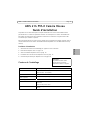
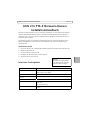
Overview
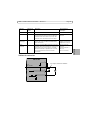
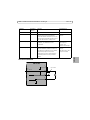
Wall bracket
Wall bracket
screws
Sunshield
screws
Sunshield
Dome
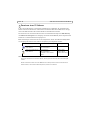
Before installation
Before Installation, it is important to remove all
packing material from the camera according to
the steps below. Do not start the camera until all
packing has been removed, or the camera will be
damaged.
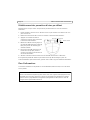
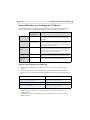
1. Place the AXIS 215 PTZ-E network camera on
a clean, solid surface.
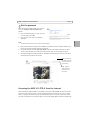
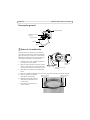
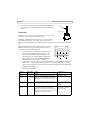
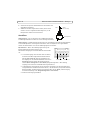
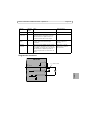
2. Loosen the four screws holding the dome
Screws for dome
(using the 3mm allen key). Make sure the
Packing between housing
o-ring on the screw is in place.
and sunshield
3. Carefully unwrap the AXIS 215 PTZ-E.
4. Carefully remove the packing between the housing and sunshield. See illustration above.
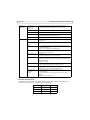
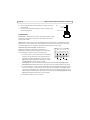
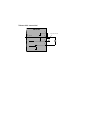
5. Remove the plastic protection
Place desiccant bag here
Place desiccant bag here
from the desiccant bags.
6. Fold the ends of the desiccant
bags and place them in the
empty slots.
7. Attach the dome and tighten
the four screws firmly.