1
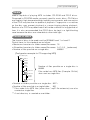
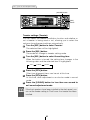
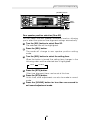
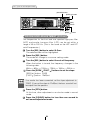
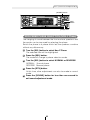
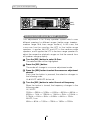
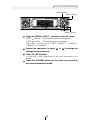
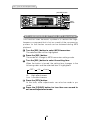
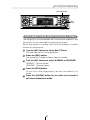
P
E
H-MOD
US
BAND
MODE
TRACK
TUNE SEEK
CUSTOMER NOTICE
DISC
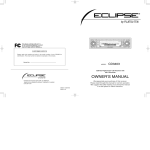
Please retain this booklet and write in the serial number of your CD8053 for
identification. The serial number is labeled or stamped on the chassis.
E-COM
MUTE
Serial No.
MODEL
CD8053
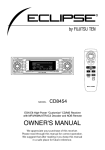
ESN E8 CD Tuner with
Multi Control and NOB Remote
DIVISION OF FUJITSU TEN CORP. OF AMERICA
19600 SOUTH VERMONT AVENUE, TORRANCE, CA 90502
(310) 327-2151
OWNER'S MANUAL
090001-1441A700
0303 (Y.O)
We appreciate your purchase of this tuner.
Please read through this manual for correct operation.
We suggest that after reading it you keep this manual
in a safe place for future reference.
PWR
ILLUMI
For your safety in using the
CD8053
Warnings and caution signs, illustrated below, are posted
throughout this manual as well as on the CD8053. They show safe
and correct ways to handle the product so as to prevent personal
injury to you and others and avoid damage to property.
Before reading through the manual, take time to read through and
learn the important information listed in this section.
Warning
Caution
This sign indicates a situation in which
incorrect handling through disregard of a sign
might result in death or serious personal injury.
This sign indicates a situation in which
incorrect handling through disregard of a sign
might result in personal injury or may result
solely in damage to property.
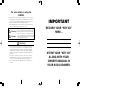
IMPORTANT
RECORD YOUR “KEY CD”
HERE…
Warning
• Do not modify this system for use other than that specified
herein. Also, do not deviate from the installation procedures
described herein; Eclipse will not be held liable for damages
including, but not limited to serious injury, death or property
damage resulting from installations that enable unintended
operation.
• This unit is intended for operation in DC 12-volt, negativegrounded vehicles only. Never use it in 24-volt vehicles such as
heavy trucks or diesel cars with cold-region specifications.
• Do not change CDs while driving. Doing so may result in an
accident.
2
STORE YOUR “KEY CD”
ALONG WITH YOUR
OWNER’S MANUAL IN
YOUR SOCK DRAWER.
131
Warning
• Do not place the vinyl storage bag over a person. It may cause
a serious accident or death by suffocation.
• Do not adjust the controls while driving the car. To adjust the
controls, stop the car in a safe location.
• To prevent accidents, store batteries for the remote control out
of the reach of small children. In case a child swallows a
battery, consult a physician immediately.
• Do not disassemble or rebuild this product. Doing so may
cause an accident, fire or electrical shock.
• When it is necessary to replace the fuse, always use a fuse of
the correct rating (number of amperes). Use of fuses with
higher amperage ratings may cause a fire.
• Do not operate the product in a malfunctioning condition, for
instance, when the audio does not play. Doing so may result in
an accident, fire or electrical shock.
• If an abnormal situation occurs, such as foreign matter entering
or liquid splashing on the product, or smoke or a strange odor
emitting from the unit, shut off the product immediately and
consult the dealer from whom you purchased it. Continued
operation may cause an accident, fire or electrical shock.
• Do not install this product in locations where it may obstruct the
driver's view, or where it may endanger passengers in the
vehicle. Otherwise, an accident or injury may result.
• Do not install this product in locations where it may interfere
with the operation of the steering wheel, shift lever, brake
pedal, etc. Otherwise, an accident or injury may result.
• When installing this product, never use existing nuts or bolts
that secure parts of the fuel tank, or the steering or braking
systems. Otherwise improper steering or braking or a fire may
result.
3
Warning
• To prevent a short circuit from occurring, disconnect the
battery's negative terminal before installing this product.
Otherwise, an electric shock or injury may result.
• When using an existing nut and/or bolt from the vehicle to
ground this product, do not use any that secure parts of the
steering or braking systems. Otherwise, an accident may result.
• Bundle cables and harnesses with electrical tape or wire ties to
prevent them from interfering with moving parts. If they should
entangle the steering wheel, shift lever or brake pedal, an
accident may result.
• Never supply power to another electrical appliance by splicing
or tapping into this product's power lead (wire). Otherwise, the
current capacity of the wire will be exceeded, resulting in a fire
or electric shock.
• Never attempt to disassemble or modify the product.
Otherwise, an accident, fire or electric shock may result.
• When installing the product into a vehicle with a passenger
side air bag, do not secure it to the air bag's cover or in places
where it may impede air bag deployment. Otherwise, proper air
bag operation may not be ensured in the event of an accident,
causing injury or death.
• When making holes using a drill or similar tool, be sure to wear
protective eyewear. Otherwise, an injury such as loss of
eyesight may result.
• Exposed wires must be insulated with electrical tape.
Otherwise, a short circuit, fire, or electric shock may result.
4
Caution
• Play the audio at a moderate volume level that permits you to
hear sounds from outside the car. Driving without being able to
hear outside sounds may result in an accident.
• Keep foreign objects out of the disc slot. They may cause fire
or electrical shock. Another possibility is that discs may be
damaged or become stuck.
• Do not stick your fingers or hands into the disc slot. Doing so
may cause personal injury.
• This product must be operated only as on-board equipment, or
it may cause electrical shock or injury.
• Do not play distorted sounds for long periods of time;
the speakers may overheat and cause a fire.
• Never use batteries other than those specified. Do not mix new
and old cells. Doing so may cause a fire or personal injury due
to a battery explosion or chemical leaks.
• Pay attention to the (+) and (-) polarity of the battery when
installing them in the product. Incorrect installation may cause
personal injury or product damage spoilage due to a battery
explosion or chemical leakage.
• For best results, this product should be installed by a
professional installer.
Contact the dealer whom you purchased the product for an
appointment.
• When installing this product, be sure to use the supplied
mounting hardware. If parts other than those supplied are
used, the unit may be damaged internally, or may not be held
in place securely and become dislodged.
5
Caution
• Avoid installing this product in places where it may get wet,
such as near windows, or in places that are moist or dusty.
Presence of liquid, moisture or dust inside this product can
cause short circuiting, resulting in smoke or fire.
• Do not install this product in locations where it cannot be
fastened securely, such as places subject to frequent vibration.
Otherwise, it may become dislodged and cause an accident or
injury.
• Do not block this product's vent or heat sink. If either is
blocked, excessive heat build-up may occur and cause a fire.
• If this product is not connected properly, a short circuit, fire or
accident may occur.
• When routing cables, use care so that they do not contact
sharp metal parts such as brackets or screw tips. Otherwise, a
short circuit, electric shock, fire or accident may result.
• Do not obstruct the vent on this product. If blocked, excessive
heat build-up may occur and cause a fire.
6
Table of Contents
Operating precautions...............................................10
Notes on operation .......................................................................10
About compact discs ....................................................................11
About cleaning a CD ....................................................................13
Names of controls and parts ....................................14
ESN (Key CD) security operating procedure ..........15
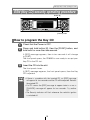
How to program the Key CD ........................................................15
How to cancel the Key CD ...........................................................16
How to change the Key CD ..........................................................17
How to resume normal operation (ESN security lock out)............17
What happens if an incorrect CD is inserted? ..............................18
How to turn the security indicator on/off .......................................19
How to read the Electronic Serial Number ...................................19
Basic operation ..........................................................20
Turning the power on and off .......................................................20
Listening to a CD..........................................................................21
Listening to the tuner....................................................................22
Adjusting audio volume ................................................................23
Switching audio control modes.....................................................24
Enabling the loudness control ......................................................26
Making changes with Display Adjustment Mode ..........................27
Making changes with Function Mode ...........................................30
Others...........................................................................................34
How to operate the CD player..................................38
Listening to CDs ...........................................................................38
Advancing to the next track or returning to the beginning of
the track being played ..................................................................39
Fast Forward/Rewind ...................................................................39
Playing the beginning of tracks (SCAN) .......................................39
Repeating the same track (REPEAT)...........................................40
Playing tracks in random order (RANDOM) .................................40
Switching a CD to pause/play ......................................................41
Ejecting the disc ...........................................................................41
Creating a title for a CD................................................................42
Changing a previously set title .....................................................44
Deleting a previously created title ................................................45
Changing the number of CD titles ................................................46
Displaying CD text........................................................................47
7
How to operate the MP3 player ................................48
About MP3....................................................................................48
Listening to MP3 file .....................................................................51
Advancing to the next track (file) or returning to the beginning of
the track (file) being played ..........................................................52
Skipping to the next or previous folder .........................................52
Return to the root directory of the CD ..........................................52
Playing the beginning of files (SCAN) ..........................................53
Repeating the same file (REPEAT)..............................................53
Playing files in random order (RANDOM) ....................................54
Displaying title ..............................................................................55
How to operate the tuner ..........................................56
Tuning to a station........................................................................56
Entering stations into memory automatically
(The automatic preset mode: ASM) .............................................57
Manually setting stations into memory .........................................58
Preset station scan.......................................................................59
Setting a station name..................................................................60
Deleting a station name................................................................62
Changing the number of bands ....................................................63
FM reception characteristics ........................................................64
How to operate the Sound Adjustment Mode .........66
About Sound Adjustment Mode....................................................66
Operations during Normal Mode ..................................................73
Operations during Pro Mode ........................................................86
How to use the NOB remote control ........................98
Precautions in use of the remote control......................................98
Cleaning the remote control .........................................................98
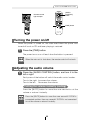
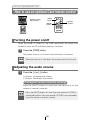
Turning the power on/off ..............................................................99
Adjusting the audio volume ..........................................................99
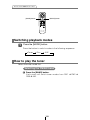
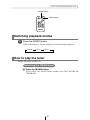
Switching playback modes .........................................................100
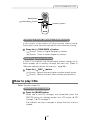
How to play the tuner .................................................................100
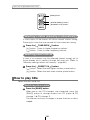
How to play CDs.........................................................................101
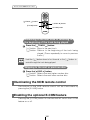
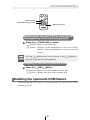
Illuminating the NOB remote control ..........................................102
Enabling the optional E-COM feature.........................................102
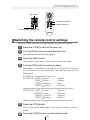
Switching the remote control settings.........................................103
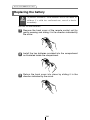
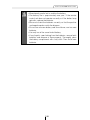
Replacing the battery .................................................................104
8
How to use an optional Card remote control ........106
Turning the power on/off ............................................................106
Adjusting the audio volume ........................................................106
Switching playback modes .........................................................107
How to play the tuner .................................................................107
How to play CDs.........................................................................108
Enabling the optional E-COM feature.........................................109
Switching the remote control settings.........................................110
Replacing the battery .................................................................111
How to operate the receiver with an optional
CD changer connected............................................112
Switching the input channel........................................................112
Listening to a CD........................................................................112
Advancing to the next track or returning to the beginning of
the track being played ................................................................112
Fast Forward/Rewind .................................................................113
Playing the beginning of tracks (SCAN) .....................................113
Repeating the same track (REPEAT).........................................114
Playing tracks in random order (RANDOM) ...............................114
Skipping to the next or previous CD...........................................115
Specifying a CD to play ..............................................................115
Others .......................................................................116
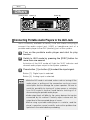
Connecting Portable Audio Players to the AUX Jack.................116
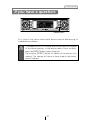
If you have a question:............................................117
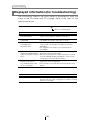
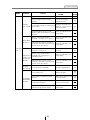
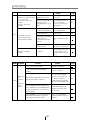
Displayed information (for troubleshooting)................................118
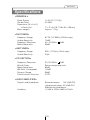
Specifications ..........................................................121
Before installation ...................................................122
Components ...............................................................................122
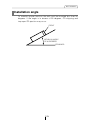
Installation angle ........................................................................123
Mounting instruction ...............................................124
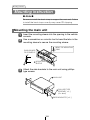
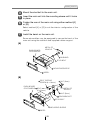
Mounting the main unit ...............................................................124
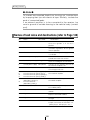
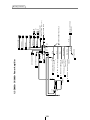
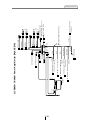
Names of lead wires and destinations .......................................126
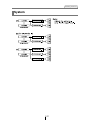
System .......................................................................................127
9
Operating precautions
Operating precautions
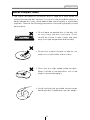
<Your CD8053 will perform well over a long period of time through correct
handling and care.>
Notes on operation
• For your safety, play only at volume levels that allow outside sounds to be
heard.
• We recommend using with this player a disc with
the logo shown to the left.
• You can play music CDs(CD-R/CD-RW) on this
player. Be sure to use discs that have been
properly processed.
Depending on the editing equipment used, some
discs may not play properly.
• Do not insert anything other than a CD into the
disc slot.
Do not insert any foreign objects, such as coins or
credit cards, into the disc slot. Be especially
watchful of children’s mischief in this regard.
• Avoid severe mechanical shock.
When the player is subjected to severe vibration
while traveling over a rough surface, playback
may be intermittent. When a situation like this
occurs, resume playback after returning to a
smoother road.
• About dew condensation.
In cold or rainy weather, just as the interior glass
surface gets fogged, dew (water condensation)
may also settle on the deck. When this occurs,
disc playback may become intermittent or
impossible. Dehumidify the air in the vehicle for a
while before resuming playback.
• Cleaning the disc slot.
The disc slot tends to get dusty. Clean it
occasionally to prevent accumulated dust from
scratching the discs.
10
Operating precautions
About compact discs
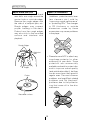
• The signal recorded on a compact disc is read by a laser beam, so
nothing touches the disc surface. A scratch on the recorded surface or a
badly warped disc may cause deteriorated sound quality or intermittent
playback. Observe the following precautions to ensure high quality sound
performance:
• Do not leave an ejected disc in the disc slot
for very long; the disc may warp. Discs
should be stored in their cases and kept
away from high temperature and humidity.
• Do not stick a piece of paper or tape on, nor
write on or scratch either side of a disc.
• Discs spin at a high speed inside the deck.
Keep cracked or warped discs out of the
player to avoid damaging it.
• Avoid touching the recorded surface when
handling a disc; handle discs by their edges.
11
Operating precautions
About brand new CDs
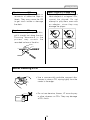
• You may notice that some brand
new discs are rough around the
center hole or outside edge.
Remove the rough edges with
the side of a ballpoint pen, etc.
Rough edges may prevent
proper loading in the deck.
Flakes from the rough edges
may also stick to the recorded
surface and interfere with
playback.
About CD accessories
• Do not use accessories
(stabilizers, protective seals, laser
lens cleaners, etc.) sold for
“improving sound performance”
or “protecting CDs.” The changes
in CD thickness or outside
dimensions made by these
accessories may cause problems
in the player.
Rough Edges
Ballpoint
pen
Rough
Edges
Flakes
• Please be sure NOT to attach any
ring-shape protector (or other
accessory) to your discs. Those
protectors are commercially
available and said to protect disc
and to improve sound quality
(and antivibration effect), but they
can do more harm than good in
regular uses. The most common
problems are Insert/Eject related
problems and "No playback"
problems due to the protector
ring that came off in the disc
mechanism.
Recorded surface
12
Operating precautions
About borrowed CDs
• Do not use a CD with glue or
remnants of adhesive tape or
labels. They may cause the CD
to get stuck inside or damage
the deck.
About irregularly-shaped CDs
• Specially-shaped CDs, like
heart-shaped or octagonal CDs,
cannot be played. Do not
attempt to play them, even with
an adapter, since they may
damage the player.
How to remove CDs
• When removing the ejected disc,
pull it straight out along the slot.
Pressing downward in the
process may scratch the
recorded surface of the disc.
OKAY
N
O
G
O
O
D
About cleaning a CD
• Use a commercially available compact disc
cleaner to clean a CD, wiping lightly from the
center to the edge.
XXXX
XXXX
XXXX
• Do not use benzine, thinner, LP record spray
or other cleaners on CDs. They may damage
a CD’s finish.
13
Names of controls and parts
Names of controls and parts
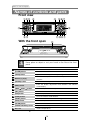
Front view
①②③ ④
④ ⑤⑥⑦
⑭
⑧
⑬⑫
⑪⑩⑨⑦
With the front open
Caution
⑮
Never place an object or rest your hands or the like on the front
panel.
[DISC] button
Switches disc modes and switches to AUX mode.
[E-COM] button*
Activates and deactivates mute.
[OPEN] button
Opens/closes front panel and adjusts angle.
Selects radio preset channels and performs disc mode
Buttons [1] to [6]
functions.
Turns the sound adjustment mode ON/OFF.
[SOUND] button
Turns the display adjustment mode ON/OFF and switches
[DISP] button
[SEEK
/FAST
screen display.
] button
Automatically finds radio reception and fast forward/rewind.
[SEL] button
Selects radio stations and CD tracks.
[RTN] button
Returns to previous screen.
[FUNC] button
Turns the function mode ON/OFF.
[RESET] button
Resets deck functions to default settings.
[PWR] button
Turns deck power ON/OFF.
[FM AM] button
Switches to radio mode and switches radio bands.
[AUDIO CONTROL] button
Adjusts volume and performs other functions.
Disc slot
Inserts compact discs.
*: Double function button
"E-COM" & "MUTE" functions
14
ESN (Key CD) security operating procedure
ESN (Key CD) security operating procedure
Button [6]
[FUNC] button
How to program the Key CD
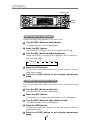
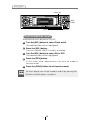
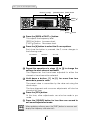
1
Check that the Power is OFF.
2
Press and hold button [6], then the [FUNC] button, and
hold both for more than one second.
A [SEC] message appears, then in two seconds it will change
to [DISC].
The front panel opens; the CD8053 is now ready to accept your
Key CD in the CD slot.
3
Insert the CD into the slot.
The front panel closes.
A [SEC] message appears, the front panel opens, then the Key
CD is ejected.
ATTENTION
•If there is a problem with the inserted CD, an [ERR] message
will appear for two seconds and the CD will be ejected. Reinsert
the ejected CD.
•If a CD causes the [ERR] message to appear twice in a row, a
[CHANGE] message will appear for two seconds. Try another
CD.
•The Security indicator will flash whenever the vehicle’s ignition
is switched off.
15
ESN (Key CD) security operating procedure
Button [6]
[FUNC] button
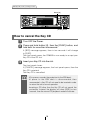
How to cancel the Key CD
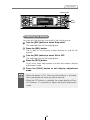
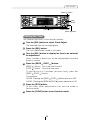
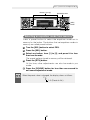
1
Turn OFF the Power.
2
Press and hold button [6], then the [FUNC] button, and
hold both for more than one second.
A [SEC] message appears, then in two seconds it will change
to [DISC].
The front panel opens; the CD8053 is now ready to accept your
Key CD in the CD slot.
3
Insert your Key CD into the slot.
The front panel closes.
A [CANCEL] message appears, the front panel opens, then the
Key CD is ejected.
The Key CD is cancelled.
ATTENTION
•This process cancels the protection for the ESN deck.
•If power to the ESN deck is disconnected, then
reconnected, a Key CD will not need to be inserted in order
to return the unit to normal operation.
•Inserting a CD other than the Key CD will not cancel the
protection. Instead, the display will show [ERR] for two
seconds, then the normal CD playback mode will activate.
16
ESN (Key CD) security operating procedure
How to change the Key CD
1
First, cancel the existing Key CD.
Refer to “How to cancel the Key CD.”
2
Next, program a new Key CD.
Refer to “How to program the Key CD.”
How to resume normal operation
(ESN security lock out)
If power is disconnected while ESN security is active (a Key CD was
programmed), operation is disabled until power is restored and the
unit unlocked. Follow this procedure to resume normal operation.
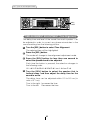
1
When the power is turned on after disconnecting the
battery power, a [SEC] message will appear for two
seconds. Thereafter, the message changes to [DISC]
and the CD8053 is ready to accept your Key CD into the
slot.
2
Insert your Key CD.
If the correct CD is inserted, an [OK] message will appear for
two seconds and the CD will begin playing.
ATTENTION
•If an incorrect CD is inserted, an [ERR] message will appear
for two seconds, after which the CD will be ejected.
•You must use the same CD used for Key CD programming;
a duplicate CD may not work properly.
17
ESN (Key CD) security operating procedure
Button [6]
[FUNC] button
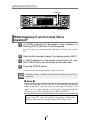
What happens if an incorrect CD is
inserted?
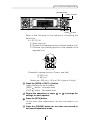
1
An [ERR] message will be appear, then change to a
flashing [DISC], then the CD will be ejected.
You will have five uninterrupted attempts to insert the correct
CD.
2
After the 5th incorrect attempt, the display reads [HELP].
3
If [HELP] appears on the screen, press button [6], then
the [FUNC] button, and hold them for five seconds.
4
Press the [FUNC] button.
You will have five more attempts the correct disc.
ATTENTION
Number of errors: Numbers indicated the number of errors that
occurred.
O Note O
If after 10 tries the correct Key CD is not inserted, the display
reads [CALL800]; the unit must be returned to Eclipse to be
reset. In this case, please contact your Eclipse dealer for
assistance or call Eclipse directly at (800) 233-2216.
Your key CD can be easily forgotten. Write the
album name in a reminder note (See Page 131).
18
ESN (Key CD) security operating procedure
Button [2]
Button [4]
[FUNC] button
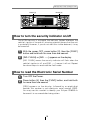
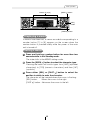
How to turn the security indicator on/off
Once ESN security is activated, the indicator flashes whenever the
vehicle’s ignition is turned off, warning potential thieves that the unit
is protected. However, if you do not want this visible deterrent, it may
be turned off.
1
With the power OFF, press button [2], then the [FUNC]
button and hold both for more than one second.
2
[IND. FLASH] or [IND. -----] appears on the display.
[IND. FLASH] means the security indicator will flash when the
vehicle’s ignition is off, and [IND. -----] means it will not. Repeat
the above steps to reactivate the flash mode.
How to read the Electronic Serial Number
1
Turn OFF the Power.
2
Press button [4], then the [FUNC] button, and hold both
for more than one second.
[ESN] appears on the display, followed by an eight-digit
number; this number is your electronic serial number (ESN).
You may use this number to identify your Eclipse CD8053 in
the event it is recovered after being stolen.
19
Basic operation
Basic operation
[PWR] button
This section covers basic operating procedures. For additional
details, please refer to the sections on specific functions.
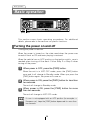
Turning the power on and off
Turning the power on and off.
When the power is turned on, the state used when the power was
turned off such as CD and tuner playing is restored.
When the vehicle has no ACC position on the ignition switch, care is
needed when turning off the deck. Follow Step 2 or Step 3 when
turning off the power.
1
When power is OFF, press the [PWR] button.
When the unit is in ACC OFF mode, press the [PWR] button
once and it will change to Standby mode. When you press the
[PWR] button again, the power will come on.
2
When power is ON, press the [PWR] button for less than
two seconds.
The unit will change to Standby mode.
3
When power is ON, press the [PWR] button for more
than two seconds.
The unit will change to ACC OFF mode.
ATTENTION
If a car is not equipped with an ACC position (for example, a
European car), keep the [PWR] button depressed for more than
two seconds.
20
Basic operation
[OPEN] button
[DISC] button
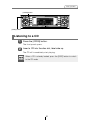
Listening to a CD
1
Press the [OPEN] button.
The front panel opens.
2
Insert a CD into the disc slot, label side up.
The CD will immediately start playing.
ATTENTION
When a CD is already loaded, press the [DISC] button to switch
to the CD mode.
21
Basic operation
Buttons [1] to [6]
[SEEK
] button
[SEL]
button
[FM AM] button
[FAST
] button
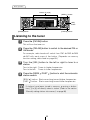
Listening to the tuner
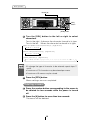
1
Press the [FM AM] button.
This will turn the tuner on.
2
Press the [FM AM] button to switch to the desired FM or
AM bands.
For example, radio bands will switch from FM1 ➔ FM2 ➔ FM3
➔ AM1 with each press of the button. (Depends on memory
function setting, described on page 63.)
3
Turn the [SEL] button to the left or right to tune to a
station.
Turn to the right: Tunes to higher frequencies.
Turn to the left: Tunes to lower frequencies.
4
Press the [SEEK /FAST ] button to start the automatic
station search.
[SEEK ] button: Starts searching toward higher frequencies.
[FAST ] button: Starts searching toward lower frequencies.
ATTENTION
If stations have been stored in memory, pressing a button
from [1] to [6] will directly select a station. (Refer to the section
“Manually setting stations into memory” on page 58)
22
Basic operation
[E-COM] button
[AUDIO CONTROL] button
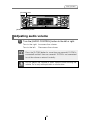
Adjusting audio volume
1
Turn the [AUDIO CONTROL] button to the left or right.
Turn to the right: Increases the volume.
Turn to the left: Decreases the volume.
ATTENTION
Warning
Press the [E-COM] button for more than one second if E-COM is
connected and less than one second if E-COM is not connected
to cut the volume or restore it instantly.
Do not adjust the volume or other controls while driving the
vehicle. Do so only while parked in a safe location.
23
Basic operation
[AUDIO CONTROL] button
Switching audio control modes
Various audio control modes may be fine-tuned using this
procedure.
1
Press the [AUDIO CONTROL] button for less than one
second to select the item to be adjusted.
Modes will switch in the order shown below each time the
button is pressed.
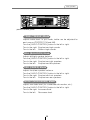
VOL BASS *1 TREB *1 BAL *2 FAD*2
NON-F *3
*1: When the sound adjustment mode is in normal mode, this
adjustment is not available. (Refer to page 73.)
*2: When the sound adjustment mode is set to pro mode, or if
the position selector is "ON" in normal mode, this
adjustment is not available. (Refer to pages 80 and 86.)
*3: When the sound adjustment mode is pro mode, this
adjustment is not available. (Refer to page 86.)
VOL (VOLUME) Mode
Adjusts volume. Volume level can be adjusted for each source
(CDP/CDC, FM and AM).
Turn the [AUDIO CONTROL] button to the left or right.
Turn to the right: Increases the volume.
Turn to the left: Decreases the volume.
BASS Mode
Adjusts bass level. In pro mode, bass can be adjusted for each
source (CDP/CDC, FM and AM).
Turn the [AUDIO CONTROL] button to the left or right.
Turn to the right: Emphasizes low sounds.
Turn to the left: Softens low sounds.
24
Basic operation
[AUDIO CONTROL] button
TREB (TREBLE) Mode
Adjusts treble level. In pro mode, treble can be adjusted for
each source (CDP/CDC, FM and AM).
Turn the [AUDIO CONTROL] button to the left or right.
Turn to the right: Emphasizes high sounds.
Turn to the left: Softens high sounds.
BAL (BALANCE) Mode
Adjusts left/right speaker balance.
Turn the [AUDIO CONTROL] button to the left or right.
Turn to the right: Emphasizes right speakers.
Turn to the left: Emphasizes left speakers.
FAD (FADER) Mode
Adjusts front/rear speaker balance.
Turn the [AUDIO CONTROL] button to the left or right.
Turn to the right: Emphasizes front speakers.
Turn to the left: Emphasizes rear speakers.
NON-F (NON-FADER) Mode
Adjusts non-fader level (for connected sub-woofers, etc.).
Turn the [AUDIO CONTROL] button to the left or right.
Turn to the right: Increases level.
Turn to the left: Decreases level.
25
Basic operation
[AUDIO CONTROL] button
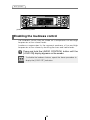
Enabling the loudness control
The loudness control may be turned on to emphasize low and high
frequencies at low volume levels.
Loudness compensates for the apparent weakness of low and high
frequencies at low volume by boosting the bass and treble levels.
1
Press and hold the [AUDIO CONTROL] button until the
[LOUD ON] display appears on the screen.
ATTENTION
To disable the loudness feature, repeat the above procedure to
display the [LOUD OFF] indication.
26
Basic operation
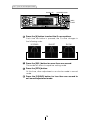
[DISP] button
[SEL]
button
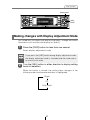
Making changes with Display Adjustment Mode
This mode lets you adjust the display brightness, change the button
illumination color and turn the display on and off.
1
Press the [DISP] button for less than one second.
Enters display adjustment mode.
ATTENTION
2
If you press the [DISP] button during display adjustment mode,
the display adjustment mode is canceled and the mode returns
to normal music mode.
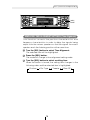
Turn the [SEL] button in either direction to display setting
items for selection.
When the button is turned, the setting item changes in the
following order and the selected item is highlighted.
Bright
ILL
Disp on/off
27
Basic operation
[DISP] button
[SEL]
button
[RTN] button
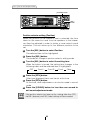
Switching the brightness
Adjust the display brightness to the best level.
1 Turn the [SEL] button to select Bright.
The selected item will be highlighted.
2 Press the [SEL] button.
The mode will change to luminance adjustment mode.
3 Turn the [SEL] button to adjust brightness.
When the button is turned, the brightness level changes in
the following order.
(Level)1
2
3
4
5
4 Press the [RTN] button.
At this time, other adjustments can also be made in display
adjustment mode.
5 Press the [DISP] button to exit display adjustment
mode.
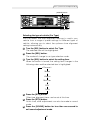
Changing Illumination Color
You can change the button illumination color in the following
way.
1 Turn the [SEL] button to select ILL.
The selected item will be highlighted.
2 Press the [SEL] button.
The screen for changing the illumination color will appear.
3 Turn the [SEL] button to select Green or Red.
The selected item will be highlighted.
4 Press the [RTN] button.
At this time, other adjustments can also be made in display
adjustment mode.
5 Press the [DISP] button to exit display adjustment
mode.
28
Basic operation
[DISP] button
[SEL]
button
[RTN] button
Disabling the display
You can turn the display on and off in the following way.
1 Turn the [SEL] button to select Disp on/off.
The selected item will be highlighted.
2 Press the [SEL] button.
The screen for turning the screen display on and off will
appear.
3 Turn the [SEL] button to select ON or OFF.
The selected item will be highlighted.
4 Press the [RTN] button.
At this time, other adjustments can also be made in display
adjustment mode.
5 Press the [DISP] button to exit display adjustment
mode.
ATTENTION
•When the display is OFF, when one of the buttons is activated,
the screen display will come on within 6 seconds.
•When the OFF function is selected, the screen display will turn
off. However, it is possible to adjust the display adjustment
mode.
29
Basic operation
[SEL]
button
[FUNC] button
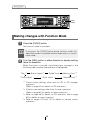
Making changes with Function Mode
A variety of settings can be changed.
1
Press the [FUNC] button.
The function mode is activated.
ATTENTION
2
If you press the [FUNC] button during function mode, the
adjustment mode is canceled and the mode returns to normal
music mode.
Turn the [SEL] button in either direction to display setting
items for selection.
When the button is turned, the setting item changes in the
following order and the selected item is highlighted.
Title *1
Station Name *2
Clock Adjust
Guide Tone
Clock on/off
Memory Func *3
Remote Func *4
*1: Cannot make settings other than for CD or CD changer
operation.
(Refer to page 42 for details on CD operation.)
*2: Cannot make settings other than for tuner operation.
(Refer to page 60 for details on tuner operation.)
*3: Refer to page 46 for details on CD operation, and to page
63 for details on tuner operation.
*4: Refer to pages 103 and 110 for details on remote control
operation.
30
Basic operation
[SEL]
button
[FUNC] button
[RTN] button
Disabling the guide tone feature (for button operation)
The receiver is set at the factory to emit a beep tone in
response to button operation. The guide tone feature may be
disabled in the following procedure:
1 Turn the [SEL] button to select Guide Tone.
The selected item will be highlighted.
2 Press the [SEL] button.
The guide tone mode will be switched ON/OFF.
3 Turn the [SEL] button to select ON or OFF.
The selected item will be highlighted.
4 Press the [RTN] button.
At this time, other adjustments can also be made in
function mode.
5 Press the [FUNC] button to exit function mode.
31
Basic operation
Button [6]
[SEL]
button
[FUNC] button
[RTN] button
CLOCK DISPLAY on/off
Switches the clock display to ON/OFF.
1 Turn the [SEL] button to select Clock on/off.
The selected item will be highlighted.
2 Press the [SEL] button.
The clock display ON/OFF mode is activated.
3 Turn the [SEL] button to select ON or OFF.
The selected item will be highlighted.
4 Press the [RTN] button.
At this time, other adjustments can also be made in
function mode.
5 Press the [FUNC] button to exit function mode.
ATTENTION
The clock display can also be turned on and off by pressing the
[6] button while the power is turned off.
32
Basic operation
[SEEK
] button
[SEL]
button
[FUNC] button
[RTN] button
[FAST
] button
Setting the Time
This receiver uses the 12-hour display notation.
1 Turn the [SEL] button to select Clock Adjust.
The selected item will be highlighted.
2 Press the [SEL] button.
The clock adjustment mode is activated.
3 Turn the [SEL] button to display the item to be selected
for adjustment.
Hours, minutes or exact hour will be switched each time the
button is turned.
4 Press the [SEEK /FAST ] button.
[SEEK ] button: Turns the time forward.
[FAST ] button: Turns the time back.
To set the clock to 0 minutes (an exact hour), press the
[SEEK /FAST ] button.
For example:
At 3:29: Pressing the [SEEK /FAST ] button returns to 3:00.
At 3:30: Pressing the [SEEK /FAST ] button advance to 4:00.
5 Press the [RTN] button.
At this time, other adjustments can also be made in
function mode.
6 Press the [FUNC] button to exit function mode.
33
Basic operation
[E-COM] button [OPEN] button
Others
Enabling E-COM feature
1 Press the [E-COM] button for one second.
Pressing the button will switch the E-COM feature on or off.
Adjustment of the front panel angle
1 Press and hold the [OPEN] button for more than one
second.
While holding the button, the front panel opens regardless
of the stage. The operation stops when the limit of
adjustable angles is reached.
2 Press the [OPEN] button again for more than one
second.
The front panel will be completely closed.
34
Basic operation
Buttons [1] to [5]
[SEEK
] button
[SEL]
button
[FAST
] button
Displaying a memo
If memos have been set, a memo recorded corresponding to a
number button [1] to [5] appears on the screen when the
number button is pressed briefly while the power of the main
unit is turned off.
Setting a memo
1 Press and hold any number button for more than two
seconds while in the Standby mode.
The state shifts to the MEMO setting mode.
2 Press the [SEEK ] button to select the character type.
Pressing the button will switch types from [ABC] (alphabet
characters) to [123] (numeric characters) and then [!&?]
(symbols).
3 Press either [SEL] or [FAST ] button to select the
position in which to enter the character.
The character will be inserted where the cursor is flashing:
[SEL] button:
Moves the cursor to the right.
[FAST ] button: Advances the cursor to the left.
35
Basic operation
Button [6]
[SEL]
button
[RTN] button
4 Turn the [SEL] button to the left or right to select
characters.
Turn to the right: Advances the character forward in its type.
Turn to the left: Moves the character backward in its type.
[Upper-case alphabet characters] Initial value [A]
A B C ...X Y Z
[Numeric characters] Initial value [1]
1 2 3 ...8 9 0
[Right direction]
[Symbol] Initial value [!] [Right direction]
! " # $ % & ’ ( ) * +
ATTENTION
[Right direction]
,
–
.
/
:
;
<
=
>
?
@
´
_
•To change the type of character to be entered, repeat steps 2
and 3.
•A maximum of 10 characters may be entered per memo.
•A maximum of 5 memos may be stored.
5 Press the [RTN] button.
Memo settings are now completed.
Deleting a memo
1 Press the number button corresponding to the memo to
be deleted for two seconds while the power is turned
off.
2 Press the [6] button for more than two seconds.
The memo will be deleted.
36
Basic operation
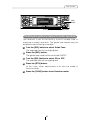
Buttons [1] to [6]
[DISP] button
Changing the display mode
You can change the details that are shown in display mode in
the following way.
1 Press the [DISP] button for one second or more. Each
time the button is pressed in this way, the display
switches between A mode and B mode.
A mode: In this mode, the preset button functions are
displayed.
When in tuner mode, the preset frequencies are
displayed next to buttons [1] to [6] and these
frequencies are highlighted when those signals
are being received. When in disc mode, the
button functions such as [SCAN], [RPT] and
[RAND] that are used in disc mode are displayed
next to buttons [4] to [6].
B mode: In this mode, the preset button functions are not
displayed.
Operation assist function
In display adjustment mode, function mode and sound
adjustment mode, the screen displays and button illumination
help to guide you in carrying out operations.
The function button
selected for adjustment
is displayed
The buttons that are
used for adjustment
operations flash.
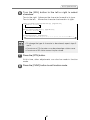
37
How to operate the CD player
How to operate the CD player
[DISC] button
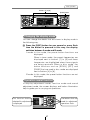
First press the [DISC] button to switch to the disc mode. It is
assumed here that a CD has already been loaded into the unit.
Listening to CDs
1
Press the [DISC] button.
This starts CD play.
If an external CD changer is connected, each additional press
of the [DISC] button will switch modes from CD changer 1 ➔
CD changer 2 ➔ CD player.
A changer or player with no discs loaded will be skipped.
Caution
•Playback may be intermittent when there is a scratch on a CD
or when the recorded side is dirty.
•Only two external CD changers may be connected.
38
How to operate the CD player
Button [4] [SEEK
] button
[SEL]
button
[FAST
] button
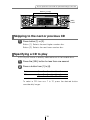
Advancing to the next track or returning to
the beginning of the track being played
1
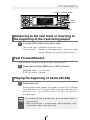
Turn the [SEL] button to the left or right.
Turn to the right: Advances to the next track.
Turn to the left: Returns to the beginning of the track being
played. (Repeat turning for previous tracks.)
Fast Forward/Rewind
Fast forward or rewind the song currently being played.
1
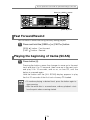
Press and hold the [SEEK ] or [FAST ] button.
[SEEK ] button: Fast forward.
[FAST ] button: Rewind.
Playing the beginning of tracks (SCAN)
1
Press button [4].
Pressing the button causes the player to move up to the next
track and play it for 10 seconds, then move up to the next track
and play it for 10 seconds, and so on until the button is
pressed again.
ATTENTION
•To continue playing a desired track, press the button again to
stop scanning.
•After the entire disc is scanned once, ordinary playback starts
from the point where scanning started.
39
How to operate the CD player
Buttons [5] and [6]
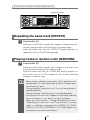
Repeating the same track (REPEAT)
1
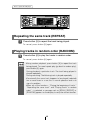
Press button [5] to repeat the track being played.
To cancel, press button [5] again.
Playing tracks in random order (RANDOM)
1
Press button [6] to play the tracks in random order.
To cancel, press button [6] again.
ATTENTION
•Doing random playback, press button [5] to repeat the track
being played. To cancel repeat play (go back to random play),
press button [5] again.
During playback a particular track: The track being played is
played repeatedly.
During searching: The following track is played repeatedly.
•Occasionally the same track happens to be played (selected)
two or more times in a row; this is normal operation and is no
sign of a problem.
•When any of the functions - “Playing the beginning of tracks,”
“Repeating the same track” and “Playing tracks in random
order” - is selected, a message such as [SCAN], [REPEAT] or
[RANDOM] appears on the display to verify the current function.
40
How to operate the CD player
[OPEN] button
Button [3]
Switching a CD to pause / play
1
Press button [3].
It pauses playing a CD.
To cancel, press button [3] again.
Ejecting the disc
1
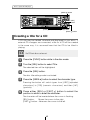
Press the [OPEN] button for less than one second.
The front panel opens fully and ejects the disc.
2
Remove the disc and press the [OPEN] button.
The front panel returns to the angle before the disc ejection. If
left alone for 15 seconds after the disc ejection, the front panel
returns to the angle before the disc ejection after the BEEP
sound.
Caution
•Do not drive with the front panel open. The panel may cause
unexpected personal injury during a panic stop, or the like.
•Do not attempt to close the front panel by hand. Doing so may
damage the panel.
41
How to operate the CD player
[SEEK
] button
[SEL]
button
[FUNC] button
[RTN] button
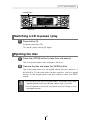
[FAST
] button
Creating a title for a CD
A CD title may be created, attached and displayed for your discs. If
external CD changers are connected, a title for a CD will be created
in the same way. It is assumed here that the CD to be titled is
playing.
No CD text disc can be set.
ATTENTION
1
Press the [FUNC] button while in the disc mode.
2
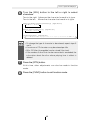
Turn the [SEL] button to select Title.
The selected item will be highlighted.
3
Press the [SEL] button.
The disc title setting mode is activated.
4
Press the [SEEK ] button to select the character type.
Pressing the button will switch types from [ABC] (alphabet
characters) to [123] (numeric characters) and then [!&?]
(symbols).
5
Press either [SEL] or [FAST ] button to select the
position in which to enter the character.
The character will be inserted where the cursor is flashing:
[SEL] button:
Moves the cursor to the right.
[FAST ] button: Advances the cursor to the left.
42
How to operate the CD player
6
Turn the [SEL] button to the left or right to select
characters.
Turn to the right: Advances the character forward in its type.
Turn to the left: Moves the character backward in its type.
[Upper-case alphabet characters] Initial value [A]
A B C ...X Y Z
[Numeric characters] Initial value [1]
1 2 3 ...8 9 0
[Right direction]
[Symbol] Initial value [!] [Right direction]
! " # $ % & ’ ( ) * +
ATTENTION
7
[Right direction]
,
–
.
/
:
;
<
=
>
?
@
´
_
•To change the type of character to be entered, repeat steps 3
and 4.
•A maximum of 12 characters may be entered per title.
•30 to 100 titles (changeable) can be stored (Use store).
•If the number of discs that can be memorized is exceeded, the
information about the disc whose playing time is oldest is
deleted.
Press the [RTN] button.
At this time, other adjustments can also be made in function
mode.
8
Press the [FUNC] button to exit function mode.
43
How to operate the CD player
[SEL]
button
[FUNC] button
[RTN] button
[FAST
] button
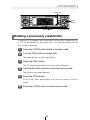
Changing a previously set title
If external CD changers are connected, a previously set title for a CD
will be changed in the same way. It is assumed here that the disc
mode is selected.
1
2
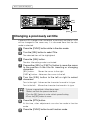
Press the [FUNC] button while in the disc mode.
Turn the [SEL] button to select Title.
The selected item will be highlighted.
3
Press the [SEL] button.
The disc title setting mode is activated.
4
Press either [SEL] or [FAST ] button to move the cursor
to the position in the title for inserting or changing
characters.
[SEL] button:
Moves the cursor to the right.
[FAST ] button: Advances the cursor to the left.
5
Turn the [SEL] button to the left or right to select
characters.
Turn to the right: Advances the character forward in its type.
Turn to the left: Moves the character backward in its type.
ATTENTION
6
To leave a space blank, follow these steps.
1.Select and flash the space to be blank.
2.Turn the [SEL] button to make a blank space flashing.
3.Press the [SEL] button to move.
Press the [RTN] button.
At this time, other adjustments can also be made in function
mode.
7
Press the [FUNC] button to exit function mode.
44
How to operate the CD player
Button [6]
[SEL]
button
[FUNC] button
[RTN] button
Deleting a previously created title
If external CD changers are connected, a previously created title for
a CD will be deleted in the same way. It is assumed here that the
disc mode is selected.
1
Press the [FUNC] button while in the disc mode.
2
Turn the [SEL] button to select Title.
The selected item will be highlighted.
3
Press the [SEL] button.
The CD title being played at this point will be deleted.
4
Hold the [6] button down for more than two seconds.
The title has now been deleted.
5
Press the [RTN] button.
At this time, other adjustments can also be made in function
mode.
6
Press the [FUNC] button to exit function mode.
45
How to operate the CD player
[SEL]
button
[FUNC] button
[RTN] button
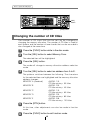
Changing the number of CD titles
The number of CD titles that can be set can be changed by
changing the memory allocation. The number of CD titles is fixed for
each pattern and the number of tuner bands that can be recorded is
also changed at the same time.
1
Press the [FUNC] button while in the disc mode.
2
Turn the [SEL] button to select Memory Func.
The selected item will be highlighted.
3
Press the [SEL] button.
The mode will change to memory allocation address selection
mode.
4
Turn the [SEL] button to select an address from A to E.
The patterns switches between the following. The characters
for the selected item are highlighted and the memory allocation
address changes.
MEMORY A (standard)
AM/FM: 1/3,
CD title momory: 30 titles
MEMORY B
AM/FM: 2/5,
CD title momory: 40 titles
MEMORY C
AM/FM: 1/3,
CD title momory: 60 titles
MEMORY D
AM/FM: 2/5,
CD title momory: 80 titles
MEMORY E
AM/FM: 3/8,
CD title momory: 100 titles
5
Press the [RTN] button.
At this time, other adjustments can also be made in function
mode.
6
Press the [FUNC] button to exit function mode.
46
How to operate the CD player
[DISP] button
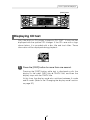
Displaying CD text
Only the built-in CD player supports CD TEXT. It can not be
displayed with the optional CD changer. If the CD came with a logo
shown below, it is recorded with a disc title and track titles. These
information will be displayed during playback.
1
Press the [DISP] button for more than one second.
Pressing the [DISP] button while text is displayed scrolls the
display in the order DISC title ➔ TRACK title, and then the
display stops with the TRACK title.
At this time, the display mode also switches between A mode
and B mode. (Refer to the "Changing the display mode" section
on page 37.)
47
How to operate the MP3 player
How to operate the MP3 player
MP3 files can only be played when E-COM is connected.
About MP3
ATTENTION
The making of MP3 files by recording from sources such as
broadcasts, records, recordings, videos and live performances
without permission from the copyright holder for uses other than
personal enjoyment is prohibited.
What is MP3?
MP3 (MPEG Audio Layer III) is a standard format for audio compression
technology. By using MP3, a file can be compressed to one-tenth the size
of the original.
This deck has limitations on MP3 file standards and recorded media and
formats that can be used.
Playable MP3 file standards
• Supported standards: MPEG-1 Audio Layer III
MPEG-2 Audio Layer III
• Supported sampling frequencies: 22.05, 44.1 (kHz)
• Supported bit rate: 8, 16, 24, 32, 40, 48, 56, 64, 80, 96, 112, 128 (kbps)
* Does not support free format.
• Supported channel modes: stereo, joint stereo, monaural
ID3 tags
MP3 files have an "ID3 Tag" that allows input of information so that data
such as song title and artist can be saved.
This deck supports ID3v.1.0 and ID3v.1.1 tags.
48
How to operate the MP3 player
Media
Media capable of playing MP3 includes CD-ROM and CD-R discs.
Compared to CD-ROM media commonly used for music discs, CD-R discs
are fragile in high temperature/high humidity environments and one section
of the CD-R may become incapable of playback. Fingerprints or scratches
on the disc may prevent playback or cause skipping during playback.
Sections of a CD-R may deteriorate if left inside a vehicle for long periods of
time. It is also recommended that CD-R discs be kept in a light-blocking
case because the discs are vulnerable to ultra-violet light.
Format of discs
The format of discs to be used must be ISO9660 Level 1 or Level 2.
Control items for this standard are as follows:
• Maximum characters for folder names/file names: 15
• Allowable characters for folder names/file names: A~Z, 0~9, _ (underscore)
• Number of files possible on a single disc:
65535*1
[Configuration example for CD supporting MP3]
Root directory (F1)
F2
Folder 2
001.mp3
002.mp3
003.mp3
004.txt
005.mp3
F158
Folder 158
F159
Folder 159
Number of files possible on a single disc is
65535.
Files aside from MP3 files (Example: 004.txt)
also count as single files.
001.mp3
002.mp3
F300
Folder 300
• Number of folders possible on a single disc: 300*2
• Number of files possible in a single folder:
300
*1: Files aside from MP3 files (other than ".mp3" file extension) are also
counted as single files.
*2: A root directory is counted as one folder.
49
How to operate the MP3 player
File names
Only files with the MP3 file extension ".mp3" can be recognized as MP3 and
played. Be sure to save MP3 files with the ".mp3" file extension. The "MP"
letters of the file extension will be recognized whether entered as
uppercase letters or lowercase letters.
Caution
If the ".mp3" file extension is attached to a file other than an
MP3 file, that file will be mistakenly recognized by the deck as
an MP3 file and played, resulting in loud noise output that can
damage the speakers. Be sure to avoid attaching the ".mp3" file
extension to files that are not MP3 files.
Multi-sessions
Multi-sessions are supported, and playing of CD-R disc with annotated MP3
files is possible. However, when "Track at once" has been written, close the
session or process the warning message. Standardize the format of each
session without changing the format.
Playing MP3
When a disc with recorded MP3 files is inserted, the deck first checks all the
files on the disc. Checking of the files will be completed within 10 seconds
of disc insertion, and the first MP3 file will begin playing. If the disc check is
not completed within 10 seconds, the player will go into standby mode. No
sound is output while the deck is checking the files on the disc. It is
recommended that the disc be recorded without files other than MP3 files
and without unnecessary folders in order to speed up the checking of disc
files by the deck.
Display order of MP3 file/folder names
Names of MP3 folders and files within the same level are displayed in the
following order.
1. MP3 folders displayed first, by ascending order of numbers, letters.
2. Files displayed next, by ascending order of numbers, letters.
50
How to operate the MP3 player
[DISC] button
Listening to MP3 file
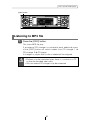
1
Press the [DISC] button.
This starts MP3 file play.
If an external CD changer is connected, each additional press
of the [DISC] button will switch modes from CD changer 1 ➔
CD changer 2 ➔ CD player.
A changer or player with no discs loaded will be skipped.
Caution
•Playback may be intermittent when there is a scratch on a CD
or when the recorded side is dirty.
•Only two external CD changers may be connected.
51
How to operate the MP3 player
Buttons [1] and [2]
[SEL]
button
[RTN] button
Advancing to the next track (file) or returning to
the beginning of the track (file) being played
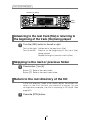
1
Turn the [SEL] button to the left or right.
Turn to the right: Advances to the next track (file).
Turn to the left: Returns to the beginning of the track (file)
being played.
Repeat turning for previous tracks (files).
Skipping to the next or previous folder
1
Press button [1] or [2].
Button [1]: Selects the next folder.
Button [2]: Selects the next lower folder.
Return to the root directory of the CD
In the root directory, when a file cannot replay, the system will
return to the first file that can perform a replay. (In the
configuration example, the file is returning to 001.mp3. See
page 49.)
1
Press the [RTN] button.
52
How to operate the MP3 player
Buttons [4] and [5]
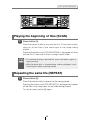
Playing the beginning of files (SCAN)
1
Press button [4].
Press the button briefly to play just the first 10 seconds of each
song for all the files in the same layer of the folder being
played.
Pressing the button until [FOLDER SCAN] is displayed will play
just the first 10 seconds of the first song in each folder.
ATTENTION
•To coutinue playing a desired file, press the button again to
stop scanning.
•After the entire disc is scanned once, ordinary playback starts
from the point where scanning started.
Repeating the same file (REPEAT)
1
Press button [5].
Press the button briefly to repeat the file being played.
Pressing the button until [FOLDER RPT] is displayed will repeat
all the files in the same layer as the folder being played.
To cancel, press button [5] again.
53
How to operate the MP3 player
Buttons [5] and [6]
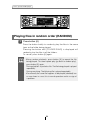
Playing files in random order (RANDOM)
1
Press button [6].
Press the button briefly to randomly play the files in the same
layer as the folder being played.
Pressing the button until [FOLDER RAND] is displayed will
randomly play the files in all the folders.
To cancel, press button [6] again.
ATTENTION
•Doing random playback, press button [5] to repeat the file
being played. To cancel repeat play (go back to random play),
press button [5] again.
During playback a particular file: The file being played is played
repeatedly.
During searching: The following file is played repeatedly.
•Occasionally the same file happens to be played (selected) two
or more times in a row; this is normal operation and is no sign of
a problem.
54
How to operate the MP3 player
[DISP] button
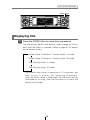
Displaying title
1
Press the [DISP] button for more than one second.
The title display details and display mode change as follows
each time the button is pressed. (Refer to page 37 for details
on the display mode.)
Folder Name / File Name * (Display mode:A mode)
Folder Name / File Name * (Display mode:B mode)
Tag (Display mode:A mode)
Tag (Display mode:B mode)
*: The display area shows a maximum of 10 characters and
then scrolls to display the remaining characters.
After the folder name is displayed, the file name will be
displayed by scrolling. After the file name is scrolled, the
display will be fixed.
55
How to operate the tuner
How to operate the tuner
[SEEK
] button
[SEL]
button
[FM AM] button
[FAST
] button
First, press the [FM AM] button to start tuner operation.
There are automatic and manual methods for setting stations in
memory. The receiver will accept up to 24 stations in memory: six in
AM and 18 in FM (6 each for FM1, FM2 and FM3.) (Initial setting)
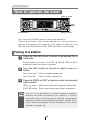
Tuning to a station
1
Press the [FM AM] button to switch to the desired FM or
AM bands.
Radio bands will switch from FM1 ➔ FM2 ➔ FM3 ➔ AM in
order each time the button is pressed.
2
Turn the [SEL] button to the left or right to tune to a
station.
Turn to the right: Tunes to higher frequencies.
Turn to the left: Tunes to lower frequencies.
3
Press the [SEEK /FAST ] button to start the automatic
station search.
[SEEK ] button: Starts searching toward higher frequencies.
[FAST ] button: Starts searching toward lower frequencies.
ATTENTION
At times, it may be difficult to maintain optimum reception
because the antenna affixed to your vehicle is in motion
constantly (relative to the broadcast antenna), encountering
continuous variation in the received radio signals’ strength. Other
factors affecting reception include interference from natural
obstacles, sign posts, etc.
56
How to operate the tuner
Buttons [1] to [6]
[SEL]
button
[FM AM] button
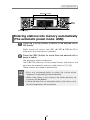
Entering stations into memory automatically
(The automatic preset mode: ASM)
1
Press the [FM AM] button to switch to the desired FM or
AM bands.
Radio bands will switch from FM1 ➔ FM2 ➔ FM3 ➔ AM in
order each time the button is pressed.
2
Press the [SEL] button for more than one second until a
beep is heard.
The automatic preset mode starts.
The [ASM ON] indicator on the screen flashes, and stations are
automatically entered in memory under buttons [1] to [6].
These buttons are called preset buttons.
ATTENTION
•Press any numbered button to select the station whose
frequency is indicated right above the button.
•When a new station is set in memory, the station previously set
in memory will be deleted.
•If there are fewer than six receivable stations, the stations set in
the remaining buttons will be retained.
57
How to operate the tuner
Buttons [1] to [6]
[SEL]
button
[FM AM] button
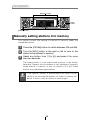
Manually setting stations into memory
This section covers the setting of stations in memory under the
numbered buttons.
1
Press the [FM AM] button to switch between FM and AM.
2
Turn the [SEL] button to the right or left to tune to the
station to be entered in memory.
3
Select any button, from [1] to [6], and press it for more
than two seconds.
The tuned station is now memorized and set in the button
selected. Repeat the procedure to set additional manually
tuned stations in memory, in turn, for buttons [1] to [6]. These
buttons are called the preset buttons.
Caution
If the vehicle’s battery is disconnected (for repairs to the
vehicle or for removing the receiver), all stations in memory will
be lost. In such a case, set stations in memory again.
58
How to operate the tuner
Buttons [1] to [6]
[SEL]
button
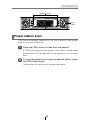
Preset station scan
This function enables reception of all the stations in the preset
buttons for five seconds each.
1
Press the [SEL] button for less than one second.
[P SCAN] will appear at the display, and stations stored under
preset buttons [1] through [6] will be played for five seconds
each.
2
To stop the preset scan mode at a desired station, press
the [SEL] button again.
The receiver will stay tuned to the desired station.
59
How to operate the tuner
[SEEK
] button
[SEL]
button
[FUNC] button
[RTN] button
[FAST
] button
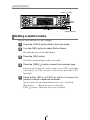
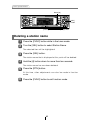
Setting a station name
Station name settings can be changed.
1
Press the [FUNC] button while in the tuner mode.
2
Turn the [SEL] button to select Station Name.
The selected item will be highlighted.
3
Press the [SEL] button.
The station name setting mode is activated.
4
Press the [SEEK ] button to select the character type.
Pressing the button will switch types from [ABC] (alphabet
characters) to [123] (numeric characters) and then [!&?]
(symbols).
5
Press either [SEL] or [FAST ] button to select the
position in which to enter the character.
The character will be inserted where the cursor is flashing:
[SEL] button:
Moves the cursor to the right.
[FAST ] button: Advances the cursor to the left.
60
How to operate the tuner
6
Turn the [SEL] button to the left or right to select
characters.
Turn to the right: Advances the character forward in its type.
Turn to the left: Moves the character backward in its type.
[Upper-case alphabet characters] Initial value [A]
A B C ...X Y Z
[Numeric characters] Initial value [1]
1 2 3 ...8 9 0
[Right direction]
[Symbol] Initial value [!] [Right direction]
! " # $ % & ’ ( ) * +
ATTENTION
7
[Right direction]
,
–
.
/
:
;
<
=
>
?
@
´
_
•To change the type of character to be entered, repeat steps 3
and 4.
•A maximum of 10 characters may be entered per station name.
•A maximum of 50 station names may be stored.
Press the [RTN] button.
At this time, other adjustments can also be made in function
mode.
8
Press the [FUNC] button to exit function mode.
61
How to operate the tuner
Button [6]
[SEL]
button
[FUNC] button
[RTN] button
Deleting a station name
1
Press the [FUNC] button while in the tuner mode.
2
Turn the [SEL] button to select Station Name.
The selected item will be highlighted.
3
Press the [SEL] button.
The station name that is displayed at this point will be deleted.
4
Hold the [6] button down for more than two seconds.
The station name has now been deleted.
5
Press the [RTN] button.
At this time, other adjustments can also be made in function
mode.
6
Press the [FUNC] button to exit function mode.
62
How to operate the tuner
[SEL]
button
[FUNC] button
[RTN] button
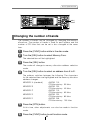
Changing the number of bands
The number of bands can be changed by changing the memory
allocations. The number of bands is fixed for each pattern and the
number of CD titles that can be set is also changed at the same
time.
1
Press the [FUNC] button while in the disc mode.
2
Turn the [SEL] button to select Memory Func.
The selected item will be highlighted.
3
Press the [SEL] button.
The mode will change to memory allocation address selection
mode.
4
Turn the [SEL] button to select an address from A to E.
The patterns switches between the following. The characters
for the selected item are highlighted and the memory allocation
address changes.
MEMORY A (standard)
AM/FM: 1/3,
CD title momory: 30 titles
MEMORY B
AM/FM: 2/5,
CD title momory: 40 titles
MEMORY C
AM/FM: 1/3,
CD title momory: 60 titles
MEMORY D
AM/FM: 2/5,
CD title momory: 80 titles
MEMORY E
AM/FM: 3/8,
CD title momory: 100 titles
5
Press the [RTN] button.
At this time, other adjustments can also be made in function
mode.
6
Press the [FUNC] button to exit function mode.
63
How to operate the tuner
FM reception characteristics
In general, FM has much better tonal quality than AM. However, FM
and FM stereo reception encounter several characteristic problems
not encountered with AM. FM is more difficult to receive than AM in a
moving vehicle. The following are explanatory notes on what to
expect from FM reception and on how to get satisfactory
performance.
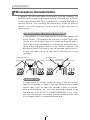
FM RECEPTION DIFFERS FROM AM
A characteristic of transmitted signals is that lower frequencies
travel further. FM frequencies are much higher than AM’s
(similar to a ray of light): they won’t bend but they will reflect.
Often, they will be interrupted by tall buildings, mountains, etc.,
taking direct and indirect paths to your vehicle’s antenna. The
distance at which FM stations can be received satisfactorily is
usually not nearly as far as that which AM stations can be
received.
AM Radio Waves
Ionosphere
FM Radio Waves
Ionosphere
FADING OUT
In weak signal or “fringe” reception areas, FM stations may
fade out completely, or fade in and out. When driving in weak
signal areas, such as near hills, through valleys or tunnels,
among tall buildings, etc., you may encounter unusual noise
interference. THIS IS NOT A TUNER PROBLEM. In this case,
you can only wait until you are in a better reception area, tune
to a stronger station, or reduce the treble level.
64
How to operate the tuner
RECEPTION AREA OF FM BROADCASTS
A home receiver can catch weak FM stereo signals through the
use of a tall, directional or ultra-sensitive antenna. In a moving
vehicle, the area for good reception is limited because of
varying conditions encountered while driving, including the
types and heights of broadcast antenna structures, signal
strength, engine noise, etc. For best reception with manual
antenna, extend the antenna mast as far as possible.
Transmitting Antenna 100 Meters High
Effective Radiation Power 1kW
FM Stereo Auto Radio 20 km
FM Monaural Auto Radio 50 km
Home FM Stereo Receiver 100 km
Reception quality varies depending on the power of the FM
station, natural and artificial barriers,weather conditions, etc.
MULTIPATH
The reflection characteristics of FM waves cause another
problem called multipath–FM wave signals reflecting off of
buildings, mountains, etc. When the antenna receives direct
and reflected waves at the same time, distortion of sound in the
treble range often occurs, such as static or harsh-sounding
voices. THIS IS NOT A TUNER PROBLEM. Only moving to
another area with a clearer signal path can remedy the
situation.
DIRECT
WAVE
RE
FL
EC
W TED
AV
E
65
ED
CT
LE
F
RE AVE
W
How to operate the Sound Adjustment Mode
How to operate the Sound Adjustment Mode
About Sound Adjustment Mode
This unit is equipped with two different sound adjustment modes:
normal mode and pro mode.
In normal mode, the acoustic characteristics inside the vehicle can
be adjusted using comparatively simple settings. In addition, it
corresponds to basic sound systems which comprise front speakers,
rear speakers and an added sub-woofer if necessary.
In pro mode, the sound quality characteristics can be adjusted item
by item using more sophisticated settings than in normal mode. In
addition, the adjustments can be made to suit 3-way speaker system
where the front speaker, rear speaker and non-fader output can be
set to Hi (treble range) Mid (medium range) or Low (bass range).
Refer to the table below and to the operations for each mode for
details of each mode.
The following adjustments can be made in normal mode and pro
mode respectively.
Normal mode
Graphic equalizer
Parametric equalizer
○ (single-band *1)
(See page 77)
○ (Simplified)
Time alignment
(See page 79)
Crossover
MP3 harmonizer
○ (See page 74)
*2
Non-fader phase
Pro mode
×
○ (See page 87)
○ (See page 92)
○ (See page 84)
○ (See page 94)
×
○ (See page 96)
○ (See page 85)
○ (See page 97)
*3
×
○
BASS/TREBLE
*1: In normal mode, the parametric equalizer is adjusted during EQ
mode.
*2: Only when E-COM is connected.
*3: Adjusted during audio control mode (see page 24).
66
How to operate the Sound Adjustment Mode
GRAPHIC EQUALIZER
The graphic equalizer lets you select from six preset equalizer
modes in accordance with the genre and instruments of the
music being played, and also lets you make fine adjustments
within each mode.
PARAMETRIC EQUALIZER
A variety of materials are used inside a vehicle to manufacture
the seats and windows, and because these materials absorb
and reflect sound in different ways, the parametric equalizer
lets you adjust the peaks and dips of the frequency
characteristics inside the vehicle to compensate for this.
Peak
High
[Sound pressure]
Dip
Low
Low
[Frequency]
High
An "equalizer" is a function that corrects these peaks and dips
in order to flatten the frequency characteristics. However with a
normal graphic equalizer, the median frequency and the Q
(sharpness and band width) are fixed, so that when
neighboring bands are corrected, there is a limit to the amount
by which distortion in the peak and dip characteristics can be
corrected.
A "parametric equalizer" lets you adjust the median frequency,
Q (sharpness and band width) and gain to variable levels, so
that you can make fine adjustments to spot areas of the
frequency band.
67
How to operate the Sound Adjustment Mode
[Parametric equalizer characteristics]
①. Median frequency can be varied.
High
[Sound pressure]
Low
Low
[Frequency]
High
Low
[Frequency]
High
②. Gain can be varied.
High
[Sound pressure]
Low
③. Q (sharpness/band width) can be varied.
High
[Sound pressure]
Low
Low
[Frequency]
High
When this unit is in normal mode, a single parametric equalizer
function is available in addition to the 13-band graphic
equalizer, so that points that cannot be adjusted using the
graphic equalizer can be corrected using the single-band
parametric equalizer.
In addition, in pro mode, the parametric equalizer can be used
to adjust five bands in the treble to medium range, and five
bands in the medium to bass range.
68
How to operate the Sound Adjustment Mode
TIME ALIGNMENT
With vehicle audio systems, the installation position of the
speakers and the position of the listener mean that the
distances from the listener to the left and right speakers are
almost always different. These differences in the distance from
the listener to each speaker in turn means that the time taken
for the sound to reach the listener is different for each speaker.
The result of this is that the phases of each speaker (biases)
become mismatched and the sound becomes unnatural, as
though the sound stage is not wide enough.
The "time alignment" function corrects the time taken for the
sound waves to reach the listener in order to set the optimum
phase for the listening position so that the sound becomes
more expansive as though it is being listened to on a sound
stage.
The basic adjustment method involves measuring the actual
distances to each speaker and calculating the differences in
distance relative to the most distant speaker in order to derive
the delay time for the sound from each speaker.
When this unit is in normal mode, a simplified time alignment
function is available. You can use this function to adjust only
four parameters (position selector, vehicle type, tweeter
settings and rear speaker position settings), and so you can
make basic time alignment settings without measuring the
actual distances to each speaker. In addition, in pro mode you
can adjust the time delays and levels for each individual
speaker based on the actual speaker layout.
69
How to operate the Sound Adjustment Mode
CROSSOVER
The frequency band that is stored by audio media such as CDs
is a fairly wide range from 20 Hz to 20 kHz, and it is difficult for
a single speaker to be able to play back all frequencies in such
a wide range.
Because of this, several speakers can be used, with different
frequency bands (such as treble, medium and bass) allotted to
each speaker so that wide frequency ranges can be played
back.
The "Crossover" function is used to allot the frequency ranges
that are to be played back by each speaker in accordance with
the installed speaker units and the layout of the speakers, in
order to obtain the maximum level of performance from the
speakers and to provide the most stable frequency
characteristics.
The crossover function includes a high-pass filter (HPF) for
playing back treble sounds, and a low-pass filter (LPF) for
playing back bass sounds. In addition, the HPF and LPF are
used in combination in order to play back sounds in the
medium range.
-3dB
Bass range
20Hz
Medium range
fc1(LPF) fc2(HPF)
Treble range
fc3(LPF) fc4(HPF)
20kHz
fc*: Cutoff frequency
For example, when adjusting the HPF, frequencies that are
lower than the specified frequency are progressively
dampened, rather than simply not being played back at all.
The "slope" adjustment function is the function that is used to
adjust these dampening characteristics.
The slope characteristics of a filter are such that with larger
slope values (for example 12 dB/oct), the slope becomes
steeper, and so the amount of sound mixing in with
neighboring bands becomes less so that only the target band
is played back. However, it also causes the merging of sound
between speakers to become poorer and can result in greater
distortion.
70
How to operate the Sound Adjustment Mode
• The crossover function is a filter that allocates specified
frequency bands.
• A high-pass filter (HPF) is a filter that cuts out frequencies
that are lower than the specified frequency (bass range) and
allows higher frequencies (treble range) to pass through.
• A low-pass filter (LPF) is a filter that cuts out frequencies that
are higher than the specified frequency (treble range) and
allows lower frequencies (bass range) to pass through.
• The slope is the signal level at which frequencies that are one
octave higher or one octave lower are dampened.
The larger the slope value, the greater is the slope. In
addition, when "PASS" is selected, the slope is eliminated
(sound does not pass through the filters), so that the
crossover function has no effect.
When this unit is in normal mode, it corresponds to basic
speaker systems which comprise front speakers, rear speakers
and an added sub-woofer if necessary. In such cases, the
crossover can be used to apply the HPF to the front and rear
speakers and the LPF to the sub-woofer so that the sound from
all speakers merges properly.
In addition, in pro mode, the adjustments can be made to suit
speaker system where the front speaker, rear speaker and
non-fader output can be switched between Hi, Mid or Low
output and the speakers can be combined according to each
range (treble range: tweeter, medium range: Mid, bass range:
woofer) to provide 3-way playback. In this case, the crossover
function can be used to adjust the playback ranges so that the
HPF is applied to the treble-range speakers, the HPF and LPF
is applied to the medium-range speakers, and the LPF is
applied to the bass-range speakers so that the sound from all
speakers merges properly.
Bass range
(woofers)
20Hz
Medium range (Front and rear speakers)
20kHz
fc(LPF/HPF)
63-200Hz
71
How to operate the Sound Adjustment Mode
MP3 HARMONIZER
When original sounds are converted to MP3 format, frequency
ranges that are not normally audible to the human ear are
compressed. The MP3 harmonizer can be used to play back
these compressed sounds at as close to their original form as
possible so that clear and powerful sound can be enjoyed.
NON-FADER PHASE
The sounds that are output from woofers include sounds that
are in the same frequency ranges that are output from the front
and rear speakers, and under the various conditions that can
occur inside vehicle compartments, some of these sounds may
cancel each other out. This phenomenon can be eliminated by
changing the phase of the woofer.
The phase of the woofer can be set to normal timing (in which
the output timing between the front and rear speakers and the
woofer is the same) or reverse timing (in which the output
timing between the front and rear speakers and the woofer is
different), depending on the vehicle compartment conditions.
72
How to operate the Sound Adjustment Mode
[SOUND] button
[SEL]
button
Operations during Normal Mode
1
Press the [SOUND] button for less than one second.
The mode will change to sound adjustment mode.
2
Press the [SOUND] button for more than two seconds.
The mode switches between normal mode and pro mode each
time the button is pressed. During normal mode, "PRO MODE
OFF" and the scroll display appear in the display.
ATTENTION
3
If you press the [SOUND] button during sound adjustment mode,
the adjustment mode is canceled and the mode returns to
normal music mode.
Turn the [SEL] button to select a setting item.
When the button is turned, the setting item changes in the
following order and the selected item is highlighted.
EQ
Time Alignment
X-Over
73
Non-F Phase
How to operate the Sound Adjustment Mode
[SEL]
button
EQUALIZER ADJUSTMENT (EQ)
EQ (equalizer) mode can be used to adjust the frequency of
the audio channels being played back in accordance with the
genre and instruments of the music being played. In addition,
correction of the frequency characteristics inside the vehicle is
also possible using the 13-band graphic equalizer and the
single-band parametric equalizer.
Switching equalizer modes
The equalizer mode can be selected as follows.
1 Turn the [SEL] button to select EQ.
The selected item will be highlighted.
2 Press the [SEL] button.
The mode will change to equalizer adjustment mode.
3 Press the [SEL] button for less than one second.
Each time the button is pressed, the setting item changes
in the following order and the selected item is highlighted.
POPS
ROCK
JAZZ
CLASSIC
VOCAL
NEWS
DEFEAT (EQ OFF)
74
How to operate the Sound Adjustment Mode
Buttons [1] to [5]
[SOUND] button
[SEEK
] button
[SEL]
button
[RTN] button
[FAST
] button
4 Press the [RTN] button.
At this time, other adjustments can also be made in normal
mode.
5 Press the [SOUND] button for less than one second to
exit sound adjustment mode.
The initial EQ settings are factory preset.
ATTENTION
Fine-tuning EQ functions
Fine adjustments can be made in each equalizer mode.
1 Select the equalizer mode.
Refer to the section "Switching equalizer modes" on page
74.
2 Turn the [SEL] button to select the frequency to be
adjusted.
When the button is turned, the frequency changes in the
following order.
63Hz ↔ 100Hz ↔ 160Hz ↔ 250Hz ↔ 400Hz ↔ 630Hz ↔
1kHz ↔ 1.6kHz ↔ 2.5kHz ↔ 4kHz ↔ 6.3kHz ↔ 10kHz ↔
16kHz
3 Press the [SEEK /FAST ] button.
This adjusts the frequency level.
[SEEK ] button: Increases level.
[FAST ] button: Decreases level.
4 Hold down a button, [1] to [5], for more than two
seconds to preset a value.
The preset value is overwritten by the value set using the
above steps.
5 Press the [RTN] button.
At this time, other adjustments can also be made in normal
mode.
6 Press the [SOUND] button for less than one second to
exit sound adjustment mode.
75
How to operate the Sound Adjustment Mode
Buttons [1] to [5]
[SOUND] button
[SEL]
button
[RTN] button
Selecting an equalizer mode from memory
Press a preset button to select the equalizer mode set in
memory for the button. The buttons that set equalizer modes in
memory are called preset buttons.
1 Turn the [SEL] button to select EQ.
2 Press the [SEL] button.
3 Select any button, from [1] to [5], and press it for less
than two seconds.
The preset pattern stored in memory will be retrieved.
4 Press the [RTN] button.
At this time, other adjustments can also be made in normal
mode.
5 Press the [SOUND] button for less than one second to
exit sound adjustment mode.
ATTENTION
When the preset value is changed, the display shows as follows:
P
1~5 (Preset ch No.)
76
How to operate the Sound Adjustment Mode
[SEEK
] button
[SEL]
button
[FAST
] button
Making fine adjustments to the parametric equalizer
You can select and adjust frequencies using the parametric
equalizer (single-band).
ATTENTION
When the following operations are carried out, the parametric
equalizer settings that have been made previously will be
changed.
1 Turn the [SEL] button to select EQ and press the [SEL]
button.
2 Press the [SEL] button for more than one second.
The mode will change to parametric equalizer adjustment
mode.
3 Turn the [SEL] button to select the frequency for
changing the parametric equalizer settings.
When the button is turned, the frequency changes in the
following order.
80Hz ↔ 125Hz ↔ 200Hz ↔ 315Hz ↔ 500Hz ↔ 800Hz ↔
1.25kHz ↔ 2kHz ↔ 3.15kHz ↔ 5kHz ↔ 8kHz ↔ 12.5kHz
4 Press the [SEEK /FAST ] button.
This adjusts the frequency level.
[SEEK ] button: Increases level.
[FAST ] button: Decreases level.
77
How to operate the Sound Adjustment Mode
Buttons [6]
[SOUND] button
[SEL]
button
[RTN] button
5 Press the [6] button to select the Q curve pattern.
Each time the button is pressed, the Q curve changes in
the following order.
NORMAL
SHARP
SLOW
6 Press the [SEL] button for more than one second.
The mode will return to equalizer setting mode.
7 Press the [RTN] button.
At this time, other adjustments can also be made in normal
mode.
8 Press the [SOUND] button for less than one second to
exit sound adjustment mode.
78
How to operate the Sound Adjustment Mode
[SEL]
button
SIMPLIFIED TIME ALIGNMENT SETTINGS (Time Alignment)
This function corrects the position characteristics and
frequency characteristics in order to delay the signals being
output from the various speakers so that the signals from each
speaker reach the listening position at the same time.
1 Turn the [SEL] button to select Time Alignment.
The selected item will be highlighted.
2 Press the [SEL] button.
The mode will change to time alignment setting mode.
Turn
the [SEL] button to select a setting item.
3
When the button is turned, the setting item changes in the
following order and the selected item is highlighted.
Position
Car Type
79
Tweeter
Rear SP
How to operate the Sound Adjustment Mode
[SOUND] button
[SEL]
button
[RTN] button
Position selector setting (Position)
When the position of the listener's seat is selected, the time
taken for the sound to travel from the speakers to the listener
can then be adjusted in order to obtain a more natural sound
orientation. This unit allows up to four different positions to be
set.
1 Turn the [SEL] button to select Position.
The selected item will be highlighted.
2 Press the [SEL] button.
The mode will change to position selector setting mode.
3 Turn the [SEL] button to select the setting item.
When the button is turned, the setting item changes in the
following order and the selected item is highlighted.
OFF
Front L
Front R
Front
Rear
4 Press the [RTN] button.
Other time alignment items can be set at this time.
Press
the [RTN] button.
5
At this time, other adjustments can also be made in normal
mode.
Press
the [SOUND] button for less than one second to
6
exit sound adjustment mode.
ATTENTION
If the position selector has been set (to a setting other than OFF),
the BAL (balance) and FAD (fader) settings will be canceled.
80
How to operate the Sound Adjustment Mode
[SOUND] button
[SEL]
button
[RTN] button
Selecting the type of vehicle (Car Type)
You can select the time alignment settings to match your
vehicle from a range of preset settings for different types of
vehicle, allowing you to select the optimum time alignment
settings automatically.
1 Turn the [SEL] button to select Car Type.
The selected item will be highlighted.
2 Press the [SEL] button.
The mode will change to car type selection mode.
3 Turn the [SEL] button to select the setting item.
When the button is turned, the setting item changes in the
following order and the selected item is highlighted.
Compact
Sedan
Wagon
Mini Van
SUV
Truck
4 Press the [RTN] button.
Other time alignment items can be set at this time.
5 Press the [RTN] button.
At this time, other adjustments can also be made in normal
mode.
6 Press the [SOUND] button for less than one second to
exit sound adjustment mode.
81
How to operate the Sound Adjustment Mode
[SOUND] button
[SEL]
button
[RTN] button
Tweeter settings (Tweeter)
You can select the tweeter installation location and whether or
not a tweeter is being used or not, allowing you to select the
optimum time alignment settings automatically.
1 Turn the [SEL] button to select Tweeter.
The selected item will be highlighted.
2 Press the [SEL] button.
The mode will change to tweeter setting mode.
3 Turn the [SEL] button to select the setting item.
When the button is turned, the setting item changes in the
following order and the selected item is highlighted.
NO
Dash
Door
4 Press the [RTN] button.
Other time alignment items can be set at this time.
5 Press the [RTN] button.
At this time, other adjustments can also be made in normal
mode.
6 Press the [SOUND] button for less than one second to
exit sound adjustment mode.
ATTENTION
If the front speakers have been installed to the dash panel, you
can set the tweeter setting to "Dash" even if no tweeter has been
installed.
82
How to operate the Sound Adjustment Mode
[SOUND] button
[SEL]
button
[RTN] button
Rear speaker position selection (Rear SP)
You can select the rear speaker installation location, allowing
you to select the optimum time alignment settings automatically.
1 Turn the [SEL] button to select Rear SP.
The selected item will be highlighted.
2 Press the [SEL] button.
The mode will change to rear speaker position setting
mode.
3 Turn the [SEL] button to select the setting item.
When the button is turned, the setting item changes in the
following order and the selected item is highlighted.
Door
Others
4 Press the [RTN] button.
Other time alignment items can be set at this time.
5 Press the [RTN] button.
At this time, other adjustments can also be made in normal
mode.
6 Press the [SOUND] button for less than one second to
exit sound adjustment mode.
83
How to operate the Sound Adjustment Mode
[SOUND] button
[SEEK
] button
[SEL]
button
[RTN] button
[FAST
] button
CROSSOVER ADJUSTMENT (X-Over)
The frequencies for the front and rear speaker high-pass filter
(HPF) and woofer low-pass filter (LPF) can be set within a
range of 63 to 200 Hz. (This is the same as the HPF and LPF
cutoff frequencies.)
1 Turn the [SEL] button to select X-Over.
The selected item will be highlighted.
2 Press the [SEL] button.
The mode will change to crossover setting mode.
3 Turn the [SEL] button to select the cut-off frequency.
When the button is turned, the frequency changes in the
following order.
63Hz ↔ 80Hz ↔ 100Hz ↔ 125Hz ↔ 160Hz ↔ 200Hz ↔
4 Press the [SEEK /FAST ] buttons to set the slope.
[SEEK ] button: PASS
[FAST ] button: 12dB/oct
ATTENTION
If no woofer has been connected, set the slope adjustment to
"PASS". (If you set the slope to 12 dB/oct, the bass sound will not
be output from the speakers.
5 Press the [RTN] button.
At this time, other adjustments can also be made in normal
mode.
6 Press the [SOUND] button for less than one second to
exit sound adjustment mode.
84
How to operate the Sound Adjustment Mode
[SOUND] button
[SEL]
button
[RTN] button
NON-FADER PHASE SELECTION (NON-F Phase)
The merging of sound between the front and rear speakers and
the woofer can be improved by selecting the phase.
Switch the phase to a phase which lets the speakers combine
without any disharmony.
1 Turn the [SEL] button to select Non-F Phase.
The selected item will be highlighted.
2 Press the [SEL] button.
The mode will change to phase selection mode.
3 Turn the [SEL] button to select NORMAL or REVERSE.
NORMAL: Normal phase
REVERSE: Reverse phase
4 Press the [RTN] button.
At this time, other adjustments can also be made in normal
mode.
5 Press the [SOUND] button for less than one second to
exit sound adjustment mode.
85
How to operate the Sound Adjustment Mode
[SOUND] button
[SEL]
button
Operations during Pro Mode
1
Press the [SOUND] button for less than one second.
The mode will switch to sound adjustment mode.
2
Press the [SOUND] button for more than two seconds.
The mode switches between normal mode and pro mode each
time the button is pressed. During pro mode, "PRO MODE ON"
and the scroll display appear in the display.
ATTENTION
3
•If the vehicle is equipped with a 3-way speaker system, do not
change from pro mode to normal mode. Doing so may cause
damage to the speakers.
•If you press the [SOUND] button during sound adjustment
mode, the adjustment mode is canceled and the mode returns
to normal music mode.
Turn the [SEL] button to select a setting item.
When the button is turned, the setting item changes in the
following order and the selected item is highlighted.
PEQ
Time Alignment
X-Over
MP3 Harmonizer*
Non-F Phase
*: This is displayed only if E-COM is connected.
86
How to operate the Sound Adjustment Mode
PARAMETRIC EQUALIZER ADJUSTMENT (PEQ)
Mid-Band (Group-1) Parametric adjustment in 5-Bands of 25
Frequencies.
Hi-Band (Group-2) Parametric adjustment in 5-Bands of 20
Frequencies.
Eclipse has by default assigned arbitrary frequencies for each
of the 5-Bands (Hi/Mid for 10 parametric bands total).
ATTENTION
Frequencies in each group (Mid-Group or Hi-Group) cannot be
duplicated (repeated).
Release a frequency from its location, before it can be reassignment (available again for use in another band).
Example: If you want the Hi-Group H-1 location to have a
parametric frequency of 1.25kHz.
Because this frequency is in use by M-5 you must first assign
M5 a new frequency, this will release the band for use in the
Hi-Group H1 at 1.25kHz.
Mid Group
M
1
M
2
M
3
M
4
M
5
63
Hz
63
Hz
63
Hz
63
Hz
63
Hz
80
Hz
80
Hz
80
Hz
80
Hz
80
Hz
100
Hz
100
Hz
100
Hz
100
Hz
100
Hz
125
Hz
125
Hz
125
Hz
125
Hz
125
Hz
160
Hz
160
Hz
160
Hz
160
Hz
160
Hz
200
Hz
200
Hz
200
Hz
200
Hz
200
Hz
250
Hz
250
Hz
250
Hz
250
Hz
250
Hz
315
Hz
315
Hz
315
Hz
315
Hz
315
Hz
400
Hz
400
Hz
400
Hz
400
Hz
400
Hz
500
Hz
500
Hz
500
Hz
500
Hz
500
Hz
630
Hz
630
Hz
630
Hz
630
Hz
630
Hz
800
Hz
800
Hz
800
Hz
800
Hz
800
Hz
1.0k 1.25k 1.6k 2.0k 2.5k 3.15k 4.0k 5.0k 6.3k 8.0k 10k 12.5k 16k
H
1
H
2
H
3
H
4
H
5
200
Hz
200
Hz
200
Hz
200
Hz
200
Hz
250
Hz
250
Hz
250
Hz
250
Hz
250
Hz
315
Hz
315
Hz
315
Hz
315
Hz
315
Hz
400
Hz
400
Hz
400
Hz
400
Hz
400
Hz
500
Hz
500
Hz
500
Hz
500
Hz
500
Hz
630
Hz
630
Hz
630
Hz
630
Hz
630
Hz
800
Hz
800
Hz
800
Hz
800
Hz
800
Hz
1.0k 1.25k 1.6k 2.0k 2.5k 3.15k 4.0k 5.0k 6.3k 8.0k 10k 12.5k 16k
1.0k 1.25k 1.6k 2.0k 2.5k 3.15k 4.0k 5.0k 6.3k 8.0k 10k 12.5k 16k
1.0k 1.25k 1.6k 2.0k 2.5k 3.15k 4.0k 5.0k 6.3k 8.0k 10k 12.5k 16k
1.0k 1.25k 1.6k 2.0k 2.5k 3.15k 4.0k 5.0k 6.3k 8.0k 10k 12.5k 16k
1.0k 1.25k 1.6k 2.0k 2.5k 3.15k 4.0k 5.0k 6.3k 8.0k 10k 12.5k 16k
1.0k 1.25k 1.6k 2.0k 2.5k 3.15k 4.0k 5.0k 6.3k 8.0k 10k 12.5k 16k
1.0k 1.25k 1.6k 2.0k 2.5k 3.15k 4.0k 5.0k 6.3k 8.0k 10k 12.5k 16k
1.0k 1.25k 1.6k 2.0k 2.5k 3.15k 4.0k 5.0k 6.3k 8.0k 10k 12.5k 16k
1.0k 1.25k 1.6k 2.0k 2.5k 3.15k 4.0k 5.0k 6.3k 8.0k 10k 12.5k 16k
Hi-Group
87
How to operate the Sound Adjustment Mode
There are 10 Mid & Hi-Frequency locations (5 + 5) available for
the parametric equalizer.
The Parametric Equalizer is divided into two groups Mid & Hi.
Any frequency assigned is highlighted in White, and is
unavailable for use elsewhere.
Bands selected are grayed out in the diagram to show how
they are in use and otherwise unavailable for reuse.
Bands in black are unused (available) and can be assigned to
within their respective bands (Mid or Hi parametric locations).
88
How to operate the Sound Adjustment Mode
[SEL]
button
1 Turn the [SEL] button to select PEQ.
The selected item will be highlighted.
2 Press the [SEL] button.
The mode will change to parametric equalizer adjustment
mode.
3 Press the [SEL] button for less than one second to
select the channel and band to be adjusted.
Each time the button is pressed, the selection changes in
the following order.
Hi1 ➔ Hi2 ➔ Hi3 ➔ Hi4 ➔ Hi5 ➔ Mid1 ➔ Mid2 ➔ Mid3 ➔
Mid4 ➔ Mid5 ➔
4 Turn the [SEL] button to select the frequency to be
adjusted.
When the button is turned, the frequency changes in the
following order.
Hi: 200Hz ↔ 250Hz ↔ 315Hz ↔ 400Hz ↔ 500Hz ↔
630Hz ↔ 800Hz ↔ 1kHz ↔ 1.25kHz ↔ 1.6kHz ↔
2kHz ↔ 2.5kHz ↔ 3.15kHz ↔ 4kHz ↔ 5kHz ↔ 6.3kHz ↔
8kHz ↔ 10kHz ↔ 12.5kHz ↔ 16kHz
Mid: 63Hz ↔ 80Hz ↔ 100Hz ↔ 125Hz ↔ 160Hz ↔ 200Hz ↔
250Hz ↔ 315Hz ↔ 400Hz ↔ 500Hz ↔ 630Hz ↔
800Hz ↔ 1kHz ↔ 1.25kHz ↔ 1.6kHz ↔ 2kHz ↔
2.5kHz ↔ 3.15kHz ↔ 4kHz ↔ 5kHz ↔ 6.3kHz ↔
8kHz ↔ 10kHz ↔ 12.5kHz ↔ 16kHz
89
How to operate the Sound Adjustment Mode
Buttons [1] to [6]
[SOUND] button [DISP] button
[SEEK
button
[RTN] button
[FAST
]
] button
5 Press the [SEEK /FAST ] button.
This adjusts the frequency level.
[SEEK ] button: Increases level.
[FAST ] button: Decreases level.
6 Press the [6] button to select the Q curve pattern.
Each time the button is pressed, the Q curve changes in
the following order.
NORMAL
SHARP
SLOW
7 Repeat the operations in steps 3 to 6 to change the
settings for each channel and band.
The frequencies that have been adjusted for either the
channel or band cannot be selected.
8 Hold down a button, [1] to [5], for more than two
seconds to preset a value.
The preset value is overwritten by the value set using the
above steps.
The time alignment and crossover adjustments will also be
stored at this time.
9 Press the [RTN] button.
At this time, other adjustments can also be made in pro
mode.
10 Press the [SOUND] button for less than one second to
exit sound adjustment mode.
ATTENTION
When updating software, press the [DISP] button to measure and
display the frequency characteristics.
90
How to operate the Sound Adjustment Mode
Buttons [1] to [5]
[SOUND] button
[SEL]
button
[RTN] button
Selecting an equalizer mode from memory
Press a preset button to select the equalizer mode set in
memory for the button. The buttons that set equalizer modes in
memory are called preset buttons.
1 Turn the [SEL] button to select PEQ.
2 Press the [SEL] button.
3 Select any button, from [1] to [5], and press it for less
than two seconds.
The preset pattern stored in memory will be retrieved.
4 Press the [RTN] button.
At this time, other adjustments can also be made in pro
mode.
5 Press the [SOUND] button for less than one second to
exit sound adjustment mode.
ATTENTION
When the preset value is changed, the display shows as follows:
P
1~5 (Preset ch No.)
91
How to operate the Sound Adjustment Mode
[SEL]
button
TIME ALIGNMENT ADJUSTMENT (Time Alignment)
The delay time and level of the sound from each speaker can
be adjusted in order to correct any phase mismatches in the
sound resulting from the listening position.
1 Turn the [SEL] button to select Time Alignment.
The selected item will be highlighted.
2 Press the [SEL] button.
The mode will change to time alignment adjustment mode.
3 Press the [SEL] button for less than one second to
select the speaker band to be adjusted.
Each time the button is pressed, the selection changes in
the following order.
Hi-L ➔ Hi-R ➔ Mid-L ➔ Mid-R ➔ Low-L ➔ Low-R ➔
4 Turn the [SEL] button to select the speaker that is
furthest away, and then adjust the delay time for the
sound to arrive.
The delay time can be adjusted within 0.0 to 5.0 ms (in
units of 0.1 ms).
Turn to the right: Increases the time.
Turn to the left: Decreases the time.
92
How to operate the Sound Adjustment Mode
[SOUND] button
[SEEK
[RTN] button
[FAST
] button
] button
Refer to the following for the method of calculating the
delay time.
A = (B-C) / 34
A: Delay time (ms)
B: Distance from listening position to furthest speaker (cm)
C: Distance from listening position to the speaker to be
adjusted (cm)
C
B
(Example) Listening position: Driver's seat (left)
B: 200 (cm)
C: 50 (cm)
Delay time = 200 (cm) - 50 (cm) / 34 = Approx. 4.4(ms)
5 Press the [SEEK /FAST ] button.
Adjust the level for each speaker.
[SEEK ] button: Increases level.
[FAST ] button: Decreases level.
6 Repeat the operations in steps 3 to 5 to change the
settings for each speaker.
7 Press the [RTN] button.
At this time, other adjustments can also be made in pro
mode.
8 Press the [SOUND] button for less than one second to
exit sound adjustment mode.
93
How to operate the Sound Adjustment Mode
[SEL]
button
CROSSOVER ADJUSTMENT (X-Over)
This adjustment is for 3-way speaker system which uses
different speakers for different ranges (treble range: tweeters,
medium range: Mid, bass range: woofers). In this case, the
crossover function applies the HPF to the treble-range
speakers, it applies the HPF and LPF to the medium-range
speakers, and it applies the LPF to the bass-range speakers to
adjust the respective playback ranges so that the sounds from
all speakers merge properly.
1 Turn the [SEL] button to select X-Over.
The selected item will be highlighted.
2 Press the [SEL] button.
The mode will change to crossover adjustment mode.
3 Press the [SEL] button to select the crossover adjustment
channel.
Each time the button is pressed, the selection changes in
the following order.
Hi ➔ M-LPF ➔ M-HPF ➔ Low ➔
4 Turn the [SEL] button to select the cut-off frequency.
When the button is turned, the frequency changes in the
following order.
Hi / M-LPF:
200Hz ↔ 250Hz ↔ 315Hz ↔ 400Hz ↔ 500Hz ↔ 630Hz ↔
800Hz ↔ 1kHz ↔ 1.25kHz ↔ 1.6kHz ↔ 2kHz ↔ 2.5kHz ↔
3.15kHz ↔ 4kHz ↔ 5kHz ↔ 6.3kHz ↔ 8kHz ↔ 10kHz
M-HPF / Low:
63Hz ↔ 80Hz ↔ 100Hz ↔ 125Hz ↔ 160Hz ↔ 200Hz
94
How to operate the Sound Adjustment Mode
[SOUND] button
[SEEK
[RTN] button
[FAST
] button
] button
5 Press the [SEEK /FAST ] buttons to set the slope.
[SEEK ] button : The slope becomes more gentle.
[FAST ] button : The slope becomes steeper.
The slope can be set to "PASS", "6dB/oct", "12dB/oct",
"18dB/oct" or "24dB/oct".
6 Repeat the operations in steps 3 to 5 to change the
settings for each channel.
7 Press the [RTN] button.
At this time, other adjustments can also be made in pro
mode.
8 Press the [SOUND] button for less than one second to
exit sound adjustment mode.
95
How to operate the Sound Adjustment Mode
[SOUND] button
[SEL]
button
[RTN] button
MP3 HARMONIZER SETTINGS (MP3 Harmonizer)
This function uses harmonic synthesis to restore the highfrequency component that is lost as a result of the compression
process so that fresher sound can be obtained during MP3
playback.
1 Turn the [SEL] button to select MP3 Harmonizer.
The selected item will be highlighted.
2 Press the [SEL] button.
The mode will change to MP3 harmonizer setting mode.
3 Turn the [SEL] button to select the setting item.
When the button is turned, the setting item changes in the
following order and the selected item is highlighted.
OFF
Hi
Low
Hi: High effectiveness
Low: Low effectiveness
4 Press the [RTN] button.
At this time, other adjustments can also be made in pro
mode.
5 Press the [SOUND] button for less than one second to
exit sound adjustment mode.
96
How to operate the Sound Adjustment Mode
[SOUND] button
[SEL]
button
[RTN] button
NON-FADER PHASE SELECTION (NON-F Phase)
The merging of sound between the front and rear speakers and
the woofer can be improved by selecting the phase.
Switch the phase to a phase which lets the speakers combine
without any disharmony.
1 Turn the [SEL] button to select Non-F Phase.
The selected item will be highlighted.
2 Press the [SEL] button.
The mode will change to phase selection mode.
3 Turn the [SEL] button to select NORMAL or REVERSE.
NORMAL: Normal phase
REVERSE: Reverse phase
4 Press the [RTN] button.
At this time, other adjustments can also be made in pro
mode.
5 Press the [SOUND] button for less than one second to
exit sound adjustment mode.
97
How to use the NOB remote control
How to use the NOB remote control
Precautions in use of the remote control
• Be careful when handling the control, especially because it is
small and light. Dropping or striking it hard may damage it,
wear out the battery or cause a malfunction.
• Keep the remote control free of moisture, dust and water. Do
not subject it to shock.
• Do not place the remote control unit where it will get hot, such
as on the dashboard or near a heater vent. Allowing the remote
control unit to overheat may warp its case or cause other
problems.
• Do not operate the remote control unit while driving because
doing so could cause an accident.
• When using the remote control, point it directly at the remote
control light receptor.
• The light receptor may not operate correctly if it is exposed to
bright light such as direct sunlight.
• Be sure to press the [PWR] button on the main unit for more
than two seconds to shut it down before leaving the car, or the
car battery may be run down. When the main unit is shut down,
the remote control will not work.
• Remove the batteries from the remote control unit whenever it
is not to be used for a long time.
Cleaning the remote control
• Use a dry cloth to keep the unit clean. If the remote control unit
gets extremely dirty, clean it with a cloth moistened in dilute
liquid detergent. Do not use alcohol or thinner; these
compounds may damage the finish.
• In no event should benzine or thinner be used. These
substances will damage the case or finish.
98
How to use the NOB remote control
[AUDIO
CONTROL]
button
Remote-control
light receptor
[MUTE] button
[PWR] button
Turning the power on/off
When the power is turned on, the state used when the power was
turned off such as CD and tuner playing is restored.
1
Press the [PWR] button.
The power turns on or off each time the button is pressed.
When the main unit is shut down, the remote control will not work.
ATTENTION
Adjusting the audio volume
1
Press the [AUDIO CONTROL] button, and turn it to the
left or right.
Each press of the button will switch the audio control modes.
Turn to the right: Increases the volume.
Turn to the left: Decreases the volume.
Cutting the volume instantly (muting)
Press the [MUTE] button for more than one second to cut the
volume or restore it instantly.
ATTENTION
Press the [MUTE] button for more than one second if E-COM is
connected and less than one second if E-COM is not connected
to cut the volume or restore it instantly.
99
[BAND] button
H-M
US O
DE
P
How to use the NOB remote control
BAND
[MODE] button
MODE
TRACK
TUNE SEEK
DISC
E-COM
MUTE
PWR
ILLUMI
Switching playback modes
1
Press the [MODE] button.
Press the button to switch modes in the following sequence:
Tuner
Disc
AUX
How to play the tuner
Select the tuner mode first.
Selecting the FM/AM band
1 Press the [BAND] button.
Each press will switch tuner modes from FM1 ➔ FM2 ➔
FM3 ➔ AM.
100
[BAND] button
[
TUNE•SEEK
] buttons
H-M
US O
DE
P
How to use the NOB remote control
BAND
MODE
TRACK
TUNE SEEK
DISC
[
E-COM
MUTE
DISC
] buttons
PWR
ILLUMI
Selecting a station (manually or automatically)
A short press of the button will allow manual station tuning.
Pressing for more than one second will start automatic tuning.
1 Press the [ TUNE•SEEK ] button.
[ ] button: Tunes to higher frequency stations.
[ ] button: Tunes to lower frequency stations.
Selecting preset stations
A total of six stations may be selected (preset tuning) out of
those already set in memory through the main unit. (Refer to
“Manually setting stations into memory,” page 58.)
1 Press the [ DISC ] button.
[ ] button: Selects the next higher number preset button.
[ ] button: Selects the next lower number preset button.
How to play CDs
Select the disc mode first.
Switching disc modes
1 Press the [BAND] button.
When one or two CD changers are connected, press the
[BAND] button to change modes from CD player ➔ CD
changer 1 ➔ CD changer 2.
The indicator will skip a changer or player that has no discs
loaded.
101
H-M
US O
DE
P
How to use the NOB remote control
BAND
[
TRACK
] buttons
[E-COM] button
MODE
TRACK
TUNE SEEK
DISC
E-COM
MUTE
[
DISC
] buttons
PWR
ILLUMI
[ILLUMI] button
Advancing to the next track or returning to
the beginning of the track being played
1 Press the [ TRACK ] button.
[ ] button: Skips to the next track.
[ ] button: Returns to the beginning of the track being
played. (Press repeatedly to move to previous
tracks.)
ATTENTION
Hold the [ ] button down to fast forward, or the [
rewind through the track being played.
] button to
Skipping to the next or previous disc
1 Press the[ DISC ] button.
[ ] button: Selects the next higher number disc.
[ ] button: Selects the next lower number disc.
Illuminating the NOB remote control
The buttons of the NOB remote control will be illuminated by
pressing the [ILLUMI] button.
Enabling the optional E-COM feature
Pressing the [E-COM] button for one second will switch the E-COM
feature on or off.
102
How to use the NOB remote control
P
H-M
US O
DE
[SEL] button
BAND
MODE
TRACK
TUNE SEEK
[
TRACK
[
DISC
] buttons
DISC
E-COM
MUTE
] buttons
PWR
ILLUMI
[FUNC] button [RTN] button
Switching the remote control settings
Remote control functions can be switched to the three patterns.
1
Press the [FUNC] button of the main unit.
2
Turn the [SEL] button to select Remote Func.
The selected item will be highlighted.
3
Press the [SEL] button.
The remote control function switching mode is activated.
4
Turn the [SEL] button to select a pattern.
The pattern is switched in the order of A, B, and C so that the
E-com function can be supported. The selected item will be
highlighted.
PATTERN A: Conventional functions
PATTERN B: [DISC ] button ................Repeat
[DISC ] button ................Answer
[TRACK ] button.............Next
[TRACK ] button.............Previous
Other functions than the above are conventional functions.
PATTERN C: [DISC ] button ...............Option4
[DISC ] button ...............Option3
[TRACK ] button ............Option2
[TRACK ] button ............Option1
Other functions than the above are conventional functions.
5
Press the [RTN] button.
At this time, other adjustments can also be made in function
mode.
6
Press the [FUNC] button to exit function mode.
103
How to use the NOB remote control
Replacing the battery
Warning
To prevent accidents, store batteries out of the reach of
children. If a child has swallowed one, consult a doctor
immediately.
Use two AA-size batteries.
1
Remove the back cover of the remote control unit by
gently pressing and sliding it in the direction indicated by
the arrow.
2
Install the two batteries provided into the compartment
as illustrated inside the compartment.
3
Return the back cover into place by sliding it in the
direction indicated by the arrow.
104
How to use the NOB remote control
Caution
•Be extremely careful not to swallow the battery.
•The battery life is approximately one year. If the remote
control unit does not operate correctly or if the button lamp
gets dim, replace the batteries.
•Be sure to orient the batteries correctly so that the positive
and negative poles match the diagram.
•Do not use one new battery and one old one; use two new
batteries.
•Use only two of the same kind of battery.
•If any liquid is seen leaking from the batteries, remove both
batteries and dispose of them properly. Thoroughly clean
the battery compartment with a dry cloth. Then install new
batteries.
105
How to use an optional Card remote control
How to use an optional Card remote control
[PWR]
button
Remote-control
light receptor
[MUTE]
button
[+] button
[-] button
Turning the power on/off
When the power is turned on, the state used when the power was
turned off such as CD and tuner playing is restored.
1
Press the [PWR] button.
The power turns on or off each time the button is pressed.
When the main unit is shut down, the remote control will not work.
ATTENTION
Adjusting the audio volume
1
Press the [+] or [-] button.
[+] button: Increases the volume.
[-] button: Decreases the volume.
Cutting the volume instantly (muting)
Press the [MUTE] button for more than one second to cut the
volume or restore it instantly.
ATTENTION
Press the [MUTE] button for more than one second if E-COM is
connected and less than one second if E-COM is not connected
to cut the volume or restore it instantly.
106
How to use an optional Card remote control
[MODE] button
[BAND] button
Switching playback modes
1
Press the [MODE] button.
Press the button to switch modes in the following sequence:
Tuner
Disc
AUX
How to play the tuner
Select the tuner mode first.
Selecting the FM/AM band
1 Press the [BAND] button.
Each press will switch tuner modes from FM1 ➔ FM2 ➔
FM3 ➔ AM.
107
How to use an optional Card remote control
[BAND] button
[
[
TUNE•SEEK ] buttons
PRESET CH ] buttons
Selecting a station (manually or automatically)
A short press of the button will allow manual station tuning.
Pressing for more than one second will start automatic tuning.
1 Press the [ TUNE•SEEK ] button.
[ ] button: Tunes to higher frequency stations.
[ ] button: Tunes to lower frequency stations.
Selecting preset stations
A total of six stations may be selected (preset tuning) out of
those already set in memory through the main unit. (Refer to
“Manually setting stations into memory,” page 58.)
1 Press the [ PRESET CH ] button.
[ ] button: Select the next higher number preset button.
[ ] button: Select the next lower number preset button.
How to play CDs
Select the disc mode first.
Switching disc modes
1 Press the [BAND] button.
When one or two CD changers are connected, press the
[BAND] button to change modes from CD player ➔ CD
changer 1 ➔ CD changer 2.
The indicator will skip a changer or player that has no discs
loaded.
108
How to use an optional Card remote control
[
[MUTE] button
TRACK•APS ] buttons
[
DISC
] buttons
Advancing to the next track or returning to
the beginning of the track being played
1 Press the [ TRACK•APS ] button.
[ ] button: Skips to the next track.
[ ] button: Returns to the beginning of the track being
played. (Press repeatedly to move to previous
tracks.)
ATTENTION
Hold the [ ] button down to fast forward, or the [
rewind through the track being played.
] button to
Skipping to the next or previous disc
1 Press the [ DISC ] button.
[ ] button: Selects the next higher number disc.
[ ] button: Selects the next lower number disc.
Enabling the optional E-COM feature
Pressing the [MUTE] button for one second will switch the E-COM
feature on or off.
109
How to use an optional Card remote control
[SEL] button
[FUNC] button [RTN] button
[
TRACK
[
DISC
] buttons
] buttons
Switching the remote control settings
Remote control functions can be switched to the three patterns.
1
Press the [FUNC] button of the main unit.
2
Turn the [SEL] button to select Remote Func.
The selected item will be highlighted.
3
Press the [SEL] button.
The remote control function switching mode is activated.
4
Turn the [SEL] button to select a pattern.
The pattern is switched in the order of A, B, and C so that the
E-com function can be supported. The selected item will be
highlighted.
PATTERN A: Conventional functions
PATTERN B: [DISC ] button ...............Repeat
[DISC ] button ...............Answer
[TRACK ] button............Next
[TRACK ] button............Previous
Other functions than the above are conventional functions.
PATTERN C: [DISC ] button ..............Option4
[DISC ] button ..............Option3
[TRACK ] button ...........Option2
[TRACK ] button ...........Option1
Other functions than the above are conventional functions.
5
Press the [RTN] button.
At this time, other adjustments can also be made in function
mode.
6
Press the [FUNC] button to exit function mode.
110
How to use an optional Card remote control
Replacing the battery
Warning
To prevent accidents, store batteries out of the reach of
children. If a child has swallowed one, consult a doctor
immediately.
Use one CR2025 battery.
1
On the back of the remote control, while pressing the
locking knob on the battery slot cover toward your right,
pull out the battery carrier with your fingernail.
Unlock
2
Remove the old battery, then place the new one in the
carrier with the (+) mark facing up.
3
Push in the carrier until it snaps into place.
Be extremely careful not to swallow the battery.
Caution
111
How to operate the receiver with an optional CD changer connected
How to operate the receiver with an
optional CD changer connected
[DISC] button
[SEL]
button
This section covers the operation of an optional CD changer that is
connected to the receiver.
To switch from another mode, press the [DISC] button.
Switching the input channel
Some connected CD changers will allow you to switch the input
channel.
1
Press the [SEL] button for more than one second.
Each time the button is pressed, the input channel will switch
between analog input and digital input.
Listening to a CD
1
Press the [DISC] button.
Each press of the button switches the mode from CD Player ➔
CD Changer 1 ➔ CD Changer 2.
Advancing to the next track or returning to
the beginning of the track being played
1
Turn the [SEL] button to the left or right.
Turn to the right: Advances to the next track.
Turn to the left: Returns to the beginning of the track being
played. (Repeat turning for previous tracks.)
112
How to operate the receiver with an optional CD changer connected
Button [4] [SEEK
] button
[FAST
] button
Fast Forward/Rewind
Fast forward or rewind the song currently being played.
1
Press and hold the [SEEK ] or [FAST ] button.
[SEEK ] button: Fast forward.
[FAST ] button: Rewind.
Playing the beginning of tracks (SCAN)
1
Press button [4].
Pressing the button causes the changer to move up to the next
track and play it for 10 seconds, then move up to the next track
and play it for 10 seconds, and so on, on one CD, until the
button is pressed again.
Hold the button until the [ALL SCAN] display appears to play
the first 10 seconds of the first track of every CD loaded.
ATTENTION
•To continue playing a desired track, press the button again to
stop scanning.
•After the entire disc is scanned once, ordinary playback starts
from the point where scanning started.
113
How to operate the receiver with an optional CD changer connected
Buttons [5] and [6]
Repeating the same track (REPEAT)
1
Press button [5].
Pressing on the button causes the changer to repeat the track
currently being played, until the button is pressed again.
Hold the button until the [ALL REPEAT] display appears to
repeat all tracks on the CD being played.
Playing tracks in random order (RANDOM)
1
Press button [6].
Pressing on the button causes the changer to play the tracks
on the currently playing CD in random order.
Hold the button until the [ALL RANDOM] display appears to
play tracks from all of CDs loaded in the currently selected
changer, in random order.
ATTENTION
•Doing random playback, press button [5] to repeat the track
being played. To cancel repeat play (go back to random play),
press button [5] again.
During playback a particular track: The track being played is
played repeatedly.
During searching: The following track is played repeatedly.
•Occasionally the same track happens to be played (selected)
two or more times in a row, but it is no sign of a problem.
•When any of the functions - “Playing the beginning of tracks,”
“Repeating the same track” and “Playing tracks in random
order” - is selected, a message such as [SCAN], [ALL SCAN],
[REPEAT], [ALL RPT], [RANDOM] or [ALL RAND] appears on
the display to verify the current function.
114
How to operate the receiver with an optional CD changer connected
Buttons [1] to [6]
[SEL]
button
Skipping to the next or previous CD
1
Press button [1] or [2].
Button [1]: Selects the next higher number disc.
Button [2]: Selects the next lower number disc.
Specifying a CD to play
A CD of your choice is directly selectable out of the loaded discs.
1
Press the [SEL] button for less than one second.
2
Press a button from [1] to [6].
Buttons
CD
1
1
7
2
2
8
3
3
9
4
4
10
5
5
11
6
6
12
To select a CD from nos. 7 to 12, press the desired button
considerably longer.
115
Others
Others
[DISC] button
Button [1]
Button [4]
Connecting Portable Audio Players to the AUX Jack
Use a commonly available accessory cord with stereo mini-plug to
connect the audio output jack (LINE) or headphone jack of a
portable audio player to the AUX (auxiliary) jack of this system.
1
Turn on the portable audio player and start its play
function.
2
Switch to AUX mode by pressing the [DISC] button for
more than one second.
Activation of the AUX mode will light the "AUX" indicator and
channel audio player output to the system speakers.
3
Press button [1] or button [4] to select the input signal.
Button [1]: Digital input is selected.
Button [4]: Analog input is selected.
ATTENTION
•While the AUX mode is activated, actions such as turning off the
audio player or pulling out the connection cord may cause
noise spikes that can damage the system speakers. Be sure to
avoid this possibility by turning off system power or switching
from AUX mode to another mode before shutting off or
disconnecting the portable audio player.
•Audio output levels will differ for the various devices that can be
connected by this method. Carefully adjust volume until the
output level of the connected player is known.
•Before using a portable audio player in a vehicle, read the
player's operation manual carefully and confirm problem-free
operation in the vehicle before proceeding.
116
If you have a question:
If you have a question:
[RESET] button
First check the items mentioned below before attempting to
troubleshoot problems.
Caution
If a problem occurs, for instance when the unit does not respond
to any button presses, or the display doesn't work correctly,
press the [RESET] button using a sharp tool.
Pressing the [RESET] button will delete all the entries from
memory. The settings will return to those made at the factory
prior to shipment.
117
If you have a question:
Displayed information (for troubleshooting)
The information listed in the chart below is displayed to show the
status of the CD player and CD changer. Refer to the chart for the
appropriate action.
Information Code Table
When "INFO
" flashes on the indicator
Nos.2~7 are displayed.
Information Contents
Explanation and remedial action to take
2 NO DISC LOADED IN
THE MAGAZINE
There is no disc in the magazine or player. Load
a disc in the magazine. (Load a music disc.)
3 DISCS ARE DIRTY OR
DAMAGED
The loaded disc is dirty or upside down. Check
it for proper orientation and verify it is clean.
5 CD PLAYER AND CD
CHANGER FAILS
MECHANICALLY
•The CD player and CD changer is inoperative for
some reason. Go through the magazine removal
procedure.
•If a magazine fails to eject, have your dealer fix
the problem.
6 WHEN THE CD CHANGER
INTERNAL TEMPERATURE IS
HIGH (TO PROTECT PICKUP
UNIT)
•The temperature in the CD changer is too high for
operation. Wait till it cools down.
•Resume playing after the “High temperature sensed
and CD stopped" display disappears. If the CD still
cannot play, have your dealer repair it.
7 AN INTERNAL POWER
SUPPLY FAILURE IS
OCCURRING WITH THE
AUTO CHANGER
•Turn the ACC off once before turning it on once
again to resume the operation.
•If the function still cannot be restricted, contact your
dealer.
Information Contents
LOAD
Explanation and remedial action to take
CD changer is in the process of verifying the
presence of CDs after a magazine has been inserted
into the CD changer.
118
If you have a question:
Mode
Problem
Dead or
weak sound
Remedial action
to take
Refer
to page
Is the volume control up sufficiently?
Turn up the volume control.
23
Is the muting function in effect
(MUTE)?
Cancel the muting
(MUTE) function.
23
Causes
Readjust the fader and
Is the fader or balance control set far
balance controls to more
to one side?
normal positions.
24
Other probable causes include
Have your dealer check
broken audio-signal wiring or a faulty
the problem.
speaker.
Power does
not turn on.
Common
to all
Are too many electrical items
installed, causing a lack of power?
Have your dealer check
the problem.
Other probable causes include a
run-down car battery, broken power
or interconnection wiring.
Have your dealer check
the problem.
Has the car battery been disconnected
for repair or checked out?
Reenter them into
memory.
Are too many electrical items
Frequencies installed and causing lack of
or titles set in available power?
memory are
Other probable causes include
deleted.
run-down car battery, broken power
or interconnection wiring.
No guide
Is the guide tone disabled?
tone sounds.
57,
58
Have your dealer check
the problem.
Have your dealer check
the problem.
Enable the guide tone.
31
Is the battery low?
Replace battery.
104,
111
Is the battery installed in reverse
Reinstall the battery in the
correct polarity.
104,
111
The remote polarity?
control does
Is direct sunlight hitting the remote
not work.
control light receptor?
Use the remote control
close to the receptor.
Other probable causes include a
malfunctioning remote control.
Have your dealer check
the problem.
119
If you have a question:
Mode
Problem
Causes
Remedial action
to take
Refer
to page
The disc cannot be inserted.
The disc is ejected as soon
as it is insertaed.
Or, the disc cannot be
ejected.
The disc cannot be
changed.
Is an extra label or seal
applied to the disc?
Do not apply labels or seals
to the disc.
11
Are there rough edges,
deformations or
damaged areas on the
disc?
Try inserting another disc.
Removed any burrs.
Do not use a deformed or
damaged disc.
12
CD
Sound skips around.
Sound is intermittent.
Sound is bad in quality.
The disc cannot be
ejected.
Mode Problem
Receives
no
Tuner stations,
or
receives
static
noise.
Try another disc. Do not
Is the disc damaged?
(scratched, warped, etc.) play a damaged disc.
11
Is the disc clean?
Clean the disc.
13
Is the player mounted at
a proper angle?
Is the player mounted
loosely?
Have your dealer check it
out.
Are you driving over a
rough surface?
Avoid playback while
driving over rough surfaces.
If unknown
Press the [DISC] button a
bit longer and then press
the [OPEN] button (forced
Eject).
Remedial action
to take
Causes
10
Refer
to page
Is the antenna retracted?
Extend the antenna.
Is the tuner correctly tuned to a
station?
Tune to a station.
56
Are you driving outside the service
area of your preset stations?
Tune to a local station.
(Please note, there may
be no local stations
servicing the area where
you are currently driving.)
56
Are you operating other equipment
with a computer, or a mobile phone,
in your vehicle at the same time as
your receiver?
Avoid operating such
equipment while using
the receiver.
Other problems may include a loose Have your authorized
or disconnected antenna cable, a
Eclipse retailer check the
bad antenna cable or a bad
problem.
120
Specifications
Specifications
<GENERAL>
Power Supply
Current Drain
Dimensions (W x H x D)
In-Dash Unit
Mass (weight)
14.4V DC (11-16V)
2A MAX
7" x 2" x 6-1/8" (178 x 50 x 155mm)
Approx. 1.7kg
<FM TUNER>
Frequency Range
Usable Sensitivity
Frequency Response
Stereo Separation
87.75~107.9MHz (200kHz step)
13dBf
30~15,000Hz,
3dB
38dB
<AM TUNER>
Frequency Range
Usable Sensitivity
530~1,710kHz (10kHz step)
20µV
<CD SECTION>
Frequency Response
Wow & Flutter
Stereo Separation
S/N Ratio (A-weighted)
Dynamic Range
Total Harmonic Distortion
20~20,000Hz,
3dB
Below measurable limits
85dB
100dB
98dB
0.02%
<AUDIO AMPLIFIER>
Output Level/Impedance
Loudness
Balanced output:
16V (0dB CD)
Unbalanced output: 8V (0dB CD)
55Ω line-out impedance
+10dB at 100Hz/+6dB at 10kHz
121
Before installation
Before installation
O Note O
Be sure to disconnect the battery's negative terminal before
installing the receiver.
Components
No.
1
2
3
4
5
6
7
8
9
10
11
12
13
Item
Q'ty
Main unit
Mounting sleeve
Side bracket
Rear bracket
Bezel
Bushing
Self-tapping screw (6 x 16 mm)
Stud bolt
Phillips type screw (5 x 8 mm)
Hex-head bolt (5 x 20 mm)
Hex nut (5 mm)
Interconnecting cable
Remote control
122
1
1
2
1
1
1
2
1
4
2
2
1
1
Before installation
Installation angle
To maintain proper function, the unit must be mounted less than 30
degrees. If the angle is in excess of 30 degrees, CD skipping and
improper CD ejection may occur.
FRONT
WITHIN AN ANGLE
OF 30 DEGREES
STANDARD
123
Mounting instruction
Mounting instruction
O Note O
Be sure to install the back strap to support the main unit. Failure
to install the back strap correctly may cause CD skipping.
Mounting the main unit
1
Insert the mounting sleeve into the opening in the vehicle
console.
2
Use a screwdriver or a similar tool to bend the tabs in the
mounting sleeve to secure the mounting sleeve.
BEND THE MOUNTING
TABS.
DASH BOARD
OR CONSOLE
2
3
MOUNTING
SLEEVE
Attach the side brackets to the main unit using phillips
type screws.
1
MAIN UNIT
9
3
124
PHILLIPS TYPE
SCREWS [ x 2 ]
(5 x 8mm)
SIDE BRACKETS [ x 2 ]
Mounting instruction
4
Mount the stud bolt to the main unit.
5
Insert the main unit into the mounting sleeve until it locks
in place.
6
Fasten the rear of the main unit using either method [A]
or [B].
Select method [A] or [B] to suit the interior configuration of the
vehicle.
7
Install the bezel on the main unit.
Some automobiles may be equipped to secure the back of the
main unit using the stud bolt and supplied rubber support.
[A]
METAL OF
VEHICLE
DASH BOARD
OR CONSOLE
6
BUSHING
TO
P
8
2
5
STUD BOLT
MOUNTING SLEEVE
BEZEL
[B]
7
SELF TAPPING
SCREW (6 x 16mm)
11
DASH BOARD
OR CONSOLE 10 BOLT
(5 x 20mm)
METAL OF
VEHICLE
11
TO
P
4
8
2
5
NUT (5mm)
BEZEL
125
NUT (5mm)
REAR BRACKET
STUD BOLT
MOUNTING SLEEVE
Mounting instruction
O Note O
To prevent unconnected leads from shorting out, insulate them
by wrapping their tips with electrical tape. Similarly, insulate the
ends of connected leads.
If an external amplifier is to be connected to the receiver, be
sure to ground its outside housing to the vehicle body (a metal
part).
Names of lead wires and destinations (refer to Page 128)
No.
Name
Wire color
1
ACC
Red
Connect where the power comes on
when the ignition is in the ACC
position.
2
B+
Yellow
Connect where the power is constantly
available, regardless of the ignition
switch's position.
3
Ground
Black
Connect where good body grounding
is available.
4
Antenna power supply Blue
Connect to the automatic-antenna
control terminal of the vehicle.
5
Illumination power supply Orange/White
Connect to where power comes on
when the headlights are turned on.
6
Control power supply Blue/White
Connect to the control terminal for
the external amplifier, etc.
7
E-LAN terminal
Connect to the E-LAN terminal of the
CD changer, DSP, etc.
8
9
10
11
Line-out terminals (Front(+)/Hi(+))
Line-out terminals (Front(-)/Hi(-))
Line-out terminals (Rear(+)/Mid(+))
Line-out terminals (Rear(-)/Mid(-))
Connect to the RCA input connectors
of an external amplifier.
12
Line-out terminals
(Nonfader(+)/Low(+))
Line-out terminals
(Nonfader(-)/Low(-))
Connect to the RCA input connectors
of a woofer amplifier.
13
Pink
Destination
14
Cellular phone mute
Connect to the ground output terminal
on a mobile phone.
15
Eclipse Commander terminal
Connect to the Eclipse Commander
module.
16
Digital out terminals
Connect to digital terminals of the
Eclipse Commander module.
17
Digital in terminals
Connect to digital terminals of the CD
changer.
18
Line in terminal
Connect to the mini plug (φ3.5)
output connector of Portable unit
(MP3 player, MD player, etc.).
126
Mounting instruction
System
127
128
2P
13P
5 TO HEAD LIGHT SWITCH
(Illumination)
6 TO TURN ON LEAD OF EACH UNIT
(supply)
CH3083
4 TO POWER ANTENNA RELAY
(supply)
1 TO ACC (Power supply)
2 TO BATTERY+12V
(Permanent supply)
13P
15
3 TO GROUND
Black
Blue/White
13 NON-FADER(-) L
R
9 FRONT(-)
L
R
L
11 REAR(-)
Pink
14 CELLULAR PHONE
(For mute)
12 INTERCONNECTING CABLE
16P
R
12 NON-FADER(+)L
R
8 FRONT(+) L
R
L
10 REAR(+)
R
18 TO PORTABLE UNIT
(MP3 player, MD player, etc.)
ANTENNA PLUG
Orange/White
Blue
Red
Yellow
7
CD8053
17 DIGITAL IN
16 E-COM OUTPUT
NO CONNECTION
1) CD8053+ CH3083 + Power Amplifier
Mounting instruction
129
2P
13P
5 TO HEAD LIGHT SWITCH
(Illumination)
6 TO TURN ON LEAD OF EACH UNIT
(supply)
CH3083
4 TO POWER ANTENNA RELAY
(supply)
1 TO ACC (Power supply)
2 TO BATTERY+12V
(Permanent supply)
13P
15
3 TO GROUND
Black
Blue/White
Orange/White
Blue
Red
Yellow
7
CD8053
17 DIGITAL IN
16 E-COM OUTPUT
NO CONNECTION
Pink
14 CELLULAR PHONE
(For mute)
12 INTERCONNECTING CABLE
16P
R
12 NON-FADER(+)L
R
8 FRONT(+) L
R
L
10 REAR(+)
R
18 TO PORTABLE UNIT
(MP3 player, MD player, etc.)
ANTENNA PLUG
13 NON-FADER(-) L
R
9 FRONT(-)
L
R
L
11 REAR(-)
2) CD8053+ CH3083 + Power Amplifier (for BALANCE-IN)
Mounting instruction
130
2P
13P
5 TO HEAD LIGHT SWITCH
(Illumination)
6 TO TURN ON LEAD OF EACH UNIT
(supply)
CH3083
4 TO POWER ANTENNA RELAY
(supply)
1 TO ACC (Power supply)
2 TO BATTERY+12V
(Permanent supply)
13P
15
3 TO GROUND
8 Hi(+)
R
L
R
L
R
L
R
18 TO PORTABLE UNIT
(MP3 player, MD player, etc.)
ANTENNA PLUG
Pink
14 CELLULAR PHONE
(For mute)
12 INTERCONNECTING CABLE
16P
9 Hi(-)
Black
Blue/White
Orange/White
Blue
Red
Yellow
7
CD8053
17 DIGITAL IN
16 E-COM OUTPUT
NO CONNECTION
11 Mid(-)
12 LOW(+) L
R
13 LOW(-) L
R
10 Mid(+) L
3) CD8053+ CH3083 + Power Amplifier (for Pro-operation)
Mounting instruction
For your safety in using the
CD8053
Warnings and caution signs, illustrated below, are posted
throughout this manual as well as on the CD8053. They show safe
and correct ways to handle the product so as to prevent personal
injury to you and others and avoid damage to property.
Before reading through the manual, take time to read through and
learn the important information listed in this section.
Warning
Caution
This sign indicates a situation in which
incorrect handling through disregard of a sign
might result in death or serious personal injury.
This sign indicates a situation in which
incorrect handling through disregard of a sign
might result in personal injury or may result
solely in damage to property.
IMPORTANT
RECORD YOUR “KEY CD”
HERE…
Warning
• Do not modify this system for use other than that specified
herein. Also, do not deviate from the installation procedures
described herein; Eclipse will not be held liable for damages
including, but not limited to serious injury, death or property
damage resulting from installations that enable unintended
operation.
• This unit is intended for operation in DC 12-volt, negativegrounded vehicles only. Never use it in 24-volt vehicles such as
heavy trucks or diesel cars with cold-region specifications.
• Do not change CDs while driving. Doing so may result in an
accident.
2
STORE YOUR “KEY CD”
ALONG WITH YOUR
OWNER’S MANUAL IN
YOUR SOCK DRAWER.
131
P
E
H-MOD
US
BAND
MODE
TRACK
TUNE SEEK
CUSTOMER NOTICE
DISC
Please retain this booklet and write in the serial number of your CD8053 for
identification. The serial number is labeled or stamped on the chassis.
E-COM
MUTE
Serial No.
MODEL
CD8053
ESN E8 CD Tuner with
Multi Control and NOB Remote
DIVISION OF FUJITSU TEN CORP. OF AMERICA
19600 SOUTH VERMONT AVENUE, TORRANCE, CA 90502
(310) 327-2151
OWNER'S MANUAL
090001-1441A700
0303 (Y.O)
We appreciate your purchase of this tuner.
Please read through this manual for correct operation.
We suggest that after reading it you keep this manual
in a safe place for future reference.
PWR
ILLUMI