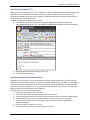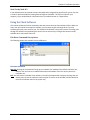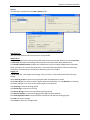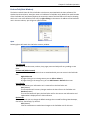
1
FaxFinder®
V.34 Fax Servers
Models: FF130
FF230
FF430
FF830
Administrator User Guide
FaxFinder® Administrator User Guide
S000458B, Version B.1
Models: FF130, FF230, FF430, and FF830
Copyright © 2009, by Multi-Tech Systems, Inc.
This publication may not be reproduced, in whole or in part, without prior expressed written permission from
Multi-Tech Systems, Inc. All rights reserved.
Multi-Tech Systems, Inc. makes no representations or warranties with respect to the contents hereof and
specifically disclaims any implied warranties of merchantability or fitness for any particular purpose. Furthermore,
Multi-Tech Systems, Inc. reserves the right to revise this publication and to make changes from time to time in the
content hereof without obligation of Multi-Tech Systems, Inc. to notify any person or organization of such revisions
or changes. Check Multi-Tech’s web site for current versions of our product documentation.
Revisions
Level
A
B
B.1
Date
06/23/09
07/09/09
10/22/09
Description
Initial release: Software version 2.0, Client version 2.01.
Change Time Stamp / Certificate info; CSV file format info added.
Support Release version 2.05
Patents
This device covered by the following patents:
6,031,867; 6,012,113; 6,009,082; 5,905,794; 5,864,560; 5,815,567; 5,815,503; 5,812,534; 5,809,068; 5,790,532;
5,764,628; 5,764,627; 5,754,589; D394,250; 5,724,356; 5,673,268; 5,673,257; 5,644,594; 5,628,030; 5,619,508;
5,617,423; 5,600,649; 5,592,586; 5,577,041; 5,574,725; D374,222; 5,559,793; 5,546,448; 5,546,395; 5,535,204;
5,500,859; 5,471,470; 5,463,616; 5,453,986; 5,452,289; 5,450,425; D361,764; D355,658; D355,653; D353,598;
D353,144; 5,355,365; 5,309,562; 5,301,274, 6,219,708.
Other patents pending.
Trademarks
Multi-Tech Registered Trademarks: FaxFinder, Multi-Tech, and the Multi-Tech logo.
All other products and technologies are the trademarks or registered trademarks of their respective holders.
Contacting Multi-Tech Support
Online Support Portal
support.multitech.com
In order to better serve our customers, manage support requests and shorten resolution times, we have created
the online web portal allowing you to submit questions regarding Multi-Tech products directly to our technical
support team. Get answers to your most complex questions, ranging from implementation, troubleshooting,
product configuration, firmware upgrades and much more.
To create an account and submit a Support Case on the Portal, visit support.multitech.com.
Knowledge Base and Support Services
www.multitech.com/en_US/SUPPORT
The Knowledge Base provides immediate answers to your questions and gives you access to support resolutions
for all Multi-Tech products. Visit our support area on the website for other support services.
Technical Support
Business Hours: M-F, 9am-5pm CST
Country
Europe, Middle East, Africa:
U.S., Canada, all others:
By Email
[email protected]
[email protected]
By Phone
(44) 118 959 7774
(800) 972-2439 or (763) 717-5863
Warranty
Warranty information can be found at: http://www.multitech.com/en_US/COMPANY/Policies/warranty/
CONTENTS
CHAPTER 1 – PRODUCT DESCRIPTION & SPECIFICATIONS ..................................................................... 5
PRODUCT DESCRIPTION .................................................................................................................................. 5
SAFETY WARNINGS ........................................................................................................................................ 6
TECHNICAL SPECIFICATIONS ............................................................................................................................. 7
CHAPTER 2 – GETTING STARTED ........................................................................................................... 8
PBX COMPATIBILITY ....................................................................................................................................... 8
MECHANICAL MOUNTING ............................................................................................................................. 10
CONNECTIONS ............................................................................................................................................. 12
FRONT PANEL LEDS ..................................................................................................................................... 13
INSTALLATION OVERVIEW .............................................................................................................................. 14
CHAPTER 3 – FAXFINDER WEB MANAGEMENT INTERFACE ................................................................. 19
LOGIN SCREEN............................................................................................................................................. 19
Forgot Password? ................................................................................................................................ 19
HOME SCREEN ............................................................................................................................................ 19
STATUS & LOGS SECTION .............................................................................................................................. 20
System Status....................................................................................................................................... 20
Fax Status ............................................................................................................................................. 21
Mail Queue .......................................................................................................................................... 24
Mail Log ............................................................................................................................................... 25
Inbound Fax Log ................................................................................................................................... 26
Outbound Fax Log ................................................................................................................................ 27
Modem Log .......................................................................................................................................... 28
SYSTEM CONFIGURATION SECTION ................................................................................................................. 29
Network ............................................................................................................................................... 29
SMTP .................................................................................................................................................... 30
Time ..................................................................................................................................................... 31
Printer .................................................................................................................................................. 32
Shares .................................................................................................................................................. 34
Certificates ........................................................................................................................................... 36
Save/Restore........................................................................................................................................ 38
Firmware .............................................................................................................................................. 39
Reboot ................................................................................................................................................. 40
FAX CONFIGURATION SECTION ....................................................................................................................... 41
Modem ................................................................................................................................................ 41
Inbound Routing .................................................................................................................................. 44
Outbound ............................................................................................................................................. 49
Cover Pages ......................................................................................................................................... 50
Store & Forward Fax (T.37) .................................................................................................................. 52
Fax Log ................................................................................................................................................. 54
USERS SECTION ........................................................................................................................................... 55
SEND A FAX SCREEN ..................................................................................................................................... 61
Send Fax ............................................................................................................................................... 62
LOGOUT ..................................................................................................................................................... 63
Multi-Tech Systems, Inc.
FaxFinder Admin User Guide
3
CHAPTER 4 – CLIENT SOFTWARE INSTALLATION ................................................................................. 64
INSTALLATION ............................................................................................................................................. 64
Push Installation Method .................................................................................................................... 68
ASSOCIATING CLIENT SOFTWARE AND USER WITH A FAXFINDER UNIT .................................................................. 69
Disassociating the Client from a Specific FaxFinder Unit..................................................................... 72
CHAPTER 5 – FAXFINDER OPERATION ................................................................................................ 73
SENDING FAXES ........................................................................................................................................... 74
The FaxFinder Schedule Fax Screen (New Fax).................................................................................... 74
Send Fax with Client Software ............................................................................................................. 78
Send Fax by Printing ............................................................................................................................ 78
Send Fax from Email (T.37) .................................................................................................................. 79
Send Fax from FaxFinder Web Interface ............................................................................................. 79
Send Fax by Web API ........................................................................................................................... 80
USING THE CLIENT SOFTWARE........................................................................................................................ 80
File Menu Command Descriptions ...................................................................................................... 80
Edit Menu Command Descriptions ...................................................................................................... 81
Tools Menu Command Descriptions.................................................................................................... 83
Devices Tab (Main Window) ................................................................................................................ 84
Print Capture Tab (Main Window)....................................................................................................... 85
USING THE MULTI-TECH TIFF VIEWER ............................................................................................................. 86
Toolbar Icons ....................................................................................................................................... 86
Importing Fax Images into Other Application Programs ..................................................................... 87
APPENDIX A – TROUBLESHOOTING .................................................................................................... 88
APPENDIX B – CUSTOMIZATION ......................................................................................................... 93
WEB SERVICES API ...................................................................................................................................... 93
T.37 ADVANCED USAGE ............................................................................................................................. 113
APPENDIX C – CREATING COVER PAGES ........................................................................................... 116
Software Known to Work .................................................................................................................. 116
Text Field Names and Descriptions ................................................................................................... 116
CREATING A CUSTOM COVER PAGE WITH SCRIBUS .......................................................................................... 117
Overview ............................................................................................................................................ 117
Plan a General Layout ........................................................................................................................ 118
Launch the Scribus Software ............................................................................................................. 118
Creating the Cover Page .................................................................................................................... 119
USING THE LEGACY (X20 SERIES) COVER PAGE GENERATOR.............................................................................. 129
APPENDIX D – MIGRATING FAXFINDER X20 MODELS TO X30 MODELS ............................................. 141
MIGRATING AN FFX20 PHONE BOOK TO AN FFX30 ........................................................................................ 142
MENUS: X20 MAPPED TO THE X30 ............................................................................................................... 144
MENUS: X30 MAPPED TO THE X20 ............................................................................................................... 145
APPENDIX E – REGULATORY INFORMATION ..................................................................................... 146
INDEX .............................................................................................................................................. 151
Multi-Tech Systems, Inc.
FaxFinder Admin User Guide
4
Chapter 1 – Product Description &
Specifications
Product Description
This manual describes four Multi-Tech V.34 fax servers: the FF130 1-port FaxFinder unit, the FF230 2port FaxFinder unit, the FF430 4-port FaxFinder unit, and the FF830 8-port FaxFinder unit. All four of
these units are complete, economical, easy-to-use network fax servers. With any of these units, you can
send and receive faxes as emails and send faxes from any application that can print.
When connected to a station port on a PBX, the FaxFinder functions as a network fax server with twoway fax service. Multiple PBX extension numbers are dedicated to incoming fax traffic which is routed to
the FaxFinder. The FaxFinder converts the incoming faxes into graphic files that can be sent as email
attachments, to a network share, to a printer or even to trash. Because faxes can be delivered in the
form of email, the fax recipient could be at any reach-able email address. So, for example, a sales person
could receive faxes while traveling by using a regular company fax number and picking up the email
messages remotely. Each fax-dedicated PBX extension number can be associated with a particular email
address.
We Supply
FF130/230
•
•
•
•
•
FF430/830
A FaxFinder (FF130 or FF230) with factoryinstalled software
One universal power supply with power cord
Common telephone cables (one for each port;
RJ-11 at both ends)
A product CD that contains: a software package
for client PCs and additional documentation
A set of four self-adhesive plastic feet
Multi-Tech Systems, Inc.
•
•
•
•
•
A FaxFinder (FF430 or FF830) with factoryinstalled software
One power cord
Common telephone cables (one for each port;
RJ-11 at both ends)
A product CD that contains: a software package
for client PCs and additional documentation
Rack-mounting fasteners
FaxFinder Admin User Guide
5
Chapter 1: Product Description and Specifications
Safety Warnings
Telecom
1. Never install telephone wiring during a lightning storm.
2. This product must be disconnected from power source and telephone network interface when
servicing.
3. This product is to be used with UL and cUL listed computers.
4. Never touch uninsulated telephone wires or terminals unless the telephone line has been
disconnected at the network interface.
5. Use caution when installing or modifying telephone lines.
6. Avoid using a telephone (other than a cordless type) during an electrical storm. There may be a
remote risk of electrical shock from lightning.
7. Do not use a telephone in the vicinity of a gas leak – not even to report a gas leak.
8. To reduce the risk of fire, use only 26 AWG or larger telecommunication line cord.
9. Never install a telephone jack in wet locations unless the jack is specifically designed for wet
locations.
Internal Lithium Battery
•
A lithium battery located within product provides backup power for the timekeeping
capability. The battery has an estimated life expectancy of ten years.
•
When the battery starts to weaken, the date and time may be incorrect. If the battery fails,
the board must be sent back to Multi-Tech Systems for battery replacement.
•
Lithium cells and batteries are subject to the Provisions for International Transportation.
Multi-Tech Systems, Inc. confirms that the Lithium batteries used in the Multi-Tech product(s)
referenced in this manual comply with Special Provision 188 of the UN Model Regulations,
Special Provision A45 of the ICAO-TI/IATA-DGR (Air), Special Provision 310 of the IMDG
Code, and Special Provision 188 of the ADR and RID (Road and Rail Europe).
Warning! There is danger of explosion if the battery is incorrectly replaced!
Ethernet Ports Caution
Caution: The Ethernet ports and command ports are not designed to be connected to a Public
Telecommunication Network.
Multi-Tech Systems, Inc.
FaxFinder Admin User Guide
6
Chapter 1: Product Description and Specifications
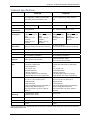
Technical Specifications
FF130/230
FF430/830
Connectors
RJ11 Line Jacks (1 or 2), Console Serial Port
for configuration / debug, Ethernet RJ48,
and Locking Screw on the Power Jack.
RJ11-Line Jacks (4 or 8), Command Serial
Port for configuration / debug, Ethernet
RJ45
Size
6.4” W x 6.0” L x 1.2” H (16.3 cm x 15.2 cm x 3.0 cm)
17.3” W x 1.7” H x 8.4” L (43.9 cm x 4.3 cm x 21.3 cm)
Weight
1.22 lbs. (0.55 kg)
6.86 lbs (3.11 kg)
Input Power
Requirements
9 Vdc @ 590mA
1.25 lbs (0.57 kg)
7.15 lbs (3.24 kg)
100 – 240 Vac, 50/60 Hz, 1.2 – 0.6 A
Maximum Power
Consumption*
FF130
9 Vdc, 0.53 Amps, 4.73
Watts
20 Vdc, 0.23 Amps,
4.54 Watts
32 Vdc, 0.16 Amps,
4.96 Watts
Operating
Environment
32°-104° F (0°-40° C)
relative humidity 20 to 90% noncondensing
32°-140° F (0°-60° C)
relative humidity 20 to 90% noncondensing
Storage Temp.
14° to 185° F (-10° to +85° C)
14° to 185° F (-10° to +85° C)
EMC Approvals
FCC Part 15 Class A, EN 55022, EN 55024
FCC Part 15 Class A, EN 55022, EN 55024
Safety Approvals
UL\cUL 60950-1, EN 60950-1
UL\cUL 60950-1, EN 60950-1
Telecom
Approvals
47CFR Part 68, CS03, TBR21
Other countries also included
47CFR Part 68, CS03, TBR21
Other countries also included
Data Modem
Specs
ITU-T V.92/V.90/56K (-92 build),
V.34/33.6K V.32bis/14.4K
V.22bis/2400 baud
V.22, V.23, & V.21;
Bell 212A & Bell 103
V.44 Error Correction
V.42 LAPM, MNP 2-4 Error Correction
V.42bis & MNP Class 5 data compression
ITU-T V.34 (MT5634SMI)
ITU-T V.17, V.29, V.27 & V.21 Ch. 2
Telephony/TAM
V.253 commands
2-bit & 4-bit ADPCM, 8-bit linear PCM & 4bit IMA coding; 8kHz sample rate
Concurrent DTMF, ring, & U.S. Caller ID
detection
ITU-T V.92/V.90/56K (-92 build),
V.34/33.6K V.32bis/14.4K V.22bis/2400
baud
V.22, V.23, & V.21;
Bell 212A & Bell 103
V.44 Error Correction
V.42 LAPM, MNP 2-4 Error Correction
V.42bis & MNP Class 5 data compression
ITU-T V.34 (MT5634SMI)
ITU-T V.17, V.29, V.27 & V.21 Ch. 2
Telephony/TAM
V.253 commands
2-bit & 4-bit ADPCM, 8-bit linear PCM & 4bit IMA coding; 8kHz sample rate
Concurrent DTMF, ring, & U.S. Caller ID
detection
Simultaneous
Scheduling
1 (Maximum) for FF130
2 (Maximum) for FF230
8 (Maximum)
Web Connections
10 (Maximum)
50 (Maximum)
File Upload Size
2 MiB (Maximum)
5 MiB (Maximum)
Warranty
2 years.
2 years.
Fax Modem Specs
FF230
9 Vdc, 0.58 Amps, 5.22
Watts
20 Vdc, 0.25 Amps,
5.04 Watts
32 Vdc, 0.17 Amps,
5.41 Watts
FF430
120 Vac/60Hz, 0.16A,
18.33 W
220 Vac/50Hz; 0.12A,
28.07 W
FF830
120Vac/60Hz, 0.19A,
22.80 W
220Vac/50Hz; 0.14A,
32.25 W
* Multi-Tech Systems, Inc. recommends that the customer incorporate a 10% buffer into their power source when
determining product load.
Multi-Tech Systems, Inc.
FaxFinder Admin User Guide
7
Chapter 2 – Getting Started
Introduction
This chapter shows you how to set up your Multi-Tech Model FF130/230/430/830 FaxFinder.
The setup process includes both cabling of the FaxFinder unit and configuration of the FaxFinder server
software. The FaxFinder server software resides on the FaxFinder unit and does not need to be installed.
PBX Compatibility
Before proceeding with cabling or software installation, you should confirm that the telephony
equipment with which you intend to use the FaxFinder is compatible with it. Although the FaxFinder can
simply be connected to an ordinary phone subscriber line (a POTS line), it is often connected to a PBX.
One of the convenient features of the FaxFinder is its ability to deliver incoming faxes as email messages
directly to users on an Ethernet network. This direct service depends on the PBX’s ability to route
multiple called or calling numbers to a single station port. If the PBX lacks that ability, incoming faxes
must be sent to users through an attendant. If you will be connecting the FaxFinder to a PBX, it is
important to understand the PBX’s capabilities in this regard beforehand. The following section explains
why the capabilities of your PBX will determine how you set up the FaxFinder unit to work with it.
To operate the FF130/230/430/830 FaxFinder system in conjunction with a PBX, that PBX must be able
to route incoming calls from many PBX extension numbers to a single PBX station port. This multipleextension-to-single-port capacity allows multiple PBX users to have their own unique directory numbers
for receiving faxes. If you are using the FF130/230/430/830 in conjunction with a PBX, be sure that the
PBX has this multiple-extension-to-single-port functionality and that it is activated.
Incoming calls can be routed multiple ways by the PBX:
1. One to one mapping with the incoming number mapped to a station port where the FaxFinder
resides.
2. Route based on the calling number. For this the PBX and phone service must support CID or ANI. This
can allow multiple predefined calling numbers to be routed to a FaxFinder port and onward to any
client.
3. Route based on the called number. For this the PBX and phone service must support DID or DNIS. This
can allow multiple predefined called numbers to be routed to a FaxFinder port and onward to any
client.
Multi-Tech Systems, Inc.
FaxFinder Admin User Guide
8
Chapter 2: Getting Started
FaxFinder Operating Modes
When placed in the optimal environment, the Multi-Tech Systems FaxFinder can provide a host of useful
functions. Inbound routing, that is fax transmissions coming into the FaxFinder unit; can be sent to many
destinations. An incoming fax can be sent directly to a printer to be immediately printed, it can be sent
to an email address for paperless reading, it can be discarded, or it can be deposited to a shared
directory for users to retrieve should they have access rights.
Inbound Routing. Fax clients receive faxes in the form of email attachments. From the remote fax
sender’s perspective, PBX extension phone numbers are functionally identical to ordinary fax phone
lines. Also, inbound faxes can be automatically printed or stored in a shared folder for archiving or
multiple user access.
Outbound Routing. Fax clients on the network can send faxes directly from their PCs using any
application program that can print. The application program must be set so that the FaxFinder itself is its
printing destination. In response to the ‘Print’ command, the FaxFinder turns the ‘print file’ image into a
fax. The FaxFinder transmits the fax to the public phone system (PSTN) or to another PBX extension.
Store and Forward faxing allows for emails to be sent through the FaxFinder as a fax or users can simply
log in to the web interface and send a fax from the unit directly.
When connected directly to a regular POTS line (or to a PBX without ‘convergent’ routing capability), the
FaxFinder functions as an outgoing fax server with incoming fax service going through one or more
attendants. Each of the FaxFinder’s modems has a separate fax number and each modem can have a
separate attendant that receives the fax messages as emails and then has the duty to direct them to
their intended recipients. (Note that one attendant could serve more than one of the FaxFinder’s
modems – some or all of the modems.) For example, an FF830 FaxFinder might be used in a company
with several departments that regularly receive faxes but in differing volumes. Suppose the sales
department and the purchasing department receive many faxes and the shipping and service
departments receive much less fax traffic. In that case, three of the FF830 modems might direct faxes to
a single attendant in the sales department, and an additional three modems might direct faxes to the
purchasing department; one modem might be directed to an attendant for the shipping department and
another to an attendant for the service department. When not connected to a PBX, all incoming faxes go
to a single email recipient, the attendant, who then sends them on, as needed, to the intended
recipient. It is also possible to operate a FaxFinder unit in a mixed mode such that some of its modems
are connected to PBX extensions while other of its modems are connected to POTS lines.
Multi-Tech Systems, Inc.
FaxFinder Admin User Guide
9
Chapter 2: Getting Started
Mechanical Mounting
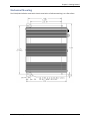
The FF130/230 FaxFinder comes with chassis screw holes to facilitate attaching it to a flat surface.
Multi-Tech Systems, Inc.
FaxFinder Admin User Guide
10
Chapter 2: Getting Started
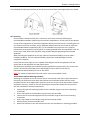
The FF430/830 are table-top units that can also be rack-mounted. Rack-mounting hardware is included.
Rack Mounting
Ensure proper installation of the unit in a closed or multi-unit enclosure by following the
recommended installation as defined by the enclosure manufacturer. Do not place the unit directly
on top of other equipment or place other equipment directly on top of the unit. If installing the unit
in a closed or multi-unit enclosure, ensure adequate airflow within the rack so that the maximum
recommended ambient temperature (60° C) is not exceeded. Ensure that the unit is properly
connected to earth ground by verifying that it is reliably grounded when mounted within a rack. If a
power strip is used, ensure that the power strip provides adequate grounding of the attached
apparatus.
When mounting the equipment in the rack, make sure mechanical loading is even to avoid a
hazardous condition. The rack used should safely support the combined weight of all the
equipment it supports.
Ensure that the mains supply circuit is capable of handling the load of the equipment. See the
power label on the equipment for load requirements.
This equipment should only be installed by properly qualified service personnel. Only connect like
circuits - connect SELV (Secondary Extra Low Voltage) circuits to SELV circuits and TN
(Telecommunications Network) circuits to TN circuits.
Note: The ambient temperature of the rack interior must not exceed 60° Celsius.
19-Inch Rack Enclosure Mounting Procedure
Attaching the FaxFinder to the rail of an EIA 19-inch rack enclosure will likely require two persons.
Essentially, the technicians must attach the brackets to the FaxFinder chassis with the screws
provided, as shown in the figure above, and then secure unit to rack rails by the brackets. Because
equipment racks vary, screws for rack-rail mounting are not provided. Follow the instructions of
the rack manufacturer and use screws that fit.
1. Position the right rack-mounting bracket on the FaxFinder using the two vertical mounting
screw holes.
2. Secure the bracket to the FaxFinder using the two screws provided.
3. Position the left rack-mounting bracket on the FaxFinder using the two vertical mounting
screw holes.
4. Secure the bracket to the FaxFinder using the two screws provided.
5. Remove feet (4) from the FaxFinder unit.
6. Mount the FaxFinder in the rack enclosure per the rack manufacture’s mounting procedure.
Multi-Tech Systems, Inc.
FaxFinder Admin User Guide
11
Chapter 2: Getting Started
Connections
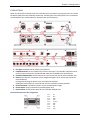
Below you will find the back panels for the FaxFinder family of products, starting with the 1-port FF130
the 8-port FF830, from top to bottom respectively. Following that is the description of the connections
corresponding to the number labels for assistance with the connections.
1. Line Ports. PSTN/POTS RJ 11 phone line connectors.
2. LAN/Ethernet Port. RJ 45 receptacle for network connection. The FaxFinder 130/230 units for
reasons of space constraints are labeled LAN, while the FF430/830 units show Ethernet.
3. Console/Command Port. DB 9 connection for serial access and control of the FaxFinder units.
4. Reset. Access hole for reset button (use a straightened paper clip or similar tool to push the
recessed button).
Pushing and releasing the button once will reboot the FaxFinder.
Holding the button down for 3 seconds will reset the FaxFinder to factory defaults.
5. Power Connector. Threaded connector for the provided power supply.
6. Power Socket. Power receptacle for provided power cord.
7. Power Switch. On/Off power switch for the FaxFinder 430/830 units.
Console/Command Port Pin Assignments
Pin 1
Pin 2
Pin 3
Pin 4
Pin 5
Pin 6
Pin 7
Pin 8
Pin 9
Multi-Tech Systems, Inc.
CD
RCV
XMT
DTR
Ground
DSR
RTS
CTS
Ring
FaxFinder Admin User Guide
12
Chapter 2: Getting Started
Front Panel LEDs
FaxFinder 130/230 (FF230 shown)
Label
Power
Status
Name
Power
Status
CF
LNK
Compact Flash
Data Link
100
TD
Speed
Transmit Data
RD
Receive Data
TR
CD
Data Terminal Ready
Carrier Detect
Description
Solid (constant) green if unit is on.
A few moments after power is on, the Status LED will be blinking
green to show normal, working state.
When the compact flash drive is accessed, this LED will light.
Lit when a physical link has been established with the Ethernet
network.
When lit, Ethernet rate is 100 MHz; when unlit rate is 10 MHz.
The TD LED flashes when the modem is transmitting data to
another modem.
The RD LED flashes when the modem is receiving data from
another modem.
Indicates that server is in communication with the modem.
Carrier of remote modem is detected.
FaxFinder 430/830 (FF830 shown)
Label
Power
Status
Name
Power
Status
LNK
Data Link
100
Speed
TD
Transmit Data
RD
Receive Data
CD
Carrier Detect
Multi-Tech Systems, Inc.
Description
Solid (constant) green if unit is on.
A few moments after power is on, the Status LED will be blinking
green to show normal, working state.
Lit when a physical link has been established with the Ethernet
network.
10 MHz or 100 MHz | When lit, Ethernet rate is 100 MHz; when
not lit, Ethernet rate is 10 MHz.
The TD LED flashes when the modem is transmitting data to
another modem.
The RD LED flashes when the modem is receiving data from
another modem.
Carrier of remote modem is detected.
FaxFinder Admin User Guide
13
Chapter 2: Getting Started
Installation Overview
Part A: Cabling – Connecting the FaxFinder to Power, Phone Lines, and Ethernet
Summary: Place the FaxFinder in a convenient location, and then connect it to your AC power outlet and
Ethernet.
1. Connect FaxFinder to AC Outlet.
A. FF130/230 Power. Plug the DC power transformer into a power outlet or power strip. Secure
the other end to the Power Receptacle on your FF130/230 FaxFinder. Secure the power cord to
the connector with the lock nut. (Builds of FF130/230 for outside of North America have a 2piece power connection.)
Power supply attachments (FF130/230): The FF130/230 models come with a power supply that
has interchangeable blades for use in various countries. First remove the protective cover by
sliding down the locking switch and pull the protective cover out from the bottom (this can be
discarded). Next, select the correct blade attachment for your locale and insert the top portion
of the attachment first (there is a corresponding tab that mates with the slot in the blade
attachment) and then push up-and-in while holding down the locking switch. Once the
attachment is in place, release the locking switch to lock the attachment in
Note: The FF130/230 units have a reset switch instead of a power toggle switch. Using a
straightened paper clip to push the recessed button will perform a hardware reboot. This is
only necessary if the unit becomes unresponsive. Holding the button down for 3 seconds
will reset the unit to factory defaults.
Caution: Use only the DC power transformer supplied with the FaxFinder. Use of any other
transformer voids the warranty and can damage the FaxFinder.
B. FF430/830 Power. Connect the power cable between the unit and a power outlet.
2. Verify Powering.
After power is applied, the Power LED comes on immediately but there is a 4-second delay before the
Status LED comes on. In normal operation, the Status LED will be flashing.
When you apply power, the FaxFinder will take a short time to boot up. While booting, the Status LED
will be solid (not flashing). The Status indicator flashes when the unit is ready. If after 5 minutes this
does not happen, disconnect and reconnect the power to have the FaxFinder reboot.
3. Connect FaxFinder to Ethernet Network.
Plug one end of your RJ45 Ethernet cable into the FaxFinder’s Ethernet jack and the other end into your
network Ethernet hub. This Ethernet cable is not included with your FaxFinder unit.
Caution: Before connecting to the Ethernet Network, make sure that the network to which you are
connecting the FaxFinder is not a 192.168.2.x subnet. Because the FaxFinder’s factory default IP
address is 192.168.2.1, connecting it to a network that has a different device at that same IP
address would cause data interference.
If it is a 192.168.2.x subnet, connect from the Administrative PC to the FaxFinder using an RJ45
crossover cable until the FaxFinder’s IP address has been configured. Thereafter, connect the
FaxFinder into the network with an ordinary RJ45 cable.
4. Connecting to Telephony Service
The FaxFinder can either be connected to a PBX or to POTS lines.
Multi-Tech Systems, Inc.
FaxFinder Admin User Guide
14
Chapter 2: Getting Started
Part B: Configuring the FaxFinder Server
1. Setting Admin PC to Startup IP Address
To initially access the FaxFinder, you will need to connect the unit directly to a compatible computer.
This process is detailed below. After the first setup, you can change the IP address of the FaxFinder
unit to one that is capable of operating on the network where it will permanently reside. If the
FaxFinder is already attached to a network, the Client software can Auto-discover the IP address.
Alternatively, using the Command/Console port, you can use a terminal program (like HyperTerminal)
and type “ifconfig eth0 ‘IP address’”. After that you can temporarily use the web interface for access
and permanently set the IP address in the System Configuration section.
A. Connect a PC directly to your FaxFinder unit using an RJ45 network cable (this may entail
disconnecting the PC from its current network).
B. Set the computer now connected to the FaxFinder to IP address http://192.168.2.x, where x can
be from 2 to 255 (use any address except 192.168.2.1). Make sure you write down the original IP
address so you may re-enter it when finished.
Windows XP/2003
a. From the Windows desktop, right-click on
“My Network Places,” and select
“Properties.”
b. In the Network Connection screen, rightclick on “Local Area Connection.”
c. In the Local Area Connection Properties
screen, on the “General” tab, scroll to the
“Internet Protocol (TCP/IP)” entry and
select it. Click “Properties.”
d. In the Internet Protocol (TCP/IP)
Properties screen, record the existing IP
address. Then reset the IP address to
192.168.2.2.
Windows 2000
a. From the Windows desktop, right-click on
“My Network Places,” and select
“Properties.”
b. In the Network and Dialup Connections
screen, right-click on “Local Area
Connection” and select “Properties.”
c. In the Local Area Connection Properties
screen, select the “Internet Protocol
(TCP/IP)” entry. Click “Properties.”
d. In the Internet Protocol (TCP/IP)
Properties screen, record the existing IP
address. Then reset the IP address to
192.168.2.2.
Windows Vista
a. Click on Start and go to Network.
b. In the left-hand ‘Folders’ pane, Right-click on Network and select Properties.
c. For the Local Area Connection, click on the View Status link.
d. In the Status window, click on Properties. Click Continue when the permission window popsup.
e. In the Properties window, click once to highlight “Internet Protocol Version 4 (TCP/IPv4)” and
then click Properties below.
f. Here you can select the “Use the following IP address:” radio button, and then set the “IP
Address” to 192.168.2.2.
g. Click OK, then click Close and then Close again.
Multi-Tech Systems, Inc.
FaxFinder Admin User Guide
15
Chapter 2: Getting Started
2. Logging In
A. Bring up a Web browser on your pc. At the browser’s address line, type the IP address of the
FaxFinder: type 192.168.2.1 and press Enter.
B. The Login screen will appear. At this point you can be assured that the FaxFinder is connected to
the network.
C. At the Login screen, enter admin (all lower case) in the Username field and admin (all lower case)
in the Password field.
D. Click the Login button. The Web Management Home screen will appear. From this screen, you
can access all of the FaxFinder Server software screens.
Note: The FFx30 units have real-time clocks. The default setting is to set the time via a timer server
(time.nist.gov). If the time is not accurate, a message may be issued by the web browser that the
certificate is invalid or expired. If this occurs, you should add an exception temporarily until the
IP Address and date/time are correctly set.
Once the date/time and IP Address are set, you will be able to generate a certificate with your
information (see Certificates section of Chapter 3).
3. Setting FaxFinder IP Addresses
A. Click on System Configuration in the top navigation bar.
B. Network Configuration is the first sub-category found in the left-hand navigation frame. Fill in the
IP information that applies to your FF130/230/430/830 FaxFinder Server unit. The fields for “IP
Address,” “Subnet Mask,” and “Default Gateway” are required. The Hostname field is used to
supply a fully qualified domain name (FQDN) for the FaxFinder Server when it accesses an email
server to send email (T.37). The hostname is used in conjunction with Store and Forward faxing
as the ‘To’ address; e.g. FAX=7635551234@hostname (where hostname would be something like
faxfinder.mycompany.com). A “Primary DNS” and “Secondary DNS” may be considered optional,
but, in any case, do not leave an invalid value in either of these fields.
C. Click Save. After the Save button has been clicked, it takes a moment for the FaxFinder to update
the addresses.
4. Resetting Admin PC to Its Regular IP Address
In step #1 above, you recorded the original IP address of the administrator’s PC and then reset the IP
address as required to allow communication with the FaxFinder unit. You may now set the IP address
of the administrator’s PC back to its original value or to any other value that will allow you to
communicate with the FaxFinder at its new IP address.
Multi-Tech Systems, Inc.
FaxFinder Admin User Guide
16
Chapter 2: Getting Started
5. Log In After Reset
Having reset the IP address of the administrator’s PC, you must log into the FaxFinder Server software
again. Enter the new IP address of the FaxFinder into your browser, and then enter admin as
Username and admin as Password to log in again.
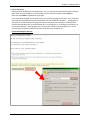
If the IP has been changed, your browser may show a warning message at this point. This is related to
the certificate issued by the FaxFinder (the default is for the IP address 192.168.2.1 – changing the IP
will cause an invalid certificate warning). Browsers will not allow access without a valid certificate
and the FaxFinder does have a valid certificate, but it is self-signed (i.e. no third party verification), so
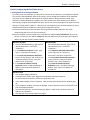
your browser displays a warning about this. You may safely continue (Internet Explorer), or in the
case of Firefox, temporarily add the FaxFinder certificate to the exception list.
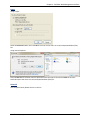
Firefox Add Exception Process:
Multi-Tech Systems, Inc.
FaxFinder Admin User Guide
17
Chapter 2: Getting Started
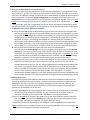
6. Save your Configuration to a File on the Local PC
Now that you have setup the FaxFinder unit to the necessary configuration, it is a good idea to save
the parameters in case the unit needs to be restored after a factory default. This will save you time if
you want to test different settings or need to do some troubleshooting as you will be able to return to
these settings easily. Click on the System Configuration top navigation link and then click on the
Save/Restore link in the left-hand pane. In the Save/Restore Configuration window, click on the Save
Config link in the upper right hand corner to save what you have set so far. The file name
“config_nnnn.bin” (with the n’s replaced by the version number) will appear in the dialog for where
you can store the file. This config file can then be used to restore the FaxFinder to this configuration.
7. Sending Test Fax from Fax Machine to FaxFinder
A. Set up an email address for the Administrator by going to the Users section (top navigation bar)
and click on the Edit action item for the Administrator account to add an email address. If you are
using a PBX, the Fax Configuration | Modem section should be reviewed for any necessities prior
to attempting a fax. Next go to the Fax Configuration | Inbound Routing page and verify where
the fax will be routed – if no settings are changed, any incoming fax will be emailed to the
Administrator email address (by default, all incoming faxes are routed to the Administrator). Next
set the SMTP parameters in the SMTP Configuration section of the System Configuration. When
you are ready, use a conventional fax machine to send a fax to the fax number of the FaxFinder.
B. Verify that the fax message sent reaches the email inbox of the administrator.
You may click on the Status & Logs link in the top navigation bar, and then click on the Inbound
Fax Log link in the left-hand frame to see if the FaxFinder sends the email. If the email was sent
successfully, the “Inbound Fax Log” field will contain the message. Click on the Details link to see
where it was delivered. If the email is not delivered within 5 minutes, see the “Troubleshooting
Appendix;” specifically “What if I don’t get the email to me of the test fax that I sent?”
C. Verify also that you can open the fax in a PDF viewer program on your computer. The PDF viewer
could be any commercial or open source PDF viewer. You can also choose to have your fax
messages delivered as TIFF files. The TIFF viewer program you use could be either the Multi-Tech
TIFF Viewer or a graphic file viewer included with or installed in your PC. (The Multi-Tech TIFF
viewer is included on the Product CD and installed with other client programs. During installation,
you can choose to associate all TIFF files with the Multi-Tech TIFF Viewer or leave them
associated with another program.) In your email program, double-click on the file attached to the
email message. The PDF or TIFF viewer program will come up automatically displaying the fax file.
8. Adding Client-Users
It is important to get the users added for the FaxFinder as the contact database is tied to the user
account for those users who will send faxes. The best case scenario would have all potential users
added before the users install the client software and begin to use the FaxFinder, that way, the
contact lists will be automatically populated with any contacts they already have that have been
entered into the FaxFinder unit for that user.
A. Click on the Users link in the top navigation bar to create entries for the other users in your office
who will send faxes through the FaxFinder. For each such FaxFinder client/user, enter the
Username, Password, phone numbers and email address in the appropriate fields.
B. Click on the Add link in the upper right-hand corner of the Users window to create a new client
user. Ensure that you click on the Update button after each entry before creating the next one.
The message “FaxFinder User updated” will appear above the section.
An alternative method for populating the User database is Comma Separated Value importation.
Note: By default, there is an Administrator user that cannot be deleted, but you can click on the Edit
action item to change the information and password.
Multi-Tech Systems, Inc.
FaxFinder Admin User Guide
18
Chapter 3 – FaxFinder Web
Management Interface
Introduction
In this chapter, we present the screens of the FaxFinder web management interface and describe the
sub-categories for each screen. The major sections are presented along the top navigation bar of the
web interface and most of these will activate a left-hand navigation window of sub-categories when
clicked. As with any secure browser-based user interface, a certificate is required to allow access. The
certificate used by the FaxFinder unit is self-signed, meaning that you will see a security warning when
you first access the unit from a browser. These warnings do not mean that the unit is not secure; it is
merely an indication that the validated certificate is not signed by a third party. Please select the option
to continue when you are presented this information.
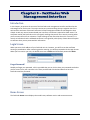
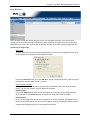
Login Screen
When you enter the IP address of your FaxFinder unit in a browser, you will first see the certificate
warning as noted above. After continuing past the warning, you will be presented with the Login Screen.
When you first receive your unit, the default username is admin and the default password is admin.
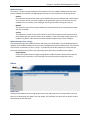
Forgot Password?
Should you forget your password, a link is provided that you can click to have your password emailed to
you for access. Enter your username in the form provided and click the Send button to have the
FaxFinder email the password.
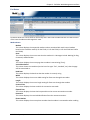
Home Screen
The FaxFinder Home screen displays the model name, software version and contact resources.
Multi-Tech Systems, Inc.
FaxFinder Admin User Guide
19
Chapter 3: FaxFinder Web Management Interface
Status & Logs Section
System Status
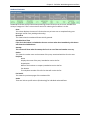
The System Status screen provides many key pieces of information that can be used diagnostically or
simply as a confirmation of correct settings.
Current Time
This field displays the current time and date on the FaxFinder unit. The format for this display is set in
the System Configuration: Time screen.
Up Time
This displays the running, total time that the FaxFinder has been in operation since the last reboot/reset
or disconnection of power.
Time Server Status
This indicates the status of the Time Server currently in use. If the Time Server Status shows ‘Disabled’ it
is likely that you have set the Time Server to ‘none.’ Error messages will also appear here; for example
the message ‘SNTP Error: Unknown Host’ will appear when the unit cannot contact the Time Server or if
it gets no response from a Time Server. Normally you will see the ‘No Errors’ message.
Printer Status section
Printer Status
This displays the current status of each printer that has been set up in the System Configuration:
Printers section.
Network Share Status section
Network Share Status
This displays the current status of any network shares that have been configured in the System
Configuration: Shares section.
Multi-Tech Systems, Inc.
FaxFinder Admin User Guide
20
Chapter 3: FaxFinder Web Management Interface
Fax Status
Fax Status details the current state for several key items. Here also the administrator can view the state
of the internal modems and change their state.
Modem Status
Modem
This column displays the sequential modem number associated with each internal modem
based on the FaxFinder model (1 for the FF130, 1-2 for the FF230, 1-4 for the FF430 and 1-8 for
the FF830).
State
This column displays the current state that the modem is in. Messages include: Waiting for Ring,
Connected, and Busied Out.
Page
This column displays the current page that a modem is transmitting (if any).
Vertical Resolution
This column shows the resolution (vertical scan line type: ‘fine’, ‘standard’, etc.) that the page
will be transmitted as.
Baud Rate
This column displays the baud rate that the modem is currently using.
Width
This column displays the current width setting for faxes sent through that modem.
Length
This column displays the current length setting for faxes sent through that modem.
Connect Time
This column displays the time at which the connection was made.
Elapsed Time
This column displays the time that has passed since the current connection was made.
Remote ID
This column displays the received identification from the remote connection.
Phone Number
This column displays the current phone number that the modem is connected to when sending.
Multi-Tech Systems, Inc.
FaxFinder Admin User Guide
21
Chapter 3: FaxFinder Web Management Interface
Action
These options are only available to an administrator.
Initialize
Clicking on this link will send the initialization command string to the modem. This will
also remove the busy-out state from a modem. When the initialization is complete, you
will see a colored message bar at the top of the screen indicating that ‘modem x
initialized.’ Using this action while a fax transmission is in progress will interrupt the fax
and cause it to fail.
Busy
Clicking on this link will set the modem to a busy state, meaning that the modem will
not send or receive faxes. Any incoming calls to this modem will receive the busy tone.
To reverse this state and allow faxes to come in or be sent out, click on the ‘Initialize’
link for the modem.
Inbound Fax Status
Inbound Fax Status displays information pertaining to each fax that is incoming, divided into a variety of
categories.
State
This column displays the state of a fax that has not yet been completely received.
Messages include: receiving or delivering.
Start Time
This shows the time that the inbound fax was initiated.
Line Number
This column displays the sequential modem number associated with each internal modem
based on the FaxFinder model (1 for the FF130, 1-2 for the FF230, 1-4 for the FF430 and 1-8 for
the FF830).
Extension
This will show the extension number where the fax will be routed to (if any).
Recipient
This will display the recipient Username or modem ID.
Remote ID
This shows the ID information sent from the fax originator.
Current Page
This will show what page is currently being received.
Multi-Tech Systems, Inc.
FaxFinder Admin User Guide
22
Chapter 3: FaxFinder Web Management Interface
Outbound Fax Status
Outbound Fax Status displays information pertaining to each fax that is set to be sent, divided into a
variety of categories. There is also an Action section for aborting the fax before it is sent.
State
This column displays the state of a fax that has not yet been sent or completed being sent.
Messages include: new, pending and sending.
Queued At
This shows when the outbound fax was initially queued.
Scheduled Send Time
If the fax in the Outbox is scheduled to be sent at a time other than immediately, this column
will show the scheduled time.
Attempt
This column will show what fax attempt the fax is on out of the total number set to try.
Sender
This shows the sender name and username of the party associated with the fax to be sent.
Recipient
Name
Displays the name of the party intended to receive the fax.
Organization
Name of the business or company intended to receive the fax.
Fax Number
The telephone number of the fax line that will receive the fax.
Fax Details
This shows the pertinent pages of the outbound fax.
Action
These are links to specific actions (like aborting) for individual outbound faxes.
Multi-Tech Systems, Inc.
FaxFinder Admin User Guide
23
Chapter 3: FaxFinder Web Management Interface
Mail Queue
The Mail Queue displays a list of emails residing in the queue waiting to be completed. Information is
broken into six sections.
Resend Queued Mails
Clicking on this link will tell the FaxFinder to resend all mail items in the queue immediately.
Date
This column displays the date the email was created on.
Size
This column shows the size of the mail message in bytes.
Sender
This column displays the user name of the party sending the email.
Recipient
This column displays the intended target of the email.
Type
This column shows the delivery type of file that is to be sent; e.g. local, remote.
Delivery Message
This column shows information about the state of the delivery. For example, if there was a problem,
SMTP error messages can be shown here; e.g. deferral: Sorry, I couldn’t find any host by that name.
(#4.1.2).
Multi-Tech Systems, Inc.
FaxFinder Admin User Guide
24
Chapter 3: FaxFinder Web Management Interface
Mail Log
The Mail Log displays recent delivery attempts, listed from most recent to oldest.
Date
This column displays the date that this mail entry was attempted.
Sender
This column displays the sender of this particular mail attempt.
Recipient
This column displays the recipient for this attempted mailing.
Delivery Message
This column displays a message showing the result of the mail delivery attempt.
Multi-Tech Systems, Inc.
FaxFinder Admin User Guide
25
Chapter 3: FaxFinder Web Management Interface
Inbound Fax Log
The Inbound Fax Log is a running tally of all of the faxes received by the FaxFinder unit. The individual
logs have several categories that are tracked. Descriptions are below.
State
This will show the current or final state of the fax in question. States include: complete, error – no page
received, error – partial fax, and delivery failure.
Complete Time
This logs the time at which that the incoming fax was successfully received. The format displayed
depends on the settings chosen in System Configuration | Time.
Remote ID
This will display the identification associated with the received fax.
Line Number
This will show which internal modem received the fax by line number.
Extension
This column displays the extension that received the fax (if any).
Recipient
This column shows the identification of the recipient of the fax.
Pages
This displays the number of pages that were received.
Action
This category shows actions that can be taken with this log file. Details is the only option here, which will
show more specifics about the fax received as shown below.
Multi-Tech Systems, Inc.
FaxFinder Admin User Guide
26
Chapter 3: FaxFinder Web Management Interface
Outbound Fax Log
The Outbound Fax Log is a running tally of all of the faxes sent by the FaxFinder unit. The individual logs
have six categories that are tracked. Descriptions are below.
Status
This column displays the current state that the outgoing fax is considered to be in. Status messages
include: sent, aborted and failed.
Start Time
This column displays the time that the transmission was started.
End Time
This column displays the time when the fax transmission completed.
Sender Name
This column displays the user name of the sending party.
Recipient Name
This column displays the name entered as the intended receiver of the fax.
Recipient Fax
This column displays the fax number entered as the intended destination of the fax.
Action
Clicking on the Details link will bring up a pop-up window with further information concerning this fax.
Multi-Tech Systems, Inc.
FaxFinder Admin User Guide
27
Chapter 3: FaxFinder Web Management Interface
Modem Log
The modem log tracks data pertaining to the internal modems of the FaxFinder unit. This information is
often very helpful when troubleshooting connection issues and other related issues.
Modem
This displays the line number of the modem tied to this particular log entry.
Status
This displays the status of the modem for this log entry; pass or fail. If the fax does fail, this column will
also display a short reason as to why there was a failure.
Fax Number
This displays the destination number of the fax.
Direction
This will show the direction (inbound or outbound) of the fax associated with this log entry.
Time
This displays the time that the log entry was created.
Size
This displays the size of the entire fax transmission.
Pages
This will display the number of pages in the fax of this log entry.
Resolution
This will show at what resolution the fax was sent. Default resolution is set to Fine.
Action
When populated, this will have a ‘Details’ link for viewing the specifics of this entry in a pop-up window
as shown below.
Multi-Tech Systems, Inc.
FaxFinder Admin User Guide
28
Chapter 3: FaxFinder Web Management Interface
System Configuration Section
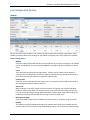
Network
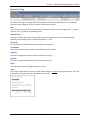
This section is for entering the specific network settings needed for the FaxFinder to run on your
network. By factory default, the FaxFinder ships with the IP address 192.168.2.1 for setup purposes.
After setup and prior to connecting to your live network, enter the needed parameters for proper
operation on the network where the FaxFinder is to operate.
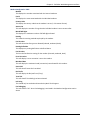
Hostname
Enter the hostname that will be associated with this FaxFinder unit. This is what will be used in
conjunction with Store and Forward faxing through email. The Fax server will check the hostname
entered here and in Fax Configuration | Store & Forward Fax (T.37): Additional Hosts. If an email comes
from an email client not listed in either of these locations, that email will be rejected.
IP Address
Enter the IP address that has been set for this FaxFinder unit. If you are setting this FaxFinder up for the
first time, remember that once this has been changed, you will have to be on the same network to make
further changes.
Subnet Mask
Enter the subnet mask that has been set for this FaxFinder unit. A typical subnet mask is 255.255.255.0,
though your network may be different.
Default Gateway
Enter the IP address of the default gateway on the network for this FaxFinder unit. The default gateway
is what allows the FaxFinder to contact network addresses outside of the local network. This is
necessary for contacting an internet time server or SMTP server.
Primary DNS
Enter the primary domain name server (if any) that this FaxFinder unit will use for name resolution of IP
addresses.
Secondary DNS
Enter the secondary DNS server (if any) for this FaxFinder unit.
Save button
When you have entered your information, be sure to click the save button before navigating away from
this page, else your changes will be lost.
Multi-Tech Systems, Inc.
FaxFinder Admin User Guide
29
Chapter 3: FaxFinder Web Management Interface
SMTP
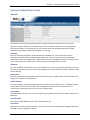
The SMTP section contains the information needed to setup email usage with the FaxFinder, as well as a
way to test the setup by sending an email.
SMTP Configuration
SMTP Server Address
Enter the IP address of your simple mail transfer protocol server here. This can be either an IP address or
Hostname. This is where emails will be sent.
SMTP Port
Enter the SMTP port to be used here (the default value for SMTP is 25).
SMTP Username
If your SMTP server requires authentication, enter the username that the FaxFinder unit will use for
validation on the email server.
SMTP Password
If necessary for authentication, enter the password associated with the above username.
Confirm SMTP Password
Re-enter the password in order to avoid possible errors in the password previously entered.
FaxFinder Email Address
If you would like the FaxFinder unit to have a different ‘From’ email address, enter the change here.
Save button
When you have entered your information, be sure to click the save button before navigating away from
this page, else your changes will be lost.
Send a Test Email
Send Test Email To Address
Enter an email address here that you would like to send a test email to for verification that the settings
entered are correct and then click the ‘Send Test Email’ link.
Multi-Tech Systems, Inc.
FaxFinder Admin User Guide
30
Chapter 3: FaxFinder Web Management Interface
Time
Correct time settings are important for logging and verification purposes. This section allows you to
enter a preferred time server as well as your preferences for time and date display format.
Time Server
Select a time server from the choices available in the drop-down box or you may also select ‘none.’
When you select None, the Time and Date settings are no longer grayed-out and are available for you to
set the current time.
Add Time Server
Here you may enter the name or address of a time server different from those available in the dropdown list.
Synchronize Every
Enter the interval of time that you want the FaxFinder to synchronize with the time server. This is only
valid if you have selected a time server.
Time Zone
Select the time zone where the FaxFinder will be located from the drop-down list. Changing the time
zone requires a reboot of the FaxFinder for it to take effect. A pop-up will alert you that a reboot will be
performed, to which you may select cancel if you do not want to reboot at this time.
Date Format
Select the format that you want the date to be presented in. Key: ‘M’ is for month, ‘D’ is for day and ‘Y’
is for the year.
Time Format
Select the time format that you want information presented in (options are 24 or 12 hour).
Time (24 hour) hh:mm:ss
Enter or verify that the time is what you expect it to be. Key: ‘H’ is for hour, ‘M’ is for minute and ‘S’ is
for seconds. This is only for when the Time Server has been set to “None.”
Date mm/dd/yyyy
Enter or verify that the date is what you expect it to be. Key: ‘M’ is for month, ‘D’ is for day and ‘Y’ is for
the year. This is only for when the Time Server has been set to “None.”
Save button
When you have entered your information, be sure to click the save button before navigating away from
this page, else your changes will be lost.
Multi-Tech Systems, Inc.
FaxFinder Admin User Guide
31
Chapter 3: FaxFinder Web Management Interface
Printer
Here you can add the printers available to the FaxFinder. Until the first printer is added, the section
states ‘There are no Printers.’ Click the Add link to add a printer.
Printers
The Add and Advanced Setup screens are detailed in the next section. Clicking the Add link will bring up
the Add Printer screen where you can add a printer to be used by the FaxFinder.
Printer Name
This displays the name you have entered for this printer.
Printer Make
This will display the maker of the printer selected when you added the printer.
Printer Model
This displays the model selected for this printer.
Description
This column will display any descriptive text that is entered for this printer, e.g. “East end
printer.”
Device URI
This will display the text string that is the Uniform Resource Identifier of the printer. There is a
Help link on the Add Printer page that shows valid URI types; e.g. socket://192.168.2.250 or
http://hostname:631/ipp/port1.
Action
There are three available action links:
Print Test Page
This will print a standard test page to the printer to ensure proper function.
Edit
This will open a new screen for editing the printer information. This screen is identical to
the Add Printer screen.
Delete
This will delete the printer.
Multi-Tech Systems, Inc.
FaxFinder Admin User Guide
32
Chapter 3: FaxFinder Web Management Interface
Add Printer
The Add Printer and the Edit Printer screens are identical, the only difference being that the Edit Printer
screen will already contain information previously entered.
Printer Make
Select the manufacturer of the printer you are adding from the drop-down list. If you do not see
the manufacturer (make) of your printer, you can use the Generic selection.
Printer Model
Select the model of the printer you are adding from the provided list. If you selected Generic
above, the selections here will be generic as well.
Printer Name
Enter a name to associate with this printer that users will understand.
Description
Enter a description of the printer you are adding. It is often useful to put the location of the
printer here; e.g. “East end printer.”
Device URI
Enter the Uniform Resource Identifier for this printer. Similar to a website URL, the URI identifies
the location of a printer on the network. There is a Help link that shows valid URI syntax; e.g.
socket://192.168.2.250 or http://hostname:631/ipp/port1.
Advanced Setup
Advanced Setup
This will bring up the Common UNIX Printing System (CUPS) page. This page is provided for
advanced printing configuration and job control.
Note: This page is provided using the GNU General Public License software agreement. A copy of
the GNU GPL can be found on the product CD and in the back of this manual.
Save button
When you have entered your information, be sure to click the save button before navigating away from
this page, else your changes will be lost.
Cancel button
Clicking on the cancel button will cause you to lose all information entered and return you to the
previous screen.
Multi-Tech Systems, Inc.
FaxFinder Admin User Guide
33
Chapter 3: FaxFinder Web Management Interface
Shares
The shares screen allows the administrator to create a place for faxes to be sent for retrieval by more
than one person. Anyone with network rights to the shared folder can view the faxes sent there.
Creating a location to share access to multiple users can be a good way to ensure that faxes are
responded to in a timely manner, especially in a sales environment. Others benefits are the ability for
employees to cover for each other when someone is out of the office and for electronic archiving of
faxes to a single location.
Shared Resources
Domain/Workgroup
Enter the domain where the FaxFinder will be operating. This box is pre-populated with the
default value of ‘WORKGROUP.’
Save button
When you have entered your information, be sure to click the save button before navigating
away from this page, else your changes may be lost.
Network Shares
By clicking on the Add link, you will bring up the Add Network Share screen where shares can be added.
UNC / Location
This column will display the Universal Naming Convention identifier or location entered for this
shared resource.
Username
This column will display the username for the network that is associated with this shared
resource.
Action
Connect
Clicking this link will connect you to the shared resource.
Edit
Clicking on this link will allow you to edit the parameters of this shared resource.
Delete
Clicking this link will delete the shared resource from use by the FaxFinder unit.
Multi-Tech Systems, Inc.
FaxFinder Admin User Guide
34
Chapter 3: FaxFinder Web Management Interface
Add Network Share
After entering and saving a new network shared resource, you will see the message “Network Share
updated” appear at the top of the screen. The network share is a common location when received faxes
may be routed to. For those with access rights to this shared location, all information is accessible for
use.
UNC / Location
Enter the Universal Naming Convention identifier or network location in this box. An example of
a UNC or location would be ‘//server/service’ or ‘\\server\service.’
Username
Enter the username that has write access to the shared location. This can be a general account
or one specific to the folder that is to be shared.
Password
Enter the password associated with the above username.
Confirm Password
Re-enter the password in order to avoid possible errors in the password previously entered.
Save button
When you have entered your information, be sure to click the save button before navigating
away from this page, else your changes will be lost.
Cancel button
Clicking on the cancel button will cause you to lose all information entered and return you to the
previous screen.
Multi-Tech Systems, Inc.
FaxFinder Admin User Guide
35
Chapter 3: FaxFinder Web Management Interface
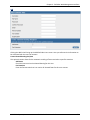
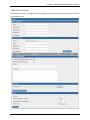
Certificates
A site certificate is needed for a browser to allow access to the FaxFinder unit. This certificate is selfsigned, so your browser will likely show a security warning (which simply means the certificate is not
authenticated by a third party) before you can continue. Use this page to replace the default certificate
with the one that contains details specific to your installation. These values are for identification
purposes only. Creating a new certificate will require a reboot of the FaxFinder. A pop-up will warn of
this and allow you to cancel the changes if necessary.
After generating a new certificate, you may have to make an allowance in your web browser to log back
in to the FaxFinder unit. Browsers will not allow access without a valid certificate and the FaxFinder does
have a valid certificate, but it is self-signed (i.e. no third party verification), so your browser displays a
warning about this. You may safely continue (Internet Explorer), or in the case of Firefox, temporarily
add the FaxFinder certificate to the exception list. Details on how to add to an exception list can be
found in Chapter 2.
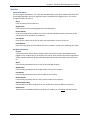
Generate Server Certificate
Common Name
Enter the common name associated with the certificate. This should be set to the Hostname or
IP address, depending on which you will use when connecting to the FaxFinder. A web browser
will use this field to check for a valid certificate. No more than 64 characters are allowed.
Days
Enter the number of days that the certificate is valid. No more than 3 digits are allowed.
Country
Enter the country that the certificate is valid for using in, using its two letter code. A search for
“country codes” at www.iso.org will give you a list if needed. The code US is for the United
States.
State/Province
Enter the state or province that the certificate is valid for. No more than 64 characters are
allowed.
Locality/City
Enter the city or locality that the certificate is valid for. No more than 64 characters are allowed.
Multi-Tech Systems, Inc.
FaxFinder Admin User Guide
36
Chapter 3: FaxFinder Web Management Interface
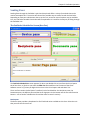
Organization
Enter the name of the organization that the certificate is valid for. No more than 64 characters
are allowed.
Email Address
Enter the email address of who is responsible for the FaxFinder (typically the administrator).
This field may be left blank. No more than 64 characters are allowed.
Generate button
Click on the generate button to create the certificate based on the information above. This will
require an immediate reboot of the unit (a pop-up window will allow you to cancel the action).
Server Certificate
The details of the verification certificate for the FaxFinder unit are displayed in this box.
Multi-Tech Systems, Inc.
FaxFinder Admin User Guide
37
Chapter 3: FaxFinder Web Management Interface
Save/Restore
After you have entered the specific settings to have your FaxFinder working in your environment,
coming here to save those settings is a good idea. Were something to happen and you lost what had
been entered, you can easily reset the unit to working condition if you have a saved configuration file.
Save/Restore Configuration
Save Config
The Save Config link will save settings entered during this session to a configuration file that can
be retrieved later using the restore configuration option.
Click on the Save File button, then click OK. When saving a configuration file, try and use a place
that will help you remember where it is stored.
Restore Factory Defaults
Clicking this link will reset all data in the FaxFinder to the default values that were set at the
factory. Use this with caution. This will reboot the FaxFinder.
Restore Config
Click on the Browse button after the box to navigate to a previously saved configuration file.
Once selected, click the Restore button to have those saved values used once again.
Restore button
Once a saved configuration file has been entered in the restore config box, clicking the restore
button will use those values that were retrieved above, to set up the FaxFinder with the values
saved in that configuration file. This will reboot the FaxFinder.
Multi-Tech Systems, Inc.
FaxFinder Admin User Guide
38
Chapter 3: FaxFinder Web Management Interface
Firmware
There may be occasions where features are refined or added to the FaxFinder unit. Such features will be
available through updating of the firmware that exists in the FaxFinder. After downloading firmware to
the local drive, browsing to that location and updating the firmware is a relatively easy process.
FaxFinder Firmware
This section is for the FaxFinder unit itself. For the internal modems, please see the section below.
Before flashing in new firmware, it is a good idea to save the current configuration.
Version
This will display the current version of the firmware installed in the FaxFinder unit. Please verify
that this version is older (generally a smaller number) than the firmware you intend to upgrade
the unit with. Do not roll back firmware in a FaxFinder unit unless you are directed to do so by
Multi-Tech Technical Support.
Upload Firmware
Click on the Browse button and navigate to the local folder containing the new FaxFinder
firmware that you wish to install. Please ensure that you are updating with a newer version of
firmware than what already exists in the FaxFinder unit. If you do need to downgrade the
firmware, the current configuration may not be able to be restored, so it is suggested that you
save a configuration file specific to each version of firmware.
MD5 Checksum
Use the Browse button to navigate to the MD5 checksum file that will verify the firmware is
valid for use. This is a very small file that is a safety net for possible firmware file corruption that
can occur during a download or be caused by bad sectors on a hard drive.
Update button
Click the Update button to begin the firmware upgrade process. This will take several minutes,
after which you will need to log in to the FaxFinder unit again. Please wait until the update
graphic stops spinning and you are taken to the Login screen. When prompted, you may re-login
to the FaxFinder unit.
Multi-Tech Systems, Inc.
FaxFinder Admin User Guide
39
Chapter 3: FaxFinder Web Management Interface
Modem Firmware
This section is for the internal modems of your FaxFinder unit. Your model will determine how many
internal modems are available. For updating the FaxFinder unit itself, please see the section above.
Update
Check the box associated with each internal modem that you want updated with new firmware.
You may select as many or as few modems to be updated as you like. Please ensure that the
modems are not currently in use sending or receiving a fax before starting this process.
Modem
This shows the name of the internal modem for verification that you are selecting the modem
you wish to update.
Version
This displays the current version of firmware for each internal modem. Please make sure that
the firmware that you intend to flash into the modem is newer than what already exists in the
modem. Only flash in older firmware when directed to by Multi-Tech Technical Support.
Modem Firmware (.hex, .hex.gz)
After downloading the new modem firmware and saving it to a local folder, click the Browse button to
navigate to the modem firmware file that you want to upgrade the internal modems with. The firmware
files will have an extension of .hex or .hex.gz – if you do not see the file extension it is likely that you
have view extensions turned off in your operating system, but this has no affect on the update.
Update button
Click on the Update button to begin to upgrade the modem firmware. Please ensure that the
modems are not currently in use sending or receiving a fax before starting this process.
Reboot
Reboot Unit
Clicking on the Reboot button will log off the current user and restart the unit. Please make sure that
there are no faxes being sent before you click reboot. The FaxFinder will not be able to send or receive
faxes during the reboot process.
Multi-Tech Systems, Inc.
FaxFinder Admin User Guide
40
Chapter 3: FaxFinder Web Management Interface
Fax Configuration Section
Modem
Be sure to set the country code for your location as well as look at the routing for your specific setup.
Should you need to adjust some settings for your PBX or local phone lines, many options are available.
Modem Configuration
Modem
Select the number associated with the internal modem that you want to configure. Each modem
can be set individually or you can select All Modems to configure all internal modems to be the
same.
Fax ID
This is what will be used as the fax page header. Typically the fax number of the modem or
company name is entered here so that each page can identify with the number of the sending
party. Please see the FCC website for regulations regarding this.
Country Code
Select the country code you want the modem set to, so that the internal modems will be set to
the required parameters to operate correctly.
Answer On
When routing is set to POTS modem, enter the number of rings that you want the individual
modem to answer after. When, for example, this is set to 2, the internal modem will seize the
line prior to the third ring occurring. When attached to a PBX or when using DTMF routing, the
modem will always go off hook after the first ring to listen for DTMF tones.
Max Extension Digits
Enter the number of digits that the modem will wait for before it sends the string to the PBX.
Routing
This shows the routing method employed by the modem. Many options are available here for
common PBX systems as well as a User Defined option where you can dictate your own settings.
Multi-Tech Systems, Inc.
FaxFinder Admin User Guide
41
Chapter 3: FaxFinder Web Management Interface
Fax Direction
This will show what fax types are allowed for this modem (inbound, outbound, both).
Routing Definition
The routing definition is used to mask digits sent to the modem from a PBX. This is used to tell
the FaxFinder which digits are to be used as the extension number of the incoming call. Click on
the Key link for a translation of parameter options.
Key
Clicking on the Key link will bring up a window with a list of potential parameters that can be set
for each modem. The n for each definition is the variable number.
For Call Type, Calling Number and Internal Code ($tn, $cn, $in) replace n with the number of
digits you want masked or ignored.
For Extension digits ($xn), replace n with the number of extension digits used for inbound
routing of faxes to recipients listed in the inbound routing configuration.
Description
This will describe the configurations used in the routing definitions (if any) with the parameters
that are set from the options available from the Key link.
Error Correction
Select On or Off for error correction to be used or not for this modem. Default is ‘On.’
Max Baud Rate
Select the maximum connection (baud) rate that is to be allowed on the modem. Default is
14400.
Smart Dial
Select On or Off to have Smart Dial available or not to the modem. With Smart dial set to ‘On’,
the modem will wait to detect a dial tone before dialing.
Dial Prefix
Enter any necessary dial prefix numbers for the internal modem, e.g. a “9” to dial outside of the
PBX.
Tone Dial
Select On or Off for Tone dialing (‘Off’ would indicate pulse dialing). Default is On.
Init String
Enter any modem AT commands needed as an initialization string here.
Fax Debugging
Select On or Off for Fax Debugging information to be logged or not.
Warning: Enabling debugging can quickly generate large log files and should only be turned on
when direct to by Multi-Tech Support.
Save button
When you have entered your information, be sure to click the save button before navigating
away from this page, else your changes may be lost.
Multi-Tech Systems, Inc.
FaxFinder Admin User Guide
42
Chapter 3: FaxFinder Web Management Interface
Modem Configuration Table
Modem
This displays the number associated with the internal modems.
Fax ID
This displays the name associated with the individual modems.
Country Code
This display the country code that the modem is set to (in 2 character format).
Answer On
This will display the number of rings that the individual modem is set to answer after.
Max DTMF Digits
This displays the maximum number of DTMF digits allowed.
Routing
This shows the routing method employed by the modem.
Fax Direction
This will show what fax types are allowed (inbound, outbound, both).
Routing Definition
This displays any routing definitions as defined above.
Fax Direction
This lists the fax direction setting for the modem (inbound, outbound, both).
Error Correction
This will display is error correction is set to the modem.
Max Baud Rate
This will display the maximum baud (connection) rate allowed for this modem.
Smart Dial
This will show if Smart Dial is enabled.
Dial Prefix
This will display the dial prefix set (if any).
Tone Dial
This will show if Tone dialing has been selected.
Init String
This should only be used when directed to by Multi-Tech Support.
Fax Debugging
This will show as “On” when Fax Debugging is activated in the Modem Configuration section
above.
Multi-Tech Systems, Inc.
FaxFinder Admin User Guide
43
Chapter 3: FaxFinder Web Management Interface
Inbound Routing
There are several ways an incoming fax can be routed: They can be routed globally, by line or by
extension. A global routing entry will route every incoming fax to the defined global routing Fax
Destination. The Lines entry will route any incoming fax, not listed under recipients, based on the line it
came in on, to that Line’s Fax Destination. Incoming faxes from PBXs that provide DTMF digits to the
FaxFinder can be routed based on the extension digits to recipients as defined in the Recipient Fax
Destination. Routing under the Modem Configuration must be set to something other than Pots Line for
this routing to occur.
A Destination can be an existing User’s Email, a printer where you would ‘print on receive’ to a defined
printer, an Email where the Fax would be delivered to an email address, to the trash (the fax is simply
thrown away), or a share where the incoming fax is copied to a defined network share location.
General Setup
Email Size Limit
Enter a size limit for inbound emails in Kilobytes. Any incoming faxes that are over this set limit
will be split into multiple emails that are below the limit, i.e. a fax from a sender that is too large
to be accepted by the email server will be automatically recreated as multiple smaller faxes for
the recipient so that the fax is not rejected.
Fax Output Format
Choose the format (either .PDF or .TIFF) that you want inbound faxes to be presented as.
Email Fax Details
Check this box if you want detailed information about the fax included in the email body for
incoming faxes.
Multi-Tech Systems, Inc.
FaxFinder Admin User Guide
44
Chapter 3: FaxFinder Web Management Interface
Global Routing
Fax Destinations
This displays a destination for inbound faxes to always be routed in addition to their intended
recipient.
Action
Here you will find a link to Edit the parameters set for Global Routing. Details of the edit Global
Routing screens are found below.
Add
Clicking the Add link will bring up the Add Destination (Global) screen.
Add Destination (Global)
Select the global destination from the drop down list. Some of these selections will require you
to add the related information in the second field. Destinations available are: Email, Share, Print
and Email to User. Your choice here will determine what information you must provide before
clicking the update button.
Save button
When you are finished with your selection, click the Update button to set the global destination.
Cancel button
Clicking on the cancel button will cause you to lose all information entered and return you to the
previous screen.
Lines
Line
Modems are the default inbound recipients for incoming faxes that do not have a matching
recipient.
Name
This displays the description associated with that particular modem.
Fax Destinations
This displays the destination for inbound faxes when no recipient or valid extension is found. If,
for example, a fax is received on modem 2 and there is no valid recipient, this is the destination
where that fax will be sent for viewing.
Action
Here you will find a link to Edit the parameters set to the internal modem for that row. Details of
the edit modem screen are found below.
Multi-Tech Systems, Inc.
FaxFinder Admin User Guide
45
Chapter 3: FaxFinder Web Management Interface
Edit
The edit action link will bring up the Edit Line screen:
Edit (Line #) (the actual number will replace the # symbol as the screen above shows)
Name
The description box will show the name associated with the line that we are
currently editing.
Destinations
Type
As described above, possible destinations are: Email, Share, Printer, Trash or
Email to User.
Value
This shows value associated with destination (e.g. a Share type would show the
network folder //server/share).
Action
Here you may Edit or Delete a destination.
Add Destination (Line #) button
Here you will find a link to Edit the parameters for the lines by clicking the Add link.
Drop down list options are Email, Share, Print and Email to User. Enter the destination
associated with your choice.
Update button
When you are finished entering your destination information, be sure to click the
update button or any changes will be lost when you navigated away.
Cancel button
This will cancel the current action and return you to the previous screen without any
changes.
Multi-Tech Systems, Inc.
FaxFinder Admin User Guide
46
Chapter 3: FaxFinder Web Management Interface
Recipients
This will display a list of inbound recipients. There are four action links available: Add, Import, Export
and Delete All.
Add Recipients
Clicking on the Add link will bring up the Add Recipients screen.
Extension
Enter the phone number of the recipient to be added.
Name
Enter the name of the recipient to be added.
Destinations (Extension)
After adding a Recipient, the Add Destination section for this extension will appear.
Add Destination (to created extension)
Click the Add link to select the default destination for this recipient (Email, Share, Print,
Trash, Email to User).
Multi-Tech Systems, Inc.
FaxFinder Admin User Guide
47
Chapter 3: FaxFinder Web Management Interface
Import Recipients from CSV
Clicking on the Import link will bring up the import screen.
CSV File
Click on the Browse button to navigate to an existing CSV file to add them to the
recipient list. The format for the CSV file is detailed below.
Existing Recipients
Select to either merge the new CSV file with the existing data or to replace the existing
data with the new CSV information.
Import button
Click on the import button to begin the process or all settings will be lost when you
navigate away.
Inbound Recipients CSV Import Format
Fields
Extension,Description,Destination type,Destination value
Values
•
•
•
•
Extension: numerical extension
Description: The description for the recipient. Does not need to be repeated for multiple
destinations for the same extension. Only the description for the first destination is used.
Destination type: One of the following types "Email", "Share", "Print", "User", and "Trash"
Destination value: The value of the destination appropriate for the type (shown below):
o Email: email address
o Share: The full UNC path of the network share. (The share must already be set up on the
FaxFinder)
o Print: The name of the printer. (The printer must already be set up on the FaxFinder)
o User: The name of the existing FaxFinder user to email
o Trash: No value needed
Example:
Extension,Description,Destination type,Destination value
1000,John Smith,Email,[email protected]
1000,John Smith,Print,myprinter
1001,Bill,User,bill
1001,Bill,Share,\\server\sharename\folder
9999,Junk,Trash,
Fields may be quoted with double quotes. A header row is optional.
Export Recipients to CSV
This will export the current recipients list to a CSV file. Click Save on the pop-up window and select a
location for the file to be saved at.
Delete All
This will permanently delete all entries in the recipients list.
Multi-Tech Systems, Inc.
FaxFinder Admin User Guide
48
Chapter 3: FaxFinder Web Management Interface
Outbound
The Outbound page contains a selection box for allowing simultaneous faxing.
Outbound Options
By checking the “Allow simultaneous faxing to the same number” box and clicking the Save button, you
let the FaxFinder unit to send faxes to the same phone number at the same time. This is beneficial for
fax recipients who allow calls to rollover or have multiple lines with the same number.
By default, this option is off and the FaxFinder will send faxes to the same number one at a time.
Save button
When you have checked or unchecked the “Allow simultaneous…” box, be sure to click the save
button before navigating away from this page, else your changes may be lost.
Multi-Tech Systems, Inc.
FaxFinder Admin User Guide
49
Chapter 3: FaxFinder Web Management Interface
Cover Pages
Here you can view or delete a cover page from the supplied pages created by Multi-Tech, or you can
import (Add) one of your own. For tips on creating custom cover pages, please see the customization
appendix. Cover pages must be in the PDF version 1.4 format. The Opt-Out section is available if you use
the FaxFinder for advertisement purposes.
Opt-Out
The placement of the Opt-Out information will depend on the cover page in use. Note that some cover
pages are written to expect a certain type of Cost Free method to be used; e.g. “Email _____ to opt-out
of further fax communications.”
Phone
Enter the phone number that can be called to reach you or someone who can remove a phone
number from a contact list (opt-out of receiving faxes from this unit or your business).
Fax
Enter the fax phone number that will accept opt-out faxes (to remove the recipient from contact
list of this unit or your business).
Cost Free
Enter a ‘cost-free’ method (email address, toll-free telephone or fax number, Website, etc.) that
recipients can use without incurring a cost, and be removed from the contact list of this unit or
your business.
Save
After entering your Opt-Out information, click the save button.
Multi-Tech Systems, Inc.
FaxFinder Admin User Guide
50
Chapter 3: FaxFinder Web Management Interface
Cover Pages
PDF Cover pages to be used with your FaxFinder unit need to be version 1.4 to work properly.
Editable cover pages in Scribus format
Clicking on this link will open cover pages that have been created with the Scribus software that
you can edit to fit your specific needs. You will have to have already installed the Scribus
software in order to be able to open and edit these files. A description of how to use the Scribus
software is provided in the appendix of this manual.
Add
Click on the Add link to open the Add Cover Page screen detailed below.
Cover Page
This column lists the file names of available cover pages as links. Clicking on the name will open
the file for viewing.
Action
Delete
Clicking this link will delete the cover page permanently from the FaxFinder unit.
Add Cover Page
Clicking the Add link will take you to the Add Cover Page screen where you can browse to an existing
cover page design (PDF file type) that you want to make available as an option on this FaxFinder unit.
Even though the browse button allows multiple file types to search for, only PDF files are allowed.
Add button
Click the add button to save the cover page you browsed to and save it to the FaxFinder unit.
Cancel button
Click the cancel button to discard changes and return to the previous screen.
Multi-Tech Systems, Inc.
FaxFinder Admin User Guide
51
Chapter 3: FaxFinder Web Management Interface
Store & Forward Fax (T.37)
Store and Forward fax (or T.37) is described in detail with examples in a later chapter. Here we are
describing the parameters for T.37 that can be input into the FaxFinder unit through the web interface.
Store & Forward Fax (T.37): Parameters
Enable T.37
To allow the use of Store and Forward faxing on this FaxFinder unit, check this box, else it will
not be allowed.
Require Authentication
Check the Require Authentication box to force users to have a valid username and password to
use Store and Forward faxing.
Default Scheduling Priority
Select the priority for scheduling store and forward faxing. The range is 0 to 5, with 0 being the
highest priority. This setting will come in to play when there are more faxes in the queue that
need to be sent out than there are available internal modems.
Maximum Tries
Enter the maximum number of tries that you want the FaxFinder to attempt without a
successful completion before considering the fax as failed.
Interval Between Tries
Enter the time in seconds that you want the FaxFinder to wait between unsuccessful
transmission attempts.
Multi-Tech Systems, Inc.
FaxFinder Admin User Guide
52
Chapter 3: FaxFinder Web Management Interface
Email Fax Receipt
Select the condition that will trigger an email to the sender. There are three options here:
Failure – An email receipt will only be sent if the fax fails.
Always – On completion (success or failure) an email receipt will be sent.
Never – The FaxFinder will not send a receipt for any result.
Default Cover Page
Select the cover page to use by default when using Store & Forward faxing.
Include Cover Page
Check this box if you want the cover page selected above to be included, otherwise no cover
page will be attached.
Save button
When you have entered your information, be sure to click the save button before navigating
away from this page, else your changes may be lost.
Store & Forward Fax (T.37): Additional Hosts
Recipient Host
This will display a list of additional hostnames and IP addresses that the FaxFinder will accept for
Store and Forward faxing. If your hostname is example.faxfinder.com, and you want to support
T.37 faxing from other hostnames (e.g. mycompany.faxfinder.com) this is where you would
enter the additional hostname.
Action
These are the action item links available for the T.37 host.
Edit
This will bring up the editing screen for changing the recipient host.
Delete
This will delete the recipient host.
Add
Located in the title bar at the right margin, the Add link will bring up the Add Recipient Host screen
where you can add a new recipient host as noted above. Make sure to click the Save button after
entering the information or it will be lost once you browse away or close the screen. If you do not wish
to add a new recipient, click on the Cancel button and you will be sent back to the Store & Forward Fax
screen.
Multi-Tech Systems, Inc.
FaxFinder Admin User Guide
53
Chapter 3: FaxFinder Web Management Interface
Fax Log
The interval at which the fax log files are deleted can be adjusted here. By default, the logs are removed
each day at midnight.
Fax Log Purge
Here is where the timing of log purging is set. The different columns allow for many settings. You can
select multiple options by clicking and dragging or by holding down the Shift or Control key while
selecting.
Minutes
Should you want to purge log files at intervals that are not on the hour, you can set the minutes.
Hours
This corresponds to the hour of the day when using a 24-hour clock (e.g. Hour 19 is 7 pm).
Day of Month
The Day of Month counts forward from the first day, so if you want to delete all fax logs on the
5th of every month, this would be set to 5.
Month
As a long term option, you can set the logs to be purged only in a specific month.
Day of Week
Log files can be set to be cleared on a specific day of the week, or every day of the week.
Email Expired Entries
If you want to keep the FaxFinder unit clear of log files, yet wish to retain the log files, you can
check this to have the log files emailed to the administrator email address.
Examples of Fax Log Purge Settings
Examples are provided to help understand the specific columns.
To purge logs every Sunday at 7:00 pm:
To purge logs at 11:00 pm on the first every month:
Minutes is set to 0
Hours is set to 19
Day of Month is set to Every day of month
Month is set to Every month
Day of Week is set to Sunday
Minutes is set to 0
Hours is set to 23
Day of Month is set to 1
Month is set to Every month
Day of Week is set to Every day of week
Purge Logs Now
Clicking on this link will delete all currently stored logs now instead of waiting for the purge time set
above.
Multi-Tech Systems, Inc.
FaxFinder Admin User Guide
54
Chapter 3: FaxFinder Web Management Interface
Users Section
The FaxFinder Users section of the FaxFinder unit displays a list of all of the users that have been
entered or imported into the unit itself. With the exception of the default admin account, all users can
be edited or deleted as needed. Users are the definitions of people that have access to the FaxFinder for
sending faxes. Each user will have a list of Contacts that they use to send faxes. The user information is
used gain access to the FaxFinder to send a fax via the web interface Send Fax page or an external Web
API client such as the FaxFinder Client software.
It is important that each user of the FaxFinder is entered in to the unit so that their contact list is
populated. All contacts are stored in the FaxFinder unit and the Client software will retrieve this list
when the user installs the software. When a user adds or deletes a contact, it is done to the database of
the FaxFinder unit, as it is the only place when this information is kept. Users of the FaxFinder system
should log in to the unit and add to their Contact list manually (the Add link) or automatically (the
Import link). When importing a contact list, the user can choose to overwrite any existing information,
or simply add the new information (the ‘Merge’ option).
FaxFinder Users
This section will list all of the users added to the FaxFinder unit. Click on the Edit action item to see the
Contact lists for individual users. Contact lists are the primary source for information when sending out
faxes. The Phone, Fax and Organization fields will be used to populate the corresponding fields on the
cover page.
Add / Import / Export / Delete All
A User must first be added before they can add Contacts to their account. Adding a User can be
done manually through the Add link or automatically through the Import link if a CSV file is
available. The entire User list can also be Exported to a CSV file for use with other FaxFinder
units or programs. The Add, Import and Export screens are shown below.
Full Name
This displays the text entered as the full name for a user.
Username
This displays the username.
Email
This displays the email address associated with the user account.
Phone
This displays the phone number associated with the user. Typically this is a voice number for
contacting the user regarding a fax they have sent or received.
Fax
This displays the fax number associated with the user account.
Multi-Tech Systems, Inc.
FaxFinder Admin User Guide
55
Chapter 3: FaxFinder Web Management Interface
Organization
This displays the organization (if any) that is associated with the account.
Users CSV Import Format
There are two types of records in the User CSV format: a User record type and a Contact record type.
The first column determines which type of record the line is, so you may see both types in one CSV file.
User Record
Fields
Type, Username, Password, Full Name, Email, Phone, Fax, Organization
Values
•
•
•
•
•
•
•
•
Type: must be "User"
Username: user's username
Password: user's password
Full Name: user's full name
Email: user's email address
Phone: user's phone number
Fax: user's fax number
Organization: user's company name
Example:
Type,Username,Password,Full Name,Email,Phone,Fax,Organization
User,john,my_password,John Smith,[email protected],612-555-1234,612-555-2222,"A
Company, Inc."
User, joe, joe_password, Joe Doe, [email protected], 612-555-1234, 612-555-2222, Workplace
Contact,john,Fred Johnson,111-555-1000,Another Company,111-555-1001
Contact,joe,Contact 2,1234,Company 2,5678
Fields may be quoted with double quotes. A header row is optional. A header row is any row that
starts with "Type,".
Contact Record
Fields
Type, Username, Contact Name, Fax Number, Organization ,Phone Number
Values
•
•
•
•
•
•
Type: must be "Contact"
Username: username of the user this contact belongs to
Contact Name: name of the contact
Fax Number: contact's fax number
Organization: contact's company name
Phone Number: contact's phone number
Example:
Type,Username,Password,Full Name,Email,Phone,Fax,Organization
User,john,my_password,John Smith,[email protected],612-555-1234,612-555-2222,"A
Company, Inc."
User, joe, joe_password, Joe Doe, [email protected], 612-555-1234, 612-555-2222, Workplace
Contact,john,Fred Johnson,111-555-1000,Another Company,111-555-1001
Contact,joe,Contact 2,1234,Company 2,5678
Fields may be quoted with double quotes. A header row is optional. A header row is any row
that starts with "Type,".
Multi-Tech Systems, Inc.
FaxFinder Admin User Guide
56
Chapter 3: FaxFinder Web Management Interface
Action
Edit
Clicking on the Edit link will bring up the editing screen for a user. You will also see this
list of Contacts associated with this user. The same options are available: Add, Import,
Export and Delete All. Contact lists use four primary pieces of information for speed and
simplicity of use: Name, Fax Number, Phone Number and Organization.
Edit Username n
Here you will find all of the previously entered User information. Every field except the
assigned Username can be changed. Click on the Update button to save any changes.
Contacts (Username n)
Here is the list of contacts that have been associated with this Username.
More contacts can be added manually or imported from a CSV file. Please note that
imported files with matching names will overwrite the current information. You can also
Export this contact list to a CSV file for possible importation by another user to save
time when contact lists are shared. Each entry can be edited or deleted in the Action
column.
Multi-Tech Systems, Inc.
FaxFinder Admin User Guide
57
Chapter 3: FaxFinder Web Management Interface
Add
Add FaxFinder User
Clicking the Add link will bring up the Add FaxFinder User screen. Here you will enter the information to
be associated with the new user account.
Create Inbound Routing Recipient
This optional section allows for the automatic emailing of faxes received to a specific extension.
Add Route
Check this box to active the Inbound Routing for this User.
Fax Extension
Enter the fax extension that is to receive all inbound faxes for this user account.
Multi-Tech Systems, Inc.
FaxFinder Admin User Guide
58
Chapter 3: FaxFinder Web Management Interface
Import
CSV File
Click on the Browse button to navigate to an existing CSV file to import. See Contact CSV File
Import Format below for specifics on the fields imported.
Existing Users
Select to either merge the new CSV file with the existing data or to replace the existing data
with the new CSV information.
Import button
Click on the import button to begin the process or all settings will be lost when you navigate
away.
Cancel button
This will return you to the Users screen.
Contacts CSV Import Format
Fields
Name, Fax Number, Organization, Phone Number
Values
•
•
•
•
Name: name of the contact
Fax Number: contact's fax number
Organization: contact's company name
Phone Number: contact's phone number
Example:
Name,Fax Number,Organization,Phone Number
Fred Johnson,111-555-1000,Another Company,111-555-1001
Contact 2,1234,Company Two,5678
Fields may be quoted with double quotes. A header row is optional.
Multi-Tech Systems, Inc.
FaxFinder Admin User Guide
59
Chapter 3: FaxFinder Web Management Interface
Export
Using Firefox:
Select the Save File button, then click OK to save the current Users as a Comma Separated Value (CSV)
file.
Using Internet Explorer:
Click the Save button and then select a destination from the new screen and click Save to have the
FaxFinder export the Users as a Comma Separated Value (CSV) file.
Delete All
This will permanently delete all users in the list.
Multi-Tech Systems, Inc.
FaxFinder Admin User Guide
60
Chapter 3: FaxFinder Web Management Interface
Send a Fax Screen
The Send Fax screen is a one page form for sending faxes directly from the FaxFinder unit when accessed
from a web browser.
Multi-Tech Systems, Inc.
FaxFinder Admin User Guide
61
Chapter 3: FaxFinder Web Management Interface
Send Fax
Sender Information
If a cover page is selected (the ‘Yes’ check box detailed below), much of the sender information will
be already populated in the cover page from what is provided for the logged-in user. This can be
changed if needed, or left as is.
Name
Enter the name of the sender here.
Organization
Enter the name of the sending organization (if needed) here.
Phone Number
Enter the sending phone number here (a voice line that should be used to contact the sender
should there be any questions or problems).
Fax Number
Enter the fax number for the line of which you would expect a return fax sent to.
Email Address
Here you may provide an email address that can be used by recipients for contacting the sender.
Recipient Information
Contact
Use the drop-down box to select a recipient from the contact list that is associated with the
logged-in user to add to the list of recipients for this fax. Once selected, the Name, Organization
and Fax Number below will be automatically populated with the information from the Contact
list.
Name
If not already populated, enter the name of the intended recipient.
Organization
If not already populated, enter the organization (if any) of the recipient.
Fax Number
If not already populated, enter the fax number of the recipient.
Phone Number
If not already populated, enter the voice phone number of the recipient.
Add Recipient button
Click this button to add a recipient to the list. Repeat the process to add more recipients.
Recipient list
The current list of added recipients is listed here. If needed, you can Delete individual entries.
Multi-Tech Systems, Inc.
FaxFinder Admin User Guide
62
Chapter 3: FaxFinder Web Management Interface
Cover Page Information
Include cover page with this fax?
Select Yes or No for your choice.
Select Cover Page
Choose a cover page from the drop-down box.
Subject
Enter a subject for the fax here.
Comments
Enter any comments needed for this fax transmission.
Attachments
Browse to any attachments that you need to add. Click the Add Another Attachment button if there is
more than one attachment needed. Allowed attachment types are: .PDF, .TIFF, .TXT, .PS, and .EPS.
Options
Max Tries
Enter the number of tries that you want the FaxFinder to attempt before aborting the fax.
Priority
Select the transmission priority for this fax. The range is 0 to 5 with 0 being the highest priority.
Interval between tries (seconds)
Enter the number of seconds for the FaxFinder to wait between unsuccessful transmission
attempts.
Send a receipt
Select from the drop-down box under what condition you want a receipt sent. There are three
options here:
Failure – An email receipt will only be send if the fax fails.
Always – On completion (success or failure) an email receipt will be sent.
Never – The FaxFinder will not send a receipt for any result.
Send Fax button
When all of the send fax information is completed, click the send fax button to activate this fax.
Navigating away from this screen or exiting the browser without clicking the send fax button will
clear all data and the fax will not be sent.
Logout
Clicking this navigational link will log you out of the FaxFinder unit. This is always a good practice to
follow when you are finished using the FaxFinder, especially if you were logged in with an administrators
privileges for security reasons. There is no screen associated with the Logout link – after clicking Logout,
you will be redirected to the Login screen.
Multi-Tech Systems, Inc.
FaxFinder Admin User Guide
63
Chapter 4 – Client Software
Installation
The Client software is for general use of the FaxFinder, but it needs to be associated with a FaxFinder
unit for proper operation. Your administrator should provide the software or a location where it can be
obtained from. You will need to install the Client software on your PC and set the FaxFinder that it is to
work with.
Installation
A. Insert the FaxFinder Product CD into the CD-ROM drive of the client PC. If the CD does not auto
start, use Windows Explorer to navigate to your CD drive and launch the installation program by
double-clicking on cd_start.exe file on the CD. From the menu presented, click the Software
button.
From the new screen presented, select the Client Software button to install the Multi-Tech
FaxFinder Client software for using the FaxFinder unit.
- or Retrieve the software installer from the location provided by your administrator.
Double-click the filename (default is FFClientInstall.msi) to begin the installation. The file labeled
FFClientTSinstall is for Windows Terminal Services only.
Important: If you have any old versions of the FaxFinder client software installed (for any FaxFinder
model family), please uninstall that prior to installing the new version. The FaxFinder client
utilizes Windows Add or Remove Programs utility in the Control Panel.
Multi-Tech Systems, Inc.
FaxFinder Admin User Guide
64
Chapter 4: Client Installation
B. At the Welcome screen, click Next.
C. At the Select Installation Folder screen, browse to the desired file location for the FaxFinder
client software. In most cases, the default file location is recommended.
Clicking on the Disk Cost button will show you the size of the software being installed as well as the
available disk space of the target drive.
When the destination location is correct, click Next.
Multi-Tech Systems, Inc.
FaxFinder Admin User Guide
65
Chapter 4: Client Installation
D. At the Confirm Installation screen, click Next to begin the installation.
A transient screen (“Installing FaxFinder Client Software”) will appear while files are being
copied.
E. The FaxFinder Client software can place a shortcut in the Startup directory so that the client
software will start automatically when the PC is booted.
F. You will be asked if you want the Client software to automatically launch when the installation is
complete. Select your preference.
Multi-Tech Systems, Inc.
FaxFinder Admin User Guide
66
Chapter 4: Client Installation
G. You will be asked whether or not you want to associate .tif and .cpg files with the Multi-Tech Tiff
Viewer. Click Yes (unless you prefer to use a different viewer program). The .cpg files become
associated with the Cover Page software that is used with the FaxFinder x20 model series only.
If a Question screen appears asking "Warning - the extension .tif is already registered,
Overwrite?”; click Yes if you wish to use the TIFF viewer installed with the FaxFinder Client
Software. Click No if you prefer to leave the current association for viewing .tif files.
H. Then the Installation Complete screen will appear.
Click the Close button.
If you chose ‘Yes’ above to have the client software start after installation, you will see the
application icon down in your System Tray. Click on the icon and select “show FaxFinder Client
software” to use the program.
Multi-Tech Systems, Inc.
FaxFinder Admin User Guide
67
Chapter 4: Client Installation
Push Installation Method
Push Installs of the Client Software
The FaxFinder Client installer is now available as an MSI package. This provides the ability to perform
remote installation using Microsoft Group Policy, SMS, as well as other third party tools. The installer
can be run like any other Windows software installer and it can also be invoked from the command line
using the Windows Installer command ‘msiexec’. Previous versions of the FaxFinder Client (1.08.xx and
older) must be uninstalled before upgrading.
Note: The User Account Control (UAC) feature of Windows Vista and Windows Server 2008 will need to
be turned off for push installations to complete successfully.
The installer supports the following options when being used from the command line or remote
installation:
•
•
•
•
•
•
Set a different install directory:
o TARGETDIR=PATH (default is Program Files/Multi-Tech Systems/FaxFinder Client
Software)
Add file associations for Multi-Tech TIFF Viewer and Cover Page Editor:
o ADDFILEEXT=1 (default is 0)
Start the FaxFinder client after installation:
o LAUNCHPRODUCT=1 (default is 0)
Automatically Start the FaxFinder Client
o LAUNCHPRODUCTONBOOT=1 (default is 0)
Example command to install in silent mode with options:
o msiexec /i FFClient-x_x_x.msi /q TARGETDIR=”C:\FaxFinder Client” ADDFILEEXT=1
LAUNCHPRODUCT=1 LAUNCHPRODUCTONBOOT=1
Example command to uninstall in silent mode:
o msiexec /x FFClient-x_x_x.msi /q
An example of how to perform a remote software installation using Microsoft Group Policy is available
from Microsoft’s website.
•
Search for Knowledge Base article number 816102 at microsoft.com.
FaxFinder Client Install Shield Mass Uninstall
An MSI package is available on the web site, and the Installation CD, that can be used to mass un-install
the previous version of FaxFinder Client (versions before 1.08.xx).
•
Example command to uninstall the Install Shield FaxFinder Client in silent mode:
o msiexec /i remove_installshield_faxclient.msi /q
Multi-Tech Systems, Inc.
FaxFinder Admin User Guide
68
Chapter 4: Client Installation
Associating Client Software and User with a FaxFinder Unit
After the FaxFinder client software is installed, you must associate it with one or more FaxFinder units.
Sometimes more than one FaxFinder unit is available for use. In some cases, certain client users might
be assigned to some FaxFinder units and not assigned to others. This procedure shows you how to make
this association so that faxes may be sent from a particular FaxFinder unit to the email inbox of your PC.
To do this procedure, you will need to know the IP address of the FaxFinder unit that you are able to
use. You should also be given a valid username and password for every unit that you can use. Be aware
that an individual FaxFinder client user can be associated with more than one FaxFinder unit. This could
easily be the case in an office that is large and/or an office that has a great deal of fax traffic.
The icon for the FaxFinder Client software application will appear in the Windows Start menu programs
selection. After installation, the Client Software starts up whenever the computer is booted if the ‘Yes’
option was chosen when the ‘Do you wish to start the FaxFinder Client automatically?’ prompt appeared
during installation. When running, a FaxFinder icon appears in the system tray area at the lower-right
corner of the screen. The FaxFinder Fax Client Software screen can be opened from either the Start
menu icon or the tray icon. If the Client Software is shut down, it can be re-opened from the Start menu
or by double-clicking on a file named FaxFinderClient.exe (or something very similar), which, following a
typical, default installation, is located at C:\Program Files\Multi-Tech Systems\FaxFinder Client
Software\FaxFinderClient.exe. When the client software is launched, it will reside in the System Tray be
default.
System Tray Icon
Multi-Tech Systems, Inc.
FaxFinder Admin User Guide
69
Chapter 4: Client Installation
1. At the main screen of the FaxFinder Fax Client Software, click on Edit and select “Add FaxFinder” if
you know the IP address or Host Name of the FaxFinder, otherwise open the Tools menu and select
“Auto-Discover Devices” to have the Client software search the network for FaxFinder units.
Add FaxFinder Manually
Use Auto Discover to Locate FaxFinder
a. If you are using the Auto Discover Device method, click the ‘Search’ button to have the
FaxFinder Client software search the available network for FaxFinder units that are available.
Multi-Tech Systems, Inc.
FaxFinder Admin User Guide
70
Chapter 4: Client Installation
2. To add a FaxFinder when the IP address is known, select the FaxFinder model family from the Type
drop-down, enter the IP address “Server Address” field along with your Username and Password.
If the Auto Discover Devices feature was used, you may Right-click and select Add or double Leftclick on the IP address or name of the FaxFinder unit that was detected. Use the ‘X’ in the upper right
hand corner to close the Auto Discover window after you have added it to the client.
3. Enter, in the appropriate fields, the Username and Password that the client will use when accessing
this FaxFinder unit. If the client is to be associated with multiple FaxFinder units, a different
Username and Password could be established for each. However, in most cases, it is advisable (for
the sake of simplicity and convenience) to use the same Username and Password for all FaxFinder
units.
NOTE: The Username entered here must match the entry used in the “Username” field of the Users
screen on the FaxFinder Server. The password entered here must match the password
entered for this user.
The Username and Password are case-sensitive.
Click OK.
Multi-Tech Systems, Inc.
FaxFinder Admin User Guide
71
Chapter 4: Client Installation
4. A new FaxFinder entry should appear on the “Device Status” tab of the FaxFinder Fax Client
Software screen.
The status of the newly registered FaxFinder unit may momentarily go from “Not logged in” to
“Logging in” to “Connected.” A FaxFinder x20 unit will show Idle instead of connected.
If it goes to Login Failure, then one of two things is wrong:
a. The IP address or domain name is wrong. If that is the case, delete that entry (by right-clicking
DELETE), and enter a new one;
- or b. The Username/Password combination may be wrong. Verify that the client Username/Password
combination (accessible by right-clicking and selecting Properties on the FaxFinder listed in the
Device Status tab of the client software) matches the Username/Password combination assigned
to the client-user by the FaxFinder Administrator.
Note: Username and Password are case-sensitive.
Disassociating the Client from a Specific FaxFinder Unit
In this procedure, you will un-do the procedure “Associating Client with a Specific FaxFinder Unit.” This
situation might occur when changes are being made in the network faxing system. In any event, this
procedure severs the tie between your PC and a specific FaxFinder unit so that you will no longer be
connected to it for sending fax messages. (Faxes can be received in email form from the FaxFinder
server, despite disassociating from the FaxFinder server, as long as the receiving party is defined in the
Inbound Routing section of the FaxFinder unit.) In cases where the client is currently associated with
more than one FaxFinder unit, you will need to know the IP address of the specific FaxFinder unit from
which you want to disconnect.
1. Open the FaxFinder Client Software program and go to the Device Status tab. Select the FaxFinder
unit from which you want to disconnect (you can identify the FaxFinder unit by its IP address or
domain name), Right-click on it and select delete.
2. Your FaxFinder Client Software will no longer be able to send faxes through this particular FaxFinder
unit.
Multi-Tech Systems, Inc.
FaxFinder Admin User Guide
72
Chapter 5 – FaxFinder Operation
Introduction
This chapter describes the things that a user can do with the FaxFinder system. The software programs
involved are the FaxFinder Client Software and the Multi-Tech Tiff Viewer (or designated PDF viewer).
The FaxFinder Client Software interfaces with the FaxFinder Server and has its own user interface. When
previewing outgoing faxes, the PC’s operating system calls up the designated TIFF viewer to display the
outgoing fax. When viewing received faxes, the PC’s operating system calls up the appropriate viewer
(PDF or TIFF). The choice of file types (PDF or TIFF) is made in the FaxFinder Server software. Note that
client users can choose to display either on the Multi-Tech TIFF viewer or on a different (non-MultiTech) TIFF viewing program. Likewise, if the FaxFinder system distributes incoming faxes as PDF files, the
client can designate which PDF viewer to use. The Multi-Tech TIFF viewer is installed automatically with
the FaxFinder Client software.
Overview:
Sending Faxes
¾
¾
¾
¾
¾
¾
The FaxFinder Schedule Fax Screen (New Fax)
Send Fax with Client Software
Send Fax by Printing
Send Fax from Email (T.37)
Send Fax from FaxFinder Web Interface
Send Fax by Web API
Receiving Faxes
¾ When Connected to a Network or Phone System
¾ When Connected to standard phone line (POTS)
Using the Client Software
¾ Details of Software Commands
o Add a contact
¾ Using the Cover Page Generator
¾ Using the Tiff Viewer
Multi-Tech Systems, Inc.
FaxFinder Admin User Guide
73
Chapter 5: FaxFinder Operation
Sending Faxes
Sending faxes through the FaxFinder is quick and simple and offers a variety of methods that can be
used to accomplish this. This section will show all the possible ways to send a fax with the FaxFinder.
Depending on how your administrator has set up the unit, several or even all options may be available.
First, the FaxFinder Schedule Fax window will be explained as it is used for the majority of faxing through
the FaxFinder unit.
The FaxFinder Schedule Fax Screen (New Fax)
The FaxFinder Schedule Fax screen appears (a) when you double-click an item from the Print Capture
tab of the client, or (b) when you select the New Fax command from the File menu of the Client
Software screen or (c) when you Right-click an item in the Print Capture tab and select ‘Fax.’
There are four sections (called ‘panes’ hereafter) to the Fax Scheduler: the Recipients pane, the
Documents pane, the Options pane and the Cover Page pane. At the bottom are the two main function
buttons – one to send or schedule the fax and the other to cancel it entirely.
Device pane
The device pane provides a drop-down list of all FaxFinder units available to this client. Select the unit
that you want this fax sent from.
Multi-Tech Systems, Inc.
FaxFinder Admin User Guide
74
Chapter 5: FaxFinder Operation
Schedule Options pane
Options text box: This text box will display ‘Send Immediately’ by default. If you want to schedule this
fax to be sent at a specific time or date, then you must click the Options button.
Options (button): If you want to specify a time or date for the fax to be sent, you must click the Options
button which will open the Fax Scheduling Options window. The Options button will also allow
you to change the Maximum Attempts, Priority and Fax Receipt options from the default values.
Fax Scheduling Options
By un-checking the ‘Send Immediately’ box, you can set a specific time and date for this fax to
be sent. You may change the Maximum Attempts, Priority and Fax Receipt settings for this fax.
Multi-Tech Systems, Inc.
FaxFinder Admin User Guide
75
Chapter 5: FaxFinder Operation
Recipients pane
Name (column): Party to whom the fax will be sent. You cannot type in this window. When a recipient is
specified either from the Contacts or from the New Recipient window (the ‘+’ button), that
recipient’s name will appear in this field.
Fax Number (column): Fax number to which the fax will be sent. You cannot type in this window. When
a fax number is specified either from the Contacts or from the Enter a Fax Recipient window;
that fax number will appear in this field.
+ (button): Brings up the New Recipient window. At this window, you enter the name and fax number of
the party to whom the fax will be sent.
— (button): Removes a selected (left-click to select) entry or entries from the Recipients list. You will be
prompted to confirm removal of the recipient(s) from the list of recipients. Multiple entries can
be selected by holding the Ctrl key (individually) or Shift key (all entries between) while clicking.
Contacts (button): Brings up the Select Contacts screen from which a fax recipient can be chosen (this is
retrieved from the user contacts stored in your user ID on the FaxFinder unit). If enabled on the
FaxFinder server, this will also display contacts from Microsoft Outlook. Multiple entries can be
selected by holding the Ctrl key (individually) or Shift key (all entries between) while clicking.
Documents pane
Document (column): File name and type extension of document(s) to be transmitted as a fax.
+ (button): Click this button to add another document to the fax transmission. Only .tif, .pdf and .txt files
can be added with this.
— (button): Click this button to remove a document from the list of items to be faxed. You will be
prompted to confirm removal.
Multi-Tech Systems, Inc.
FaxFinder Admin User Guide
76
Chapter 5: FaxFinder Operation
Cover Page pane
Use Cover Page (check box): Check this checkbox to include a cover page with your fax.
Cover Page (drop-down selection box): This field will be active when the ‘Use Cover Page’ check box is
ticked. By clicking on the down arrow, you will see the selection of cover pages available from
the FaxFinder unit. Click to highlight and select the cover page you want to use.
View (button): Brings up the cover page to be used.
Subject (text field): Here you can type a brief description of the contents of the fax. The placement of
this “Subject” description will depend on the cover page style that you use.
Comments (text field): Here you can type a lengthy comment about the fax or related topics.
Send the Fax
Schedule (button): When you have completed the other sections, click the Schedule button to have the
fax sent according to the time set by the Options parameters.
Close (button): To exit the Fax Schedule window and discard all changes, click the close button.
Multi-Tech Systems, Inc.
FaxFinder Admin User Guide
77
Chapter 5: FaxFinder Operation
Send Fax with Client Software
When a document (.tif, .pdf, or .txt) is complete and ready to be sent as a fax, opening the client
software and using the Schedule Fax option is quick and easy.
To begin, either double-click the FaxFinder Client Software icon in the System Tray or launch it manually
from the program listing on the Start menu, which will place it down in the System Tray.
1.
2.
3.
4.
5.
6.
7.
8.
9.
Open the File menu and select ‘New Fax’
The Fax Scheduler screen will open
Enter recipients manually by clicking the ‘+’ button or select from an already available contact
Click on the ‘+’ button in the Documents pane and browse to the file you want sent (you may
add more files by repeating this step)
Highlight and click Open to use the selected file
Note: If you do not see the file you want to use, make sure that the type of your source file
(PDF, Text, Postscript, Tiff) is valid
Set any Options that you need (priority, time to send, etc.)
Select and modify a cover page as needed
Enter a subject and/or comments if needed
Click the Schedule button in the lower left corner to send the fax according to the options set
Send Fax by Printing
The easiest and most convenient way to utilize the FaxFinder once the client software is installed on a
computer is to take advantage of the Print function of a software program.
To begin, create the text that you want to send out as a fax and save your work.
1. Select the Print option from the software you are using
2. Select the FaxFinder as your print destination and click on the Print button
3. The Schedule Fax window opens
4. Enter recipients manually by using the ‘+’ button or select from an already available contact list
5. Set any Options that you need (priority, time to send, etc.)
6. Select and modify a cover page as needed
7. Enter a subject and/or comments if needed
8. Click the Schedule button in the lower left corner to send the fax according to the options set
Multi-Tech Systems, Inc.
FaxFinder Admin User Guide
78
Chapter 5: FaxFinder Operation
Send Fax from Email (T.37)
When you wish to send an email as a fax, using the T.37 format in the To: field will take advantage of the
FaxFinder from your Outlook email software. To do this you will need to know a few things: your
administrator should provide you with the domain name of the FaxFinder unit and you need to know
the phone number of the fax recipient.
To begin, compose the message as a new email.
1. In the To: field, enter the recipients in this format: FAX=phone number of recipient fax
machine@FaxFinder domain (e.g. [email protected] as shown below)
2. Add any graphical attachments (PDF, Text or Tiff)
3. Click the Send email button
Send Fax from FaxFinder Web Interface
Logging in to the FaxFinder unit via a web browser is another simple way to have a fax sent from the
FaxFinder unit. This process is started by simply entering the IP address (e.g. 192.168.2.1) in the address
bar of the browser and using the links to access the Send Fax screen. Depending on the browser used,
you may see security warnings. Click ‘Yes’ to proceed in Internet Explorer; for Firefox, you may have to
add an exception for the FaxFinder unit’s IP address.
To begin, enter your Username and Password.
1. Click on the top navigation link “Send Fax”
2. The Sender Information will be pre-entered with your user info
3. Enter the recipient information or select from an available contact list and click ‘Add Recipient’
4. Select and fill out any information to be included as a cover page if you are using one
5. Browse to the file that is the fax information (you can add more with the ‘Add Another
Attachment’ button)
6. Choose any option variables for this fax
7. Click the Send Fax button at the bottom left of the screen
Multi-Tech Systems, Inc.
FaxFinder Admin User Guide
79
Chapter 5: FaxFinder Operation
Send Fax by Web API
If your administrator has created a custom API (Application Programming Interface) for you to use, that
is another option available for sending faxes through the FaxFinder. This will be unique for your
company, so you should look for information from your Administrator or IT department.
Using the Client Software
This section will detail all of the commands, tabs and screens that the Client Software offers. While not
every user will need all of the options available, you may want to glance through what is here for
something that will prove useful to you. The Schedule Fax window is the primary means of sending a fax
through the software and populating the contact list can save time by having those contacts readily
available when a fax needs to be sent.
File Menu Command Descriptions
The following options are available from the File menu.
File menu Commands
New Fax: Clicking this command will bring up the ‘Schedule Fax’ window of the default FaxFinder unit,
where a user can enter the needed information and schedule a fax to be sent by the active
FaxFinder unit.
Exit: This will exit the FaxFinder Client software. You will be prompted with a pop-up verifying that you
actually want to exit the software. Another option is to click on the window minimize button to
return the FaxFinder client to the system tray.
Multi-Tech Systems, Inc.
FaxFinder Admin User Guide
80
Chapter 5: FaxFinder Operation
Edit Menu Command Descriptions
The following options are available from the Edit menu.
Add FaxFinder
Type: Select the FaxFinder series you are connecting to.
FFx30 for the FF130, FF230, FF430 and FF830
FFx20 for the FF120, FF220, FF420 and FF820
Server Address: Enter the IP address of the FaxFinder unit that you want to add.
Username: Enter the user name you have been assigned for this unit.
Password: Enter the password associated with the user name you have been assigned for this unit.
Click OK to add the new FaxFinder unit to the client software.
Multi-Tech Systems, Inc.
FaxFinder Admin User Guide
81
Chapter 5: FaxFinder Operation
Options
The following is available from the Edit | Options menu.
Date/Time tab:
Here you enter the date and time formats for the fax header.
Advanced tab:
Here you designate the circumstances that will make the Send Fax window become minimized (on close
or after send) and allow the enabling of the importation of a Microsoft Outlook address book.
The Include Outlook Contacts checkbox will automatically find your Outlook (2000 version and newer)
folder and import the contacts that exist there. If you have Outlook installed to a directory other than
the default, a Browse button is available for determining the correct folder.
Logging tab:
A Trace Level of 9 is the highest trace setting. A Trace Level of 1 is the lowest (least amount of trace)
setting.
Select Save Log on Exit to ensure the Log file exists after the application is closed.
Select Save Log to if you want to create a log file other than the default. You may Browse to an existing
File Folder and type in the name of the custom log file in the edit field.
Click View Log to view the existing log file.
Click Delete Log to erase the current log.
Click Delete All Logs to remove any previously existing Log Files.
Click Restore Defaults to restore the Logging information to factory defaults.
Click View Application Data to start an explorer window to find and view existing log files.
Click OK to save your changes.
Click Cancel to Cancel any changes made.
Multi-Tech Systems, Inc.
FaxFinder Admin User Guide
82
Chapter 5: FaxFinder Operation
Tools Menu Command Descriptions
Auto Discover Devices: Selecting Auto Discover Devices will have the Client software search the network
for active FaxFinder units that are on the same network.
Click on the Search button to begin the auto discovery. Once begun, you can click the Stop
button to end the search at any time. When you are finished, click the Close button.
Any device found can be added by right-clicking and selecting Add or double-clicked to add it to
the Client software.
FFx20 Cover Page Edit: Selecting this option will open the FaxFinder x20 Cover Page Editing software
that was installed with the client. The software allows you to edit existing covers pages or create
entirely new ones for the FaxFinder x20 models only.
Multi-Tech Systems, Inc.
FaxFinder Admin User Guide
83
Chapter 5: FaxFinder Operation
Devices Tab (Main Window)
The Devices tab will show all of the FaxFinder units that are associated with the client software. This
window has three columns: Host (the name or IP address of a FaxFinder unit), Model (the model number
of the FaxFinder unit) and Status (displays the connection state of the FaxFinder unit as well as showing
which unit is set as the default unit for use). By right-clicking on the name or IP address of the FaxFinder
unit in the Host column, you will get an option window.
Open
Selecting Open will launch the FaxFinder summary window.
Fax Status tab
This tab will show the name, number, time, pages, state and subject for any pending or sent
faxes.
Contacts tab (Add a Contact)
The contacts tab lists all the contacts that are associated with your user name in the FaxFinder
unit.
Right-click menu
By right-clicking on an existing contact you can Edit or Delete it.
By right-clicking in the empty area, you can Add Contact or Refresh the screen.
User Info tab
The user info tab lists your information as it is entered in to the FaxFinder unit.
Save (button)
The Save button will save any changes made to the User Info on the FaxFinder unit.
Retrieve (button)
The retrieve button will query the FaxFinder unit for the current user information and
update what is displayed in the client software.
Options tab
In the options tab you can change the default settings that are used for faxing: Max Attempts,
Fax Priority, Fax Receipt, Try Interval.
Save (button)
Click the save button to make these changes to the FaxFinder unit for this user.
Multi-Tech Systems, Inc.
FaxFinder Admin User Guide
84
Chapter 5: FaxFinder Operation
Delete
Selecting this will delete the FaxFinder unit from use by this software. There is a delete confirmation
window that will pop-up prior to actual deletion.
Set as Default
Selecting set as default will make the unit clicked the default unit for sending faxes through this
software.
Properties
Selecting properties will bring up a window showing the FaxFinder unit type (FFx20 or FFx30), the IP
address the unit is using and your user name and password. The password is replaced by asterisks for
security.
Print Capture Tab (Main Window)
Any potential faxes sent from the print to FaxFinder option will be here, ready for additions, setting
changes or scheduling. There are two columns to this field: Document (the name of the document ready
to be scheduled) and Pages (the total number of pages in the document). To access the options for
items in the print capture area, right-click on the document name.
Fax
Selecting this will open the Fax Scheduler window allowing you to change any parameters as needed
and schedule your fax for a specific time or send it immediately. The Fax Schedule screen is covered
earlier in this chapter.
Delete
Selecting this will permanently delete the document from the client software. Entries in the Print
Capture tab will remain until they are manually deleted using this command.
View
Selecting the view option will open the document (a TIFF file) with the program associated with its
extension type; if you chose to associate TIFF files with the TIFF Viewer during installation, that is the
program that will open the file.
Multi-Tech Systems, Inc.
FaxFinder Admin User Guide
85
Chapter 5: FaxFinder Operation
Using the Multi-Tech Tiff Viewer
The Multi-Tech Tiff Viewer program has a variety of features that enhance the viewing of fax messages
in graphic file form (thumbnails, zooming, spot magnification, scrolling, rotating, etc.). The program can
also manipulate and permanently alter the graphic files.
Toolbar Icons
The most commonly used functions are available as icons on the toolbar. In the diagram below, we label
the functions of these icons.
While most of these features are common to many graphical programs, some warrant a bit of
explanation, provided below.
Multi-Tech Systems, Inc.
FaxFinder Admin User Guide
86
Chapter 5: FaxFinder Operation
Copy. The Copy function allows you to copy the fax file and insert it into a different application program.
When you click the copy button, the current image will be copied to Windows Clipboard, from which
you may then Paste into another applicable program or document. See “Importing Fax Images into
Other Application Programs” below.
Pan (Omni-Directional Scroll). The “hand” icon allows you to bring any desired portion of the image into
view by clicking and holding down the left mouse button and then moving the mouse to “drag” the
image to where you want it.
Zoom to Selection. Click and drag with the mouse over the rectangular area you would like to view. The
Multi-Tech Tiff Viewer zooms in sufficiently to fill the screen with the selected area.
Magnify Area (Spot Magnifying Glass). In this viewing mode, a magnifying glass icon (cursor) appears.
It can be used in one of three ways to magnify any portion of the image: (a) Click over Area, (b) Clickand-Hold Over Area, (c) Scan the Graphic.
Click over Area. A secondary window will appear that shows the ‘clicked-on’ area magnified. You
can adjust the size of the secondary window by dragging on its borders. You can re-locate the
secondary window by putting the cursor inside the window, clicking, holding, and dragging.
Click-and-Hold over Area. Two additional windows will appear. The cursor itself becomes a small
secondary window of fixed size. The same image also appears on a third window. You can adjust
the size of the secondary window by dragging on its borders. You can re-locate the secondary
window by putting the cursor inside the window, clicking and dragging.
Scan the Graphic. If you click, hold, and drag, you can scan the image in a magnified view. Two
magnifying windows will appear as in the “Click-and-Hold Over Area” description above.
Thumbnail. The thumbnail shows a reduced size version of the current image as well as the dimensions.
If you left-click on the thumbnail image, you will reset the current graphic to the original. This will not
undo any changes that were saved.
Importing Fax Images into Other Application Programs
The Copy command in the Multi-Tech Tiff viewer program allows you to import the fax image into other
application programs. A fax, in the TIF format can be Copied from the Multi-Tech Tiff viewer program
and Pasted into a word processing program document. The Windows Clipboard will only hold one copy
at a time, so make sure not to use any copy command until you have pasted the current image to the
new location.
Multi-Tech Systems, Inc.
FaxFinder Admin User Guide
87
Appendix A – Troubleshooting
1. What if I can't see the web page for my FaxFinder?
REMEDY: Verify that the Admin PC is actually on the same subnet as the FaxFinder and that it can be
“pinged.”
Launch a Command Prompt.
(In WinXP, go to Start | All Programs | Accessories | Command Prompt.
In Win2000, go to Start | Programs | Accessories | Command Prompt.)
Type ipconfig to verify that the Admin PC’s IP address is in the same network as the
FaxFinder’s IP address.
Then type ping 192.168.2.1 (or server’s current IP address) and press Return.
If the FaxFinder unit does reply to the ping and you are still unable to view the FaxFinder web
page, then call Multi-Tech Tech Support for more assistance (1-800-972-2439).
To see what the IP address of the FaxFinder unit is, plug a serial cable into the
Console/Command port, open communication software (like HyperTerminal) set to a serial
speed of 115,200 bps and type ifconfig.
2. What if I don't get an email when I click the Send Test Email link?
This pertains to the procedure “System Configuration | SMTP.”
The email may have failed due to one of several causes:
(A) the name server cannot be resolved,
(B) the mail server cannot be contacted; or
(C) the client PC running the mail software cannot connect to the mail server; or
(D) the administrator’s email address may be missing or incorrect;
(E) the email server does not support SMTP; or
(F) a discrepancy exists between settings established in the FaxFinder System Configuration | SMTP
screen and the email server’s requirements for User ID and/or Password in establishing
authentication with the FaxFinder.
Multi-Tech Systems, Inc.
FaxFinder Admin User Guide
88
Appendix A: Troubleshooting
CAUSE A: During transmission, the name server’s address could not be resolved (that is, the FaxFinder
unit could not contact your name server).
RESPONSE A: Contact the FaxFinder unit using secure shell and try to ping the name server.
ssh user@ip
user: admin
password: admin
# ping 192.168.y.y (where this is the address of the name server)
If the name server ping fails, you must determine why it failed.
The name server may not be reachable because it is on a different subnet. The name
server ping could also fail because the default gateway has been set incorrectly.
If the name server ping succeeds, then try to ping the mail server using its domain
name.
# ping mail.ourcompany.com
If you succeed in pinging the mail server by its IP address but yet it cannot be pinged
via its domain name, then the name server is not functioning correctly.
If the mail server can be pinged neither by its domain name nor by its IP address, then
consider item B below.
CAUSE B: The mail server is not running or cannot be contacted from the FaxFinder unit.
RESPONSE B: Verify that the mail server is running by sending an email to yourself using your
email software.
If you cannot send an email to yourself using your email software, then the mail server
is not running and you should find out why.
If you can send an email to yourself using the email software, then there is a problem
between your mail server and the FaxFinder unit. Call Multi-Tech Technical Support (1800-972-2439).
CAUSE C: The client PC running the mail software cannot connect to the mail server.
RESPONSE C: If you, as a client, cannot send yourself an email, then contact your administrator;
there may be a problem with your mail server.
CAUSE D: The administrator’s email address may be missing or incorrect.
RESPONSE D: Check and add/correct the administrator’s email address, as needed.
Multi-Tech Systems, Inc.
FaxFinder Admin User Guide
89
Appendix A: Troubleshooting
No email message after mail server setup (cont’d)
CAUSE E: The email server does not support SMTP.
RESPONSE E: Contact the FaxFinder unit using secure shell either at its IP address or name (if a
name server is present) and specify the SMTP Port Number (25 is the
common/standard port number, but this number is configurable in the FaxFinder
System Configuration | SMTP screen). Using Telnet (IP address: port) to get to the
SMTP server is the easiest method.
The email server should then return a “Welcome” message.
Type EHLO
The email server should then return a listing of supported protocols and other
information.
If the email server does not respond with a ‘Welcome’ message, or, if it does not
respond to EHLO, then, either the email server does not support SMTP or the port
number is wrong (that is, the port number used in the telnet command does not match
what was already specified in the System Configuration | SMTP screen).
If the email server does not support SMTP, it will not inter-operate with any FaxFinder
unit.
CAUSE F: A discrepancy exists between settings established in the FaxFinder System Configuration |
SMTP screen and the email server’s requirements for User ID and/or Password in
establishing authentication with the FaxFinder.
After you have set the FaxFinder Administrator’s email address, go to the System
Configuration | SMTP screen and click “Update.” In response to this, an email will be sent to
the FaxFinder Administrator.
Email servers have different requirements about User ID and Password with respect to
authentication to another server. In order to authenticate, some email servers will require a
User ID and Password and will reject authentication if a User ID and a Password have not
been provided. For other email servers, a User ID and Password are not required and not
allowed and these email servers will reject authentication if a User ID and Password are
included.
RESPONSE F: Consult with the administrator of your email server about its User ID/Password
requirements for authentication. Then configure the FaxFinder’s System Configuration
| SMTP screen fields accordingly. The specific fields are “SMTP Server User ID” and
“SMTP Password.” Leave these fields blank or fill in these fields according to the
requirements of your email server.
3. My FaxFinder 130 or 230 is no longer responding to my inputs.
REMEDY: The FF130 and 230 models have a reset switch in lieu of a power toggle switch. Using a
straightened paper clip to push the recessed button will perform a hardware reset. This is
only necessary if the unit becomes unresponsive.
Multi-Tech Systems, Inc.
FaxFinder Admin User Guide
90
Appendix A: Troubleshooting
4. What if the FaxFinder doesn't answer a fax call?
REMEDY
Use this procedure, if, during a test call to one of the FaxFinder numbers, you fail to see the
"Waiting for Ring" State change to the “Waiting for Connect” State in the Status & Logs
| Fax Status screen and if you fail to hear modem dialup/negotiation tones – both the
state and the sound must be observable.
A. Situate yourself in a place where you can see the FaxFinder unit and, simultaneously, use
a phone on a regular POTS line.
B. From that ordinary POTS phone, dial one of the phone numbers associated with the
FaxFinder.
C. As the call is completed, listen for fax tones and look for the “Waiting for Connect”
message in Status & Logs | Fax Status.
Sometimes it is possible to see activity in the LED indicators, but often the brevity of the
flash it difficult to notice – listening for the fax tones is the best method for
troubleshooting.
5. SMTP Error Code List
Many messages now contain the last response from the email server. These error codes may be looked
up to give more details of exactly what occurred. The Internet Engineering Task Force (IETF) maintains
information about SMTP error codes. You can look them up online at ietf.org in the RFC repository.
Multi-Tech Systems, Inc.
FaxFinder Admin User Guide
91
Appendix A: Troubleshooting
6. Dealing with Failed Fax Reports
Occasionally clients will receive email messages from the FaxFinder that pertain to faxes that have failed
partially or entirely. That is, some or all of the intended pages of the fax may arrive in a form that cannot
be read. Each FaxFinder-generated email of a fax with any failed pages will have one additional file
attached: a modem log file with a name like modem0modem1_date-time.txt.
The modem log file contains information about the “conversation” between the sending modem and
the FaxFinder’s receiving modem. This information may be valuable to the FaxFinder administrator,
working in conjunction with Multi-Tech Tech Support, in protecting the fax system and preventing future
errors.
As FaxFinder administrator, you should instruct FaxFinder clients to forward the modem log file from
any failed messages directly back to you.
Failure Analysis: Factors to Consider
When analyzing the modem log files from failed faxes, you should consider these questions:
•
Is this failure a one-time event or is it part of a larger pattern? If it is a one-time event, it is
probably unimportant. If it seems to be part of a larger pattern, it will be valuable to determine
what kind of a pattern is involved.
•
Are many failures coming from a particular fax machine or from a particular brand or model of
fax machine? If so, then check the Multi-Tech web site for applicable modem firmware updates
to the FaxFinder.
•
Have there been recent changes to the phone system or the room where the equipment is
located? (Amid such changes, a phone line might be bumped and so be disconnected or have an
intermittent connection.)
•
Have phone lines recently been changed or re-routed? (Damaged or noisy phone lines can cause
fax failures.)
Possible Solutions to Fax Failure Problems
•
Lower the incoming baud rate for received faxes.
•
Check Multi-Tech web site for newer modem firmware for FaxFinder and, if any is available,
upgrade the FaxFinder (see the section “Modem Firmware Update”).
•
Call Multi-Tech Technical Support at 1-800-972-2439.
Multi-Tech Systems, Inc.
FaxFinder Admin User Guide
92
Appendix B – Customization
Web Services API
Introduction
Fax Finder Web Service (hereafter FFWS) provides an interface to x30 FaxFinders for client applications.
Client application can use FFWS for sending faxes, managing contacts and monitoring fax status.
This document provides examples which illustrate the HTTP/XML communication between FFWS and a
client. Examples are broken up by actions performed on a resource. Sample HTTP requests and
responses are provided along with status codes.
Authorization
All request requiring authorization must have the Authorization header set using Basic authentication. If
this is not set or the username or password are incorrect then “401 Unauthorized” is returned.
See RFC 2617 for implementation
HTTPS
The server supports HTTPS. Secure requests can be sent to the default HTTPS port 443.
Creating a new fax
A new fax is created by posting a request to /ffws/v1/ofax with a schedule_fax element in the body.
If the fax is scheduled successfully then a response element is returned with a list of scheduled fax
entries; where each fax entry corresponds with a recipient in the previously scheduled fax.
Attachments
Each file that you wish to attach as fax pages must be placed in an attachment element. An "inline"
attachment is an attachment with the contents of the file inserted into the content tag. Inline
attachments must be encoded using base64. The name of the attachment can usually be set to the
basename of the file unless that name is not unique among the attachments. The name is used primarily
for error responses, so if you would like to know the attachment which failed then it is important to
make this field unique. The content type of the attachment should be set to match the type of file being
transferred. For example, if you are attaching a PDF, then the content type should be set to
"application/pdf". It is important to properly set the type because this field is used when converting the
file into fax pages. No attempt is made to guess the content type on the server.
Optional Query Parameters:
None
HTTP Request line:
POST /ffws/v1/ofax HTTP/1.0
HTTP Response Status Codes:
201 Created
The fax has been created successfully.
400 Bad Request
Invalid request. The fax has not been scheduled. A more verbose message may
be provided in the response message if possible.
Multi-Tech Systems, Inc.
FaxFinder Admin User Guide
93
Appendix B: Customization
Example:
POST /ffws/v1/ofax HTTP/1.0
content-type: application/xml
authorization: Basic YWRtaW46YWRtaW4=
<?xml version="1.0" encoding="UTF-8"?>
<schedule_fax>
<cover_page>
<url>https://192.168.2.1/ffws/v1/data/cover_pages/default.pdf</url>
<enabled>true</enabled>
<subject>Test Subject</subject>
<comments>Test Message</comments>
</cover_page>
<sender>
<name>Sender Name</name>
<organization>Sender Org</organization>
<phone_number>111-222-3333</phone_number>
<fax_number>111-222-3334</fax_number>
<email_address>[email protected]</email_address>
</sender>
<recipient>
<name>Rcpt 1 Name</name>
<organization>Rcpt 1 Org</organization>
<fax_number>111-222-3335</fax_number>
<phone_number>218-555-3336</phone_number>
</recipient>
<attachment>
<location>inline</location>
<name>attachment1.txt</name>
<content_type>text/plain</content_type>
<content_transfer_encoding>base64</content_transfer_encoding>
<content>dGVzdA==</content>
</attachment>
<max_tries>3</max_tries>
<priority>3</priority>
<try_interval>30</try_interval>
<receipt>failure</receipt>
<schedule_all_at>2008-08-07T20:30:00</schedule_all_at>
</schedule_fax>
----------------------------------HTTP/1.1 201 Created
content-type: application/xml
<?xml version="1.0" encoding="UTF-8"?>
<response>
<message>Success</message>
<fax_entry>
..<fax_entry_url>https://192.168.2.1/ffws/v1/ofax/0000001B/0000</fax_entry_url>
<fax_url>https://192.168.2.1/ffws/v1/ofax/0000001B</fax_url>
<state>aborted</state>
<schedule_message>Fax aborted by user</schedule_message>
<created>2008-08-01 08:43:29</created>
<stime>2008-08-01 08:52:29</stime>
<try_number>1</try_number>
<agent>FFWS</agent>
<preview>https://192.168.2.1/ffws/v1/data/preview/0000001B-0000.pdf</preview>
<cover_page>
<url>https://192.168.2.1/ffws/v1/data/cover_pages/default.pdf</url>
<enabled>true</enabled>
Multi-Tech Systems, Inc.
FaxFinder Admin User Guide
94
Appendix B: Customization
<subject>Test Subject</subject>
<comments>Test Message</comments>
</cover_page>
<sender>
<username>admin</username>
<name>Sender Name</name>
<organization>Sender Org</organization>
<phone_number>111-222-3333</phone_number>
<fax_number>111-222-3334</fax_number>
<email_address>[email protected]</email_address>
</sender>
<recipient>
<name>Rcpt 1 Name</name>
<organization>Rcpt 1 Org</organization>
<fax_number>111-222-3335</fax_number>
<phone_number>218-555-3336</phone_number>
</recipient>
<max_tries>3</max_tries>
<priority>3</priority>
<try_interval>30</try_interval>
<receipt>failure</receipt>
<receipt_attachment>none</receipt_attachment>
<pages>1</pages>
</fax_entry>
</response>
Retrieving Fax Entries
Fax Entries are retrieved by sending a GET request to /ffws/v1/ofax. If the query is successful then a
response element is returned which contains all fax_entry elements matching the query. In the case of a
simple GET without a query string, all fax entries for the user are returned.
Sending a GET request to the URL found in the fax_url element will return all fax entries associated with
that particular scheduled fax.
Sending a GET request to the URL found in the fax_entry_url element will return the fax entry associated
with the URL.
Optional Query Parameters:
all_users=true|false
An Admin level user can set this option to query all users instead of just
faxes belonging to the authenticated user.
complete_limit=LIMIT
Limit the number of completed faxes returned in a general query
(/ffws/v1/ofax) to LIMIT. By default the limit is 10. Faxes
displayed in the completed list are (pre)viewable and re-schedulable.
class=pending|sending|complete
Retrieve faxes by class.
include_modem_info=true|false
Include Modem level information in the response (init_time,
connect_time, ...). Requesting this information is costly and it also
increases the size of the response. Modem information only exists after the
modem has completed at least one full attempt.
Multi-Tech Systems, Inc.
FaxFinder Admin User Guide
95
Appendix B: Customization
HTTP Request line:
GET /ffws/v1/ofax HTTP/1.0
HTTP Response Status Codes:
200 OK
Here are the fax entries.
Example:
GET /ffws/v1/ofax HTTP/1.0
content-type: application/xml
authorization: Basic YWRtaW46YWRtaW4=
----------------------------------HTTP/1.1 200 OK
content-type: application/xml
<?xml version="1.0" encoding="UTF-8"?>
<response>
<message>Success</message>
<fax_entry>
<fax_entry_url>https://192.168.2.1/ffws/v1/ofax/0000001B/0000</fax_entry_url>
<fax_url>https://192.168.2.1/ffws/v1/ofax/0000001B</fax_url>
<state>aborted</state>
<schedule_message>Fax aborted by user</schedule_message>
<created>2008-08-01 08:43:29</created>
<stime>2008-08-01 08:52:29</stime>
<try_number>1</try_number>
<agent>FFWS</agent>
<preview>https://192.168.2.1/ffws/v1/data/preview/0000001B-0000.pdf</preview>
<cover_page>
<url>https://192.168.2.1/ffws/v1/data/cover_pages/default.pdf</url>
<enabled>true</enabled>
<subject>Test Subject</subject>
<comments>Test Message</comments>
</cover_page>
<sender>
<username>admin</username>
<name>Sender Name</name>
<organization>Sender Org</organization>
<phone_number>111-222-3333</phone_number>
<fax_number>111-222-3334</fax_number>
<email_address>[email protected]</email_address>
</sender>
<recipient>
<name>Rcpt 1 Name</name>
<organization>Rcpt 1 Org</organization>
<fax_number>111-222-3335</fax_number>
<phone_number>218-555-3336</phone_number>
</recipient>
<max_tries>3</max_tries>
<priority>3</priority>
<try_interval>30</try_interval>
<receipt>failure</receipt>
<receipt_attachment>none</receipt_attachment>
<pages>1</pages>
</fax_entry>
</response>
Multi-Tech Systems, Inc.
FaxFinder Admin User Guide
96
Appendix B: Customization
Aborting a Fax Entry
Sending a DELETE request to the fax entry URL found in the fax_entry_url element of a fax entry will
attempt to abort the fax. If successful, 202 accepted will be returned and an abort will be attempted on
the fax.
HTTP Request line:
DELETE /ffws/v1/ofax/FAX_ENTRY HTTP/1.0
HTTP Response Status Codes:
202 Accepted
An abort has been sent. The fax entry will be aborted if possible.
400 Bad Request
The fax specified could not be aborted. The user may not be the owner of
the fax or the fax could not be found.
Example:
DELETE /ffws/v1/ofax/0000001B/0000 HTTP/1.0
content-type: application/xml
authorization: Basic YWRtaW46YWRtaW4=
----------------------------------HTTP/1.1 202 Accepted
content-type: application/xml
Rescheduling a Fax Entry
Sending a PUT request to the fax entry URL found in the fax_entry_url element of a fax entry will
attempt to reschedule the fax. If successful, 202 accepted will be returned and a reschedule will be
attempted on the fax.
HTTP Request line:
PUT /ffws/v1/ofax/FAX_ENTRY?at=UTC_TIME_ENCODED HTTP/1.0
Query Parameters:
at=UTC_TIME_ENCODED
UTC_TIME_ENCODED := YYYY-MM-DDTHH%3AMM%3ASS
HTTP Response Status Codes:
202 Accepted
Attempting reschedule
400 Bad Request
The fax specified could not be rescheduled. The user may not be the owner
of the fax or the fax could not be found
Example:
PUT /ffws/v1/ofax/0000001B/0000?at=2008-08-09T22%3A30%3A00 HTTP/1.0
content-type: application/xml
authorization: Basic YWRtaW46YWRtaW4=
----------------------------------HTTP/1.1 202 Accepted
content-type: application/xml
Multi-Tech Systems, Inc.
FaxFinder Admin User Guide
97
Appendix B: Customization
Retrieving User Information
Information associate with a user can be retrieved by sending a GET request to the user URL of the user
desired. The user URL is of the form /ffws/v1/users/USERNAME. A regular user can only retrieve their
information and not that of another user.
HTTP Request line:
GET /ffws/v1/users/USERNAME HTTP/1.0
HTTP Response Status Codes:
200 OK
Success
403 Forbidden
Authenticated user does not have permission to view data associated with
username.
404 Not Found
No user found with that username.
Example:
GET /ffws/v1/users/admin HTTP/1.0
content-type: application/xml
authorization: Basic YWRtaW46YWRtaW4=
----------------------------------HTTP/1.1 200 OK
content-type: application/xml
<?xml version="1.0" encoding="UTF-8"?>
<response>
<message>Success</message>
<user>
<user_url>https://192.168.2.1/ffws/v1/users/admin</user_url>
<name>Administrator</name>
<username>admin</username>
<email_address>[email protected]</email_address>
<phone_number>111-222-3333</phone_number>
<fax_number>111-222-3334</fax_number>
<organization>Example Org</organization>
</user>
</response>
Multi-Tech Systems, Inc.
FaxFinder Admin User Guide
98
Appendix B: Customization
Retrieving Contacts
User contacts are retrieved by sending a GET request to the contacts URL for a user. Or if you already
know the contact URL of a contact, then you could send a get request to that URL as well.
HTTP Request line:
GET /ffws/v1/contacts/USERNAME HTTP/1.0
Query Parameters:
limit=LIMIT
Limit the number of results to LIMIT.
offset=OFFSET
Skip OFFSET entries from the start. Only valid when limit is specified.
Substring matching for any of the contact elements.
HTTP Response Status Codes:
200 OK
Success
403 Forbidden
Authenticated user does not have permission to view data associated with
username.
404 Not Found
No user found with that username.
Example:
GET /ffws/v1/contacts/admin HTTP/1.0
content-type: application/xml
authorization: Basic YWRtaW46YWRtaW4=
----------------------------------HTTP/1.1 200 OK
content-type: application/xml
<?xml version="1.0" encoding="UTF-8"?>
<response>
<message>Success</message>
<contact>
<contact_url>https://192.168.2.1/ffws/v1/contacts/admin/3</contact_url>
<name>Contact Name</name>
<fax_number>111-222-4444</fax_number>
<phone_number>218-555-3336</phone_number>
<organization>Contacts Org</organization>
</contact>
</response>
Multi-Tech Systems, Inc.
FaxFinder Admin User Guide
99
Appendix B: Customization
Adding New Contacts
User contacts are added by sending a POST request to the contacts URL for a user. The body of the
request should contain valid XML for an contact element.
HTTP Request line:
POST /ffws/v1/contacts/USERNAME HTTP/1.0
HTTP Response Status Codes:
200 OK
Created
403 Forbidden
Authenticated user does not have permission to change data associated with
username.
404 Not Found
No user found with that username.
400 Bad Request
The provided XML is not valid.
Example:
POST /ffws/v1/contacts/admin HTTP/1.0
content-type: application/xml
authorization: Basic YWRtaW46YWRtaW4=
<?xml version="1.0" encoding="UTF-8"?>
<contact>
<name>Test Recipient</name>
<fax_number>111-222-4444</fax_number>
<phone_number>218-555-3336</phone_number>
<organization>Some org</organization>
</contact>
----------------------------------HTTP/1.1 200 OK
content-type: application/xml
<?xml version="1.0" encoding="UTF-8"?>
<response>
<message>Created</message>
<contact>
<contact_url>https://192.168.2.1/ffws/v1/contacts/admin/6</contact_url>
<name>Test Recipient</name>
<fax_number>111-222-4444</fax_number>
<phone_number>218-555-3336</phone_number>
<organization>Some org</organization>
</contact>
</response>
Multi-Tech Systems, Inc.
FaxFinder Admin User Guide
100
Appendix B: Customization
Modifying Contacts
A contact can be modified by sending a PUT request to the contact URL found in the contact_url
element of the contact to modify. The message body should contain the updated contact XML element.
HTTP Request line:
POST /ffws/v1/contacts/USERNAME/id HTTP/1.0
HTTP Response Status Codes:
200 OK
Modified successfully.
403 Forbidden
Authenticated user does not have permission to change data associated with
username.
404 Not Found
No user found with that username.
400 Bad Request
The provided XML is not valid.
Example:
POST /ffws/v1/contacts/admin/6 HTTP/1.0
content-type: application/xml
authorization: Basic YWRtaW46YWRtaW4=
<?xml version="1.0" encoding="UTF-8"?>
<contact>
<name>Change name</name>
<fax_number>111-222-4444</fax_number>
<phone_number>218-555-3336</phone_number>
<organization>Some org</organization>
</contact>
----------------------------------HTTP/1.1 200 OK
content-type: application/xml
<?xml version="1.0" encoding="UTF-8"?>
<response>
<message>Modified</message>
</response>
Multi-Tech Systems, Inc.
FaxFinder Admin User Guide
101
Appendix B: Customization
Deleting Contacts
A contact can be removed by sending a DELETE request to the contact URL found in a contact_url
element. The contact associated with that URL will be removed.
HTTP Request line:
DELETE /ffws/v1/contacts/USERNAME/id HTTP/1.0
HTTP Response Status Codes:
200 OK
Deleted
403 Forbidden
Authenticated user does not have permission to change data associated with
username.
404 Not Found
No user found with that username.
Example:
DELETE /ffws/v1/contacts/admin/6 HTTP/1.0
content-type: application/xml
authorization: Basic YWRtaW46YWRtaW4=
----------------------------------HTTP/1.1 200 OK
content-type: application/xml
<?xml version="1.0" encoding="UTF-8"?>
<response>
<message>Deleted</message>
</response>
Multi-Tech Systems, Inc.
FaxFinder Admin User Guide
102
Appendix B: Customization
Retrieving Cover Pages
Available cover pages can be requested by sending a GET request to /ffws/v1/data/cover_pages.
HTTP Request line:
GET /ffws/v1/data/cover_pages HTTP/1.0
HTTP Response Status Codes:
200 OK
Success
Example:
GET /ffws/v1/data/cover_pages HTTP/1.0
content-type: application/xml
authorization: Basic YWRtaW46YWRtaW4=
----------------------------------HTTP/1.1 200 OK
content-type: application/xml
<?xml version="1.0" encoding="UTF-8"?>
<response>
<message>Success</message>
<file>
<name>default.pdf</name>
<type>application/pdf</type>
<url>https://192.168.2.1/ffws/v1/data/cover_pages/default.pdf</url>
</file>
<file>
<name>multitech.pdf</name>
<type>application/pdf</type>
<url>https://192.168.2.1/ffws/v1/data/cover_pages/multitech.pdf</url>
</file>
<file>
<name>sample1.pdf</name>
<type>application/pdf</type>
<url>https://192.168.2.1/ffws/v1/data/cover_pages/sample1.pdf</url>
</file>
<file>
<name>sample2.pdf</name>
<type>application/pdf</type>
<url>https://192.168.2.1/ffws/v1/data/cover_pages/sample2.pdf</url>
</file>
</response>
Multi-Tech Systems, Inc.
FaxFinder Admin User Guide
103
Appendix B: Customization
Verify User
Authenticates the user and then simply returns 200 OK.
HTTP Request line:
GET /ffws/v1/verify HTTP/1.0
HTTP Response Status Codes:
200 OK
Verified
Example:
GET /ffws/v1/verify HTTP/1.0
content-type: application/xml
authorization: Basic YWRtaW46YWRtaW4=
----------------------------------HTTP/1.1 200 OK
content-type: application/xml
<?xml version="1.0" encoding="UTF-8"?>
<response>
<message>Verified</message>
</response>
Retrieving information about the FaxFinder
Sending a GET request to /ffws/v1/about will return information about the FaxFinder.
HTTP Request line:
GET /ffws/v1/about HTTP/1.0
HTTP Response Status Codes:
200 OK
Success
Example:
GET /ffws/v1/about HTTP/1.0
content-type: application/xml
authorization: Basic YWRtaW46YWRtaW4=
----------------------------------HTTP/1.1 200 OK
content-type: application/xml
<?xml version="1.0" encoding="UTF-8"?>
<response>
<message>Success</message>
<about>
<model>FF230</model>
<version>2.0</version>
</about>
</response>
Multi-Tech Systems, Inc.
FaxFinder Admin User Guide
104
Appendix B: Customization
General Status Codes
Be aware that other Status Codes that do not pertain specifically to the resource requested may be
returned.
See RFC 2616 for a listing of all possible codes.
Some FFWS general errors:
401 Unauthorized
Authorization required
415 Unsupported Media Type
Content-Type must be set to 'application/xml'
405 Method Not Allowed
The resource does not support that method
503 Service Unavailable
Temporary overloading
Schedule Fax Element
Most elements under schedule_fax are optional. If an element is left out then an appropriate default or
the empty string will be substituted.
<!-- Describes one or more faxes to send ->
<schedule_fax>
<!-- Cover page information -->
<cover_page>
<!-- URL of cover page on server to use -->
<!-- default: default.pdf -->
<!-- required: no -->
<!-- value: string -->
<url>https://192.168.2.1/ffws/v1/data/cover_pages/default.pdf</url>
<!-- Enable or disable the inclusion of a cover page -->
<!-- default: true -->
<!-- required: no -->
<!-- value: boolean -->
<enabled>true</enabled>
<!-- Subject added to subject field on cover page -->
<!-- default: "" -->
<!-- required: no -->
<!-- value: string -->
<subject>Test Subject</subject>
<!-- Message added to the comments field on cover page -->
<!-- Formatting is not preserved. Newlines and spaces -->
<!-- are reduced to a single space. -->
<!-- default: "" -->
<!-- required: no -->
<!-- value: string -->
<comments>Test Message</comments>
</cover_page>
Multi-Tech Systems, Inc.
FaxFinder Admin User Guide
105
Appendix B: Customization
<!-- Sender information -->
<sender>
<!-- The name of the sender -->
<!-- default: "" -->
<!-- required: no -->
<!-- value: string -->
<name>Sender Name</name>
<!-- Sender Organization/company -->
<!-- default: "" -->
<!-- required: no -->
<!-- value: string -->
<organization>Sender Org</organization>
<!-- Sender phone number -->
<!-- default: "" -->
<!-- required: no -->
<!-- value: string -->
<phone_number>111-222-3333</phone_number>
<!-- Sender fax number -->
<!-- default: "" -->
<!-- required: no -->
<!-- value: string -->
<fax_number>111-222-3334</fax_number>
<!-- Sender email address-->
<!-- This field must be included to receive email alerts -->
<!-- default: "" -->
<!-- required: no -->
<!-- value: string -->
<email_address>[email protected]</email_address>
</sender>
<!-- Recipient information -->
<!-- At least one recipient must be included -->
<!-- A fax is sent to each recipient -->
<recipient>
<!-- Recipient Name -->
<!-- default: "" -->
<!-- required: no -->
<!-- value: string -->
<name>Rcpt 1 Name</name>
<!-- Recipient Organization -->
<!-- default: "" -->
<!-- required: no -->
<!-- value: string -->
<organization>Rcpt 1 Org</organization>
<!-- Recipient Fax Number -->
<!-- The fax number to send to -->
<!-- required: yes -->
<!-- value: string -->
<fax_number>111-222-3335</fax_number>
Multi-Tech Systems, Inc.
FaxFinder Admin User Guide
106
Appendix B: Customization
<!-- Recipient Phone Number -->
<!-- default: "" -->
<!-- required: no -->
<!-- value: string -->
<phone_number>218-555-3336</phone_number>
</recipient>
<!-- Attachments to send as fax pages -->
<attachment>
<!-- Attachment location -->
<!-- required: yes -->
<!-- value: inline | external -->
<location>inline</location>
<!-- Attachment name -->
<!-- A unique name associate with this attachment -->
<!-- Used to differentiate between attachments -->
<!-- required: yes if location == inline -->
<!-- value: string -->
<name>attachment1.txt</name>
<!-- Attachment type must be one of: -->
<!-application/pdf -->
<!-application/postscript -->
<!-text/plain -->
<!-image/tiff -->
<!-- required: yes if location == inline -->
<!-- value: string -->
<content_type>text/plain</content_type>
<!-- Content encoding -->
<!-- Must be set to base64 -->
<!-- required: yes if location == inline -->
<!-- value: string -->
<content_transfer_encoding>base64</content_transfer_encoding>
<!-- Content of attachment base64 encoded -->
<!-- required: yes if location == inline -->
<!-- value: string -->
<content>dGVzdA==</content>
<!-- Url of attachment -->
<!-- required: yes if location == external -->
<!-- value: string -->
<url>/ffws/v1/data/userspace/admin/report.pdf</url>
</attachment>
<!-- Maximum number of tries until failure of fax -->
<!-- default: 3 -->
<!-- required: no -->
<!-- value: integer -->
<max_tries>3</max_tries>
Multi-Tech Systems, Inc.
FaxFinder Admin User Guide
107
Appendix B: Customization
<!-- Priority level of fax -->
<!-- Must be of value from 0..5 where 0 is the highest -->
<!-- A higher priority fax will send before a lower priority fax -->
<!-- when there are more than one fax ready to send. -->
<!-- default: 3 -->
<!-- required: no -->
<!-- value: integer -->
<priority>3</priority>
<!-- Interval in seconds between failure tries -->
<!-- default: 30 -->
<!-- required: no -->
<!-- value: integer -->
<try_interval>30</try_interval>
<!-- Fax Receipt -->
<!-- Send a fax receipt to senders email: "always" | "never" | "failure" -->
<!-- default: "failure" -->
<!-- required: no -->
<!-- value: string -->
<receipt>failure</receipt>
<!-- Fax Attachment with Receipt -->
<!-- Send the fax pages as an attachment with receipt: "pdf" | "tiff" | "none" -->
<!-- default: "pdf" -->
<!-- required: no -->
<!-- value: string -->
<receipt_attachment>none</receipt_attachment>
<!-- URL of scheduled faxes -->
<!-- Added by FFWS -->
<!-- value: string -->
<fax_url>https://192.168.2.1/ffws/v1/ofax/0000001C</fax_url>
<!-- Total number of fax pages not including the cover page -->
<!-- Added by FFWS -->
<!-- value: integer -->
<pages>1</pages>
<!-- Schedule all faxes to send at a specified UTC time -->
<!-- If this options is not present then faxes will be -->
<!-- scheduled to send as soon as possible. -->
<!-- Format: %FT%T -->
<!-- required: no -->
<!-- value: string -->
<schedule_all_at>2008-08-07T20:30:00</schedule_all_at>
</schedule_fax>
Multi-Tech Systems, Inc.
FaxFinder Admin User Guide
108
Appendix B: Customization
Fax Entry Element
This element represents an actual fax that will be sent. Some of the elements are the same as elements
provided in schedule_fax. See the documentation above for an explanation of those fields.
<!-- Describes a Fax Entry -->
<fax_entry>
<!-- URL of this fax_entry -->
<!-- value: string -->
<fax_entry_url>https://192.168.2.1/ffws/v1/ofax/00000FD1/0000</fax_entry_url>
<!-- URL of scheduled_fax group to which this fax_entry is a part of -->
<!-- value: string -->
<fax_url>https://192.168.2.1/ffws/v1/ofax/00000FD1</fax_url>
<!-- Current state of this fax entry -->
<!-- Can be one of: -->
<!-new -->
<!-pending -->
<!-sending -->
<!-sent -->
<!-aborted -->
<!-failed -->
<!-dead -->
<!-- value: string -->
<state>sent</state>
<!-- Human readable string describing the current status -->
<!-- value: string -->
<schedule_message>Successfully sent fax</schedule_message>
<!-- Human readable time representing the time -->
<!-- in the FaxFinders time zone, when the fax -->
<!-- was created. -->
<!-- This value will be approximately the time when -->
<!-- the fax was scheduled. -->
<!-- value: string -->
<created>2008-08-01 08:43:29</created>
<!-- A contextual field which varies based on the -->
<!-- state. -->
<!-- When the fax is pending this field represents -->
<!-- the time when FaxFinder will try to send it. -->
<!-- When the fax is sending this field represents -->
<!-- the time when FaxFinder actually started sending it. -->
<!-- In any other case it is the time of completion. -->
<!-- value: string -->
<stime>2008-08-01 08:52:29</stime>
<!-- The number of unsuccessful tries that have already occurred -->
<!-- value: string -->
<try_number>1</try_number>
<!-- Sending Agent -->
<!-- value: string -->
<agent>FFWS</agent>
<!-- Fax Preview URL -->
<!-- value: string -->
<preview>https://192.168.2.1/ffws/v1/data/preview/00000FD1-0000.pdf</preview>
Multi-Tech Systems, Inc.
FaxFinder Admin User Guide
109
Appendix B: Customization
<cover_page>
<enabled>false</enabled>
<url></url>
<subject></subject>
<comments></comments>
</cover_page>
<sender>
<username>admin</username>
<name></name>
<organization></organization>
<phone_number></phone_number>
<fax_number></fax_number>
<email_address></email_address>
</sender>
<recipient>
<name>test recipient</name>
<organization>test org</organization>
<fax_number>5816</fax_number>
<phone_number></phone_number>
</recipient>
<max_tries>3</max_tries>
<priority>3</priority>
<try_interval>300</try_interval>
<receipt>failure</receipt>
<receipt_attachment>failure</receipt_attachment>
<pages>6</pages>
<!-- Modem level information included when include_modem_info=true. -->
<!-- A modem entry is added for each attempt and is only available -->
<!-- after one full attempt has completed. -->
<modem_entry>
<modem_number>1</modem_number>
<status>pass</status>
<remote_id>POTS modem 1</remote_id>
<size>403498</size>
<pages>6</pages>
<resolution>Fine</resolution>
<baud_rate>33600</baud_rate>
<width>1728</width>
<height>Variable</height>
<data_compression>mh</data_compression>
<error_correction>on</error_correction>
<init_time>2009-01-30T05:00:09</init_time>
<off_hook_time>2009-01-30T05:00:18</off_hook_time>
<connect_time>2009-01-30T05:00:51</connect_time>
<elapsed_time>172</elapsed_time>
<scan_line_time>0</scan_line_time>
</modem_entry>
</fax_entry>
Multi-Tech Systems, Inc.
FaxFinder Admin User Guide
110
Appendix B: Customization
User Element
This element represents a user registered on the FaxFinder.
<!-- Describes a User -->
<user>
<!-- Url of this user -->
<!-- value: string -->
<user_url>https://192.168.2.1/ffws/v1/users/admin</user_url>
<!-- Full name of user -->
<!-- required: yes -->
<!-- value: string -->
<name>Administrator</name>
<!-- Username -->
<!-- Must be a unique -->
<!-- Must contain only characters [A-Za-z0-9_] -->
<!-- required: yes -->
<!-- value: string -->
<username>admin</username>
<!-- Email address of user -->
<!-- Must be a valid email address -->
<!-- required: no -->
<!-- default: "" -->
<!-- value: string -->
<email_address>[email protected]</email_address>
<!-- Phone number of user -->
<!-- required: no -->
<!-- default: "" -->
<!-- value: string -->
<phone_number>111-222-3333</phone_number>
<!-- Fax number of user -->
<!-- required: no -->
<!-- default: "" -->
<!-- value: string -->
<fax_number>111-222-3334</fax_number>
<!-- Organization of user -->
<!-- required: no -->
<!-- default: "" -->
<!-- value: string -->
<organization>Example Org</organization>
</user>
Multi-Tech Systems, Inc.
FaxFinder Admin User Guide
111
Appendix B: Customization
Contact Element
This element represents a user contact.
<!-- Describes a Contact -->
<contact>
<!-- URL of this contact -->
<!-- value: string -->
<contact_url>https://192.168.2.1/ffws/v1/contacts/admin/1</contact_url>
<!-- Contact Name -->
<!-- required: yes -->
<!-- value: string -->
<name>contact name</name>
<!-- Contact Fax number -->
<!-- required: yes -->
<!-- value: string -->
<fax_number>111-222-4444</fax_number>
<!-- Contact Phone Number -->
<!-- required: no -->
<!-- default: "" -->
<!-- value: string -->
<phone_number>218-555-3336</phone_number>
<!-- Contact Organization -->
<!-- required: no -->
<!-- default: "" -->
<!-- value: string -->
<organization>Contacts Org</organization>
</contact>
Multi-Tech Systems, Inc.
FaxFinder Admin User Guide
112
Appendix B: Customization
T.37 Advanced Usage
Introduction
Below you will find examples of T.37 (email to fax) implementation using Multi-Tech Systems FaxFinder
x30 family unit (which includes the FF130, FF230, FF430 and FF830 models). The lines that mention RFC
(Request For Comment) numbers can be looked up online at the IETF website (www.ietf.org) for further
details.
Sample addresses:
[email protected]
[email protected]
FAX=111-222-3333/[email protected]
FAX=111-222-3333/[email protected]
FAX=1234/[email protected]
The minimal specification [See: RFC 2304] of a fax in e-mail address is:
fax-email = ["/"] fax-address ["/"] "@" mta-I-fax
fax-address = fax-mbox [ t33s ]
fax-mbox = "FAX=" global-phone
global-phone = "+" 1*( DIGIT / written-sep )
written-sep = ( "-" / "." )
t33s = "/" t33-sep "=" sub-addr
t33-sep = "T33S"
sub-addr = 1*( DIGIT )
FaxFinder additions:
cover-page-enabled = "/" cover-page-enabled-sep "=" value
cover-page-enabled-sep = "COVER-PAGE-ENABLED"
value = “false” / “true”
The fax priority specifies the order of scheduling ( 0 is highest and 5 is lowest):
fax-priority = "/" fax-priority-sep "=" priority
fax-priority-sep = "FAX-PRIORITY"
priority = 0 – 5
Inline comments specifies whether the message body is treated as cover page comments or not. By
default, the first inline text body part will be used as the cover page comments. This can be changed by
setting /INLINE-COMMENTS=false.
inline-comments = "/" inline-comments-sep "=" value
inline-comments-sep = "INLINE-COMMENTS"
value = "false" / "true"
Multi-Tech Systems, Inc.
FaxFinder Admin User Guide
113
Appendix B: Customization
The recipient-name specifies the personal name of the recipient:
attn = "/" recipient-name "=" pers-name
recipient-name = "ATTN"
pers-name = [ givenname "." ]
[ initials "." ]
surname
surname = printablestring
givenname = 1*( DIGIT / ALPHA / SP / "'" / "+" /"," / "-" / "/" / ":"
/ "=" / "?" )
initials = 1*ALPHA
org = "/" org-sep "=" org-str
org-sep = "ORG"
org-str = PCHAR
PCHAR = 1*( DIGIT / ALPHA / SP /" ' " / "(" / ")" / "+" / "," / "-" /
"." / "/" / ":" / "=" / "?" )
•
A printable string is 0×20-0×7E.
Note: All printable ASCII may be allowed by this implementation of T.37, but other forwarding agents
and UAs may be incompatible. Evolution gets confused when sending an ORG with spaces, for instance.
Also, commas ”,” blow up everything.
FaxFinder fax in e-mail address:
fax-email = ["/"] fax-address ["/"] "@" mta-I-fax
fax-address = fax-mbox [ t33s ] [ cover-page-enable ] [ fax-priority ]
[ attn ] [ org ]
fax-mbox = "FAX=" ( global-phone / local-phone )
global-phone = "+" 1*( DIGIT / gwritten-sep )
gwritten-sep = ( "-" / "." )
local-phone = 1*( DIGIT / "a" / "c" / "s" / "*" / "#" / "!" / "$" / "^"
/ "&" / lwritten-sep )
lwritten-sep = ( "-" / "." / "(" / ")" / " " )
Fax numbers can be assembled as local-phone numbers (without the leading '+'). Local phone is less
strict and will accept additional characters.
The set of acceptable characters for local-phone are "acs0123456789*#!$^&-.() ".
T.37 will substitute certain characters before passing the message along to be scheduled.
“fax-addr” is either local-phone or global-phone stripped of unnecessary characters. If “fax-addr” is a
local-phone then t33s is not necessary as “#” is allowed in local-phone.
Character substitutions:
"a"
"c"
"s"
"-"
"."
"("
")"
" "
=>
=>
=>
=>
=>
=>
=>
=>
"@"
","
";"
""
""
""
""
""
Multi-Tech Systems, Inc.
FaxFinder Admin User Guide
114
Appendix B: Customization
Supported document types/attachments:
• text/plain
• application/pdf
• application/postscript
• application/eps
• application/x-eps
• image/eps
• image/x-eps
• image/tiff
• image/tiff-fx
Relaying
If you want to send through an MTA such as mail.multitech.com then mail.multitech.com would need to
be configured to forward mail to the FaxFinder for some domain that the FaxFinder will accept mail for.
For most mail servers, if the domain of the email can be successfully resolved, the mail server will
forward mail to that destination without any extra configuration.
Sender Information
The t37offramp uses the Return-Path address of the sender as the Sender Name and Sender Email
Address. The Sender Name may also be used by the modem as the faxlocalid which will be truncated to
20 characters.
Multi-Tech Systems, Inc.
FaxFinder Admin User Guide
115
Appendix C – Creating Cover Pages
Cover pages for the FaxFinder x30 family of products are PDF forms. The FaxFinder will fill out the form
fields that it knows about, with information specific to the fax, and insert the PDF as the first page of the
fax. In order to do this, the field names in the form must match exactly with the field names that
FaxFinder will try to fill in. FaxFinder x30 models only know how to fill in text fields and ignores most
formatting. For best results make your form as simple as possible. You will probably have to send a
couple of test faxes to get the formatting the way you want. Check out the examples which are preinstalled on the FaxFinder for a starting point.
Tips:
• Make sure your text fields are large enough to fit the information that you wish to be displayed.
If the text doesn’t fit in the field it will be truncated.
• Choose a standard font of reasonable size.
Software Known to Work
Scribus version 1.3.3.8 or greater
• See the walkthrough below
Adobe Acrobat Pro
• See Adobe’s documentation
Text Field Names and Descriptions
Below are the names recognized by the FaxFinder x30 family of products. Please ensure that your
document matches the titles exactly. The format below is Exact Name (Description) – please do not
include any of the description in the field name.
•
•
•
•
•
•
•
•
•
•
•
•
•
•
•
•
•
•
date (Date and time now)
rcpt_name (Name of recipient)
rcpt_fax (Fax number of recipient)
rcpt_phone (Phone number of recipient)
rcpt_org (Organization of recipient)
sender_name (Sender name)
sender_org (Organization of sender)
sender_fax (Fax number of sender)
sender_phone (Phone number of sender)
sender_email (Email address of sender)
pages (Number of pages without cover page)
pages_with_cover (Number of pages with cover page)
pages_without_cover (Number of pages without cover page)
subject (Subject of fax)
comments (Extra comments)
optout_fax (Opt-out notice fax number)
optout_phone (Opt-out notice phone number)
optout_costfree (Opt-out notice email or toll free number or Website)
Multi-Tech Systems, Inc.
FaxFinder Admin User Guide
116
Appendix C: Cover Pages
Creating a Custom Cover Page with Scribus
This brief tutorial will walk you through the use of the open source Scribus software to create your own
PDF file to use as a custom cover page. We will keep it simple, yet show you the primary skills needed to
customize your own cover page. Below you will find an overview that also repeats the list of field names
which must be used exactly as shown or the PDF file will contain errors which will not allow the
FaxFinder to add them for use.
Overview
¾ Download the Scribus software (www.scribus.net) and install it
o From the download page, please select a current stable version, not a test or beta
version (this guide was created using version 1.3.3.13)
o There are generally several versions available, select the one that matches your
operating system (32 or 64 bit Windows, Linux, etc.)
¾ Determine which fields you want on your cover page.
¾ Field Names:
o date
o rcpt_name
o rcpt_fax
o rcpt_phone
o rcpt_org
o sender_name
o sender_org
o sender_fax
o sender_phone
o sender_email
o pages
o pages_with_cover
o pages_without_cover
o subject
o comments
o optout_fax
o optout_phone
o optout_costfree
¾ Draw a general layout
o This can be as primitive as something hand-drawn on a sheet of paper
¾ Create the file with Scribus
¾ Save as a PDF file
¾ Log in to the FaxFinder as an administrator
o Go to the Fax Configuration section
o Go to the Cover Pages sub-section
o Click on the Add link in the cover page section
o Browse to the newly created PDF cover page and click ‘open’
o Click the Add button found after the Browse button
Multi-Tech Systems, Inc.
FaxFinder Admin User Guide
117
Appendix C: Cover Pages
Plan a General Layout
It helps to have a general layout planned before using the software to create your cover page. Even a
simple, hand drawn plan will make the process easier and faster. The example that will be used for this
cover page is below.
Launch the Scribus Software
1. When you first launch the Scribus software, you may get a warning message that programs are
missing – these are not needed for what we are creating and you can simply click OK to
continue.
2. The default settings in the initial setup screen should be fine. We are going to create a one page,
A4 style PDF document.
3. In the New Document Window ensure that:
a. the Document Layout pane is set for single page
b. the Page Size pane is set to A4 for size and the Orientation is set to portrait
c. the Margin Guides can be left at the default of 40.0 pt (or 0.5556 inches)
d. the Options pane has the Number of Pages set at 1
e. if you prefer, change units to inches (or any unit you are comfortable with)
4. Click OK
5. Click View | Show Grid as this will help a lot when aligning all the text
Important:
There are two important distinctions that need to be known before you create an acceptable cover
page. There are two different types of text types that can be added: a Text Frame and a Text Field.
Multi-Tech Systems, Inc.
FaxFinder Admin User Guide
118
Appendix C: Cover Pages
Text Frame
A Text Frame is used for static text that will not change or be modified by the user. Examples of these
are the “To:”, “Fax:”, “Date:”, and “From:” text that is present in the general layout above. A Text Frame
is text that describes what will be entered in the field following it, or also text that is common to all
cover pages, such as the company name, company address and possibly an opt-out statement.
Text Field
A Text Field is a defined area where the user will put specific data pertaining to the fax. These Text Fields
must have their name set to match the field names recognized by the FaxFinder or there will be an error.
Text Types in the Example
The texts shown in green are Text Frames.
The texts shown in red are the field names for the Text Fields. The field names are part of the properties
of the text fields and do not show up in the PDF.
The logo (black) will be an Image Frame.
Creating the Cover Page
It is easiest to start with the top-most item and work your way down. If, as you get close to the bottom,
you find yourself running out of room, it is easy to go back and reduce font sizes or move items up to
make more space.
Following the example, the first item to be placed will be a company logo graphic. The Scribus software
does not have the tools for changing the size of the graphic to be inserted, so you need to have an
appropriately sized graphic already available. This step could be replaced with simple text of the
company name if a graphic is not available.
Multi-Tech Systems, Inc.
FaxFinder Admin User Guide
119
Appendix C: Cover Pages
Inserting an Image
From the Scribus software, select Insert | Image Frame. In the upper right-hand corner, left-click and
hold the left mouse button down at a starting point. Now, drag the mouse to create a box that is the
estimated size of your graphic and release the mouse button. You do not have to worry about being
exact as we can easily alter the size of the image frame when we are done. Now right-click inside the
created area and select Get Image.
Browse to the folder containing your company logo graphic, select it and click Open.
Now it is likely that the image does not fit into the area we created (in fact, you may not see your
graphic in the frame at all). Right-click in the image frame once again, and this time select Adjust Frame
to Image.
Now you have the image with the frame tight around it. If necessary, you may now move the frame to
its final location.
Inserting Static Text (Text Frame)
Now we want to enter the text that will be the same on ever fax – this uses Text Frames. Again starting
with the top-most static text, we will insert a text frame. You can use the Insert Text Frame icon (shown
below) from the toolbar or use Insert | Text Frame from the menu list.
Multi-Tech Systems, Inc.
FaxFinder Admin User Guide
120
Appendix C: Cover Pages
Referring back to our rough layout, we now need to again left-click and hold the mouse at a starting
point for our first static text. In the example, this is the company address right below the company logo.
The area you drag need only be a rough estimate of the space needed, as we can adjust the area after
the text has been added just as was done with the graphic. Hovering your mouse pointer over any of the
red squares on the text area will turn the cursor into an arrow that shows in what directions you can
expand or contract the area when you hold and drag your mouse.
Once you release the mouse button, you can right-click in the newly created text frame and select Edit
Text. This will open the Story Editor window. The items that are needed have been labeled in the graphic
below.
The Update Text Frame and Exit button will save your changes and exit the editor. Use this when you
have finished editing the text.
The Update Text Frame button is very useful in that it will display your changes on the main file. You
may have to move the editor window to see the text behind it. If you are not sure how a font or size will
look, try the change and click this button to see the live preview.
The Font drop-down box has a small selection of fonts for use with your cover page. Choose what looks
best for you.
Multi-Tech Systems, Inc.
FaxFinder Admin User Guide
121
Appendix C: Cover Pages
The Font Size box allows you to change the size of the font. The defaults are probably too small for a fax
cover page, so experiment with increasing this value and clicking on the Update Text Frame button to
see how it will look.
In the large editing area, type in the text that you want displayed on the cover page.
It is not necessary to use the Save button, the Update Text Frame and Exit button will be good enough
unless you plan to finish the cover page at a later time.
After entering the company address for our example, the Update Text Frame and Exit button is clicked.
Repeat this process for each static text entry.
To distinguish between the recipient and sender information, a line was added just above (one cell) the
Fax#: text frame using the Insert Line tool. The process is the same: left-click and hold the mouse at the
starting point and drag the line to its endpoint.
When you have finished entering the remaining static text, your cover page should look similar to this:
Multi-Tech Systems, Inc.
FaxFinder Admin User Guide
122
Appendix C: Cover Pages
Inserting Text Fields
Now that the static text frames are in place, we need to create a text field for each one that will require
user input. The names of these fields must match the Field Names list exactly, or the cover page will not
work.
Again, starting with the top-most field, we need to Insert | Text Field. This can also be selected from the
drop-down arrow on the OK button in the icon row.
The process for defining the text area is the same as that of the Text Frame as described above. Once
you have dragged an area for input after one of the static text items, we need to add PDF properties to
it.
Right-click on the new Text Field and select PDF Options | Field Properties; this will open the Field
Properties window.
Multi-Tech Systems, Inc.
FaxFinder Admin User Guide
123
Appendix C: Cover Pages
Field Properties Window
The Field Properties window is where we need to enter the field names correctly so that the FaxFinder
unit is able to interpret them correctly and fill in the proper information.
In the first tab (Appearance), we need to enter two items.
1. The Name which needs to be from the Field Name list. In this case, the name entered is
rcpt_name so that the To: field is populated with the recipient’s name.
2. Though not a necessity, the Tool-Tip is a good place to have the description of what is expected
to be in this field.
Multi-Tech Systems, Inc.
FaxFinder Admin User Guide
124
Appendix C: Cover Pages
Next, we need to click on the Options tab (the next tab after Appearance).
Depending on what the information is, certain options may need to be checked or unchecked.
In the case of a one line entry (like a phone number), the Limit of… box should be checked and a
number of characters entered (15 is generally enough). Also, the Do Not Scroll box can be checked to
avoid rolling on to a second line and disrupting the look of the cover page.
For the Notes: section, we are allowing multiple lines of test, so in this case we should not need to limit
the characters (but you certainly could make a case for it). We do need to check the Multi-Line box and
make sure the Do Not Scroll box is unchecked.
The remaining tabs can be left at their default values.
Click OK to save the changes.
Repeat this process for each remaining text field entry.
Multi-Tech Systems, Inc.
FaxFinder Admin User Guide
125
Appendix C: Cover Pages
Once completed, your cover page should look similar to the example below.
At this point, you can “fine tune” your cover page by moving the fields around as needed. You may find
that you ran out of room as you got towards the bottom, so now you can left-click and hold the mouse
in the center of any box and freely move that box around. This is also a good time to align the boxes to
the green grid line so that they appear even.
Multi-Tech Systems, Inc.
FaxFinder Admin User Guide
126
Appendix C: Cover Pages
When you are satisfied with the look of your cover page, click on the Save as PDF icon:
This will bring up the Save as PDF window.
You may leave the settings at default and click the Save button. Please note where the final file is being
saved to as shown in the Output to File: area at the top. This is where you will need to brose to from the
FaxFinder Cover Pages section when you go to add this as a cover page for use.
Multi-Tech Systems, Inc.
FaxFinder Admin User Guide
127
Appendix C: Cover Pages
The final version of the example looks like this (with the fields highlighted in yellow):
Multi-Tech Systems, Inc.
FaxFinder Admin User Guide
128
Appendix C: Cover Pages
Using the Legacy (x20 Series) Cover Page Generator
The Multi-Tech Cover Page Generator program was developed in conjunction with the FaxFinder x20
family of products. It is described here for those who are using FaxFinder x20 units. The FaxFinder x30
models use the PDF format for cover pages so the .cpg files created by this software are not compatible.
The Cover Page software allows you either to produce custom cover pages or to use existing style
templates for your FaxFinder x20 models only. In this section, we will describe both processes, making a
new template and customizing an existing stock cover page style template.
Creating New Cover Page Templates
1. Open the Cover Page Generator program. Go to Start | Programs | FaxFinder Client Software |
Cover Page Generator. You can also open the Cover Page Generator program from the FaxFinder
Fax Client Software program by opening the Tools menu and selecting “FFx20 Cover Page Editor.”
2. The main Template Editor screen will appear. Open it to full-screen size.
Multi-Tech Systems, Inc.
FaxFinder Admin User Guide
129
Appendix C: Cover Pages
3. Several types of objects can be added to a cover page file. These are listed in the Insert dropdown
menu.
The commands to create these objects can be invoked either here or from buttons on the toolbar.
We will invoke various commands from these toolbar buttons throughout this procedure.
4. Decide on the categories for which you want automated fields on the fax cover page. Generally
speaking, you will want to include information about the Sender and the Recipient. For each type of
information, you will want a label in “Static Text” and an “Edit Box” (“Field Text”) into which the
automated information will go. Information about the sender will be automatically transferred from
the FaxFinder Client Software Options screen onto the cover page; information about the recipient
will come to the cover page from the FaxFinder Address Book’s Contact screen or from the
FaxFinder Send Fax screen (if the Add Recipient button is used to specify the fax recipient); and
occasional information will come from the FaxFinder Send Fax screen (for the subject of fax and the
comment) and from the client PC (for the date of the fax).
To insert an automated field, you must double-click on the “Edit Box” button and then drag open a
box at the desired place on the screen. Typically, one would place the label of the category using
the Static Text icon first and then locate the Edit Box beside it. (The “Edit Box” button invokes the
same function as the “Field Text” command in the Insert menu.)
Static Text Icon
Multi-Tech Systems, Inc.
Edit Box or Field Text Icon
FaxFinder Admin User Guide
130
Appendix C: Cover Pages
The FaxFinder supports the automated field types listed in the table below.
Object Type in
Template Editor
Source of Info Placed in Field
Description
User Name
FF Client Add Device Address
screen
User Name within FaxFinder system
From Name
FF Client Options screen
Sender’s Name
From Company
Name
FF Client Options screen
Sender’s Company Name
From Phone
FF Client Options screen
Sender’s Voice Phone Number
From Fax Number
FF Client Options screen
Sender’s Fax Number
Destination Name
FF Client Contact screen or Send
Fax screen
Recipient’s Name
Destination
Company Name
FF Client Contact screen
Recipient’s Company (Organization)
Name
Destination Phone
Number
FF Client Contact screen
Recipient’s Voice Phone Number
Destination Fax
Number
FF Client Contact screen or Send
Fax screen
Recipient’s Fax Number
Date
client’s PC
Date of Fax Transmission
Subject
FF Client Send Fax screen
Subject of Fax Message
Comment
FF Client Send Fax screen
Comment about Fax Message
Title
not used
not used
Department
not used
not used
Address 1
FF Client Contact screen
Recipient’s Street Address
Address 2
not used
not used
City
FF Client Contact screen
Recipient’s City
State
FF Client Contact screen
Recipient’s State/Province/County,
etc.
ZIP Code
FF Client Contact screen
Recipient’s ZIP code or postal code
5. Select the “Static Text” cursor
and drag to open the desired field. To have freedom to move the
cursor in a continuous fashion leave the Grid button
, in the unselected position (its darker
shade represents its unselected state). You can also turn the Grid on and off in the Settings pulldown menu.
Multi-Tech Systems, Inc.
FaxFinder Admin User Guide
131
Appendix C: Cover Pages
6. Enter the field label in the Static Text box. Be sure to allow enough room for the size of font you have
chosen. If the box is too small for the font size, the text will be cut off.
To select font, the font style, and font size, use the
cursor.
You can also access font settings from the Settings dropdown menu.
To align the text to the left edge, right edge, or center of the box, use the
cursor.
For example, you might create a static text item of the word “Date.” To move the box, click on it and
move it when the 4-direction cursor appears. To expand or contract the box, click on it and drag an
edge or a handle until the desired size/shape is achieved.
7. Select the “Edit Box” (or “Field Text”) cursor
and drag to open the desired field.
Double-click on the box you have opened. The Properties screen will appear. Scroll down the list
and highlight the field type (listed in the “Type” drop-down list) that you want on the cover page.
There is no need to use the “Title” field. Click OK.
You will not type anything in the Edit Box that appears on the screen. However, be sure to make the
Edit Box large enough for the font size you have chosen. If the box is too small for the font size, the
text will be cut off.
To follow our example, you would select “Date” to insert a date field next to the “Date” label you
have previously placed on the page.
Multi-Tech Systems, Inc.
FaxFinder Admin User Guide
132
Appendix C: Cover Pages
You might want the automated field value to be placed on a line or in a rectangle. If so, you could
use the line cursor to put a line beneath the edit box or use the rectangle cursor to place a rectangle
around the edit box. You can place lines, rectangles, and ellipses on the page for any purpose.
Rectangles and ellipses can have a solid fill or a shading (called “hilight”). These graphic functions
are described in the table below.
Shape Cursors:
A
B
C
D
E
A. Line
B. Rectangle
C. Ellipse
D. Hilight shape
E. Fill shape
Use to draw
Use to draw
rectangles.
Use to draw
ellipses.
Not supported.
When
selected, any
rectangle or
ellipse made
will have a
black fill.
To set the line width for lines, rectangles, and ellipses, use the drop-down box at the far-right of the
Template Editor’s tool bar. (You need to have the screen open widely enough to see its entirety.)
Multi-Tech Systems, Inc.
FaxFinder Admin User Guide
133
Appendix C: Cover Pages
8. To add a graphic file to the cover page template, click on the Image icon.
Then browse to the directory that contains the desired graphic file. Files of type bmp and tif can be
inserted into cover pages.
Insert graphics files into your cover page template as needed.
9. Save the file to the Cover Pages directory in your operating system. The .cpg file must be saved in
this location in order for it to be accessible to the FaxFinder client software. When saved to this
location, the file name of the customized cover page template you have created will appear in the
“Cover Page Style” drop-down list on the FaxFinder Send Fax screen.
10. We advise previewing and printing your custom cover page template using the Multi-Tech Tiff
Viewer program rather than the Template Editor program.
The illustration below shows how the fields specified in the Template Editor program will be filled
out when the template is used at the FaxFinder Client Send Fax screen. The Object Types (from the
Properties screen that appears when you double-click on an Edit Box) for common field types are
specified.
Multi-Tech Systems, Inc.
FaxFinder Admin User Guide
134
Appendix C: Cover Pages
Editing an Existing Cover Page
1. Open the Cover Page Generator program. Go to Start | Programs | FaxFinder Client Software |
Cover Page Generator. You can also open the Cover Page Generator program from the FaxFinder
Fax Client Software program
2. In the File menu, select “Open.” Browse to the directory into which the FaxFinder client software has
been installed. Typically, this will be C:\Program Files \ Multi-Tech Systems \ FaxFinder Client
Software \ Cover Pages. Select a cover page template from the list.
For our example, we will use the cover page template file FaxComplete.cpg.
3. In the File menu, select “Save As” and rename the file, saving it in the ‘Application Data’ directory for
the FaxFinder client software (this is a default directory). The default directory will vary for different
Windows operating systems. (For Windows 2000, this will be C:\Winnt \ Profiles \ <username> \
Application Data\ FaxFinder Client Software \ Cover Pages. For Windows XP, this will be
C:\Documents and Settings\<username>\Application Data\Fax Finder Client\Cover Pages.)
In all cases, however, the new cover page template must be saved in the default location in order
for the FaxFinder Send Fax screen to detect it and make it available for use.
For our example, we will rename the file rmc1.cpg, for the purposes of our fictitious company,
Rocky Mountain Construction, Inc.
4. You can use the Tab key to skip from field to field in the template. Note, however, that any values
added to template fields will be overwritten by values specified in the Contact list.
Multi-Tech Systems, Inc.
FaxFinder Admin User Guide
135
Appendix C: Cover Pages
5. Add company logo at top of cover page.
For our example, we will add the graphic file “ff-rocky-mtn-logo1.bmp” to the cover page.
In the Insert menu of the Template Editor, select “Image.”
Browse to the location of the graphics file to be used. Click Open.
Move the + cursor to the desired location of the graphic. Then click and drag to size the graphic. Click
and drag on the cursor dots on the periphery of the image to resize it and set its vertical/horizontal
aspect ratio.
Multi-Tech Systems, Inc.
FaxFinder Admin User Guide
136
Appendix C: Cover Pages
6. Add company slogan to bottom of template.
For the purposes of our fictitious company, Rocky Mountain Construction, Inc., we will use the slogan
“Building on New Horizons.”
Select the “Static Text” cursor labeled
template page. Enter the slogan.
Multi-Tech Systems, Inc.
and drag to open a text box at the bottom of the
FaxFinder Admin User Guide
137
Appendix C: Cover Pages
7. In the File menu, select “Save As” and overwrite the file using the same filename used in step 3,
saving it in the ‘Application Data’ directory for the FaxFinder client software. (For Windows 2000,
this will be C:\Winnt \ Profiles \ <username> \ Application Data\ FaxFinder Client Software \ Cover
Pages. For Windows XP, this will be C:\Documents and Settings\<username>\Application Data\Fax
Finder Client\Cover Pages.)
For our example, we will overwrite the file using the file name rmc1.cpg, which befits the purposes
of our fictitious company, Rocky Mountain Construction, Inc.
8. To use your customized template when sending a fax, you must click “Use Cover Page” in the
FaxFinder Schedule Fax screen. Then scroll through the “Cover Page Style” list to find the file name
of the custom template you have created.
9. When the fax is sent, the ‘automated’ fields on the cover page template will be filled in with
information from the Contact list (if the recipient is listed there). Click on “View” in the FaxFinder
Schedule Fax screen to examine the cover page.
Multi-Tech Systems, Inc.
FaxFinder Admin User Guide
138
Appendix C: Cover Pages
Cover Page Generator Menu & Icon Descriptions
File Menu
FaxFinder Cover Page Generator Software Menu Command Definitions (cont’d)
Shortcut
Command Name
Icon
Description
New
Creates new cover page template file.
Ctrl + N
Open
Ctrl + O
Save
Ctrl + S
Opens an existing cover page template file for viewing or
editing.
Saves cover page cpg file at current path.
--
Saves cover page cpg file at new path that user specifies.
Save As
--
Print
Ctrl + P
Exit
--
Prints the current cover page template.
Closes current cover page template file and closes
program. User is prompted to save.
Edit Menu
Undo: Undo (keyboard shortcut Ctrl-Z) reverses the effect of the last command.
Insert Menu
FaxFinder Cover Page Generator Software Menu Command Definitions (cont’d)
Command Name
Icon
Description
Image
Use to insert a bmp or tif image into the cover page template.
Field Text
or
Edit Box
Hilite
Use to insert an automated field into the cover page template. The values
inserted into automated fields come from FaxFinder Address Book,
FaxFinder Send Fax screen, from client user’s PC, and from the remote fax
sender. When you create a new Edit Box, you must select it and doubleclick it to make the Item ID screen appear. It is in the Item ID screen that
you specify which type of information will be placed in this position on the
fax cover page. Use “Font” icon or command in Settings menu to alter font.
Use to insert text objects needed in the cover page template. These uses
include labels for automated fields (TO, FROM, DATE, etc.) and plain text
like a company name or slogan. Use icons to align text to left, center, or
right. Use “Font” icon or command in Settings menu to alter font.
Use to insert line objects into the cover page template. Use Line Size dropdown menu at far right of screen to select width of lines.
Use to insert box objects into the cover page template. Use Line Size dropdown menu at far right of screen to select width of lines.
Use to insert circles or elliptical objects into the cover page template. Use
Line Size drop-down menu at far right of screen to select width of lines.
Not supported.
Filled Object
When selected, rectangles and ellipses created will have black fill.
Static Text
Line
Rectangle
Ellipse
deleting objects
Line Size dropdown
menu
Multi-Tech Systems, Inc.
--
Use the keyboard Delete key to delete a selected object.
Use to select line widths for line objects, rectangle objects, and ellipse
objects.
FaxFinder Admin User Guide
139
Appendix C: Cover Pages
View Menu
FaxFinder Cover Page Generator Software Menu Command Definitions
Command Name
Icon
Description
Zoom In
Use to view a smaller area of the cover page
template file in greater magnification.
Zoom Out
Use to view a larger area of the cover page template
file in a lesser magnification.
Fit to Width
Use to get magnification of file such that its
-horizontal dimension fits proportionally into the
window.
Fit in Window
Use to get magnification of file such that the entire
-cover page template fits proportionally into the
window.
Toolbar
Use to show or hide toolbar of command icons.
--
Settings Menu
FaxFinder Cover Page Generator Software Menu Command Definitions
Command Name
Icon Description
Font
Brings up Font dialog box in which font, font size, and font style can be set.
Grid
Multi-Tech Systems, Inc.
Use to turn grid on and off. If grid is off, objects can be positioned in cover
page in a continuous fashion. If grid is on, objects can only be positioned
at discrete grid coordinates.
FaxFinder Admin User Guide
140
Appendix D – Migrating FaxFinder
x20 Models to x30 Models
Before showing specifics on migrating from the FFx20 (FF120, FF220, FF420 & FF820) model FaxFinders
to the new FFx30 (FF130, FF230, FF430 & FF830) models, some basic information is needed. With the
FFx30 models we introduced the concept of Inbound and Outbound Routing. Inbound Routing is the
many ways an incoming fax can be directed to a destination. Outbound routing is the many ways a fax
can be sent using the FaxFinder. Below we will compare the available Inbound and Outbound Routing
options on the FFx20 family to those available on the new FFx30 family of FaxFinders.
FFx20 Inbound Routing
•
•
Sent to an email address
Copied to a network share
FFx30 Inbound Routing
•
•
•
•
•
Sent to an email address
Copied to a network share
Sent to a printer
Deleted (sent to the trash)
Sent to a User (via an email address)
FFx20 Outbound Routing
•
Send faxes using the FaxFinder Windows Client (the Client needs to remain active until the fax is
sent)
FFx30 Outbound Routing
•
•
•
•
•
Send faxes using the FaxFinder Windows Client
o Since the fax is queued to the FFx30 Server, there is no need for the Client application to
remain open after the fax has been queued
Send Faxes using the FaxFinder Web Interface
Send Faxes using an Email Server to send Email to the FaxFinder Server (T.37)
Email a fax to send directly to the FaxFinder Server
Sending Faxes using the Platform Independent Web API
Multi-Tech Systems, Inc.
FaxFinder Admin User Guide
141
Appendix D: Migration
FFx20 Phone Book
The Phone Book contains the Extension number for receiving faxes delivered to a Users email address,
as well as the login information for logging in and sending faxes using the FaxFinder Server. When the
FFx20 Phone Book is looked at in terms of the FFx30, it contains user records with one-to-one mapping
to an Inbound Route containing the extension number and email address.
FFx30 Users (Phone Book)
The concept of fax delivery is now part of Inbound Routing. A user can receive faxes without needing
access to the FaxFinder Server when the administrator sets up an Inbound Route for the individual using
the fax extension and email address. User records are entered for individuals that wish to use the
FaxFinder for Outbound Routing using the Send Fax Web Interface; FaxFinder Windows Client, etc.
Migrating an FFx20 Phone Book to an FFx30
The Name, UserID, and Password are only necessary if a user is going to use the FaxFinder for Outbound
Routing. The Extension and Email Address are used for Inbound Routing of received faxes.
1) Convert the FFx20 phone book entries to FFx30 Users
a) Save the phone book and passwords from the FFx20 server:
i) You need the Multi-Tech Device Manager for this. It can be found on the Multi-Tech web
site at: http://www.multitech.com/SUPPORT/Families/FaxFinder/software.asp
ii) Install the Device Manager and run it.
iii) Perform one of the following steps to add your FFx20 to the Multi-Tech Device Manager
device list.
(1) If you know the IP address of the FFx20 server, you can select Edit > Add Device and
enter the IP address of the FFx20 along with a valid username and password. The device
manager will immediately attempt to establish contact with the FFx20.
(2) If you don’t know the IP address of your FFx20, you can select Edit > Auto-Discover
Devices. The Auto Discovery Monitor should find all your FFx20 FaxFinders on the
attached network. Once the desired FFx20 is found follow step ‘a’ above.
iv) Assuming contact is established with one or more FFx20s, right click the desired FFx20
device listed in the window and click ‘export csv phone book’.
v) Select the Delimiter as ‘comma’ and click Export.
vi) Save the *.csv file where you can later retrieve it. Note: A csv file is a file with comma
separated values.
vii) Manually convert the output to match the FFx30 User import format.
(1) FFx20 phone book export format.
Name
Steve Wilson
phonenumber
4956
Emailaddress
[email protected]
Userid
Steve00
Password
AutoParts
phoneextension
(2) FFx30 user import format.
Note: It is recommended that you export an FFx30 User and edit that file.
Type
User
Username
Steve00
Password
AutoParts
Full Name
Steve Wilson
Email
[email protected]
Phone
Fax
Organization
viii) On the FFx30, under Users, select Import, select the modified file, select merge or replace
and click Import.
Multi-Tech Systems, Inc.
FaxFinder Admin User Guide
142
Appendix D: Migration
2) Convert the FFx20 phone book entries to FFx30 Recipients. This can be done two different ways.
a) Manually enter the FFx20 phone number in the FFx30 under Fax Configuration > Inbound
Routing > Recipients. Be sure to set Fax Configuration > Modem > Routing to an appropriate
routing method so the extension is received and faxes are routed properly.
b) Convert the FFx20 phone book export format to the FFx30 recipient import format.
i) FFx20 phone book export format.
Name
Steve Wilson
phonenumber
4956
Emailaddress
[email protected]
Userid
Steve00
Password
AutoParts
Phoneextension
(1) FFx30 recipient import format.
Note: It is recommended that you export an FFx30 Recipient and edit that file.
Extension
4956
Name
Steve Wilson
Destination type
User
Destination value
Steve00
c) On the FFx30, under Fax Configuration > Inbound Routing, select Import for Recipients and
select the modified file, select merge or replace and click import.
3) Convert FFx20 FaxFinder Client version 1.9.2 or earlier address book entries to FFx30 User Contacts.
a) Install version 2.0 FaxFinder Client on any user’s machine that is using FaxFinder Client version
1.9.2 or earlier.
b) Perform one of the following steps to add your FFx30 to the FaxFinder Fax Client device list.
i) If you know the IP address of the FFx30 server, you can select Edit > Add FaxFinder and
enter the IP address of the FFx30 along with a valid username and password. The FaxFinder
Client software will immediately attempt to establish contact with the FFx30.
ii) If you don’t know the IP address of your FFx30, you can select Tools > Auto-Discover
Devices. Click ‘Search’ and auto discovery should find all your FFx30 FaxFinders on the
attached network. Once the desired FFx30 is found double click it and enter the username
and password for this user.
iii) In the Tools tab, select Import v1.x Address Book. This will add the 1.9.2 or earlier address
book contacts to the FFx30 user contact list.
Note 1: FaxFinder Client version 1.9.2 or earlier does not work with the FFx30 FaxFinders.
Note 2: FaxFinder Client version 2.0 or later can work with both FFx20 and FFx30 FaxFinders
Note 3: Users who have no need to use an added FFx30 can continue to use the 1.9.2 or earlier
FaxFinder Client with the previously installed FFx20 FaxFinders.
Multi-Tech Systems, Inc.
FaxFinder Admin User Guide
143
Appendix D: Migration
Menus: x20 mapped to the x30
The table below represents a menu option from the FFx20 family across from its new counterpart (if
any) in the FFx30 model line. FFx30 items in parenthesis are sub-menus available from the main link.
FFx20
Home
Login
Fax Log
Logout
Current Status
Administration
Phone Book
FFx30
Home
Status & Logs (Inbound Fax Log, Outbound Fax
Log, and Modem Log)
Logout
Status & Logs (System Status and Fax Status)
System Configuration (Network, SMTP, Time)
[for Outbound Routing] Users | Edit User Contacts
and
Modem Config
Passwords
Shared Resources
Multi-Tech Systems, Inc.
[for Inbound Routing]
Users
-orFax Configuration | Inbound Routing Recipients
Fax Configuration(Modem)
Users
System Configuration (Shares)
FaxFinder Admin User Guide
144
Appendix D: Migration
Menus: x30 mapped to the x20
This table is the reverse of the one above, with the menu options of the FFx30 models shown across
from their counterpart (if any) in the FFx20 family of products. Centered FFx30 items are sub-menus.
FFx30
FFx20
Home
Status & Logs:
Home
System Status
Fax Status
Mail Queue
Inbound Fax Log
Outbound Fax Log
Modem Log
System Configuration:
Network
SMTP
Time
Printer
Shares
Certificates
Save/Restore
Firmware
Reboot
Fax Configuration:
Modem
Inbound Routing
Cover Pages
Store & Forward Fax (T.37)
Fax Log
Users
Current Status: System
Current Status: Modems
Current Status: System
Fax Log
Fax Log
Fax Log
Send Fax
Logout
Multi-Tech Systems, Inc.
Administration: IP Configuration
Administration: SMTP Configuration
Administration: Time Configuration
Shared Resources
Administration: Reboot Unit
Modem Config
Phone Book (Extension, Email Address)
Fax Log: Log Parameters
Phone Book (fields: Username, User ID, Email
Address, Password)
new menu used to send a fax via the Web
Interface
Logout
FaxFinder Admin User Guide
145
Appendix E – Regulatory
Information
47 CFR Part 68 Telecom
1. This equipment complies with Part 68 of the 47 CFR rules and the requirements adopted by the
ACTA. Located on this equipment is a label that contains, among other information, the registration
number and ringer equivalence number (REN) for this equipment or a product identifier in the format:
For current products is US:AAAEQ##Txxxx.
For legacy products is AU7USA-xxxxx-xx-x.
If requested, this number must be provided to the telephone company.
2. A plug and jack used to connect this equipment to the premises wiring and telephone network must
comply with the applicable 47 CFR Part 68 rules and requirements adopted by the ACTA. It’s
designed to be connected to a compatible modular jack that is also compliant.
3. The ringer equivalence number (REN) is used to determine the number of devices that may be
connected to a telephone line. Excessive RENs on a telephone line may result in the devices not
ringing in response to an incoming call. In most but not all areas, the sum of RENs should not exceed
five (5.0). To be certain of the number of devices that may be connected to a line, as determined by
the total RENs, contact the local telephone company. For products approved after July 23, 2001, the
REN for this product is part of the product identifier that has the format US:AAAEQ##Txxxx. The
digits represented by ## are the REN without a decimal point (e.g., 03 is a REN of 0.3). For earlier
products, the REN is separately shown on the label.
4. If this equipment causes harm to the telephone network, the telephone company will notify you in
advance that temporary discontinuance of service may be required. But if advance notice isn't
practical, the telephone company will notify the customer as soon as possible. Also, you will be
advised of your right to file a complaint with the FCC if you believe it is necessary.
5. The telephone company may make changes in its facilities, equipment, operations or procedures
that could affect the operation of the equipment. If this happens, the telephone company will
provide advance notice in order for you to make necessary modifications to maintain uninterrupted
service.
6. If trouble is experienced with this equipment, please contact Multi-Tech Systems, Inc. at the address
shown below for details of how to have the repairs made. If the equipment is causing harm to the
telephone network, the telephone company may request that you disconnect the equipment until
the problem is resolved.
7. Connection to party line service is subject to state tariffs. Contact the state public utility
commission, public service commission or corporation commission for information.
8. No repairs are to be made by you. Repairs are to be made only by Multi-Tech Systems or its
licensees. Unauthorized repairs void registration and warranty.
9. If your home has specially wired alarm equipment connected to the telephone line, ensure the
installation of this equipment does not disable your alarm equipment.
If you have questions about what will disable alarm equipment, consult your telephone company or
a qualified installer.
10. Connection to party line service is subject to state tariffs. Contact the state public utility
commission, public service commission or corporation commission for information.
11. This equipment is hearing aid compatible.
Multi-Tech Systems, Inc.
FaxFinder Admin User Guide
146
Appendix E: Regulatory Information
12. Manufacturing Information on telecommunications device (modem) embedded in
FF-130/230/430/830 units :
Manufacturer:
Multi-Tech Systems, Inc.
Trade Name:
Socket Modem
Model Number:
MT5634SMI
Registration No:
AU7USA-25814-M5-E
Ringer Equivalence:
0.3B
Modular Jack (USOC):
RJ11C or RJ11W (single line)
Service Center in USA:
Multi-Tech Systems, Inc.
2205 Woodale Drive
Mounds View, MN 55112 U.S.A.
(763) 785-3500
(763) 785-9874 Fax
47 CFR Part 15 Regulation
This equipment has been tested and found to comply with the limits for a Class A digital device,
pursuant to 47 CFR Part 15 regulations. The stated limits in this regulation are designed to provide
reasonable protection against harmful interference in a commercial environment. This equipment
generates, uses, and can radiate radio frequency energy, and if not installed and used in accordance
with the instructions, may cause harmful interference to radio communications. However, there is no
guarantee that interference will not occur in a particular installation. If this equipment does cause
harmful interference to radio or television reception, which can be determined by turning the
equipment off and on, the user is encouraged to try to correct the interference by one or more of the
following measures:
Reorient or relocate the receiving antenna.
Increase the separation between the equipment and receiver.
Plug the equipment into an outlet on a circuit different from that to which the receiver is connected.
Consult the dealer or an experienced radio/TV technician for help.
This device complies with Part 15 of the CFR 47 rules. Operation of this device is subject to the following
conditions: (1) This device may not cause harmful interference, and (2) this device must accept any
interference that may cause undesired operation.
Warning: Changes or modifications to this unit not expressly approved by the party responsible for
compliance could void the user’s authority to operate the equipment.
Multi-Tech Systems, Inc.
FaxFinder Admin User Guide
147
Appendix E: Regulatory Information
Fax Branding Statement
The Telephone Consumer Protection Act of 1991 makes it unlawful for any person to use a computer or
other electronic device, including fax machines, to send any message unless such message clearly
contains the following information:
• Date and time the message is sent
• Identification of the business or other entity, or other individual sending the message
• Telephone number of the sending machine or such business, other entity, or individual
This information is to appear in a margin at the top or bottom of each transmitted page or on the first
page of the transmission. (Adding this information in the margin is referred to as fax branding).
Any number of fax software packages can be used with this product. Refer to the fax software manual
for setup details. Typically, the fax branding information must be entered via the configuration menu of
the software.
Canadian Limitations Notice
Notice: The ringer equivalence number (REN) assigned to each terminal device provides an indication of
the maximum number of terminals allowed to be connected to a telephone interface. The termination
on an interface may consist of any combination of devices subject only to the requirement that the sum
of the ringer equivalence numbers of all the devices does not exceed 5.
Notice: The Industry Canada label identifies certified equipment. This certification means that the
equipment meets certain telecommunications network protective, operational, and safety
requirements. The Industry Canada label does not guarantee the equipment will operate to the user’s
satisfaction.
Before installing this equipment, users should ensure that it is permissible to be connected to the
facilities of the local telecommunications company. The equipment must also be installed using an
acceptable method of connection. The customer should be aware that compliance with the above
conditions may not prevent degradation of service in some situations. Repairs to certified equipment
should be made by an authorized Canadian maintenance facility designated by the supplier. Any repairs
or alterations made by the user to this equipment or equipment malfunctions may give the
telecommunications company cause to request the user to disconnect the equipment.
Users should ensure for their own protection that the electrical ground connections of the power utility,
telephone lines and internal metallic water pipe system, if present, are connected together. This
precaution may be particularly important in rural areas.
Caution: Users should not attempt to make such connections themselves, but should contact the
appropriate electric inspection authority, or electrician, as appropriate.
Industry Canada
This Class A digital apparatus meets all requirements of the Canadian Interference-Causing Equipment
Regulations.
Cet appareil numérique de la classe A respecte toutes les exigences du Reglement Canadien sur le
matériel brouilleur.
Multi-Tech Systems, Inc.
FaxFinder Admin User Guide
148
Appendix E: Regulatory Information
WEEE Statement
(Waste Electrical and Electronic Equipment)
July, 2005
The WEEE directive places an obligation on EU-based manufacturers, distributors, retailers and
importers to take back electronics products at the end of their useful life. A sister Directive, ROHS
(Restriction of Hazardous Substances) complements the WEEE Directive by banning the presence of
specific hazardous substances in the products at the design phase. The WEEE Directive covers all MultiTech products imported into the EU as of August 13, 2005. EU-based manufacturers, distributors,
retailers and importers are obliged to finance the costs of recovery from municipal collection points,
reuse, and recycling of specified percentages per the WEEE requirements.
Instructions for Disposal of WEEE by Users in the European Union
The symbol shown below is on the product or on its packaging, which indicates that this product must
not be disposed of with other waste. Instead, it is the user’s responsibility to dispose of their waste
equipment by handing it over to a designated collection point for the recycling of waste electrical and
electronic equipment. The separate collection and recycling of your waste equipment at the time of
disposal will help to conserve natural resources and ensure that it is recycled in a manner that protects
human health and the environment. For more information about where you can drop off your waste
equipment for recycling, please contact your local city office, your household waste disposal service or
the vendor from whom you purchased the product.
Multi-Tech Systems, Inc.
FaxFinder Admin User Guide
149
Appendix E: Regulatory Information
C-ROHS HT/TS Substance Concentration
依照中国标准的有毒有害物质信息
根据中华人民共和国信息产业部 (MII) 制定的电子信息产品 (EIP)
标准-中华人民共和国《电子信息产品污染控制管理办法》(第 39 号),也称作中国
RoHS,下表列出了 Multi-Tech Systems Inc. 产品中可能含有的有毒物质 (TS)
或有害物质 (HS) 的名称及含量水平方面的信息
有害/有毒物质/元素
成分名称
印刷电路板
电阻器
电容器
铁氧体磁环
继电器/光学部
件
IC
二极管/晶体管
振荡器和晶振
调节器
电压传感器
变压器
扬声器
连接器
LED
螺丝、螺母以
及其它五金件
交流-直流电源
软件/文档 CD
手册和纸页
底盘
Multi-Tech Systems, Inc.
铅
(PB)
汞
(Hg)
镉
(CD)
六价铬
(CR6+)
多溴联苯
(PBB)
多溴二苯醚
(PBDE)
O
X
X
O
O
O
O
O
O
O
O
O
O
O
O
O
O
O
O
O
O
O
O
O
O
O
O
O
O
O
O
O
X
O
O
O
O
O
O
O
O
O
O
O
O
O
O
O
O
O
O
O
O
O
O
O
O
O
O
O
O
O
O
O
O
O
O
O
O
O
O
O
O
O
O
O
O
O
O
O
O
O
O
O
X
O
O
O
O
O
O
O
O
O
O
O
O
O
O
O
O
O
O
O
O
O
O
O
O
O
O
O
O
O
X
表示所有使用类似材料的设备中有害/有毒物质的含量水平高于
SJ/Txxx-2006 限量要求。
O
表示不含该物质或者该物质的含量水平在上述限量要求之内。
FaxFinder Admin User Guide
150
Index
A
R
Administrator
Add users .....................................................................18
Login.............................................................................16
Rear Panel ........................................................................ 12
C
Send a fax screen.............................................................. 61
Setup
Cabling ......................................................................... 14
IP address .................................................................... 15
Push install .................................................................. 68
Test fax ........................................................................ 18
Status & Logs
Inbound Fax Log .......................................................... 26
Mail Queue .................................................................. 24
Modem Log ................................................................. 28
Modem Status ............................................................. 21
Outbound Fax Log ....................................................... 27
System Status .............................................................. 20
System Configuration
Certificates .................................................................. 36
Firmware ..................................................................... 39
Network ....................................................................... 29
Printer.......................................................................... 32
Reboot ......................................................................... 40
Save/Restore ............................................................... 38
Shares .......................................................................... 34
SMTP ........................................................................... 30
Time ............................................................................. 31
Command Port
Pin Outs ........................................................................12
Console Port
Pin Outs ........................................................................12
Cover Page
Create with Scribus ....................................................117
Custom .......................................................................116
Field Names ...............................................................117
Scribus ........................................................................117
F
Fax Configuration
Cover Pages..................................................................50
Fax Log .........................................................................54
Inbound Routing ..........................................................44
Modem ........................................................................41
Opt-Out ........................................................................50
Store & Forward (T.37) ................................................52
H
S
Home screen .....................................................................19
T
L
T.37
Fax configuration ......................................................... 52
Implementation ......................................................... 113
Technical specifications ...................................................... 7
Troubleshooting
can't see web page ...................................................... 88
send test email ............................................................ 88
SMTP Error codes ........................................................ 91
unit not responding ..................................................... 90
LEDs ..................................................................................13
M
Mass uninstall ...................................................................68
Mounting ..........................................................................11
P
PBX compatibility ................................................................8
Physical Connections ........................................................12
Push installation ...............................................................68
Multi-Tech Systems, Inc.
U
Users section .................................................................... 55
FaxFinder Admin User Guide
151