1
Syntax examples
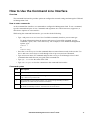
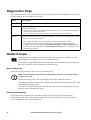
A command that supports multiple options:
user [-an <admin name>] [-ap <admin password>]
In this example, the user command accepts the option -an, which defines the Administrator user name,
and the option -ap, which defines the Administrator password. To change the Administrator user name
and password to XYZ:
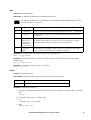
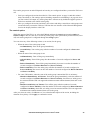
1. Type the user command, one option, and the argument XYZ:
user -ap XYZ
2. After the first command succeeds, type the user command, the second option, and the argument
XYZ:
user -an XYZ
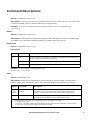
A command that accepts mutually exclusive arguments for an option:
alarmcount -p [all | warning | critical]
In this example, the option -p accepts only three arguments: all, warning, or critical. For
example, to view the number of active critical alarms, type:
alarmcount -p critical
The command will fail if you type an argument that is not specified.
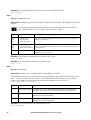
Command Response Codes
The command response codes enable scripted operations to detect error conditions reliably without
having to match error message text.
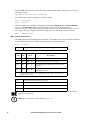
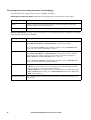
The CLI reports all command operations with the following format:
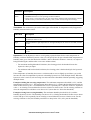
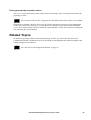
E [0–9][0–9][0–9]: Error message
12
Code
Error message
E000
Success
E001
Successfully Issued
E002
Reboot required for change
to take effect
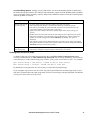
E100
Command failed
E101
Command not found
E102
Parameter Error
E103
Command Line Error
E104
User Level Denial
E105
Command Prefill
E106
Data Not Available
E107
Serial communication with
the UPS has been lost
UPS Network Management Card 2 User’s Guide