1
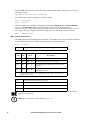
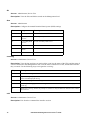
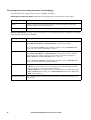
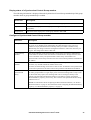
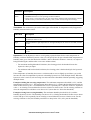
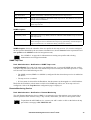
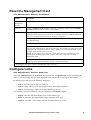
Option
Description
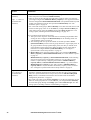
ssl
certificate
Add, replace, or remove a security certificate.
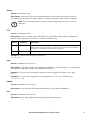
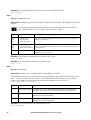
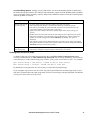
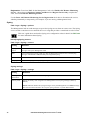
Status:
• Not installed: A certificate is not installed, or was installed by FTP or SCP to an incorrect
location. Using Add or Replace Certificate File installs the certificate to the correct location,
/ssl on the Network Management Card.
• Generating: The Network Management Card is generating a certificate because no valid
certificate was found.
• Loading: A certificate is being activated on the Management Card.
• Valid certificate: A valid certificate was installed or was generated by the Management Card.
Click on this link to view the contents of the certificate.
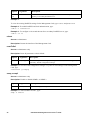
If you install an invalid certificate, or if no certificate is loaded when you enable SSL, the
Management Card generates a default certificate, a process which delays access to the
interface for up to one minute. You can use the default certificate for basic encryption-based
security, but a security alert message displays whenever you log on.
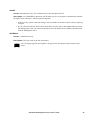
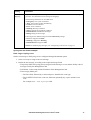
Add or Replace Certificate File: Enter or browse to the certificate file created with the Security
Wizard.
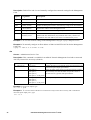
See “Creating and Installing Digital Certificates” in the Security Handbook on the APC Network
Management Card Utility CD to choose a method for using digital certificates created by the
Security Wizard or generated by the Management Card.
Remove: Delete the current certificate.
UPS Network Management Card 2 User’s Guide
65