1
Appendix
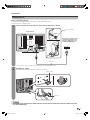
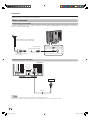
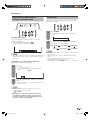
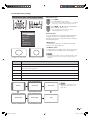
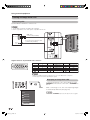
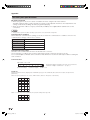
RS-232C port specifications
PC Control of the TV
• When a program is set, the TV can be controlled from the PC using the RS-232C terminal.
The input signal (PC/video) can be selected, the volume can be adjusted and various other adjustments and
settings can be made, enabling automatic programmed playing.
• Attach an RS-232C cable cross-type (commercially available) to the supplied Din/D-sub RS-232C for the
connections.
NOTE
• This operation system should be used by a person who is accustomed to using PCs.
Communication conditions
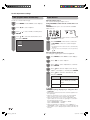
Set the RS-232C communications settings on the PC to match the communications conditions of the TV. The
communications settings of the TV are as follows:
Baud rate:
9,600 bps
Data length:
8 bits
Parity bit:
None
Stop bit:
1 bit
Flow control:
None
Communication procedure
Send the control commands from the PC via the RS-232C connector.
The TV operates according to the received command and sends a response message to the PC.
Do not send multiple commands at the same time. Wait until the PC receives the OK response before sending the
next command.
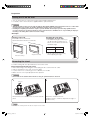
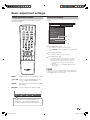
Command format
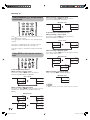
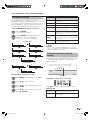
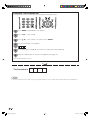
Eight ASCII codes e CR
C1 C2 C3 C4 P1 P2 P3
Command 4-digits
Parameter 4-digits
P4
Command 4-digits: Command. The text of four characters.
Parameter 4-digits: Parameter 0 — 9, space, ?
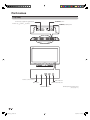
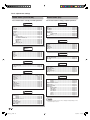
Return code
Parameter
Input the parameter values, aligning left, and fill with space(s) for the remainder. (Be sure that four values are input for the
parameter.)
When the input parameter is not correct, “ERR” returns. (Refer to “Response code format”.)
0
0
0
0
a
3
0
1
0
0
0
0
5
9
5
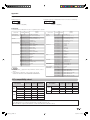
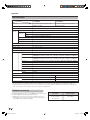
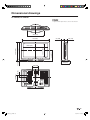
When “?” is input for some commands, the present setting value responds.
?
?
?
?
?
60
D53X_en_k.indd 60
2007-7-31 8:31:59