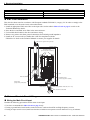
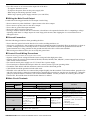
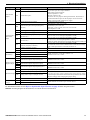
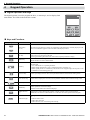
1
8 Safe Disable Input Function
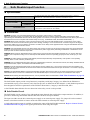
Safe Disable Input Status
Input 1, H1-HC
Input 2, H2-HC
Safe Disable Status
Monitor,
DM+ - DM-
OFF
ON
ON
ON
ON
ON
Drive Output Status
Safely disabled, “Safe
Torque Off”
Baseblock, ready for
operation
Digital Operator Display
HbbF (flashes)
Normal display
Safe Disable Status Monitor
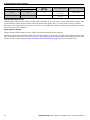
With the Safe Disable monitor output (terminals DM+ and DM-), the drive provides a safety status feedback signal. This
signal should be read by the device that controls the Safe Disable inputs (PLC or a safety relay) in order to prohibit
leaving the “Safe Torque Off” status in case the safety circuit malfunctions. Refer to the instruction manual of the safety
device for details on this function.
Digital Operator Display
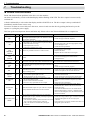
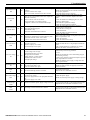
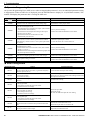
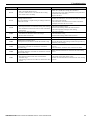
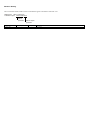
When both Safe Disable inputs are open, “Hbb” will flash in the digital operator display.
Should only one of the Safe Disable channels be on while the other is off, “HbbF” will flash in the display to indicate that
there is a problem in the safety circuit or in the drive. This display should not appear under normal conditions if the Safe
Disable circuit is utilized properly. Refer to General Fault and Alarms on page 26 to resolve possible errors.
32
YASKAWA ELECTRIC TOEP C710616 27A YASKAWA AC Drive - A1000 Quick Start Guide