1
LL2354.book Page 118 Monday, October 20, 2003 9:47 AM
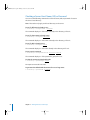
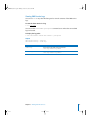
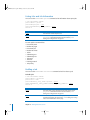
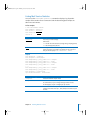
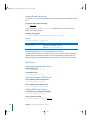
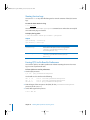
Viewing the Mail Service Logs
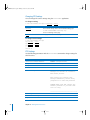
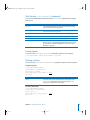
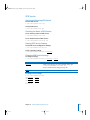
You can use tail or any other file listing tool to view the contents of the Mail service
logs.
To view the latest entries in a log:
$ tail log-file
You can use the serveradmin getLogPaths command to see where the Mail service
logs are located.
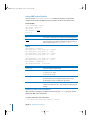
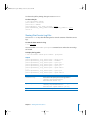
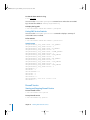
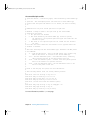
To display the log locations:
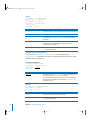
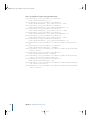
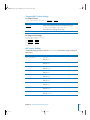
$ sudo serveradmin command mail:command = getLogPaths
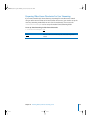
Output
mail:Server Log = <server-log>
mail:Lists qrunner = <lists-log>
mail:Lists post = <postings-log>
mail:Lists smtp = <delivery-log>
mail:Lists subscribe = <subscriptions-log>
mail:SMTP Log = <smtp-log>
mail:POP Log = <pop-log>
mail:Lists error = <listerrors-log>
mail:IMAP Log = <imap-log>
mail:Lists smtp-failure = <failures-log>
118
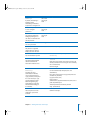
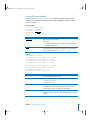
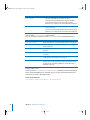
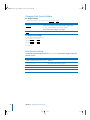
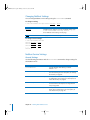
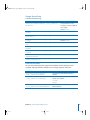
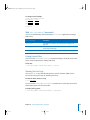
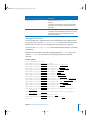
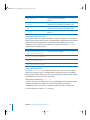
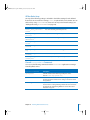
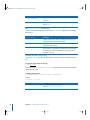
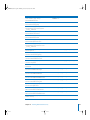
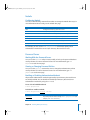
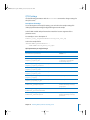
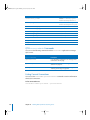
Value
Description
<server-log>
The location of the server log. Default = srvr.log
<lists-log>
The location of the Mailing Lists log. Default =
/private/var/mailman/logs/qrunner
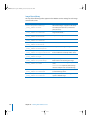
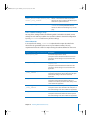
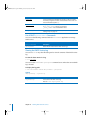
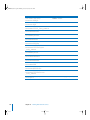
<postings-log>
The location of the Mailing Lists Postings log. Default =
/private/var/mailman/logs/post
<delivery-log>
The location of the Mailing Lists Delivery log. Default =
/private/var/mailman/logs/smtp
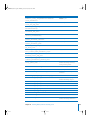
<subscriptions-log>
The location of the Mailing Lists Subscriptions log. Default =
/private/var/mailman/logs/subscribe
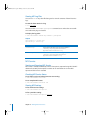
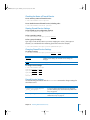
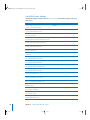
<smtp-log>
The location of the server log. Default = smtp.log
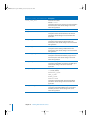
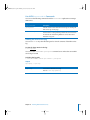
<pop-log>
The location of the server log. Default = pop3.log
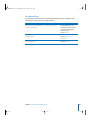
<listerrors-log>
The location of the Mailing Lists Error log. Default =
/private/var/mailman/logs/error
<imap-log>
The location of the server log. Default = imap.log
<failures-log>
The location of the Mailing Lists Delivery Failures log. Default =
/private/var/mailman/logs/smtp-failure
Chapter 11 Working With Mail Service