1
CTI Products, Inc.
SLM SiteLync
TM
User Guide
Configuration Using an Existing File
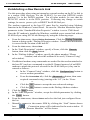
To configure an SLM SiteLync using an existing file that was previously saved
from the SLM/Config utility, select from the File menu : Open File, and select the
file to open. The Modem Setup window will be displayed and parameters may
be viewed or altered. Click on the Apply button to download the parameters to a
connected SLM SiteLync network modem.
Retrieving Configuration from an Existing SLM SiteLync
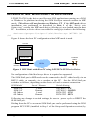
Parameters may be uploaded from a previously configured SLM SiteLync
network modem using the Upload From Connected SLM item of the File menu.
This feature is available only in NSI mode. Once uploaded, they may be
downloaded to additional SLM SiteLync units or modified and resent back to the
same unit, as described below.
Configuration for a New Application
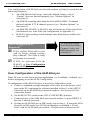
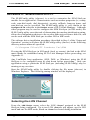
To configure an SLM SiteLync module for a new application, select New File
from the File menu. Select the appropriate SLM SiteLync model, then select NSI
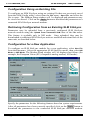
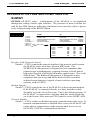
Mode or MIP Mode. The Modem Setup window will be displayed as follows (for
example, the European Union (EU) compatible analog modem, NSI mode) :
Specify the parameters for the following features based on system requirements.
After all parameters have been correctly specified, click on the Apply button to
download the parameters to the connected SLM SiteLync network modem.
Appendix C. SLM/Config utility
16