1
Installation Guide
AMS Suite: Intelligent Device Manager
NOVEMBER 2013
PROFIBUS
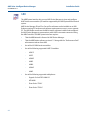
The PROFIBUS System Interface lets you use AMS Device Manager to view and
configure PROFIBUS DP or PROFIBUS PA devices connected to a Softing
PROFIBUS Ethernet Gateway or a Softing PROFlusb Modem.
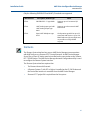
Note
Ensure that you have installed and configured the Softing device drivers prior to
configuring the AMS Device Manager PROFIBUS System Interface.
Configuring AMS Device Manager for a PROFIBUS
System Interface
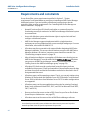
To configure AMS Device Manager for a PROFIBUS System Interface:
1.
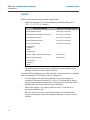
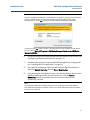
Select Start > All Programs > AMS Device Manager > Network Configuration
from the Windows taskbar.
2.
Click Add.
3.
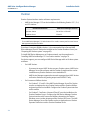
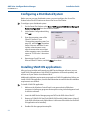
Select PROFIBUS Network from the list of networks in the Select Network
Component Type dialog, and click Install.
4.
Follow the instructions on the PROFIBUS Network wizard.
5.
Start the AMS Device Manager application by selecting Start > All Programs >
AMS Device Manager > AMS Device Manager.
6.
Start AMS Device Manager. See “Determining the system interface structure
and device data” on page 108. Perform a Rebuild Hierarchy operation on the
network by right-clicking the PROFIBUS network icon in Device Connection
View or Device Explorer and selecting Rebuild Hierarchy.
107