1
7: Troubleshooting and Diagnostics
Troubleshooting Chart
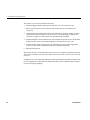
Table 7-1 lists recommended actions for problems that can occur. To solve problems that are not
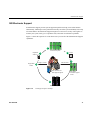
listed in this table, use the SGI Electronic Support system or contact your SGI system support
representative. For more information about the SGI Electronic Support system, see the “SGI
Electronic Support” on page 71. For an international list of SGI support centers, see:
http://www.sgi.com/support/supportcenters.html
Table 7-1
Troubleshooting Chart
Problem Description
Recommended Action
The system will not power on.
Ensure that the power cords of the IRU are seated properly
in the power receptacles.
Ensure that the PDU circuit breakers are on and properly
connected to the wall source.
If the power cord is plugged in and the circuit breaker is on,
contact your technical support organization.
An individual IRU will not power on.
Ensure the power cables of the IRU are plugged in.
Confirm the PDU(s) supporting the IRU are on.
No status LEDs are lighted on an individual
blade.
Confirm the blade is firmly seated in the IRU enclosure.
See also “Compute/Memory Blade LEDs” on page 70.
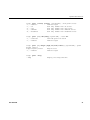
The system will not boot the operating system. Contact your SGI support organization:
http://www.sgi.com/support/supportcenters.html
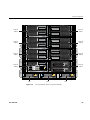
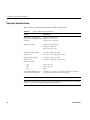
The amber (yellow) status LED of an IRU
Ensure the power cable to the supply is firmly connected at
power supply is lit or the LED is not lit at all. both ends and that the PDU is turned to on. Check and
See Table 7-2 on page 69.
confirm the supply is fully plugged in. If the green LED
does not light, contact your support organization.
The PWR LED of a populated PCIe slot is not Reseat the PCI card.
illuminated.
68
The Fault LED of a populated PCIe slot is
illuminated (on).
Reseat the card. If the fault LED remains on, replace the
card.
The amber LED of a disk drive is on.
Replace the disk drive.
007-5832-001