1
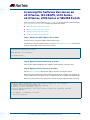
Key New Features and Enhancements
Software version 5.4.4-1.1 includes all the new features that have been added to
AlliedWare Plus since the release of 5.4.4-0.1.
This section summarizes the key new features. For a list of all new and enhanced features
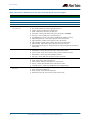
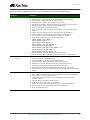
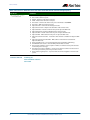
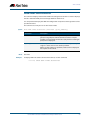
and commands, see “Changes in this Version” on page 60. For more information about
all features on the switch, see the Software Reference for your switch. Unless otherwise
stated, all new features and enhancements are available on all switch models running this
version of AlliedWare Plus.
Cable Fault Locator
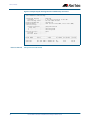
The Cable Fault Locator (CFL) is a cable diagnostic tool for copper (but not fiber) cables.
You can select a port and the CFL will display, for that port, connection status or faults that
exist in either the connected cable or in its terminations. The CFL operates using a
technology known as Time Domain Reflectometry (TDR) to test all four pairs of wires
inside the cable.
CFL is now supported on the x510 and x510-DP Series switches.
For more information see “Cable Fault Locator Introduction” on page 75 and “Cable
Fault Locator Commands” on page 79.
In-Service Software Upgrade (ISSU)
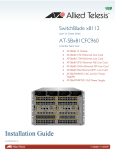
ISSU is available on standalone SBx8100 Series switches with dual CFC960 control cards,
and on switches using VCStack Plus to create a single virtual unit out of two chassis (where
each chassis has a pair of CFC960 control cards). ISSU allows you to upgrade the software
release running on the CFCs with no disruption to network traffic passing through the
chassis.
AMF Enhancements
Allied Telesis Management Framework (AMF) is a sophisticated suite of management tools
that provides a simplified approach to network management. Since its initial release in
software version 5.4.3-1.4, AMF has been continually enhanced with features to increase
its versatility. The latest enhancements are described below.
56
Backup to remote
file server
You can now choose to store your switch’s backup data on a remote backup server rather
than on the Master node’s external media. The server is used for both backup and
recovery. Each AMF master can support up to two remote file servers, which are mounted
on the Master's file system.
Recovery progress
LED indication
This feature displays the recovery status during automatic recovery. Two distinct flash
patterns indicate the different possible states during node recovery: “node recovery in
progress” and “node recovery failed”. You can use a new command (atmf recover led-off )
during a recovery to turn off the progress indication and return the port LEDs to their
normal running state.
New and Enhanced Features in AlliedWare Plus 5.4.4 Major and Minor Versions