1
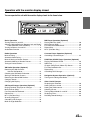
MD Player Operation (Optional)
:/J
J
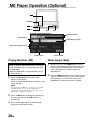
SOURCE
g DN
f UP
M.I.X.
RPT
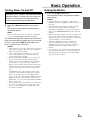
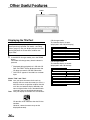
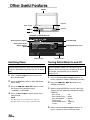
Example of MD Mode Screen
Selected Source
Track number
Elapsed playing time
The current setting status
Volume Level
Playing Mini-Disc (MD)
When an optional Alpine MD player is connected
to the CVA-1003, you can control the player from
the CVA-1003.
(When the MDA-5051 is connected, MDs can be
played back only.)
1
Press the SOURCE button until the "MD"
appears in the display.
Insert an MD into the MD player, the player starts
to play the MD.
NOTE
Before inserting an MD, use your finger to feel around
the MD cartridge. If you feel any small bumps or
irregularities, remove them because these may cause a
malfunction or damage to the player.
2
3
Press the :/J button to temporarily pause play.
To resume play, press the :/J button for a
second time.
Press the eject (c) button on the MD player
when you want to eject the MD.
20-EN
Current Time
Music Sensor (Skip)
1
2
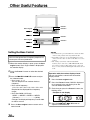
Momentarily press the g DN button once to
return to the beginning of the current track. If you
wish to access the beginning of a track further
back, repeatedly press until you reach the
desired track.
Press the f UP button once to advance to the
beginning of the next track. If you wish to access
the beginning of a track further ahead, press
repeatedly until the desired track is reached.