1
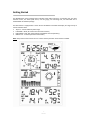
Setting Up
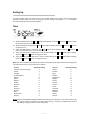
For basic settings touch the Touch Screen in the desired display area using the stylus. Note: setting
procedure can be exited at any time by touching any other function area (except “+”, “-” or “ON/OFF”.
The basic settings can be performed as follows:
Time
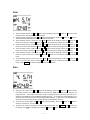
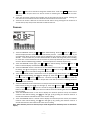
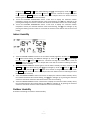
1) Touch the TIME section, the + and – button will be flashing. Touch the + button or – button to adjust
2)
3)
4)
5)
the contrast level from 0 to 8 (default 5).
Touch the TIME section again, the + and – button will be flashing. Touch the + button or – button to
set the time zone.
Touch the TIME section a third time, the + and – button will be flashing. Touch the + button or –
button to shift between the 12 and 24 hour formats.
Touch the TIME section a fourth time to set the hour setting, the + and – button will be flashing.
Touch the + button or – button to change the value.
Touch the TIME section a fifth time to set the minute setting, the + and – button will be flashing.
Touch the + button or – button to change the value.
Note: The radio controlled clock (RCC) works off the German DCF77 time signal received across large parts
of Europe and the UK so set your time zone as follows:
Country
Iceland (-2 for German DST)
Ireland
Portugal
United Kingdom
Albania
Austria
Belgium
Croatia
Denmark
France
Germany
Hungary
Italy
Netherlands
Norway
Time Zone setting
-1
-1
-1
-1
0
0
0
0
0
0
0
0
0
0
0
Country
Poland
Slovakia
Spain
Sweden
Switzerland
Bulgaria
Estonia
Finland
Greece
Latvia
Lithuania
Moldova
Romania
Turkey
Ukraine
Time Zone setting
0
0
0
0
0
+1
+1
+1
+1
+1
+1
+1
+1
+1
+1
Note: Because of the default settings already determined by the manufacturer it may not be necessary for
the majority of users to perform any further basic settings - except for the Relative Air Pressure
(see below). Changes, however, can be easily made.
-9WS1093