1
all.book
Page 37 Friday, October 31, 2003
4:10 PM
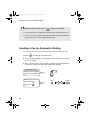
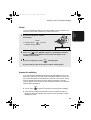
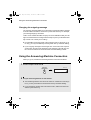
Sending a Fax by Automatic Dialling
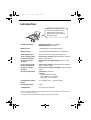
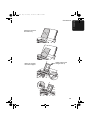
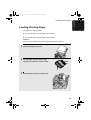
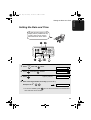
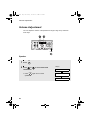
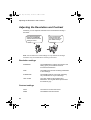
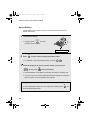
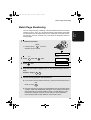
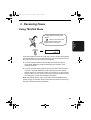
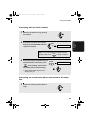
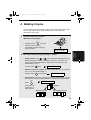
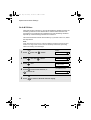
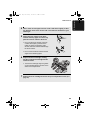
Attach the Rapid
Key labels above
the Rapid Keys.
2. Sending
Faxes
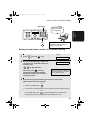
Rapid Keys
SPEED
DIAL
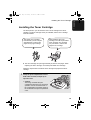
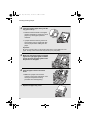
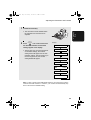
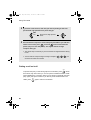
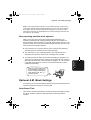
When you store a number in a
Rapid Key, write the name of
the party on the label.
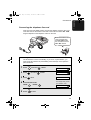
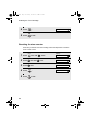
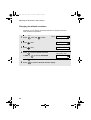
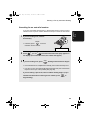
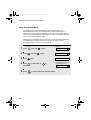
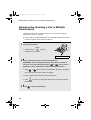
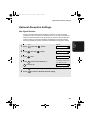
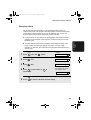
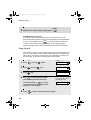
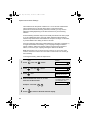
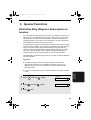
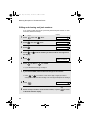
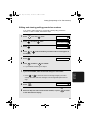
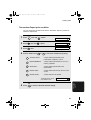
Storing fax and phone numbers for automatic dialling
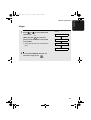
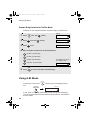
Display:
FUNCTION
1
Press
2
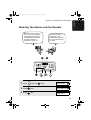
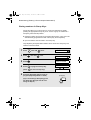
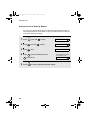
If you know the Speed Dial number that
you want to use, enter that number (for
example, press
0
once and
1
once.
ENTER FAX #
for Speed Dial 01).
Otherwise, press
once (the
machine will suggest an available
Speed Dial number at the end of the
storing procedure).
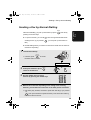
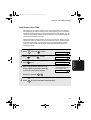
3
<NEW NUMBER>
Speed Dial numbers 01 to 10 can
be used for Rapid Key Dialling.
Speed Dial numbers 11 to 99 are
only for Speed Dialling.
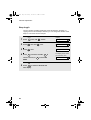
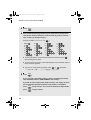
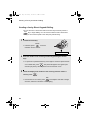
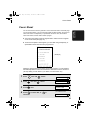
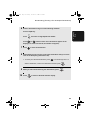
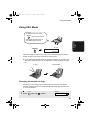
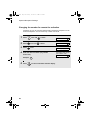
Enter the fax or phone number by pressing the number keys.
(Note: A space cannot be entered.)
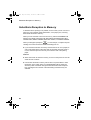
• To clear a mistake, press
SPEAKER
.
• If a pause is required between any of the digits to access a special service
FUNCTION
or an outside line, press
. The pause appears as a hyphen (two
seconds per pause). Several pauses can be entered in a row.
37