1
Version: 04.12.2006
Bluetooth USB Interface 7 607 545 500 FAQ
questions S03, S04
Top
S07
Top
S08
Top
S09
Top
S10
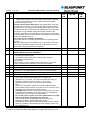
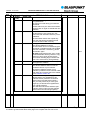
Q
Why do I not see a progress indicator on the car
radio's display during the software update?
A
The reason for this can be as follows:
• Your car radio is not in CDC mode
-> switch your car radio to CDC mode (SRC button | CDC button);
see the operating instructions of your car radio.
• The car radio's display is set to an unsuitable mode
-> change the display mode using the DIS button (see the
operating instructions of your car radio)
This only applies to car radios that allow you to change the display
mode.
• Your car radio does not support text displays via the CDC
interface (*TXT). In the case of many radios, the CDC interface is
treated differently to, say, an internal CD drive or DVD drive. This
results in different display options for CD and CDC / interface.
You can find a log of the last software download in the SETUP.LOG
file in the BLAUPUNKT directory of your USB stick (see questions S03
and S04)
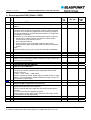
Q
A
When is the SETUP.LOG file created?
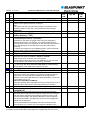
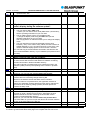
Q
How can I exit the boot loader manually?
A
S
Switch off your car radio with the PTT button not pressed.
The process of turning off the radio invokes a hardware reset of the
interface due to the switching voltage switching off.
After this, the interface checks the status of the PTT button.
If the PTT button is not pressed down, the application software is
started; the application software detects that the radio is switched off
(since there is no switching voltage present) and then places the
interface in sleep mode.
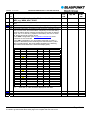
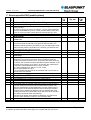
Q
A
How do I find out the version of my boot loader?
0
0
The SETUP.LOG file is only written by the boot loader. This happens
for the first time after the boot loader detects a USB stick containing
the SETUP.HEX file in the BLAUPUNKT directory.
The data in this file are updated after every subsequent step in the
software update process (corresponding to the "Tracks" in question
S06).
0
Activate the boot loader (keep PTT pressed down, switch the radio off
and then on again, release the PTT button). Afterwards, the boot
loader writes the ID.TXT file containing the boot loader version
number in the BLAUPUNKT directory.
Switch off your car radio with the PTT button not pressed down.
Use a text editor on your PC to open the ID.TXT file and then read the
version of the boot loader in the last line.
Top
Please understand that despite careful analyses and editing, Blaupunkt
is unable to guarantee that these FAQ pages are complete and free from errors.
Page 21 / 23