1
Version: 04.12.2006
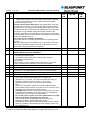
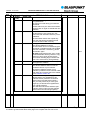
Key:
No.
Q/A
Question / Answer
Applies to HW
Applies to app. SW
Applies to BL SW
Bluetooth USB Interface 7 607 545 500 FAQ
Serial number of the question / answer
Label: Q = Question, A = Answer, S = Service info (for experts)
Question text / answer text
The versions of the hardware to which this answer applies
The versions of the application software to which this answer applies
The versions of the boot-loader software to which this answer applies
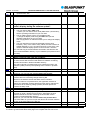
1. The term "car radio" in the following tables refers to both Blaupunkt aftermarket car radios as well as
Blaupunkt aftermarket radio navigation systems (RNS) from year of manufacture 2002 that permit control of a CD
changer (CDC) and that are equipped with Tel. Mute and Tel. In.
2. The term "USB stick" simply refers to a standard USB mass storage medium (USB stick or
USB hard disk (USB-HD)) that behaves in accordance with the "USB Mass Storage Device" specification when
connected to a USB port.
3. In those cases where text messages appear on the car radio's display, this requires a car radio model that actually
supports such text displays via its CD changer interface (disk naming, "CDC Text").
4. For the FAQs in this list, it is generally assumed that your Bluetooth USB interface is already connected to the car
radio via the blue and green plugs. Information on this is available in the installation instructions.
*TXT This function is only supported by car radios that support the "Disk Naming" feature ("CDC text").
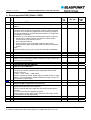
History:
Date
06.09.2006
11.09.2006
12.09.2006
28.09.2006
12.10.2006
Name
Fischer
Fischer
Fischer
Fischer
Fischer
Changes
Revision status 6 Sept. 2006, distributed to all parties involved
New: U12
New: Key 4, A01 NO TEL, B14, H02, H05
Changes: B04, U12, new: A06, A07, B15, B16
Changes: U10, S05, S10, R04, editorial revision
Please understand that despite careful analyses and editing, Blaupunkt
is unable to guarantee that these FAQ pages are complete and free from errors.
Page 3 / 23