1
Dionex ICS-1100 Ion Chromatography System
12. Align the new valve on the component panel with the liquid ports facing up
and attach it with the two screws removed in Step 5. Reconnect the liquid
lines.
13. Turn on the power to the Dionex ICS-1100.
14. Prime the pump (see Section 5.17).
5.15 Replacing the Leak Sensor
1. Turn off the power to the
Dionex ICS-1100.
2. Open the Dionex ICS-1100
front door.
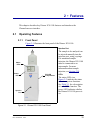
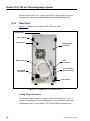
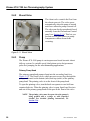
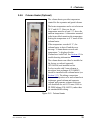
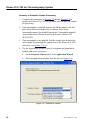
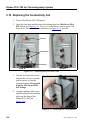
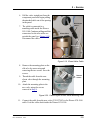
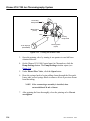
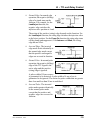
3. Loosen the screw on the front of
the leak sensor (see
Figure 5-21). Note: The screw
remains attached to the sensor.
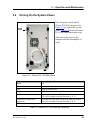
Leak
Sensor
Loosen
Screw
Figure 5-21. Leak Sensor
4. Remove the leak sensor from
the component panel and pull
the cable out of the opening in
the panel.
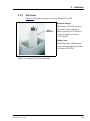
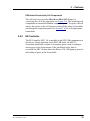
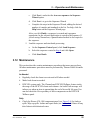
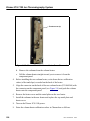
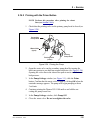
5. The cable attached to the leak
sensor is connected to a
matching cable inside the
Dionex ICS-1100. Continue
pulling the cable until the
connectors for the two cables
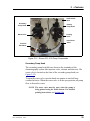
are outside of the panel (see
Figure 5-22).
Disconnect
Cables
6. Disconnect the two cables.
Figure 5-22. Leak Sensor Cable
112
Doc. 065289-03 10/12