1
16 ATI Displays Tab
2
Choose the Settings tab.
3
Click the Advanced button.
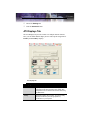
ATI Displays Tab
The ATI Displays tab provides control over multiple-monitor features.
Here you can enable/disable display devices and swap the assignment of
Primary and Secondary displays.
The Displays Tab
ATI Displays Tab
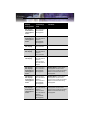
Scheme
Displays the drop-down list of available display-device
configurations that have previously been created. New
configurations can be entered here and then saved using
the Save button.
Hotkey
Associates a hotkey with a scheme. To input the hotkey,
highlight the field and press the appropriate key
combination on your keyboard.