1
CHAPTER
2
Use the Remote
Control
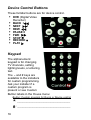
Here are basic use instructions for the three remote
control modes:
•
•
•
“Use Remote with On-Screen Navigator” on page 17
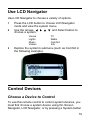
“Use LCD Navigator” on page 19
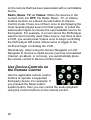
“Control Devices” on page 19
For specific, task-oriented instructions, refer to the
Control4 System User Guide.
Use Remote with On-Screen
Navigator
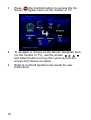
Note: This document explains only general access
to On-Screen Navigator. For specific instructions,
refer to the On-Screen Navigator sections in the
Control4 System User Guide.
Note: If the video device connected to the
controller (such as Home Theater Controller or
Media Controller) is already on, press a system
button to display the associated system menu on
top of the current video display.