1
Crestron e-control Database Manager
SW-DBM
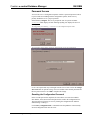
NOTE: Before proceeding to the actual demo page, start the server protocol by issuing the
Server | Start command.
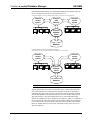
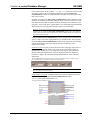
The second page of demo 1 displays the names of six offices from the Addresses
table. The arrow buttons are used to scroll forward or backward or go to the first or
last six records in the list of offices in the Addresses table. Selecting an office
populates the data fields of the scroller.
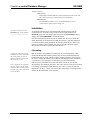
Selecting a datafield opens page 3, which is the keyboard. Pressing any character on
the keyboard adds those characters to the text at the top of the page. Pressing bksp
backspaces over the characters on the text button. Pressing OK or Cancel returns to
page 2. OK replaces the text in the selected datafield with the characters from the
keyboard; Cancel leaves the datafield unchanged.
Demo 2 Successive Query
This demo illustrates the successive query technique described in “Successive
Queries” (page 38). It uses the Albums and Tracks databases joined together in the
example in the section on database joins (“Joins: Accessing Multiple Tables,” page
33).
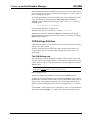
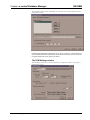
To enable the GoLevel and GoLevelEcho signals that implement successive queries,
check the successive query checkbox in the Signal Block Definition window, and
indicate the number of levels needed for the query.
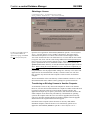
At the start of this demo, the scroller displays a list of music categories from the
Albums table using a GoLevelEcho1 signal indicating that this is the top level of the
successive query. The user “drills down” from these broad categories to finer levels
of detail, finally selecting a particular track on a particular album.
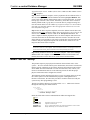
When the user selects a category in the scroller, the corresponding Pickn signal is
sent to the server.
The server responds with a GoLevelEcho2 signal that displays the selected category
and redefines the scroller to display a list of artists or groups that have albums of the
selected category.
The next pick drills down to albums of the selected artist or group, using
GoLevelEcho3.
Picking an album displays a list of tracks using GoLevelEcho4. The track
information comes from the Tracks table; it has been joined to the Albums table
using the CDJID column that exists in both tables and is used to match the tracks
with their albums.
Selecting a track displays information about that track and gives the user the option
to reselect the track, album, artist, or category. If the use reselects one of these levels,
the server sends the appropriate GoLevelEcho signal corresponding to the level of
the selection.
43 • Demos
Installation & Reference Guide — DOC. 5823