1
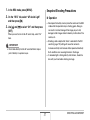
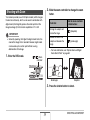
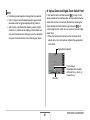
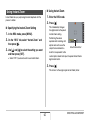
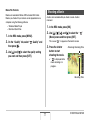
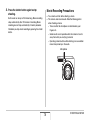
MULTI PJ CAMERA
Multifunctional Camera System
Camera User’s Guide
Thank you for purchasing this CASIO product.
• Before trying to use this camera, be sure to
carefully read “Safety Precautions” in the
MULTI PJ CAMERA/Multifunctional Camera
System YC-430 User’s Guide.
• Be sure to keep all user documentation
handy for future reference.
E
CONTENTS
INTRODUCTION
9
Using On-screen Menus . . . . . . . . . . . . . . . . . . . . . 38
■
■
■
■
■
About This Manual. . . . . . . . . . . . . . . . . . . . . . . . . . . 9
Features . . . . . . . . . . . . . . . . . . . . . . . . . . . . . . . . . . . 9
Read this first! . . . . . . . . . . . . . . . . . . . . . . . . . . . . . 11
Precautions during Use . . . . . . . . . . . . . . . . . . . . . 13
GETTING READY
To load the battery
To charge the battery
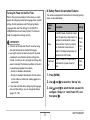
Replacing the Battery
Battery Precautions
39
40
43
45
46
If you lose your way... . . . . . . . . . . . . . . . . . . . . . . . 47
Using the Camera on a Trip . . . . . . . . . . . . . . . . . . 48
23
■ Extra Batteries
■ Using the Camera in another Country
Charging the Battery . . . . . . . . . . . . . . . . . . . . . . . . 23
■
■
■
■
Configuring Monitor Screen Settings
Selecting a Screen Layout (Layout)
Turning Display Information On and Off (Info.)
Adjusting Monitor Screen Brightness (Brightness)
Adjusting Monitor Screen Image Quality (Type)
48
48
23
24
28
28
Turning Power On and Off . . . . . . . . . . . . . . . . . . . 29
Using a Memory Card . . . . . . . . . . . . . . . . . . . . . . . 32
■ Loading a Memory Card into the Camera
■ Replacing the Memory Card
■ Formatting a Memory Card
34
35
36
2
CONTENTS
SHOOTING A SNAPSHOT
49
SHOOTING A MOVIE
Holding the Camera Correctly . . . . . . . . . . . . . . . . 49
Shooting a Snapshot. . . . . . . . . . . . . . . . . . . . . . . . 50
■
■
■
■
■
Changing the Image Size
Specifying Image Quality
Turning Off the AF Assist Lamp
Snapshot Shooting Precautions
Auto Focus Restrictions
Movie Image Quality . . . . . . . . . . . . . . . . . . . . . . . . 76
Shooting a Movie . . . . . . . . . . . . . . . . . . . . . . . . . . . 77
■ Movie Recording Precautions
54
55
56
57
58
USING BEST SHOT
78
80
Reducing the Effects of Hand and Subject
Movement . . . . . . . . . . . . . . . . . . . . . . . . . . . . . . . . . 85
Taking Bright Images without Flash . . . . . . . . . . . 87
Shooting Images of Business Cards
and Documents (Business Shot) . . . . . . . . . . . . . . 88
Shooting ID Photographs . . . . . . . . . . . . . . . . . . . . 90
Restoring an Old Photograph. . . . . . . . . . . . . . . . . 93
Shooting with Zoom . . . . . . . . . . . . . . . . . . . . . . . . 59
Using Instant Zoom . . . . . . . . . . . . . . . . . . . . . . . . . 62
Using Flash . . . . . . . . . . . . . . . . . . . . . . . . . . . . . . . 63
Using the Self-Timer . . . . . . . . . . . . . . . . . . . . . . . . 68
Using Continuous Shutter . . . . . . . . . . . . . . . . . . . 70
■ Selecting the Continuous Shutter Mode
■ Recording with Normal-speed Continuous
Shutter, High-speed Continuous Shutter,
and Flash Continuous Shutter
■ Recording with Zoom Continuous Shutter
■ Continuous Shutter Precautions
76
71
71
72
73
Adding Audio to a Snapshot . . . . . . . . . . . . . . . . . 74
3
CONTENTS
ADVANCED SETTINGS
96
Other Useful Recording Functions . . . . . . . . . . . 119
Changing the Focus Mode . . . . . . . . . . . . . . . . . . . 96
119
120
■
■
■
■
■
Using Auto Focus
Using Macro Focus
Using Fixed Focus (Pan Focus)
Using Infinity Focus
Using Manual Focus
■ Using Key Customize to Assign Functions
[W] and [X]
■ Displaying an On-screen Grid
■ Displaying the Image You Just Recorded
(Image Review)
■ Using Icon Help
■ Using Mode Memory to Configure Power
On Default Settings
■ Resetting the Camera to Its
Initial Factory Defaults
98
99
102
103
103
Correcting Image Brightness (EV Shift) . . . . . . . 105
Controlling White Balance . . . . . . . . . . . . . . . . . . 107
Specifying ISO Sensitivity . . . . . . . . . . . . . . . . . . 110
Specifying the Metering Mode . . . . . . . . . . . . . . . 111
Using the Camera’s Filter Effects . . . . . . . . . . . . 113
Controlling Image Sharpness. . . . . . . . . . . . . . . . 113
Controlling Color Saturation . . . . . . . . . . . . . . . . 114
Adjusting Image Contrast . . . . . . . . . . . . . . . . . . . 114
Date Stamping Snapshots . . . . . . . . . . . . . . . . . . 115
Using the On-screen Histogram to
Check Exposure. . . . . . . . . . . . . . . . . . . . . . . . . . . 116
121
121
122
124
VIEWING SNAPSHOTS AND MOVIES126
Viewing a Snapshot . . . . . . . . . . . . . . . . . . . . . . . . 126
■ Listening to the Audio of an Audio Snapshot
127
Viewing a Movie . . . . . . . . . . . . . . . . . . . . . . . . . . . 128
Playing a Slideshow on the Camera . . . . . . . . . . 130
Viewing Camera Images on a TV . . . . . . . . . . . . . 134
Zooming the Displayed Image . . . . . . . . . . . . . . . 137
Using the 12-image Screen . . . . . . . . . . . . . . . . . . 138
Using the Calendar Screen . . . . . . . . . . . . . . . . . . 138
4
CONTENTS
EDITING IMAGES
140
MANAGING YOUR FILES
Resizing a Snapshot . . . . . . . . . . . . . . . . . . . . . . . 140
Cropping a Snapshot . . . . . . . . . . . . . . . . . . . . . . 141
Keystone Correction . . . . . . . . . . . . . . . . . . . . . . . 142
Using Color Restoration to Correct the Color
of an Old Photograph . . . . . . . . . . . . . . . . . . . . . . 144
Editing the Date and Time of an Image . . . . . . . . 146
Rotating the Displayed Image of a Snapshot . . . 147
Editing a Movie on the Camera . . . . . . . . . . . . . . 148
Creating a Snapshot of a Movie Frame
(MOTION PRINT) . . . . . . . . . . . . . . . . . . . . . . . . . . 153
USING AUDIO
161
Files and Folders . . . . . . . . . . . . . . . . . . . . . . . . . . 161
Protecting a File Against Deletion . . . . . . . . . . . . 162
Using the FAVORITE Folder . . . . . . . . . . . . . . . . . 163
Copying Files . . . . . . . . . . . . . . . . . . . . . . . . . . . . . 166
DELETING FILES
168
Deleting a Specific File . . . . . . . . . . . . . . . . . . . . . 168
Deleting All Files . . . . . . . . . . . . . . . . . . . . . . . . . . 169
Deleting FAVORITE Folder Snapshots . . . . . . . . 169
155
Adding Audio to a Snapshot . . . . . . . . . . . . . . . . 155
Recording Audio Only (Voice Recording) . . . . . . 158
5
CONTENTS
OTHER SETTINGS
171
USING THE CAMERA WITH A
COMPUTER
Configuring Camera Sound Settings . . . . . . . . . . 171
Turning the Startup Screen On or Off . . . . . . . . . 173
Specifying the File Name Serial Number
Generation Rule . . . . . . . . . . . . . . . . . . . . . . . . . . . 174
Changing the Date and Time Setting . . . . . . . . . . 174
Using World Time . . . . . . . . . . . . . . . . . . . . . . . . . 176
■ Configuring World Time Settings
What you can do . . . . . . . . . . . . . . . . . . . . . . . . . . 193
Using the Camera with a Windows Computer . . 194
■
■
■
■
■
■
176
Changing the Display Language . . . . . . . . . . . . . 178
Changing the USB Port Protocol . . . . . . . . . . . . . 178
[
] (REC) and [
] (PLAY) Button Settings . . 179
Formatting Built-in Memory . . . . . . . . . . . . . . . . . 181
PRINTING
Viewing and Storing Images on a Computer
Managing Images on Your Computer
Retouching, Reorienting, or Printing Snapshots
Playing Movies
Viewing User Documentation (PDF) Files
Exiting the CD-ROM Menu
196
202
204
205
206
206
Using the Camera with a Macintosh . . . . . . . . . . 207
■
■
■
■
■
182
Types of Printing . . . . . . . . . . . . . . . . . . . . . . . . . . 182
Using Professional Print Service . . . . . . . . . . . . . 183
Using Your Printer to Print Images . . . . . . . . . . . 184
Using DPOF to Specify Images to be Printed
and the Number of Copies . . . . . . . . . . . . . . . . . . 187
■ Date Stamping
193
Viewing and Storing Images on a Macintosh
Managing Images on Your Macintosh
Playing Movies
Viewing User Documentation (PDF Files)
Registering as a User
209
215
216
216
217
Reading Files Directly from a Memory Card . . . . 217
Memory Card Data . . . . . . . . . . . . . . . . . . . . . . . . . 218
190
Supported Protocols . . . . . . . . . . . . . . . . . . . . . . . 191
6
CONTENTS
APPENDIX
221
General Guide . . . . . . . . . . . . . . . . . . . . . . . . . . . . 221
Monitor Screen Contents . . . . . . . . . . . . . . . . . . . 223
Menu Reference . . . . . . . . . . . . . . . . . . . . . . . . . . . 226
Display Menu Reference . . . . . . . . . . . . . . . . . . . . 230
Indicator Lamps . . . . . . . . . . . . . . . . . . . . . . . . . . . 231
Troubleshooting Guide . . . . . . . . . . . . . . . . . . . . . 235
■ Find the Problem and Fixing It
■ Display Messages
235
239
Specifications . . . . . . . . . . . . . . . . . . . . . . . . . . . . 241
7
CONTENTS
Getting the Most Out of Your Camera
Snapshots
Snapshots
Sharpening or Softening Subject Outlines
➞ Controlling Image Sharpness . . . . . . . . . . . . . . . . . . . 113
Shooting with Optimum Setups
➞ USING BEST SHOT . . . . . . . . . . . . . . . . . . . . . . . . . . .80
Enhancing or Reducting Color Saturation
➞ Controlling Color Saturation . . . . . . . . . . . . . . . . . . . . 114
Portrait, Scenery, Night Scene, Night Scene Portrait, Children, etc
Increasing or Decreasing Contrast
➞ Adjusting Image Contrast . . . . . . . . . . . . . . . . . . . . . . 114
Adding Special Effects
➞ USING BEST SHOT . . . . . . . . . . . . . . . . . . . . . . . . . . .80
Monochrome, retro, etc.
Movies
Compensating for Hand or Subject Movement
➞ Reducing the Effects of Hand and Subject Movement . . 85
➞ Shooting a Movie . . . . . . . . . . . . . . . . . . . . . . . . . . . . . 77
Increasing Sensitivity when Lighting is Dim
➞ Taking Bright Images without Flash . . . . . . . . . . . . . . .87
Making Images of Business Cards, Documents, and
Meeting Information (White Board) Easier to Read
➞ Shooting Images of Business Cards and Documents
(Business Shot) . . . . . . . . . . . . . . . . . . . . . . . . . . . . . . .88
Shooting ID Photos
➞ Shooting ID Photographs . . . . . . . . . . . . . . . . . . . . . . .90
Selecting the Best Focus Mode for Shooting Conditions
➞ Changing the Focus Mode . . . . . . . . . . . . . . . . . . . . . .96
Eliminating Light Source Color Cast
➞ Controlling White Balance . . . . . . . . . . . . . . . . . . . . . .107
8
CONTENTS
INTRODUCTION
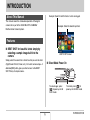
Example: Select for skillful shots of a fast-moving pet.
About This Manual
This manual covers the stand-alone operation of the digital
camera that is part of the CASIO MULTI PJ CAMERA/
Multifunctional Camera System.
Example: Select for beautiful portraits.
Features
■ BEST SHOT for beautiful shots simply by
selecting a sample image built into the
camera
BEST SHOT Screen
Simply select the scene that is similar to what you want to shoot
(Night Scene Portrait, Flower, etc.), for instant camera setups. A
dedicated [BS] button gives you direct access to the BEST
SHOT library of sample scenes.
■ Direct Mode Power On
To view images, press
[
] to power up in the
PLAY mode.
9
To record, press [
] to
power up in the REC mode.
INTRODUCTION
■ A powerful collection of useful recording
features
■ Powerful Print Features
• DPOF feature for easy specification of date stamping and the
number of copies (page 187)
• Timestamp feature that stamps the date into the image data
(page 115)
• Support for PictBridge and USB DIRECT-PRINT for easy athome printing on a printer that supports one of these
standards, without a computer (page 184)
• Hand movement and subject movement reduction using high
shutter speed (page 85)
• High-sensitivity recording avoids dark images, even when the
flash is not being used (page 87)
• Quick Shutter for very high-speed focus (page 102)
■ High-quality (Motion JPEG) movie recording
(page 76)
■ Multi-function USB Cradle
• MOTION PRINT for printing of a
movie scene as a single image
(page 153)
You can place the camera on the USB cradle to perform the
following operations.
– Battery charging (page 23)
– Photo Stand slideshow of images (page 132)
– Connection to a TV for viewing on the TV screen (page
134)
– Connection to a printer for image printing (page 184)
– Connection to a computer for transfer of images to the
computer (pages 196, 209)
10
INTRODUCTION
■ Copyrights
Read this first!
Except for your own personal enjoyment, unauthorized use of
image, movie, audio, or music files without permission of the
copyright holder is strictly prohibited by copyright laws and
international treaties. Also, regardless of whether such files are
purchased or obtained for free, posting them on the Internet or
distributing them to third parties without permission of the
copyright holder is strictly prohibited by copyright laws and
international treaties. Note that CASIO COMPUTER CO., LTD.
shall not be held liable for any misuse of this product that
infringes on the copyrights of others or that violates copyright
laws.
The following terms, which are used in this manual, are
registered trademarks or trademarks of their respective owners.
• The SD logo is a registered trademark.
• Windows, Windows Vista, Windows NT, Internet Explorer,
Windows Media, and DirectX are trademarks of Microsoft
Corporation of the United States.
• Macintosh and QuickTime are trademarks of Apple Inc. of the
United States.
• MultiMediaCard™ is a trademark of Infineon Technologies
AG of Germany, and licensed to the MultiMediaCard
Association (MMCA).
• Adobe and Reader are trademarks or registered trademarks
in the United States and other countries of Adobe Systems
Incorporated.
■ LCD Panel
The liquid crystal panel of the monitor screen uses highprecision technology that provides a pixel yield in excess of
99.99%.
This means that some pixels may not light or may remain lit at all
times. This is due to the characteristics of the liquid crystal
panel, and does not indicate malfunction.
11
INTRODUCTION
• All other company or product names mentioned herein are
registered trademarks or trademarks of their respective
companies.
• Photo Loader, Photohands and PJ Camera Software rights
are owned by CASIO COMPUTER CO., LTD. Except for the
rights of other companies as defined above, all rights related
to these programs and other rights shall revert to CASIO
COMPUTER CO., LTD.
• The contents of this manual are subject to change without
notice.
• The content of this manual has been checked at each step
of the production process. Please contact us if you notice
anything that is questionable, erroneous, etc.
• Any copying of the contents of this manual, either in part or
its entirety, is forbidden. Except for your own personal use,
and other use of the contents of this manual without the
permission of CASIO COMPUTER CO., LTD. is forbidden
under copyright laws.
• CASIO COMPUTER CO., LTD. shall not be held liable for
any damages or loss suffered by you or any third party due
to the use or malfunction of this product.
• CASIO COMPUTER CO., LTD. shall not be held liable for
any damages or loss suffered by you or any third party due
to the use of Photo Loader, Photohands and/or PJ Camera
Software.
• CASIO COMPUTER CO., LTD. shall not be held liable for
any damages or loss caused by deletion of memory
contents due to malfunction, repair, or any other reason.
• Note that the example screens and product illustrations
shown in this manual may differ somewhat by the screens
and configuration of the actual camera.
12
INTRODUCTION
■ Directly Viewing the Sun or Bright Light
Precautions during Use
• Never look at the sun or any other bright light through the
cameras viewfinder. Doing so can damage your eyesight.
■ Take test shots before shooting the final
shot.
■ Flash
• Before shooting your final image, shoot a test shot to ensure
that the camera is recording correctly.
• Never use the flash unit in areas where flammable or
explosive gas may be present. Such conditions create the risk
of fire and explosion.
• Never fire the flash in the direction of a person operating a
motor vehicle. Doing so can interfere with the driver’s vision
and creates the risk of accident.
• Never fire the flash too close to the eyes of the subject. Doing
so creates the risk of loss of eyesight.
■ Avoid Use While In Motion
• Never use the camera to record or play back images while
operating an automobile or other vehicle, or while walking.
Looking at the monitor while in motion creates the risk of
serious accident.
13
INTRODUCTION
■ Display Panel
■ Transport
• Do not apply strong pressure to the LCD panel surface or
subject it to strong impact. Doing so can cause the display
panel glass to crack.
• Should the display panel ever become cracked, never touch
any of the liquid inside the panel. Doing so creates the risk of
skin inflammation.
• Should display panel liquid ever get into your mouth,
immediately rinse your mouth out and contact your physician.
• Should display panel liquid ever get into your eyes or onto
your skin, immediately rinse with clean water for at least 15
minutes and contact your physician.
• Never operate the camera inside of an aircraft or anywhere
else where operation of such devices is restricted. Improper
use creates the risk of serious accident.
■ Smoke, abnormal odor, overheating, and
other abnormalities
• Continued use of the camera while it is emitting smoke or
strange odor, or while it is overheating creates the risk of fire
and electric shock. Immediately perform the following steps
whenever any of the above symptoms are present.
1. Turn off the camera.
2. If you are using the AC adaptor to power the camera,
unplug it from the wall outlet. If you are using battery
power, remove the battery from the camera, taking care to
protect yourself against burn injury.
3. Contact your dealer or nearest CASIO authorized service
center.
■ Connections
• Never plug any devices that are not specified for use with this
camera into connectors. Connecting a non-specified device
creates the risk of fire and electric shock.
14
INTRODUCTION
■ Water and Foreign Matter
■ Dropping and Rough Treatment
• Water, other liquids, or foreign matter (especially metal)
getting inside the camera creates the risk of fire and electric
shock. Immediately perform the following steps whenever any
of the above symptoms are present. Particular care is
required when using the camera where it is raining or
snowing, near the ocean or other body of water, or in a
bathroom.
1. Turn off the camera.
2. If you are using the AC adaptor to power the camera,
unplug it from the wall outlet. If you are using battery
power, remove the battery from the camera.
3. Contact your dealer or nearest CASIO authorized service
center.
• Continued use of the camera after it is damaged by dropping
or other rough treatment creates the risk of fire and electric
shock. Immediately perform the following steps whenever any
of the above symptoms are present.
1. Turn off the camera.
2. If you are using the AC adaptor to power the camera,
unplug it from the wall outlet. If you are using battery
power, remove the battery from the camera.
3. Contact your dealer or nearest CASIO authorized service
center.
■ Keep Away From Fire
• Never expose the camera to fire, which can cause it to
explode and creates the risk of fire and electric shock.
15
INTRODUCTION
■ Disassembly and Modification
■ Backing Up Important Data
• Never try to take the camera apart or modify it in any way.
Doing so creates the risk of electric shock, burn injury, and
other personal injury. Be sure to leave all internal inspection,
maintenance, and repair up to your dealer or nearest CASIO
authorized service center.
• Always keep backup copies of important data in camera
memory by transferring it to a computer or other storage
device. Note that data can be deleted in the case of camera
malfunction, repair, etc.
■ Memory Protection
■ Locations To Be Avoided
• Whenever replacing the battery, be sure to follow the correct
procedure as described in the documentation that comes with
the camera. Incorrectly replacing the battery can result in
corruption or loss of data in camera memory.
• Never leave the camera in any of the following types of
locations. Doing so creates the risk of fire and electric shock.
– Areas subject to large amounts of humidity or dust
– Food preparation areas or other locations where oil smoke
is present
– Near heaters, on a heated carpet, in areas exposed to
direct sunlight, in a closed vehicle parked in the sun, or
other areas subject to very high temperatures
• Never place the camera on an unstable surface, on a high
shelf, etc. Doing so can cause the camera to fall, creating the
risk of personal injury.
■ Rechargeable Battery
• Use only the specified charger unit or the specified device to
charge the battery. Attempting to charge the battery by an
unauthorized means creates the risk of battery overheating,
fire, and explosion.
16
INTRODUCTION
• Should you ever notice leakage, strange odor, heat
generation, discoloration, deformation, or any other abnormal
condition while using, charging, or storing a battery,
immediately remove it from the camera or charger unit and
keep it away from open flame.
• Do not use or leave the battery under direct sunlight, in an
automobile parked in the sun, or in any other area subject to
high temperatures. Doing so can damage the battery, and
cause deterioration of its performance and loss of service life.
• If the battery charging does not end normally within the
specified charging time, stop charging anyway and contact
your local CASIO authorized service center. Continued
charging creates the risk of battery overheating, fire, and
explosion.
• Battery fluid can damage your eyes. Should battery fluid get
into your eyes accidentally, immediately rinse them with clean
tap water and then consult a physician.
• Do not expose or immerse the battery in fresh water or salt
water. Doing so can damage the battery, and cause
deterioration of its performance and loss of service life.
• This battery is intended for use with a CASIO Digital Camera
only. Use with any other device creates the risk of the battery
damage, or deterioration of battery performance and service
life.
• Failure to observe any of the following precautions creates
the risk of battery overheating, fire, and explosion.
– Never use or leave the battery near open flame.
– Do not expose batteries to heat or fire.
– Make sure the battery is oriented correctly when it is
connected to the charger unit.
– Never carry or store the battery together with items that can
conduct electricity (necklaces, pencil lead, etc.)
– Never disassemble the battery, pierce it with a needle, or
expose it to strong impact (hit it with a hammer, step on it,
etc.), and never apply solder to it. Never place the battery
into a microwave oven, heater, high-pressure generating
device, etc.
17
INTRODUCTION
■ AC Adaptor
• Be sure to read the user documentation that comes with the
camera and special charger unit before using or charging the
battery.
• If a battery is to be used by young children, make sure that a
responsible adult makes them aware of the precautions and
proper handling instructions, and make sure that they handle
battery correctly.
• Should fluid from a battery accidentally get onto clothing or
your skin, immediately rinse it off with clean tap water.
Prolonged contact with battery fluid can cause skin irritation.
• Misuse of the AC adaptor creates the risk of fire and electric
shock. Make sure you observe the following precautions
when using the AC adaptor.
– Use only the AC adaptor specified for this camera.
– Use the AC adaptor to supply power only to devices that
are specified for use with it.
– Use a 100 to 240V AC (50/60Hz) wall outlet as a power
source.
– Never plug the power cord into a wall outlet that is shared
by other devices, or into a shared extension cord.
• Misuse of the AC adaptor can cause it to become damaged,
creating the risk of fire and electric shock. Make sure you
observe the following precautions when using the AC adaptor.
– Never place heavy objects on the AC adaptor or subject it
to direct heat.
– Never try to modify the AC adaptor or subject it to bending.
– Do not twist or pull on the power cord.
– Should the power cord or plug ever become damaged,
contact your dealer or nearest CASIO authorized service
center.
18
INTRODUCTION
■ USB Cradle and AC Adaptor Precautions
• Never touch the AC adaptor while your hands are wet. Doing
so creates the risk of electric shock.
• Misuse of the AC adaptor creates the risk of fire and electric
shock. Make sure you observe the following precautions
when using the AC adaptor.
– Never locate the power cord near a stove or other heating
device.
– When unplugging from the wall outlet, grasp the plug on
the AC adaptor power cord. Never pull on the power cord.
– Insert the plug into the wall outlet as far as it will go.
– Unplug the AC adaptor from the wall outlet before leaving
the camera unattended for long periods, such as when
leaving on a trip, etc.
– At least once a year, unplug the AC adaptor from the wall
outlet and clean off any dust built up around the prongs.
• Make sure you always remove the camera from the USB
cradle before connecting or disconnecting the AC adaptor.
• Charging, USB data communication, the Photo Stand
operation can cause the AC adaptor to become warm. This is
normal and does not indicate malfunction.
19
INTRODUCTION
■ Battery Life
■ Data Error Precautions
• Battery continuous operation times provided in this manual
represent the approximate amount of time before the camera
turns off due to low battery power when being powered by the
special battery under normal temperature (23°C (73°F)). They
do not guarantee that you will be able to achieve the indicated
level of operation. Actual battery life is greatly affected by
ambient temperature, battery storage conditions, the amount
of time spent in storage, etc.
• Leaving the camera on can run down battery and cause the
low battery warning to appear. Turn off the camera whenever
you are not using it.
• The low battery warning indicates that the camera is about to
turn off due to low battery power. Charge the battery as soon
as possible. Leaving low or dead batteries in the camera can
lead to battery leakage and data corruption.
• Your digital camera is manufactured using precision digital
components. Any of the following creates the risk of
corruption of data in camera memory.
– Removing the battery or memory card from the camera, or
placing the camera on the USB cradle while the camera is
performing an operation
– Removing the memory card from the camera or placing the
camera on the USB cradle while the operation lamp is
flashing green after turning off the camera
– Disconnecting the USB cable, removing the camera from
the USB cradle, or disconnecting the AC adaptor from the
USB cradle while a data communication operation is being
performed
– Using a battery that is low
– Other abnormal operations
Any of the above conditions can cause an error message to
appear on the monitor screen (page 239). Perform the action
indicated by the message that appears.
20
INTRODUCTION
■ Operating Environment
■ Power Supply
• The operating temperature range of the camera is 0°C to
40°C (32°F to 104°F).
• Do not place the camera in any of the following locations.
– In an area exposed to direct sunlight, or large amounts of
moisture or dust
– Near an air conditioner or in other areas subjected to
extreme temperature or humidity
– Inside of a motor vehicle on a hot day, or in an area
subjected to strong vibration
• Use only the special rechargeable lithium ion battery (NP-40)
to power this camera. Use of any other type of battery is not
supported.
• The camera does not have a separate battery for the clock.
The date and time settings of the camera are cleared about
one day after power is totally cut off (from both the battery and
USB cradle). If this happens, be sure to reconfigure these
settings after power is restored (page 174).
■ Lens
■ Condensation
• Never apply too much force when cleaning the surface of the
lens. Doing so can scratch the lens surface and cause
malfunction.
• You may sometimes notice some distortion in certain types of
images, such as a slight bend in lines that should be straight.
This is due to the characteristics of lens, and does not
indicate malfunction of the camera.
• Sudden and extreme temperature changes, such as when the
camera is moved from the outdoors on a cold winter day into
a warm room, can cause water droplets called “condensation”
to form on the interior and the exterior of the camera. Note
that condensation can cause malfunction of the camera. To
avoid condensation, place the camera into a plastic bag
before subjecting it to sudden temperature change. Wait until
the air in the bag has had enough time to become acclimated
to the new temperature before removing the camera. After
that, open the battery cover and leave it open for a few hours.
21
INTRODUCTION
■ Caring for your camera
• Fingerprints, dirt, and other foreign matter on the lens surface
can interfere with proper operation of the camera. Avoid
touching the lens surface. To clean the lens surface, use a
blower to blow off dust or foreign matter and then wipe with a
soft, dry cloth.
• Fingerprints, dirt, and other foreign matter on the flash can
interfere with proper operation of the camera. Avoid touching
the flash. If the flash becomes dirty, wipe it clean with a soft,
dry cloth.
• To clean the camera, wipe it with a soft, dry cloth.
■ Monitor Screen Images
• The images that normally appear on the monitor screen
during image playback are smaller than normal, and so you
cannot see all of the detail of the actual image. Your camera
has an image zoom feature (page 137) which you can use to
enlarge the monitor screen image. You can use this feature
for on-the-spot checks of important images.
■ Other Precautions
• The camera becomes slightly warm during use. This is normal
and does not indicate malfunction.
22
INTRODUCTION
GETTING READY
2. Load the battery into the camera.
Charging the Battery
Slide the stopper on the side of the camera in the direction
indicated by the arrow and load the battery. Press the
battery in until the stopper secures it in place.
Your camera is powered by a rechargeable lithium ion battery
(NP-40).
IMPORTANT!
• Use of any type of battery other than NP-40 is not
supported.
Stopper
To load the battery
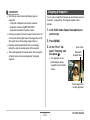
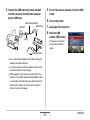
1. Open the battery cover.
NP-40
While pressing the battery
cover, slide it in the
direction indicated by the
arrow.
23
GETTING READY
3. Close the battery cover.
To charge the battery
Swing the battery cover closed, and then slide it securely
into place as you press it against the camera.
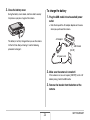
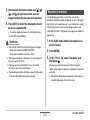
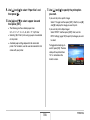
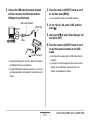
1. Plug the USB cradle into a household power
outlet.
• Note the shape of the AC adaptor depends on the area
where you purchased the camera.
AC Adaptor
The battery is not fully charged when you use the camera
for the first time after purchasing it. Use the following
procedure to charge it.
USB Cradle
[DC IN]
AC power cord
2. Make sure the camera is turned off.
If the camera is on, be sure to press [ON/OFF] to turn it off
before placing it onto the USB cradle.
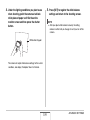
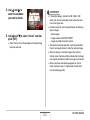
3. Remove the bracket from the bottom of the
camera.
24
GETTING READY
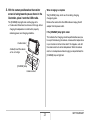
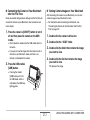
4. With the camera positioned so the monitor
When charging is complete
screen is facing towards you as shown in the
illustration, place it onto the USB cradle.
The [CHARGE] lamp, which was lit red during charging,
changes to green.
Remove the camera from the USB cradle and unplug the AC
adaptor from the power outlet.
The [CHARGE] lamp lights red and charging starts.
• It takes about three hours to achieve a full charge. Actual
charging time depends on current battery capacity,
remaining power, and charging conditions.
If the [CHARGE] lamp lights amber
This indicates that charging cannot be performed because you
have just finished using the camera, or because the temperature
in your location is too hot or too cold. If this happens, wait until
the camera returns to normal temperature. When the camera
returns to a temperature where charging can be performed, the
[CHARGE] lamp will light red.
Cradle contact
Carefully insert the camera
as far as it will go.
[CHARGE] lamp
Camera contact
25
GETTING READY
If the [CHARGE] lamp flashes red
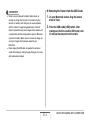
IMPORTANT!
This indicates that the camera or battery is faulty, or that the
battery is loaded in the camera incorrectly.
Remove the battery from the camera and check if its contacts
are dirty. If they are, wipe them off with a dry cloth and then
reload the battery into the camera. After confirming that the AC
adaptor is plugged into the power outlet and the USB cradle, set
the camera on the cradle again.
• Use only the bundled USB cradle to charge the special
rechargeable lithium ion battery (NP-40). The battery
cannot be charged using any other type of charger device.
Attempting to use a different charger can result in
unexpected accident.
• Use only the AC adaptor that comes bundled with the
camera. Never use any other type of AC adaptor.
If an error still continues to occur after you perform the above
steps, it could mean that the battery is faulty. Contact your
nearest CASIO authorized service center.
■ Battery Power Conservation Tips
• When you do not need to use the flash, select “
” (flash off)
for the flash setting (page 63).
• Enable the Auto Power Off and the Sleep features to protect
against wasting battery power when you forget to turn off the
camera (page 31).
26
GETTING READY
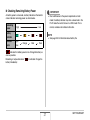
■ Checking Remaining Battery Power
IMPORTANT!
As battery power is consumed, a battery indicator on the monitor
screen indicates remaining power as shown below.
Remaining
Power
High
• Due to differences in the power requirements of each
mode, the battery indicator may show a lower level in the
PLAY mode than what it shows in a REC mode. This is
normal, and does not indicate malfunction.
Low
Battery
Indicator
Indicator
Color
NOTE
• See page 245 for information about battery life.
Light
blue
Orange
Red
Red
“
” indicates that battery power is low. Charge the battery as
soon as possible.
Recording is not possible when “
” is indicated. Charge the
battery immediately.
27
GETTING READY
Replacing the Battery
Battery Precautions
1. Open the battery cover.
■ Precautions during Use
2. With the camera oriented with its monitor
• Operation provided by a battery under cold conditions is
always less than operation under normal temperatures. This
is due to the characteristics of the battery, not the camera.
• Charge the battery in an area where the temperature is within
the range of 10°C to 35°C (50°F to 95°F). Charging outside
this temperature range can cause charging to take longer
than normal or even cause charging to fail.
• If a battery provides only very limited operation following a full
charge, it probably means that the battery has reached the
end of its service life. Replace the battery with a new one.
screen facing upwards as shown in the
illustration, slide the stopper in the direction
indicated by the arrow and hold it there.
• This will cause the battery to come out part way.
Stopper
3. While still holding the stopper, pull the battery
out the rest of the way.
4. Load a new battery.
28
GETTING READY
■ Storage Precautions
Turning Power On and Off
• Though a rechargeable lithium ion battery provides high
capacity in a compact configuration, long-term storage while
charged can cause it to deteriorate.
– If you do not plan to use a battery for some time, fully use
up its charge before storing it.
– Always remove the battery from the camera when you are
not using it. Leaving a battery in the camera can cause it to
discharge and go dead, which will require longer charging
when you need to use the camera.
– Store batteries in a cool, dry place (20°C (68°F) or lower).
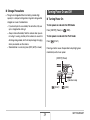
■ Turning Power On
To turn power on and enter the REC mode
Press [ON/OFF] (Power) or [
] (REC).
To turn power on and enter the PLAY mode
Press [
] (PLAY).
Pressing a button causes the operation lamp to light green
momentarily and turns on power.
[ON/OFF] (Power)
Operation Lamp
[
29
] (PLAY)
[
] (REC)
GETTING READY
■ Turning Power Off
IMPORTANT!
Press [ON/OFF] (Power).
• Pressing [ON/OFF] or [
] (REC) to turn on power also
causes the lens to extend. Take care there is nothing
pressing against or hitting the lens. Holding the lens with
your hand so it cannot extend creates the risk of
malfunction.
NOTE
• You can configure the camera so power does not turn on
when you press [
] (REC) or [
] (PLAY). You can
also configure the camera to turn off when you press [
]
(REC) or [
] (PLAY) (page 179).
NOTE
• Pressing [
] (PLAY) while in the REC mode switches to
the PLAY mode. The lens retracts about 10 seconds after
switching modes.
• Auto Power Off (page 31) will turn off power automatically if
you do not perform any operation for a preset amount of
time. If this happens, turn power back on.
30
GETTING READY
■ Battery Power Conservation Features
Turning On Power for the First Time
The camera is equipped with two features for conserving battery
power, as described below.
The first time you load a battery into the camera, a screen
appears for configuring screen text language, date, and time
settings. Use the procedure under “Configuring Display
Language, Date, and Time Settings” in the “MULTI PJ
CAMERA/Multifunctional Camera System YC-430 User’s
Guide” to configure the settings correctly.
IMPORTANT!
• Failure to set the date and time will cause the wrong
date and time data to be recorded with images.
• Leaving the camera for about one day with no power
supplied will cause the date and time settings to be
cleared. You will have to re-configure the settings after
power is restored. The following conditions will result in
no power being supplied to the camera.
– Battery not loaded or dead battery
– Battery not loaded or dead battery with the camera
on the cradle, but without the cradle plugged into a
power outlet
• If you make a mistake when configuring the language,
date, and time settings, you can change the settings
(pages 174, 178).
Feature
Name
Description
Sleep
In the REC mode, the monitor screen
turns off (goes into a sleep state) if no
operation is preformed for a preset
amount of time. Press any button to
turn the monitor screen back on.
Note that the Sleep feature does not
operate in the PLAY mode.
Settings
Power it turned off if no operation is
Auto Power
performed for a preset amount of
Off
time.
30 sec,
1 min,
2 min,
Off
2 min,
5 min
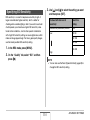
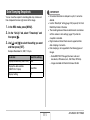
1. Press [MENU].
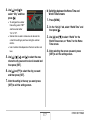
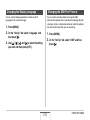
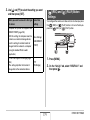
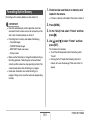
2. Use [W] and [X] to select the “Set Up” tab.
3. Use [S] and [T] to select the item you want to
configure (“Sleep” or “Auto Power Off”) and
then press [X].
31
GETTING READY
4. Use [S] and [T] to select the sleep or Auto
Using a Memory Card
Power Off trigger time and then press [SET].
You can store images you shoot with the camera on a memory
card. It is up to you to purchase a commercially available
memory card. In addition to memory card storage, the camera
also has built-in memory, which is enough to hold a few
snapshots or a short movie. Use built-in memory for test
purposes, emergency use, etc.
Selecting “Off” for the sleep setting disables the sleep
feature.
NOTE
• Auto Power Off and sleep are disabled under the following
conditions.
– When there is a connection between the camera and
computer or other device via the USB cradle
– During a slide show
– During Voice Recording file playback
– During movie recording and playback
NOTE
• Images can be copied between the camera’s built-in
memory and a memory card (page 166).
• The following data is stored in built-in memory. It cannot be
copied to a memory card.
– BEST SHOT mode user image information
– FAVORITE folder
– Mode memory settings
– Start-up screen image
32
GETTING READY
Supported Memory Cards
IMPORTANT!
Your camera supports use of SD
memory cards or MMCs
(MultiMediaCard).
• See the instructions that come with the memory card for
information about how to use it.
• Certain types of cards can slow down processing speeds. If
you are using a slow memory card, you may not be able to
record a movie using the “HQ” image quality setting.
Because of this, use of an SD memory card with a
maximum transfer speed of at least 10MB per second is
recommended.
• Certain types of memory cards take longer to record data,
which can cause movie frames to be dropped. “
” and
“
” flash on the monitor screen during recording to let
you know when a frame has been dropped. Use of an SD
memory card with a maximum transfer speed of at least
10MB per second is recommended.
• SD memory cards have a write protect switch. Use it when
you need to guard against accidentally deleting data. Note,
however, if you write protect an SD memory card you must
then turn write protection off whenever you want to record
to the card, format it, or delete any of its images.
Memory Used for Storage
Images recorded while a memory card is loaded are saved to
the memory card. When no memory card is loaded, images are
saved in built-in memory.
• Note that you cannot save images in built-in memory while a
memory card is loaded in the camera.
33
GETTING READY
• Electrostatic charge, electrical noise, and other
phenomena can cause data to become corrupted or even
lost. Make sure that you always back up important data on
other media (CD-R, CD-RW, MO disk, hard disk, etc.).
Loading a Memory Card into the Camera
IMPORTANT!
• Make sure you always turn off the camera before loading or
removing a memory card.
• Be sure to orient the card correctly when loading it. Never
try to force a memory card into the slot when you feel
resistance.
1. Open the battery cover.
While pressing the battery cover, slide it in the direction
indicated by the arrow.
34
GETTING READY
2. Load a memory card into the camera.
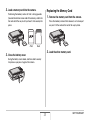
Replacing the Memory Card
Positioning the memory card so its front is facing upwards
(towards the monitor screen side of the camera), slide it into
the card slot all the way in until you hear it click securely into
place.
Front
1. Remove the memory card from the camera.
Press the memory card and then release it, so it comes part
way out. Pull the card out the rest of the way by hand.
Back
2. Load the other memory card.
3. Close the battery cover.
Swing the battery cover closed, and then slide it securely
into place as you press it against the camera.
35
GETTING READY
Formatting a Memory Card
IMPORTANT!
• Never insert anything besides an SD memory card or MMC
(MultiMediaCard) into the memory card slot. Doing so can
lead to malfunction.
• Should water or any foreign object ever get into the card
slot, immediately turn off the camera, remove the battery,
and contact your retailer or nearest CASIO authorized
service center.
• Never remove a card from the camera while the operation
lamp is flashing green. Doing so can cause the image save
operation to fail and even damage the memory card.
Before using a new memory card for the first time, you need to
format it. Once you format a memory card, you will not need to
format it each time you use it.
Formatting a memory card that already has files on it will delete
its contents.
IMPORTANT!
• Note that data deleted by a memory card format operation
cannot be recovered. Double-check to make sure that you
really want to delete all the contents of the memory card
before proceeding with the format operation.
• Even if the file data on a memory card is protected (page
162), formatting the card will delete all its data.
• Be sure to use the camera to format a memory card.
Formatting a memory card on a computer and then using it
in the camera can slow down data processing by the
camera. In the case of an SD memory card, formatting on a
computer can result in non-conformity with the SD format,
causing problems with compatibility, operation, etc.
36
GETTING READY
■ Memory Card Precautions
1. Load the memory card you want to format into
the camera.
• If a memory card starts to behave abnormally, you can restore
normal operation by reformatting it. However, it is
recommended that you always take along more than one
memory card whenever using the camera far away from the
home or office.
• If you feel that images are not being recorded normally, try reformatting the memory card.
• As you record data to and delete data from an SD memory
card a number of times, it loses its ability to retain data.
Because of this, periodic re-formatting of an SD memory card
is recommended.
• Make sure that the battery is charged fully before starting a
formatting operation. Formatting may not be performed
correctly and the memory card may be damaged if the
camera powers down while formatting is in progress.
• Never open the battery cover while formatting is in progress.
Doing so can damage the memory card.
2. Turn on the camera and press [MENU].
3. On the “Set Up” tab, select “Format” and then
press [X].
4. Use [S] and [T] to select “Format” and then
press [SET] to start formatting.
After formatting is complete, enter the PLAY mode and
check to make sure the “There are no files.” message
appears on the monitor screen.
• To exit the format operation without formatting, select
“Cancel”.
37
GETTING READY
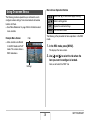
Menu Screen Operation Buttons
Using On-screen Menus
[W] [X]
The following are menu operations you will need to use to
configure camera settings. Take a few moments to become
familiar with them.
• See “Menu Reference” on page 226 for information about
menu contents.
Example Menu Screen
[S] [T]
[SET]
[MENU]
Select tabs. [X] is also used to apply a setting.
Select a setting option.
Applies the selected settings.
Exits the menu screen.
The following is the procedure for menu operations in the REC
mode.
Tabs
• Menu contents are different
in the REC mode and PLAY
mode. This screen shows a
REC mode menu.
1. In the REC mode, press [MENU].
This displays the menu screen.
2. Use [W] and [X] to select the tab where the
item you want to configure is located.
Here, we will select the “REC” tab.
Settings
38
GETTING READY
3. Use [S] and [T] to
Configuring Monitor Screen Settings
select the item you
want to configure and
then press [X].
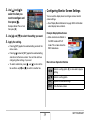
You can use the display menu to configure various monitor
screen settings.
• See “Display Menu Reference” on page 230 for information
about display menu contents.
Example: Select “Focus” and
then press [X].
Example Display Menu Screen
4. Use [S] and [T] to select the setting you want.
• Menu contents are different in
the REC mode and PLAY
mode. This screen shows the
REC mode menu.
5. Apply the setting.
• Pressing [SET] applies the selected setting and exits the
menu screen.
• Pressing [W] instead of [SET] applies the selected setting
and returns to the menu screen. You can then continue
configuring other settings, if you want.
• To select another tab, press [W], use [S] to return to the
tab and then use [W] and [X] to switch to another tab.
Menu Screen Operation Buttons
39
[W] [X]
Selects a setting option. [X] is also used to apply a
setting.
[S] [T]
Selects a setting option.
[SET]
Applies the selected settings.
[DISP]
Exits the menu screen.
GETTING READY
Selecting a Screen Layout (Layout)
The following is the procedure for menu operations in the REC
mode.
The contents of the layout setting menu depend on whether the
camera is in the REC mode or the PLAY mode.
1. In the REC mode, press [DISP].
This will display the display menu screen.
■ REC Mode Screen Layout
2. Use [W] and [X] to select the setting you want.
For the REC mode, the screen layout settings let you select the
layout of icons.
3. Use [S] and [T] to select the setting you want.
• If you want to configure other settings, repeat steps 2 and
3.
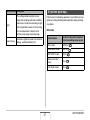
Layout Type Description
Panel
(Operation
Panel)
Pressing [SET] in the REC mode while “Panel”
(Operation Panel) is selected as the layout
type will cause the top icon of the Operation
Panel to become highlighted (selected). You
can then use the Operation panel to change
settings. Since there are few icons
superimposed on the displayed image, they do
not interfere with recording.
Normal
With this option, the image being composed
completely fills the monitor screen. This setting
is best when you want to display the subject on
a large 16:9 aspect ratio monitor screen (page
54). Icons are superimposed on the displayed
image.
4. After all the settings are the way you want,
press [SET].
• This will apply the settings and exit the menu screen.
40
GETTING READY
Panel (Operation Panel)
The following procedure shows how to use Panel (Operation
Panel).
1
2
3
4
5
6
7
8
1. In the REC mode, press [SET].
This highlights (selects) the top icon of the Operation Panel.
2. Use [S] and [T] to select the icon of the
setting you want to change.
3. Use [W] and [X] to change the setting.
9
• If you want to configure other settings, repeat steps 2 and
3.
Size/Quality*1
(page 54)
1Image
2Flash Mode (page 63)
3Focus Mode (page 96)
4Self-timer (page 68)
5Anti Shake (page 85)
6ISO sensitivity (page 110)
7White balance (page 107)
8EV shift (page 105)
9Date/Time*2 (page 174)
4. After all the settings are the way you want,
press [SET].
• This will apply the settings and return to normal operation
(no Operation Panel icon selected).
*1 Image quality cannot be changed using Panel (Operation
Panel).
*2 You can select date or time display.
41
GETTING READY
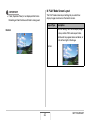
■ PLAY Mode Screen Layout
IMPORTANT!
The PLAY mode screen layout settings let you select how
display images are shown on the monitor screen.
• Panel (Operation Panel) is not displayed while Voice
Recording or Zoom Continuous Shutter is being used.
Layout Type
Description
With this setting, 100% of the display image
is always visible. With some aspect ratios,
black bands may appear above and below, or
to the left and right of the image.
Normal
Normal
42
GETTING READY
Layout Type
Turning Display Information On and Off
(Info.)
Description
With this setting, the display image is the
maximum possible size that allows the entire
image to be displayed horizontally. With
some aspect ratios, the top and bottom of the
image will be cut off.
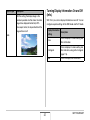
With “Info.” you can turn display information on and off. You can
configure separate settings for the REC mode and PLAY mode.
Display Information
Description
Setting
Wide
43
Show
Turns on display of camera setting and
other information.
+Histogram
Turns on display of camera setting and
other indicators, along with a histogram
(page 116).
Hide
Turns off display of all information.
GETTING READY
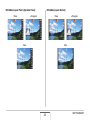
REC Mode (Layout: Panel (Operation Panel))
Show
REC Mode (Layout: Normal)
+Histogram
Show
Hide
+Histogram
Hide
44
GETTING READY
Adjusting Monitor Screen Brightness
(Brightness)
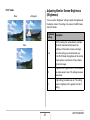
PLAY mode
Show
+Histogram
You can use the “Brightness” setting to adjust the brightness of
the monitor screen. This setting is the same in the REC mode
and PLAY mode.
Brightness
Description
Setting
Auto
With this setting, the camera detects available
light levels and automatically adjusts the
brightness of the monitor screen accordingly.
This is the setting you should normally use.
In the PLAY Mode, the brightness of the monitor
screen remains constant even if the available
light level changes.
+2
Brightness that is greater than +1, which makes
the screen easier to view. This setting consumes
more power.
+1
Bright setting for outdoor use, etc. This setting
results in brightness that is greater than the 0
setting.
Hide
45
GETTING READY
Adjusting Monitor Screen Image Quality
(Type)
Brightness
Description
Setting
0
Normal monitor screen brightness for indoor use,
etc.
–1
Low monitor screen brightness for nighttime use,
indoor use under dark conditions, etc.
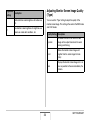
You can use the “Type” setting to adjust the quality of the
monitor screen image. This setting is the same in the REC mode
and PLAY mode.
Quality Setting Description
46
Dynamic
Increases contrast of the monitor screen
image so the subject stands out for easier
viewing and framing.
Vivid
Makes the monitor screen image a bit
brighter than the actual image for more
clarity.
Real
Displays the monitor screen image so it is as
near as possible to the one recorded by the
camera.
GETTING READY
If you lose your way...
Quality Setting Description
Night
Power Saving
This setting provides a brighter screen
image when shooting under dark conditions,
and comes in handy when recording at night
with a tripod. Note, however, that this setting
can cause movement of objects on the
monitor screen image to become rough.
Perform one of the following operations if you find that you have
gotten lost while performing button operations during recording
or playback.
REC mode
Consumes slightly less power than the other
settings, and extends battery life.
47
Current Screen
To return to the normal snapshot
or movie recording screen, press:
Menu screen
[MENU] or [
Display Menu screen
[DISP] or [
BEST SHOT screen
[BS] or [
“There are no files.”
screen
Press [
].
PLAY mode screen
Press [
].
]
]
]
GETTING READY
PLAY mode
Current Screen
Using the Camera on a Trip
To return to the normal playback
screen
Menu screen
[MENU] or [
Display Menu screen
[DISP] or [
REC mode screen
Press [
Delete screen
Press [
]. You could also select
“Cancel” and then press [SET].
Extra Batteries
]
Taking along extra fully charged batteries (NP-40) is
recommended while on a trip in order to avoid not being able to
shoot images due to the battery going dead.
]
]
Using the Camera in another Country
Note the following precautions.
• The AC adaptor that comes with the camera supports 100V to
240V AC power (50/60Hz). Note, however, that the shape of
the power plug differs from country to country. Check with
your travel agent for details before leaving on your trip.
• Do not use a voltage adaptor with this camera.
48
GETTING READY
SHOOTING A SNAPSHOT
Holding the Camera Correctly
IMPORTANT!
• Take care that your fingers and the strap do not cover any
of the areas indicated in the illustration.
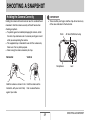
Holding the camera with one hand can result in accidental hand
movement. Hold the camera securely with both hands when
shooting snapshots.
• To protect against accidentally dropping the camera, attach
the wrist strap and make sure it is around your fingers or wrist
while you are operating the camera.
• The supplied strap is intended for use with this camera only.
Never use it for any other purpose.
• Never swing the camera around by its strap.
Horizontal
Flash
Vertical
Microphone
Hold the camera as shown in the
illustration, with your arms firmly
against your sides.
AF Assist/Self-timer Lamp
Lens
Hold the camera so the
flash is above the lens.
49
SHOOTING A SNAPSHOT
Shooting a Snapshot
NOTE
• Good-looking images are impossible if you move the
camera when you press the shutter button or while the
Auto Focus operation is being performed. Holding the
camera correctly, carefully press the shutter button and
take care that you do not move the camera as the shutter
releases. This is especially important when available
lighting is low, which slows down the shutter speed.
1. Press [
] (REC) to
enter the REC mode.
Confirm that the subject
(people, scenery, etc.) and
the Auto icon “
” are
displayed on the monitor
screen.
If any icon other than the
Auto icon “
” is displayed,
switch to “Auto” (page 80).
50
Auto Icon
62
10
N
AF
ISO
AWB
-0.3EV
15:37
Focus Frame
SHOOTING A SNAPSHOT
2. Focus the image.
3. Shoot the image.
While the focus frame is aligned with the subject, half-press
the shutter button.
Auto Focus will focus the image automatically, and the focus
frame and operation lamp will turn green. The shutter
speed, aperture, and ISO sensitivity also will be set
automatically.
See “Monitor Screen Indicators” on page 53 for more
information.
When the image is focused, press the shutter button the rest
of the way.
Operation Lamp
Shutter Button
This will shoot the snapshot and save it to the memory card
or the camera’s built-in memory.
Shutter Button
51
SHOOTING A SNAPSHOT
If the image does not focus...
■ Using Quick Shutter
If the focus frame stays red and the operation lamp is flashing, it
means that the image is not in focus (because the subject is too
close, etc.). Point the camera at the subject and try to focus
again.
Pressing the shutter button all the way down without waiting at
the halfway point shoots the image using Quick Shutter (page
102). Quick Shutter lets you record right away, so you don’t miss
those special moments waiting for Auto Focus.
• Quick Shutter focuses much quicker than normal Auto Focus.
It comes in handy when shooting a fast-moving subject. It also
eliminates worries of spoiled shots when you ask someone
else to record and image for you, and they press the shutter
button all the way without waiting for Auto Focus.
• Quick Shutter is turned on as the initial factory default setting.
In cases when you want to take a little time for accurate focus,
turn off Quick Shutter.
.
Checking a Snapshot
A snapshot will remain on the monitor screen for a short while
after you shoot it and then disappear when the camera gets
ready for the next image.
Perform the following operation to view a snapshot after you
shoot it.
Press [
].
This will display the snapshot you just shot.
Use [W] and [X] to scroll through other images in memory.
To return to the REC mode, press [
].
52
SHOOTING A SNAPSHOT
■ Monitor Screen Indicators
NOTE
The monitor screen uses various indicators and icons to keep
you informed of the camera’s status.
• The aperture is a mechanism that adjusts the amount of
light entering through the lens. The aperture value
indicates the size of the aperture opening. The greater the
aperture value, the narrower the opening. The camera
adjusts this setting automatically.
• The slower the shutter speed, the greater the amount of
light entering through the lens. Shutter speed is indicated
on the monitor screen as seconds (1/1000 second, etc.)
The camera adjusts this setting automatically.
Remaining Shots
Metering
Digital zoom indicator
Continuous
Shutter Mode
Image Size and Quality
Flash Mode
Focus Mode
Self-timer Mode
Anti Shake Indicator
ISO Sensitivity
ISO Sensitivity
Aperture Value
Shutter Speed
White Balance Setting
Exposure Compensation
Date/Time
Histogram
53
SHOOTING A SNAPSHOT
Changing the Image Size
NOTE
• You can also use the Panel (Operation Panel) (page 40) to
change the image size setting.
• The following information changes on the display during
the image size selection operation.
– Image size in megabytes (M) (5M, etc.)
– Image size in pixels (2560 × 1920, etc.)
– Optimum print paper size
A digital camera image is a collection of small dots (pixels).
The size of an image indicates how many pixels it contains, and
is expressed as horizontal pixels × vertical pixels. The initial
factory default image size setting is 10M (3648 × 2736 pixels).
Note that a larger image takes up more memory.
• For information about image size, image quality, and number
of images that can be stored, see page 241.
This setting applies to snapshots only.
• For information about movie image size, see page 76.
Image Size (Pixels)
1. In the REC mode, press [MENU].
Larger
2. On the “Quality” tab, select “Size” and then
press [X].
3. Use [S] and [T] to select an image size and
then press [SET].
Smaller
54
Print Paper Size
10M
3648 × 2736
Poster Print
3:2
3648 × 2432
Poster Print
16:9
3648 × 2048
HDTV
5M
2560 × 1920
A3 Print
3M
2048 × 1536
A4 Print
2M
1600 × 1200
VGA
640 × 480
3.5" × 5" Print
E-Mail
SHOOTING A SNAPSHOT
• Selecting 3:2 (3648 × 2432 pixels) records images with an
aspect ratio of 3:2, which matches the standard aspect ratio
(3:2) of print paper.
• VGA (640 × 480 pixels) is the optimum size when attaching
images to e-mail.
• Print paper sizes should be thought of as rough estimates
only (200 dpi print resolution).
• The letters “HDTV” stand for “High Definition Television”. An
HDTV screen has an aspect ratio of 16:9, which makes them
wider than the usual 4:3 aspect ratio of television screens of
the past. Your camera can record images that are compatible
with the aspect ratio of an HDTV screen.
Specifying Image Quality
Your camera lets you select “Fine” (maximum image quality),
“Normal”, or “Economy” (maximum memory economy) for the
image quality setting. The initial setting is “Normal”. Select “Fine”
if you want to give priority to image quality, or “Economy” to give
priority to the number of images you can store in memory.
• For information about image size, image quality, and number
of images that can be stored, see page 241.
This setting applies to snapshots only.
• For information about movie image quality, see page 76.
1. In the REC mode, press [MENU].
2. On the “Quality” tab, select “
Quality” and
then press [X].
3. Use [S] and [T] to select the image quality
setting you want and then press [SET].
55
SHOOTING A SNAPSHOT
Turning Off the AF Assist Lamp
NOTE
• The “Fine” setting helps to bring out details when shooting
a finely detailed image of nature that includes dense tree
branches or leaves, or an image of a complex pattern.
The AF assist lamp emits light that helps the camera focus when
you half-press the shutter button under dark lighting conditions.
The AF assist lamp does not light when lighting is bright.
The initial factory default
AF Assist/Self-timer Lamp
setting is AF assist lamp on.
Turning off the AF assist lamp
using the following procedure
is recommended when
shooting the image of a
nearby person.
56
SHOOTING A SNAPSHOT
1. In the REC mode, press [MENU].
Snapshot Shooting Precautions
2. On the “REC” tab, select “AF Assist Light”
■ Operation
and then press [X].
• Never open the battery cover or place the camera on the USB
cradle while the operation lamp is flashing green. Doing so
can result in incorrect storage of the image you just shot,
damage to other images stored in memory, malfunction of the
camera, etc.
• Shooting a dark subject while “Auto” is selected for the ISO
sensitivity (page 110) setting will cause the camera to
increase sensitivity and increase shutter speed automatically.
Such conditions can cause digital noise in the image.
• If unneeded light is shining directly onto the lens, shade the
lens with your hand when shooting an image.
3. Use [S] and [T] to select “Off” and then press
[SET].
When you want to turn on the AF assist lamp, select “On”
here.
IMPORTANT!
• Do not look directly into the AF assist/self-timer lamp or
point it directly at a person’s eyes.
57
SHOOTING A SNAPSHOT
■ Monitor Screen when Shooting Snapshots
Auto Focus Restrictions
• The image that appears on the monitor screen is for image
composition. The actual image will be recorded at the quality
set for the image quality setting.
• Subject brightness conditions can cause monitor screen
response to slow and can cause digital noise in the monitor
screen image.
• Shooting a very bright subject can cause a vertical band to
appear in the monitor screen image. This does not indicate
malfunction. The band will not be recorded in a snapshot, but
will be recorded in the case of a movie.
• Proper focus may not be possible when shooting the following
types of subjects.
– Solid color wall or other very low contrast subject
– Strongly back lit subject
– Very shiny subject
– Blinds or other subject with a repeating horizontal pattern
– Multiple subjects at varying distances from the camera
– Subject in a dark location
– Subject that is too far away for light from the AF assist lamp
to reach
– Fast-moving subject
– Subjects outside the focus range of the camera
• Proper focus may not be possible if the camera is moved
while shooting.
• An image may be out of focus even though the operation
lamp is lit green and the focus frame is green.
– If you cannot focus properly, try using focus lock (page
101) or manual focus (page 103).
■ Shooting Indoors under Fluorescent
Lighting
• Minute flickering of fluorescent lighting can affect the
brightness or color of an image.
58
SHOOTING A SNAPSHOT
2. Slide the zoom controller to change the zoom
Shooting with Zoom
factor.
Your camera provides you with 3X optical zoom (which changes
the lens focal distance), which can be used in combination with
digital zoom (which digitally process the center portion of the
image to enlarge it) for total zoom capabilities of 12 - 45X.
IMPORTANT!
• Generally speaking, the higher the digital zoom factor, the
coarser the image that is recorded. However, digital zoom
can be used up to a certain point without causing
deterioration of the image.
1. Enter the REC mode.
[
][
To do this:
Slide the zoom controller
in this direction:
Enlarge the subject and
narrow the range
[
] (telephoto)
Reduce the size of the
subject and broaden the
range
[
] (wide angle)
– For more information, see “Optical Zoom and Digital
Zoom Switch Point” on page 60.
] Zoom
controller
Wide Angle
Telephoto
3. Press the shutter button to shoot.
59
SHOOTING A SNAPSHOT
■ Optical Zoom and Digital Zoom Switch Point
NOTE
If you hold the zoom controller towards [
] in step 2 of the
above procedure, the zoom operation will stop when the optical
zoom factor reaches its maximum. Momentarily releasing the
zoom controller and then holding it again towards [
] will
switch to digital zoom, which you can use to set an even higher
zoom factor.
• When the zoom pointer moves past the maximum limit of
optical zoom. Also, the zoom bar indicates the approximate
zoom factor.
• Performing a zoom operation changes the lens aperture.
• Use of a tripod is recommended to protect against hand
movement when using the telephoto setting (zoom in).
• Optical zoom is disabled while shooting a movie. Digital
zoom only is available while shooting a movie. Make sure
you select the optical zoom setting you want to use before
you press the shutter button to start shooting your movie.
Digital Zoom Indicator
Focus Range
(Displayed when shooting
with Auto Focus, macro, or
manual focus.)
Zoom Bar
60
SHOOTING A SNAPSHOT
Undeteriorated Image Quality
Range
1X
Deteriorated Image Quality
Range
3X to 17.1X
IMPORTANT!
• Digital zoom is not supported while “Timestamp” (page
115) is turned on.
■ Turning Off Digital Zoom
12X to 45X
You can turn off digital zoom if you want to use optical zoom
only. This will help to avoid deteriorated images due to
accidentally switching over from optical zoom to digital zoom
when shooting snapshots.
Optical/Digital Switch Point
Image Deterioration Point
Image starts to deteriorate from here.
(Point factor depends on image size.)
Zoom Pointer
(Indicates current
zoom.)
1. In the REC mode, press [MENU].
• The image deterioration point depends on the image size
(page 54). The smaller the image size, the higher the zoom
factor you can use before reaching the image deterioration
point. Though digital zoom generally causes a deterioration of
image quality, some digital zoom without image deterioration
is possible with image sizes of “5M (2560 × 1920 pixels)” and
smaller. The range in which you can use digital zoom without
image deterioration is indicated on the display. The
deterioration point depends on the image size.
• The digital zoom range of the zoom indicator is shown on the
monitor screen only while “Digital Zoom” is turned on.
2. On the “REC” tab, select “Digital Zoom” and
then press [X].
3. Use [S] and [T] to select “Off” and then press
[SET].
• If you want to show the entire digital zoom range, select
“On” here.
61
SHOOTING A SNAPSHOT
■ Using Instant Zoom
Using Instant Zoom
1. Enter the REC mode.
Instant Zoom lets you jump to digital zoom telephoto with the
press of a button.
2. Press [S].
■ Specifying the Instant Zoom Setting
This immediately changes
the digital zoom to the preset
Instant Zoom setting.
Performing the above
operation after zooming with
optical zoom will cause the
Instant Zoom factor
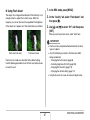
subject to be zoomed to a
level that is equivalent to the
current optical zoom factor plus the preset Instant Zoom
digital zoom factor.
1. In the REC mode, press [MENU].
2. On the “REC” tab, select “Instant Zoom” and
then press [X].
3. Use [S] and [T] to select the setting you want
and then press [SET].
• Select “Off” if you do not want to use Instant Zoom.
3. Press [S].
This returns to the original (pre-Instant Zoom) factor.
62
SHOOTING A SNAPSHOT
Using Flash
IMPORTANT!
• Performing an Instant Zoom operation after zooming an
image with digital zoom will cancel the previous digital
zoom operation.
• Instant Zoom is not supported while “Timestamp” (page
115) is turned on.
Perform the following steps to select the flash mode you want to
use.
Flash Setting
Description
Auto Flash Flash fires automatically in accordance with
exposure (amount of light and brightness)
conditions.
• Initial factory default setting.
63
Flash Off
Flash does not fire.
Flash On
Flash always fires.
• This setting can be used to brighten a
subject that normally comes out dark due
to daylight or backlight (daylight synchro
flash).
Soft Flash
Always use soft flash, regardless of
exposure conditions.
• Use this setting when you want to
suppress the flash to avoid reflection, etc.
Red Eye
Flash fires automatically in accordance
same conditions as Auto Flash. This setting
can be used to reduce the red eye effect that
occurs in images of people shot with flash.
SHOOTING A SNAPSHOT
1. In the REC mode, press [T] (
Approximate Flash Range (ISO Sensitivity: Auto)
) once.
Wide Angle : 0.1 m to 3.6 m (0.3' to 11.8')
Telephoto : 0.4 m to 1.9 m (1.3' to 6.2')
Flash Mode
• The flash range changes in accordance with optical zoom.
[T] (
)
2. Use [W] and [X] to select the flash setting you
want and then press [SET].
3. Press the shutter button to shoot.
NOTE
• If you are using the “Normal” Screen Layout setting (page
40), each press of [T] (
) will cycle through the
available flash settings.
64
SHOOTING A SNAPSHOT
Red-eye reduction
IMPORTANT!
Using the flash to shoot at night or in a dimly lit room can cause
red spots inside the eyes of people who are in the image. This is
caused when the light from the flash reflects off of the retina of
the eye. When red-eye reduction is selected as the flash mode,
the camera fires a pre-flash to cause the irises in the eyes of any
people in the image to close, which reduces the chance of red
eye.
• When using flash, take
Flash
care that the flash window
is not blocked by your
fingers or the camera
strap.
• When the ISO sensitivity
setting is “Auto” (page
110), sensitivity is high
and there is increased
digital noise when flash is
used. Decreasing ISO sensitivity shortens the range of the
flash, but is also reduces digital noise.
IMPORTANT!
• Note the following important points when using red-eye
reduction.
– Red-eye reduction does not work unless the people in
the image are looking directly at the camera (flash).
Before pressing the shutter button, call out to the
subjects so they all look at the camera.
– Red-eye reduction may not work very well if the subjects
are located far away from the camera.
65
SHOOTING A SNAPSHOT
■ Checking the Flash Mode
■ Changing the Flash Intensity
The current flash mode is indicated on the monitor screen and
by the operation lamp when you half-press the shutter button.
1. In the REC mode, press [MENU].
2. On the “Quality” tab, select “Flash Intensity”
Operation Lamp
Flashing Orange
:Flash is charging.
Lit or Flashing Green*:Flash charging is complete.
and then press [X].
3. Use [S] and [T] to select the flash intensity
setting you want and then press [SET].
You can set one of five levels, from –2 (weakest) to +2
(strongest).
IMPORTANT!
• Flash intensity may not change when the subject is too far
away or too close.
Monitor Screen
“
” indicates flash will fire.
* Flashes green when focusing is not possible with Auto Focus
or Macro Focus.
66
SHOOTING A SNAPSHOT
■ Using Flash Assist
1. In the REC mode, press [MENU].
The subject in an image will look too dark if flash intensity is not
enough to reach a subject that is too far away. When this
happens, you can use flash assist to supplement the brightness
of the subject so it appears as if flash illumination was sufficient.
2. On the “Quality” tab, select “Flash Assist” and
then press [X].
3. Use [S] and [T] to select “Off” and then press
[SET].
When you want to use flash assist, select “Auto” here.
IMPORTANT!
Flash assist not used
• Flash assist may not produce the desired result for some
types of subjects.
• Any of the following can result in the flash assist effect
being canceled out.
– Changing the flash intensity (page 66)
– Correcting brightness (EV shift) (page 105)
– Changing ISO sensitivity (page 110)
– Changing the contrast setting (page 114)
• Using flash assist can cause an increase in digital noise.
Flash assist used
Flash assist is turned on as the initial factory default setting.
Use the following procedure to turn off flash assist when you do
not want to use it.
67
SHOOTING A SNAPSHOT
■ Flash Precautions
Using the Self-Timer
• The desired effect may not be obtained when the subject is
too far away or too close.
• Flash charging time depends on operating conditions (battery
condition, ambient temperature, etc.) With a fully charged
battery, it takes anywhere from a few seconds to 8 seconds.
• Shooting with flash turned off when lighting is dim results in a
slow shutter speed, which can cause image blur due to hand
movement. Secure the camera with a tripod, etc. Noise is
generated in images shot under these conditions, which can
make the image appear rough.
• With red eye reduction, the flash is fired automatically in
accordance with exposure. It does not fire in areas where
lighting is bright.
• The presence of outdoor sunlight, fluorescent lighting, or
some other light source can cause abnormal image colors.
With the self-timer, pressing the shutter button starts a timer,
and the shutter is released and the image is shot after a fixed
amount of time.
Self-Timer Type
10s
2s
68
Description
10 sec
10-second self-timer
2 sec
2-second self-timer
• When shooting under conditions that
slow down the shutter speed, you can
use this setting to prevent blur due to
hand movement.
X3
x3
(Triple Self-timer)
This option shoots three images: one
image 10 seconds after the shutter button
is pressed, the next image one second
after the camera gets ready to shoot after
the first image, and the final image one
second after the camera gets ready to
shoot after the second image.
Off
Self-timer is disabled.
SHOOTING A SNAPSHOT
1. In the REC mode, press [MENU].
Using the Self-timer to Shoot an Image
• The image is not shot
AF Assist/Self-timer Lamp
right away after you
press the shutter button.
Instead, shooting starts
after the preset time
elapses. The AF assist/
self-timer lamp flashes
while the countdown is
being performed.
• You can interrupt an
ongoing self-timer countdown by fully pressing the shutter
button while the self-timer lamp is flashing.
2. On the “REC” tab, select “Self-timer” and then
press [X].
3. Use [S] and [T] to
select the self-timer
type and then press
[SET].
This causes an indicator
identifying the selected selftimer type to appear on the
monitor screen.
4. Press the shutter button to shoot.
NOTE
• You can also use the Panel (Operation Panel) (page 40) to
change the self-timer setting.
69
SHOOTING A SNAPSHOT
Using Continuous Shutter
NOTE
• The indicator “1sec” appears on the monitor screen
between Triple Self-timer shots. How long it takes for the
camera to get ready to shoot again after it shoots an image
depends on the image size and quality settings, whether or
not a memory card is loaded in the camera, and the flash
charge condition.
• You cannot use the any self-timer to shoot with any
continuous shutter mode.
• Triple Self-timer cannot be used with the following BEST
SHOT sample scenes: Business Cards and Documents,
Whiteboard, etc., Old Photo, ID Photo, and Movie.
Your camera has four continuous shutter modes.
70
Continuous
Shutter Mode
Description
Normal Speed
(Normal-speed
Continuous
Shutter)
Continually records images until memory
becomes full.
High Speed
(High-speed
Continuous
Shutter)
Record up to three consecutive images
at high speed.
Flash Cont.
(Flash Continuous
Shutter)
Use this mode to record up to three
consecutive images, firing the flash for
each one.
Z
Zoom Cont.
(Zoom Continuous
Shutter)
In this mode, you select an area on the
monitor screen with a selection
boundary. Then when you press the
shutter button, the camera records the
monitor screen image and the area
enclosed in the selection boundary,
digitally zoomed to twice its normal size.
SHOOTING A SNAPSHOT
Selecting the Continuous Shutter Mode
Recording with Normal-speed
Continuous Shutter, High-speed
Continuous Shutter, and Flash
Continuous Shutter
1. In the REC mode, press [MENU].
2. On the “REC” tab, select “Continuous” and
then press [X].
1. Press the shutter button to shoot.
3. Use [S] and [T] to select the mode you want
• With Normal-speed Continuous Shutter, images continue
to be shot as long as you keep the shutter button
depressed. Releasing the shutter button stops shooting.
• High-speed continuous shutter and flash continuous
shutter can shoot up to three images. Shooting stops if
you release the shutter button before three images are
recorded.
and then press [SET].
This enables the continuous shutter mode you selected and
displays its icon on the monitor screen.
To turn off continuous shutter, select “Off”.
IMPORTANT!
• The speed of normal-speed continuous shutter recording
depends on the type of memory card loaded in the camera.
When shooting to built-in memory, continuous shutter
shooting is relatively slow.
71
SHOOTING A SNAPSHOT
Recording with Zoom Continuous
Shutter
IMPORTANT!
• Note that with zoom continuous shutter, you do not need to
keep the shutter button depressed.
• Digital zoom and instant zoom are disabled while shooting
with zoom continuous shutter.
• Zoom continuous shutter is not available when the image
size setting is 3:2 (3648 × 2432 pixels) or 16:9 (3648 ×
2048 pixels).
• When the image size setting is 10M (3648 × 2736 pixels) or
5M (2560 × 1920 pixels), the size of the zoomed image
produced by zoom continuous shutter is 3M (2048 × 1536
pixels).
• When Auto Focus is selected as the focus mode, the
metering mode automatically switches to “Spot” (pages
100, 111) and locates the Auto Focus area in the center of
the Zoom Continuous Shutter selection boundary.
1. Use [S], [T], [W], and
[X] to move the
selection boundary
around the image of
the subject on the left
side of the monitor
screen until it is
located at the part you want to enlarge, and
then press [SET].
This will enlarge the area within the boundary and display it
in the right side of the monitor screen.
2. Press the shutter button to shoot.
Both the left image and the right image will be recorded.
72
SHOOTING A SNAPSHOT
• Note that the resolution of images recorded with the highspeed continuous shutter mode or flash continuous shutter
mode is somewhat lower resolution and more prone to digital
noise than images recorded with the normal-speed
continuous shutter mode.
• “Auto” ISO sensitivity always is used for the high-speed
continuous shutter mode or flash continuous shutter mode,
regardless of the current ISO sensitivity setting.
• With the flash continuous shutter mode, the flash range is
narrower than normal.
Continuous Shutter Precautions
• Starting a continuous shutter operation causes the exposure
and focus settings to be fixed at the levels for the first image.
The same settings are applied to all subsequent images.
• Continuous shutter cannot be used in combination with the
following BEST SHOT scenes: Business Cards and
Documents, Whiteboard, etc., Old Photo, ID Photo, Pastel,
Illustration, Cross, Movie.
• When using a continuous shutter mode, keep the camera still
until all recording is finished.
• A continuous shutter operation may stop part way through if
memory capacity runs low.
• The continuous shutter rate depends on the current image
size and image quality settings.
• You can select the flash mode you want with normal-speed
continuous shutter mode.
• With high-speed continuous shutter, the flash mode
automatically becomes “
” (flash off).
• With the flash continuous shutter mode, the flash mode
automatically becomes “
” (flash on).
• You cannot use the self-timer in combination with the normalspeed continuous shutter mode.
• Triple Self-timer can be used in combination with the zoom
continuous shutter mode only.
73
SHOOTING A SNAPSHOT
■ Recording Audio for a Snapshot
Adding Audio to a Snapshot
1. Press the shutter
You can add an audio recording to snapshots, if you want. Use
this feature to add a verbal explanation or a description of the
mood to a snapshot, or to capture the sounds of the people in
the snapshot.
• You can record up to about 30 seconds of audio for a single
snapshot.
button to shoot.
This monitor screen will
show the image you just
shot, along with the “
”
icon.
• If you do not want to
record audio at this time,
Remaining Recording Time
press [MENU]. This will
display the monitor screen
for shooting the next image.
■ Turning on Audio Snapshot
1. In the REC mode, press [MENU].
2. On the “REC” tab, select “Audio Snap” and
then press [X].
2. Press the shutter button to start audio
recording.
3. Use [S] and [T] to select “On” and then press
[SET].
74
SHOOTING A SNAPSHOT
3. Press the shutter button again to stop audio
NOTE
recording.
• After transferring an audio snapshot to your computer’s
hard disk, you can play back the audio using Windows
Media Player.
• The following shows the formats used for storing audio
snapshot data.
– Image Data: JPEG (.JPG extension)
– Audio Data: WAVE/ADPCM (.WAV extension)
– Approximate Audio File Size: 165 KB (30-second
recording at 5.5KB per second)
• You cannot turn off the monitor screen by pressing [DISP]
while audio recording is in progress.
Recording will stop automatically after about 30 seconds if
you do not press the shutter button.
• To turn off the audio snapshot feature, select “Off” in step
3 of the procedure under “Turning on Audio Snapshot”.
Playing Back Snapshot Audio
Audio snapshots in the PLAY mode are indicated by the “
”
icon.
Press [SET] while an audio snapshot is displayed to play back
its audio.
• For information about the playback operation, see page 127.
IMPORTANT!
• Audio snapshot capabilities are disabled while shooting
with the Triple Self-timer or with a continuous shutter mode.
You can, however, add audio to such a snapshot after you
record it (page 155).
75
SHOOTING A SNAPSHOT
SHOOTING A MOVIE
Movie Size
Movie Image Quality
The following shows the approximate movie file size for a oneminute movie.
Before shooting a movie, you should specify a movie image
quality setting. Movie image quality is a standard that
determines the detail, smoothness, and clarity of a movie during
playback. Shooting with the high-quality (HQ) setting will result
in better image quality, but it also shortens the amount of time
you can shoot.
• Each movie can be up to 10 minutes long. Movie recording
stops automatically after 10 minutes of recording.
Image
Quality
Pixels
Approximate
Data Rate
Frame Rate
HQ
640 × 480
pixels
10.2 Megabits/
second
25 frames/
second
Normal
640 × 480
pixels
6.1 Megabits/
second
25 frames/
second
LP
320 × 240
pixels
2.45 Megabits/
second
12.5 frames/
second
76
Image Quality
Approximate Size
HQ
76.5 MB
Normal
45.75 MB
LP
18.38 MB
SHOOTING A MOVIE
Movie File Formats
Shooting a Movie
Movies are recorded in Motion JPEG standard AVI format.
Movies you shoot with your camera can be played back on a
computer using the following software.
– Windows Media Player
– Macintosh QuickTime
Audio is also recorded while you shoot a movie. Audio is
monaural.
1. In the REC mode, press [BS].
2. Use [S], [T], [W], and [X] to select the “
1. In the REC mode, press [MENU].
2. On the “Quality” tab, select “
”
(Movie) scene and then press [SET].
This causes “
Quality” and
then press [X].
” to appear on the monitor screen.
3. Press the shutter
Remaining Recording Time
button to start
shooting the movie.
3. Use [S] and [T] to select the quality setting
you want and then press [SET].
• “
” is displayed while
movie recording is in
progress.
Recording Time
77
SHOOTING A MOVIE
4. Press the shutter button again to stop
Movie Recording Precautions
shooting.
• You cannot use flash while shooting a movie.
• The camera also records audio. Note the following points
when shooting a movie.
– Take care that the microphone is not blocked by your
fingers, etc.
– Good results are not possible when the camera is too far
away from what you are trying to record.
– Operating camera buttons while shooting can cause button
noise to be picked up in the audio.
Each movie can be up to 10 minutes long. Movie recording
stops automatically after 10 minutes of recording. Movie
recording also will stop automatically if memory becomes
full before you stop movie recording by pressing the shutter
button.
Microphone
78
SHOOTING A MOVIE
• Shooting a very bright subject can cause a vertical band to
appear in the monitor screen image. This does not indicate
malfunction. The band will not be recorded in a snapshot, but
will be recorded in the case of a movie.
• Certain types of memory cards take longer to record data,
which can cause movie frames to be dropped. “
” and
“
” flash on the monitor screen during recording to let you
know when a frame has been dropped. Use of an SD memory
card with a maximum transfer speed of at least 10MB per
second is recommended.
• Optical zoom is disabled while shooting a movie. Digital zoom
only is available while shooting a movie. If you want to use a
particular optical zoom setting, make sure you select it before
you press the shutter button to start movie recording (page
59).
• The effects of camera movement in an image become more
pronounced when you shoot close up or a large zoom factor.
Because of this, use of a tripod is recommended under these
conditions.
• When the subject is outside the camera’s focus range,
focusing is not possible and the image will be out of focus.
79
SHOOTING A MOVIE
USING BEST SHOT
■ Selecting a Sample Scene
With BEST SHOT, you simply select the sample scene that is
like the one you are trying to shoot, and the camera sets up
automatically. Even difficult backlit scenes (which result in the
main subject being too dark if set up improperly) come out
looking great!
1. In the REC mode,
This displays a screen
showing thumbnails of 15
sample scenes.
• The currently selected
sample scene is the one
with the red boundary
around it.
• The initial default selection
is “
” (Auto).
■ Some Sample Scenes
• Portrait
• Night Scene
Red Boundary
press [BS].
• Scenery
Scene Name
Scene Number
• Night Scene Portrait
80
USING BEST SHOT
2. Use [S], [T], [W], and [X] to move the
3. Press [SET] to apply the settings of the
boundary to select the scene you want to
select.
selected scene and return to the recording
screen.
• Pressing [S] or [T] while the red boundary is at the edge
of the screen will scroll to the next screen of BEST SHOT
scenes.
• Sliding the zoom controller towards [
] or [
] will
display text that explains the settings configured by the
selected scene. Slide the zoom controller towards [
]
or [
] again to return to the scene selection screen.
• To return to “Auto”, select Scene 1, which is “
” (Auto).
Pressing [MENU] while the scene selection screen or
scene description text is on the monitor screen will cause
the red boundary to jump directly to “
” (Auto).
• The settings of the scene you selected remain in effect
until you select a different scene.
• To select a different BEST SHOT scene, repeat the
above procedure from step 1.
4. Press the shutter button.
• While the “
” (Movie) scene is selected, pressing the
shutter button starts and stops movie recording.
81
USING BEST SHOT
IMPORTANT!
• Night Scene, Fireworks
These scenes use slow shutter speeds. Since a slow
shutter speed increases the chance of digital noise in the
image, the camera automatically performs a digital noise
reduction process on slow shutter images. Because of this,
such images take longer to store after you press the shutter
button. Do not perform any key operation while an image is
being stored. Also, it is a good idea to use a tripod to avoid
image blur due to camera movement when shooting at
slow shutter speeds.
• BEST SHOT scenes were not shot using this camera.
• Images shot using a BEST SHOT scene may not produce
the results you expected due to shooting conditions and
other factors.
• You can change the camera settings that are made when
you select a BEST SHOT scene. Note, however, that the
BEST SHOT settings revert to their defaults when you
select another BEST SHOT scene or turn off the camera. If
you think you will later need to use a particular camera
setup you configured, save it as a BEST SHOT user setup
(page 84).
82
USING BEST SHOT
Displaying Detailed Information about a BEST
SHOT Scene
NOTE
• If you select a scene by pressing [SET] while the
description screen is displayed, the same description
scene will appear the next time you press the [BS] button
to view BEST SHOT sample scenes.
Though the name of each
BEST SHOT scene is displayed
as you move the selection
boundary around the 15-scene
selection screen, there may be
times when you need more
information about a scene’s
setup. To find out more about a scene, select it with the red
boundary on the scene selection screen and then slide the
zoom controller towards [
] or [
].
The following are the different operations you can perform
while the scene description screen is on the display.
• To return to the scene selection screen, slide the zoom
controller towards [
] or [
] again.
• To scroll through available BEST SHOT scenes, use [W] and
[X].
• To select the currently displayed scene and configure the
camera with its settings, press [SET].
83
USING BEST SHOT
■ Creating Your Own BEST SHOT Scenes
IMPORTANT!
You can use the procedure below to save the setups of
snapshots that you shot as BEST SHOT scenes. After that, you
can recall a setup whenever you want to use it.
• Formatting the camera’s built-in memory (page 181)
deletes all the user BEST SHOT scene files.
1. In the REC mode, press [BS].
NOTE
• You can check the settings of the currently selected BEST
SHOT scene by displaying the camera’s setting menus and
looking at its settings.
• Only the setup of a snapshot with this camera can be
saved as a user BEST SHOT setup.
• User snapshot scenes are assigned numbers in the
sequence: U1, U2, and so on.
• The following are the settings that are included in a user
snapshot scenes:
Focus, EV Shift, White Balance, Flash, ISO, Metering,
Flash Intensity, Flash Assist, Filter, Sharpness, Saturation,
Contrast
• You can store up to 999 BEST SHOT user scenes.
• User snapshot scenes are stored in camera built-in
memory in the folder named “SCENE” (page 219).
2. Use [S], [T], [W], and [X] to select “BEST
SHOT” (Register User Scene) and then press
[SET].
3. Use [W] and [X] to select the snapshot whose
setup you want to register.
4. Use [S] and [T] to select “Save” and then
press [SET].
Your BEST SHOT scene will be assigned the name “Recall
User Scene”, along with a scene number.
84
USING BEST SHOT
Deleting a BEST SHOT User Scene
Reducing the Effects of Hand and
Subject Movement
Perform the following steps when you want to delete a BEST
SHOT user scene.
You can turn on the camera’s Anti Shake feature to reduce
image blur due to subject movement or hand movement when
shooting a moving subject using telephoto, when shooting a
fast-moving subject, or when shooting under dim lighting
conditions.
You can turn on Anti Shake using BEST SHOT or by performing
a menu operation.
1. In the REC mode, press [BS].
2. Slide the zoom controller towards [
[
] or
] to display its explanation screen.
3. Use [W] and [X] to select the BEST SHOT user
scene you want to delete.
4. Press [T] (
■ Turning on Anti Shake Using BEST SHOT
).
1. In the REC mode, press [BS].
5. Use [S] and [T] to select “Delete” and then
press [SET].
2. Use [S], [T], [W], and [X] to select the “Anti
This will delete the BEST SHOT user scene you selected
and display the next screen (either the next user scene or
the Register User Scene).
Shake” scene and then press [SET].
Anti Shake will remain selected until you select a different
BEST SHOT scene.
6. Use [W] and [X] to select another scene and
then press [SET].
• This returns to the recording state.
85
USING BEST SHOT
■ Turning on Anti Shake Using the Menu
IMPORTANT!
• Anti Shake will not work unless the ISO setting (page 110)
is set to “Auto”.
• Shooting with Anti Shake can cause an image to appear
somewhat coarser than normal and can cause slight
deterioration of image resolution.
• Anti Shake may not be able to eliminate the effects of hand
or subject movement when movement is severe.
• Anti Shake is disabled while shooting a movie.
• Anti Shake may not work with a very low shutter speed. If
this happens, use a tripod to stabilize the camera.
• Though “
” (Anti Shake) is displayed on the monitor
screen following an automatic flash operation using the
“Auto Flash” or “Red Eye” setting, or while the flash setting
is “Flash On” or “Soft Flash”, Anti Shake is disabled.
1. In the REC mode, press [MENU].
2. On the “REC” tab, select “Anti Shake” and
then press [X].
3. Use [S] and [T] to select “Auto” and then
press [SET].
• This turns on Anti Shake and displays “
” on the
monitor screen.
• In this case, Anti Shake will remain on until you turn it off
on the menu.
NOTE
• You can also use the Panel (Operation Panel) (page 40) to
change the Anti Shake setting.
86
USING BEST SHOT
Taking Bright Images without Flash
IMPORTANT!
• Shooting with High Sensitivity can cause an image to
appear somewhat coarser than normal and can cause
slight deterioration of image resolution.
• The desirable level of image brightness may not be
possible under very dark conditions.
• When shooting with slow shutter speeds, use a tripod to
protect against the effects of hand movement.
• High Sensitivity is disabled following an automatic flash
operation using the “Auto Flash” or “Red Eye” setting, or
while the flash setting is “Flash On” or “Soft Flash”.
The BEST SHOT “High Sensitivity” scene makes it possible for
you to take natural looking images without using the flash, even
when lighting is low
Normal Snapshot (With flash) Snapshot with High Sensitivity
1. In the REC mode, press [BS].
2. Use [S], [T], [W], and [X] to select the “High
Sensitivity” scene and then press [SET].
3. Press the shutter button to shoot the image.
High Sensitivity will remain selected until you select a
different BEST SHOT scene.
87
USING BEST SHOT
BEST SHOT has two Business Shot scenes from which to
choose.
Shooting Images of Business Cards
and Documents (Business Shot)
• Business cards and
documents
Shooting a business card, document, whiteboard, or similarly
shaped object from an angle can cause the subject to appear
misshaped in the resulting image. The BEST SHOT Business
Shot scenes correct the shape of rectangular objects so they
appear natural.
• White board, etc.
■ Selecting a Business Shot Scene
1. In the REC mode, press [BS].
Before Keystone Correction
After Keystone Correction
2. Use [S], [T], [W], and [X] to select the
“Business cards and documents” or the
“White board, etc.” scene and then press
[SET].
Whichever you select will remain in effect until you select a
different BEST SHOT scene.
88
USING BEST SHOT
■ Shooting an Image Using a Business Shot
Scene
2. Use [W] and [X] to select the candidate you
1. After selecting either
3. Use [S] and [T] to select “Correct” and then
want to use for correction.
of the BEST SHOT
Business Shot
scenes, compose the
image and press the
shutter button to
shoot.
press [SET].
This will correct the image and store the resulting
(corrected) image.
• To cancel the correction operation, select “Cancel”.
This displays a screen that shows all of the rectangular
shapes in the image that qualify as candidates for keystone
correction.
A red boundary will surround the currently selected
correction candidate. If there is a black boundary, it means
that the black boundary is indicating a second possible
candidate. If there is no second candidate (black boundary),
jump directly to step 3.
• If the camera is unable to detect any keystone correction
candidate at all, the message “Cannot correct image!” will
appear on the monitor screen momentarily and then the
camera will save the image as-is (uncorrected).
89
USING BEST SHOT
Shooting ID Photographs
IMPORTANT!
• Make sure the entire object you are trying to shoot (correct)
is enclosed within the monitor screen. The camera will not
be able to detect the shape of the object correctly unless it
is enclosed entirely within the monitor screen.
• Correction will not be possible if the subject is the same
color as its background. Make sure the object is against a
background that allows its outline to stand out.
• Digital zoom is disabled while shooting with a Business
Shot scene. However, you can use optical zoom.
• The maximum Business Shot image size is 2M (1600 ×
1200 pixels), even if the camera is configured for a larger
image size. When the camera is configured to record
images smaller than 2M (1600 × 1200 pixels), Business
Shot scenes will produce images in accordance with the
currently specified image size.
You can use this procedure to shoot a portrait and then print it
out in a variety of different standard ID photo sizes.
The following are the ID photo sizes that are included on the
printout.
30 × 24mm, 40 × 30mm, 45 × 35mm, 50 × 40mm, 55 × 45mm
■ Selecting the ID Photo Scene
1. In the REC mode, press [BS].
2. Use [S], [T], [W], and [X] to select the “ID
Photo” scene and then press [SET].
ID Photo will remain selected until you select a different
BEST SHOT scene.
90
USING BEST SHOT
■ Shooting an Image Using the ID Photo Scene
2. Align the guidelines that appear on the
monitor screen with the subject in the
recorded image.
1. On the monitor
screen, compose the
image by positioning
the subject within the
on-screen frame and
then press the shutter
button to shoot an
initial temporary image.
Head Line
Oval Boundary
Chin Line
• The initial temporary image is not saved in memory. The
final image is saved in memory when you perform step 3,
below.
Align the subject so the head fills the oval boundary. Also
make sure that the subject’s head is within the head line and
the chin line.
91
To do this:
Perform this
operation:
Move the subject up, down, left,
and right
Use [S], [T], [W], [X].
Enlarge the subject
Slide zoom controller
towards [
].
Reduce the size of the subject
Slide zoom controller
towards [
].
USING BEST SHOT
■ Printing an ID Photo
3. When everything is the way you want, press
[SET].
Printing an ID photo image will print the same image in various
sizes on a single sheet of paper. Then you can cut out the
image(s) you want to use.
This saves the image in memory.
IMPORTANT!
• An ID photo is always saved as 5M (2560 × 1920 pixels),
regardless of the camera’s current image size setting.
IMPORTANT!
• The ID photo sizes provided here are not exact. Actual
sizes may be slightly larger.
• When printing an ID photo, be sure to print on 4" × 6" size
paper. Images may not print at the proper sizes if another
size of paper is used.
92
USING BEST SHOT
Restoring an Old Photograph
NOTE
• When the camera is at an angle to the photograph you are
recording, the shape of the photograph may appear
distorted in the recorded image. Auto keystone correction
corrects for this distortion, which means that a photograph
appears normal even if you record it at an angle.
With Old Photo, you can record the image of an old, faded
photograph and then use the camera’s built-in advanced digital
camera technology to restore it.
■ Before Recording with Old Photo
• Make sure the entire photograph you are trying to record is
enclosed within the monitor screen.
• Make sure the photograph is against a background that
allows its outline to stand out, and that it fills the monitor
screen to the maximum extent possible.
• Make sure that light is not reflecting off the surface of the
original photograph when recording it.
• If the old photograph is portrait orientation, be sure to
compose the image with the camera in landscape (horizontal)
orientation.
■ Selecting the Old Photo Scene
1. In the REC mode, press [BS].
2. Use [S], [T], [W], and [X] to select the “Old
Photo” scene and then press [SET].
“Old Photo” will remain selected until you select a different
BEST SHOT scene.
93
USING BEST SHOT
■ Recording an Image with Old Photo
3. Use [S] and [T] to
select “Trim” and then
press [SET].
1. Press the shutter
button to shoot the
image.
This displays a cropping
boundary on the monitor
screen.
• To cancel the correction
operation, select “Cancel”.
• This displays a
photograph contour
confirmation screen and
then saves the original
recorded image. An error message will appear (page
239), without displaying the photograph contour
confirmation screen, if the camera is unable to find the
contour of the photograph.
4. Move the zoom controller left and right to
zoom the cropping boundary.
2. Use [W] and [X] to select the candidate you
want to correct.
94
USING BEST SHOT
5. Use [S], [T], [W], and [X] to move the
IMPORTANT!
cropping boundary to the location you want
and then press [SET].
• Digital zoom is disabled while recording with Old Photo.
However, you can use optical zoom.
• When recording the image of a photograph, the camera will
not be able to recognize the shape of the photograph in the
following cases.
– When part of the photograph extends outside of the
monitor screen
– When the subject is the same color as the background it
is placed upon
• The maximum Old Photo image size is 2M (1600 × 1200
pixels). When the camera is configured to record images
smaller than 2M (1600 × 1200 pixels), Old Photo will
produce images in accordance with the currently specified
image size.
• Under certain conditions, restored colors may not produce
the desired results.
The camera will correct color automatically and save the
corrected image.
• If you do not want a border around the image, configure
the cropping boundary so it is slightly inside of the
boundary of the displayed image.
• To cancel the cropping operation at any point and save
the image as-is, press [MENU].
95
USING BEST SHOT
ADVANCED SETTINGS
Changing the Focus Mode
Your camera provides you with the five focus modes described below. The initial factory default focus mode is Auto Focus.
Focus Mode
Description
Focus Range
Auto
Focus
Automatic focus when the shutter button is half-pressed.
During movie recording, the Auto Focus Mode is disabled and
the camera switches to the Pan Focus Mode automatically.
Auto adjustment
(Approximately 40 cm to
Macro
(Close-up)
Automatic focus for distances that are closer than those for
Auto Focus. Used for close-up shooting.
Auto adjustment (6 cm to 50 cm (2.4" to 19.7"))
• Minimum distance position varies with optical zoom.
Pan
Focus
Pan Focus (PF) is available during movie recording only.
Fixed focus for relatively wide-range focusing. Use Pan Focus
under conditions where Auto Focus is difficult.
Fixed distance
• Focus range varies with optical zoom position.
Infinity
Focus
Focus is fixed at infinity. Use this mode when shooting
scenery and other faraway images.
Infinity
Manual
Focus
Focus is performed manually.
• Focus range varies with optical zoom factor.
96
(1.3' to
Optical Zoom Factor
Range
1X
6cm to
3X
40cm to
))
(00' to
(00' to
)
)
ADVANCED SETTINGS
Perform the following steps to change the focus mode.
NOTE
• You can also use the Panel (Operation Panel) (page 40) to
change the focus mode setting.
1. In the REC mode, press [MENU].
2. On the “REC” tab, select “Focus” and then
press [X].
3. Use [S] and [T] to
Focus Mode Icon
select the focus mode
setting you want and
then press [SET].
An icon appears on the
monitor screen to indicate the
current focus mode.
• See the following pages of
this section for details
about shooting with each
focus mode.
97
ADVANCED SETTINGS
2. When the image is focused, press the shutter
Using Auto Focus
button the rest of the way to shoot.
1. Align the monitor screen’s focus frame with
IMPORTANT!
the subject you want to focus and then halfpress the shutter button.
• During movie recording, the Auto Focus Mode is disabled
and the camera switches to the Pan Focus Mode
automatically.
This camera will perform the focus operation.
You can tell if the image is in focus by checking the
operation lamp and the focus frame color.
62
10
N
NOTE
Operation Lamp
• When proper focusing is not possible because the subject
is closer than the Auto Focus range, the camera will switch
to the Macro Focus range automatically (Auto Macro).
• Whenever you perform an optical zoom operation while
shooting with Auto Focus, a value will appear on the
monitor screen as shown below to tell you the focus range.
Example:
cm –
*
will be replaced by the actual focus range value.
• Auto Focus cannot be selected while shooting a movie.
AF
ISO
AWB
-0.3EV
15:37
Focus Frame
Status
Operation Lamp
Focus Frame
Focusing
Complete
Lit Green
Green
Not Focused
Flashing Green
Red
98
ADVANCED SETTINGS
Using Macro Focus
NOTE
• When Macro Focus cannot focus properly because the
subject is too far away, the camera will switch to the Auto
Focus range automatically (Auto Macro).
• Whenever you perform an optical zoom operation while
shooting with Macro Focus, values will appear on the
monitor screen as shown below to tell you the focus range.
Example:
cm –
cm
*
will be replaced by the actual focus range values.
1. Half-press the shutter button to focus the
image.
The focus operation is the same as that for Auto Focus.
2. When the image is focused, press the shutter
button the rest of the way to shoot.
IMPORTANT!
• Use of the flash along with Macro Focus can cause the light
of the flash to become blocked, which can produce
unwanted lens shadows in your image.
• Macro Focus becomes fixed focus while shooting a movie.
99
ADVANCED SETTINGS
Auto Focus and Macro Focus Shooting Tips
NOTE
Changing the Auto Focus Area
Use the following procedure to change the metering area used for
Auto Focus (AF).
1. In the REC mode, press [MENU].
2. On the “REC” tab, select “AF Area” and then press
• When you select “
Multi” as the focus area, nine
focus frames appear on the monitor screen. The
camera will automatically determine the optimum
focus frame(s), which will change to green on the
monitor screen.
Spot
Multi
[X].
3. Use [S] and [T] to select the setting you want and
then press [SET].
To do this:
Select this
setting:
Focus Frame
Use a small area in the center of the screen for
metering
• This setting is best when you want to use focus
lock (page 101).
Spot
When the shutter button is half-pressed, have the
camera automatically select one or more of nine
possible focus frames
• If the camera is able to focus on multiple
points, all applicable focus frames turn green.
Multi
100
Focus Frame
ADVANCED SETTINGS
3. When the image is focused, press the shutter
Using Focus Lock
“Focus lock” is the name of a technique you can use when you
want to shoot an image in which the subject to be focused on is
not within the focus frame in the center of the screen.
• Use focus lock with “
Spot” focus.
1. Align the monitor
button the rest of the way to shoot.
NOTE
• Focus lock also causes exposure (AE) to be locked.
Subject to be focused on
screen’s focus frame
with the subject you
want to focus on and
then half-press the
shutter button.
62
10
N
AF
ISO
AWB
-0.3EV
15:37
Focus Frame
2. Keeping the shutter
button half-pressed,
re-compose the
image as you like.
10
N
AF
ISO100
F7.2
1/2000
ISO
AWB
-0.3EV
15:37
101
ADVANCED SETTINGS
Using Fixed Focus (Pan Focus)
Quick Shutter
Pan Focus (PF) is available during movie recording only. Pan
Focus fixes focus for a relatively wide focus range, which means
you can shoot without waiting for the Auto Focus operation to
finish.
When Quick Shutter is turned on, the camera immediately
shoots the image without waiting for Auto Focus to be
performed when you press the shutter release all the way
down. This helps to avoid missing a special moment while
you wait for the camera to Auto Focus.
1. When you are ready to shoot, press the
shutter button all the way, without pausing.
1. In the REC mode, press [MENU].
2. On the “REC” tab, select “Quick Shutter”
and then press [X].
3. Use [S] and [T] to select the setting you
want and then press [SET].
To do this:
Select this setting:
Turn on Quick Shutter
On
Turn off Quick Shutter
Off
102
ADVANCED SETTINGS
Using Infinity Focus
Using Manual Focus
As its name suggests, Infinity Focus fixes focus at infinity (
).
Use this mode when shooting scenery and other faraway
subjects. Infinity Focus also comes in handy when shooting from
a car or train window, or when shooting scenery or other
subjects that are difficult to focus properly with Auto Focus.
With Manual Focus, the camera
automatically enlarges the
subject on the monitor screen,
which helps you manually adjust
focus. Manual focus can be
used for shoot such images as
moving trains. Before the train
arrives, manually focus on an
electric pole or some other
object. Then when the train
passes the object you focused
on, you can shoot without
worrying about focus.
1. While Infinity Focus is selected as the focus
mode, press the shutter button to shoot.
Yellow Boundary
1. While Manual focus is selected as the focus
mode, compose the image on the monitor
screen so the subject you want to focus on is
within the yellow boundary.
103
ADVANCED SETTINGS
2. Use [W] and [X] to focus the image, as you
NOTE
view the results on the monitor screen.
• Whenever you perform an optical zoom operation (page
59) while shooting with manual focus, a value will appear
on the monitor screen as shown below to tell you the
focusing range.
Example: MF
cm –
*
will be replaced by the actual focus range values.
At this time the image that is within the boundary will enlarge
and fill the monitor screen, which aids in focusing.
For this:
Press this button:
Closer focus
[W]
More distant focus
[X]
IMPORTANT!
• The monitor screen will return to step 1 if you do not
perform any operation for about two seconds after
pressing [SET] to display the enlarged image.
• While Manual Focus is selected as the focus mode, the [W]
and [X] keys are used to adjust the focus setting. Any other
functions assigned to the [W] and [X] keys with Key
Customize (page 119) are not performed when you press
the keys during manual focus.
3. Press the shutter button to shoot.
104
ADVANCED SETTINGS
3. Use [S] and [T] to adjust the exposure
Correcting Image Brightness
(EV Shift)
compensation value.
[S]: Increases the EV value. A higher EV value is best used
for light-colored subjects and backlit subjects.
* Increasing the EV value also works well with the
BEST SHOT “Backlight” scene.
You can manually adjust an image’s exposure value (EV value)
before shooting it. This feature helps to achieve better results
when shooting a backlit subject, a strongly lit subject indoors, or
a subject that is against a dark background.
Exposure Compensation Value: –2.0EV to +2.0EV
Unit: 1/3EV
1. In the REC mode, press [MENU].
2. On the “Quality” tab,
[T]: Decreases the EV value. A lower EV value is best for
dark-color subjects and for shooting outdoors on a
clear day.
select “EV Shift” and
then press [SET].
EV Shift Value
To cancel exposure compensation, adjust the value until it
becomes 0.0.
105
ADVANCED SETTINGS
4. After the EV value is
NOTE
the way you want,
press [SET] to apply it.
• You can also use the Panel (Operation Panel) (page 40) to
change the EV shift setting.
• Performing an EV shift operation while using multi-pattern
metering will cause the metering mode to switch
automatically to center weighted metering. The metering
mode will return to multi-pattern metering when you change
the exposure compensation value to 0.0 (page 111).
• You can use the key customization feature to configure the
[W] and [X] buttons so they control the metering mode
setting (page 119). This comes in handy when adjusting
exposure compensation while viewing the on-screen
histogram (page 116).
The exposure compensation
value you set remains in
effect until you change it.
EV Shift Value
IMPORTANT!
• When shooting under very dark or very bright conditions,
you may not be able to obtain satisfactory results even
after performing exposure compensation.
106
ADVANCED SETTINGS
Controlling White Balance
To do this:
Shooting on a cloudy day can give your subject a blue cast,
while shooting under white fluorescent lighting can give your
subject a green cast. White balance corrects for different types
of lighting so the colors in your images always look natural.
Select this
setting:
Let the camera adjust white balance
automatically
Auto
Shoot outdoors on a clear day
Daylight
1. In the REC mode, press [MENU].
Shoot outdoors on an overcast rainy day, in
the shade, etc.
Overcast
Shoot in the shadow of a building, in the
shade of trees, etc. on a clear day
Shade
2. On the “Quality” tab,
select “White
Balance” and then
press [X].
3. Use [S] and [T] to select the white balance
Suppress color cast when shooting under
white or day white fluorescent lighting
N Day White
Fluorescent
Suppress color cast when shooting under
daylight fluorescent lighting
D Daylight
Fluorescent
Suppress the appearance of light bulb
lighting
setting you want and then press [SET].
Manually adjust white balance to suit a
particular light source
• For details, see “Configuring the White
Balance Setting Manually” (page 108).
107
Tungsten
Manual
ADVANCED SETTINGS
■ Configuring the White Balance Setting
Manually
NOTE
• You can also use the Panel (Operation Panel) (page 40) to
change the white balance setting.
• When “Auto” is selected for the white balance setting, the
camera automatically determines the white point of the
subject. Certain subject colors and light source conditions
can cause problems when the camera tries to determine
the white point, which makes proper white balance
adjustment impossible. If this happens, select the white
balance setting that matches you shooting conditions
(Daylight, Overcast, etc.)
• You can use the key customization feature to configure the
[W] and [X] buttons so they control the white balance
setting (page 119).
• To select “Auto” with the control key (when the control key
is configured to select the auto white balance setting),
scroll through the settings until “ AWB ” appears on the
monitor screen.
Under complex lighting conditions, the preset white balance
settings may not be able to produce natural looking colors.
When this happens, you can configure the white balance setting
manually for particular lighting conditions. Note that you will
need to have a plain white sheet of paper on hand when
performing the following procedure.
1. In the REC mode, press [MENU].
2. On the “Quality” tab, select “White Balance”
and then press [X].
3. Use [S] and [T] to select “Manual”.
This will display the subject that the lens is aimed at on the
monitor screen using the current manual white balance
settings. If you want to use the current settings, jump
directly to step 5.
108
ADVANCED SETTINGS
4. Under the lighting conditions you plan to use
5. Press [SET] to register the white balance
when shooting, point the camera at a blank
white piece of paper so it fills the entire
monitor screen and then press the shutter
button.
settings and return to the shooting screen.
NOTE
• After you adjust white balance manually, the setting
remains in effect until you change it or until you turn off the
camera.
White sheet of paper
The camera will adjust white balance settings for the current
conditions, and display “Complete” when it is finished.
109
ADVANCED SETTINGS
3. Use [S] and [T] to select the setting you want
Specifying ISO Sensitivity
and then press [SET].
ISO sensitivity is a value that expresses sensitivity to light. A
larger value indicates higher sensitivity, which is better for
shooting when available lighting is dim. If you want to use faster
shutter speeds, you should use a higher ISO sensitivity value.
Under certain conditions, a fast shutter speed in combination
with a high ISO sensitivity setting can cause digital noise, which
makes an image appear rough. For clean, good-quality images,
use the lowest possible ISO sensitivity setting.
To shoot with this level of
sensitivity:
Select this
setting:
Automatically selected by camera.
Auto
Low
ISO 50
ISO 100
ISO 200
1. In the REC mode, press [MENU].
High
ISO 400
2. On the “Quality” tab, select “ISO” and then
press [X].
NOTE
• You can also use the Panel (Operation Panel) (page 40) to
change the ISO sensitivity setting.
110
ADVANCED SETTINGS
Specifying the Metering Mode
IMPORTANT!
• Using flash with high ISO sensitivity can cause problems
with subjects that close to the camera.
• “Auto” ISO sensitivity always is used for movies, regardless
of the current ISO sensitivity setting.
• You can use the key customization feature to configure the
[W] and [X] buttons so they control the ISO sensitivity
setting (page 119).
The metering mode determines what part of the subject is
metered for exposure.
1. In the REC mode, press [MENU].
2. On the “Quality” tab, select “Metering” and
then press [X].
3. Use [S] and [T] to select the setting you want
and then press [SET].
Multi (Multi Metering)
Multi-pattern metering divides the image into
sections and measures the light in each
section for a balanced exposure reading. The
camera automatically determines shooting
conditions according to the measured lighting pattern, and
makes exposure settings accordingly. This type of metering
provides error-free exposure settings for a wide range of
shooting conditions.
111
ADVANCED SETTINGS
Center Weighted
Center weighted metering concentrates on the
center of the focus area to measure light. Use
this metering method when you want to exert
some control over exposure, without leaving
settings totally up to the camera.
IMPORTANT!
• The metering mode will change to “Center Weighted”
automatically if you change the EV shift value (page 105) to
anything other than 0.0 while “Multi” is selected. The
metering mode will change back to “Center Weighted”
when the EV shift value is changed back to 0.0.
• When “Multi” is selected as the metering mode, the
icon will not be displayed on the monitor screen when you
return to the REC mode information display (page 223).
Spot
Spot metering takes readings at a very small
area. Use this metering method when you
want exposure to be set according to the
brightness of a particular subject, without
being affected by surrounding conditions.
NOTE
• You can use the key customization feature to configure the
[W] and [X] buttons so they control the metering mode
setting (page 119).
112
ADVANCED SETTINGS
Using the Camera’s Filter Effects
Controlling Image Sharpness
The camera’s filter feature lets you add color tints to your images
as you shoot them. The color effect look just like what you would
get by installing a color filter on the lens of the camera.
Use the following procedure to adjust the sharpness of subject
outlines in your images.
1. In the REC mode, press [MENU].
1. In the REC mode, press [MENU].
2. On the “Quality” tab, select “Sharpness” and
2. On the “Quality” tab, select “Filter” and then
then press [X].
press [X].
3. Use [S] and [T] to select the setting you want
3. Use [S] and [T] to select the setting you want
and then press [SET].
and then press [SET].
You can specify one of five sharpness settings from +2
(sharpest) to –2 (least sharp).
Available filter settings are: Off, B/W, Sepia, Red, Green,
Blue, Yellow, Pink, and Purple
113
ADVANCED SETTINGS
i
Controlling Color Saturation
Adjusting Image Contrast
Use the following procedure to adjust the saturation of colors in
your images.
Use the following procedure to adjust the contrast of your
images.
1. In the REC mode, press [MENU].
1. In the REC mode, press [MENU].
2. On the “Quality” tab, select “Saturation” and
2. On the “Quality” tab, select “Contrast” and
then press [X].
then press [X].
3. Use [S] and [T] to select the setting you want
3. Use [S] and [T] to select the setting you want
and then press [SET].
and then press [SET].
You can specify one of five saturation settings from +2
(most saturated) to –2 (least saturated).
You can specify one of five contrast settings from +2 (most
contrast between light and dark) to –2 (least contrast
between light and dark).
114
ADVANCED SETTINGS
Date Stamping Snapshots
IMPORTANT!
• Once date information is stamped in a print, it cannot be
deleted.
• Use the “Date Style” setting (page 176) to specify the Year/
Month/Day format of the date.
• The recording date and time are determined in accordance
with the camera’s clock settings (page 175) when the
snapshot is recorded.
• Digital zoom and Instant Zoom are not supported while
date stamping is turned on.
• Date stamping is not supported for the following types of
images.
– Some BEST SHOT images (Business cards and
documents, White board, etc., Old Photo, ID Photo)
– Images recorded with Zoom Continuous Shutter
You can have the snapshot’s recording date only, or date and
time stamped in the lower right corner of the image.
1. In the REC mode, press [MENU].
2. On the “Set Up” tab, select “Timestamp” and
then press [X].
3. Use [S] and [T] to select the setting you want
and then press [SET].
Example: December 24, 2007, 1:25 p.m.
To do this:
Select this setting:
Display the date only (2007/12/24)
Date
Display the date and time
(2007/12/24 1:25pm)
Date&Time
Display nothing
Off
115
ADVANCED SETTINGS
Using the On-screen Histogram to
Check Exposure
NOTE
• You can use key customization to configure the [W] and [X]
buttons so they control the EV shift setting. Then you can
perform EV shift while viewing the results on the on-screen
histogram (page 119).
The on-screen histogram that provides a graphic representation
of the current exposure of the image. You can also display the
histogram in the PLAY mode for information about the exposure
levels of images.
Histogram
1. Select either the REC mode or the PLAY mode.
You can turn histogram display on or off separately for the
REC and PLAY modes.
2. Press [DISP].
3. On the “Info.” tab, select “+Histogram” and
then press [SET].
116
ADVANCED SETTINGS
■ How to Use the Histogram
Example Histograms
A histogram is a graph that represents the lightness of an image
in terms of the number of pixels. The vertical axis indicates the
number of pixels, while the horizontal axis indicates lightness.
You can use the histogram to determine whether an image
includes the shadowing (left side), mid tones (center), and
highlighting (right) to bring out sufficient image detail. If the
histogram appears too lopsided for some reason, you can use
EV shift to move it left or right in order to achieve better balance.
Optimum exposure can be achieved by EV shifting so the graph
is as close to the center as possible. The histogram also
includes RGB histogram lines that show the distribution of R
(red), G (green), and B (blue) components. These lines can be
used to determine whether there is too much or too little of each
of the color components in an image.
When the histogram is to the left, it
means that there are too many dark
pixels. This type of histogram results
when the overall image is dark. A
histogram that is too far to the left
may result in “black out” of the dark
areas of an image, as shown in the
nearby image.
When the histogram is to the right, it
means that there are too many light
pixels. This type of histogram results
when the overall image is light. A
histogram that is too far to the right
may result in “white out” of the light
areas of an image, as shown in the
nearby image.
117
ADVANCED SETTINGS
A centered histogram indicates that
there is good distribution of light
pixels and dark pixels. This type of
histogram results when the overall
image is at optimal lightness, as
shown in the nearby image.
IMPORTANT!
• Note that the above histograms are shown for illustrative
purposes only. You may not be able to achieve similar
shapes for particular subjects.
• A centered histogram does not necessarily guarantee
optimum exposure. If you intentionally want to over expose
or under expose the image, you may not want a centered
histogram.
• Due to the limitations of exposure compensation, you may
not be able to achieve an optimum histogram configuration.
• Use of the flash and certain shooting conditions can cause
the histogram to indicate exposure that is different from the
actual exposure of the image when it was shot.
• The RGB (color component) histogram lines are displayed
for snapshots only.
118
ADVANCED SETTINGS
Using Key Customize to Assign
Functions [W] and [X]
Other Useful Recording Functions
The following functions are also available in the REC mode to
help make your digital image more efficient and enjoyable.
• Assign functions to the [W] and [X] keys
• Display an on-screen grid for easy image composition
• Review an image you just recorded
• Register initial power up settings
• Reset settings
Key Customize lets you assign any one of the five functions
listed below to the [W] and [X] keys. Once you do, you will be
able to use the assigned functions while shooting snapshots or
movies, without going through the menus. For details about
each of the functions, see the referenced page numbers.
119
When this function is
assigned:
You can use [W] and [X] to do
this:
Metering (page 111)
Change the metering setting
EV Shift (page 105)
Perform EV shifting for
exposure compensation
White Balance (page 107)
Change the white balance
setting
ISO (page 110)
Change the ISO sensitivity
setting
Self-timer (page 68)
Select the self-timer time
ADVANCED SETTINGS
1. In the REC mode, press [MENU].
Displaying an On-screen Grid
2. On the “REC” tab, select “L/R Key”, and then
The on-screen grid can be displayed on the REC mode monitor
screen for easy alignment when composing images.
press [X].
3. Use [S] and [T] to select the function you
want to assign and then press [SET].
After you assign a function, you can control its setting using
the [W] and [X] keys.
Selecting “Off” leaves the [W] and [X] keys with no function
assigned.
1. In the REC mode, press [MENU].
2. On the “REC” tab, select “Grid” and then
press [X].
3. Use [S] and [T] to select the setting you want
and then press [SET].
To do this:
120
Select this setting:
Display the grid
On
Hide the grid
Off
ADVANCED SETTINGS
Displaying the Image You Just Recorded
(Image Review)
Using Icon Help
Icon help displays guidance text about an icon when you select it
on the monitor screen while in the REC mode (page 226).
• Icon help text is displayed for the following functions:
metering, flash mode, white balance, self-timer, EV shift.
Note, however, that metering, white balance, self-timer and
EV shift icon help text appears only when “Metering”, “White
Balance”, “Self-timer” or “EV shift” respectively is assigned to
the [W] and [X] keys with the key customization feature (page
119).
When you purchase your camera, it is initially configured with
the Image Review feature turned on. Image Review displays the
image you just recorded so you can check it.
1. In the REC mode, press [MENU].
2. On the “REC” tab, select “Review” and then
press [X].
3. Use [S] and [T] to select the setting you want
1. In the REC mode, press [MENU].
and then press [SET].
To configure the camera to do this
after an image is recorded:
Select this
setting:
Display the image for about one second
On
Nothing
Off
2. On the “REC” tab, select “Icon Help” and then
press [X].
3. Use [S] and [T] to select the setting you want
and then press [SET].
121
To do this:
Select this
setting:
Display icon help text next to the icon of
a function when you select the function
On
Turn off icon help
Off
ADVANCED SETTINGS
Using Mode Memory to Configure Power
On Default Settings
IMPORTANT!
• The icons listed below do not appear on the display while
icon help is turned off.
– Focus mode
icon (page 96)
– White balance AWB icon (page 107)
You can configure the camera so it saves certain settings in
“mode memory” whenever it is turned off, and restores the
settings the next time you turn the camera back on. This keeps
you from having to configure the camera each time you turn it off
and on.
Selecting “Off” for a setting will cause that setting to return to its
optimal default whenever the camera is turned off and then back
on again. Selecting “On” will cause its setting when power is
turned off to be restored when the camera is turned back on
again.
The following lists all of the settings that can be configured with
mode memory. The ones marked with an asterisk (*) have mode
memory turned on (that is, their current setting is saved when
the camera is turned off and restored when the camera is turned
back on) as the initial factory default setting.
BEST SHOT, Flash*, Focus, White Balance, ISO, AF Area*,
Metering, Self-timer, Flash Intensity, Digital Zoom*, MF Position,
Zoom Position
122
ADVANCED SETTINGS
1. In the REC mode, press [MENU].
e
Setting
2. On the “REC” tab, select “Memory” and then
press [X].
Mode
Memory On
Exits BEST SHOT
when camera is
turned off.
BEST SHOT*1
3. Use [S] and [T] to select the item you want to
configure and then press [X].
4. Use [S] and [T] to select the setting you want
and then press [SET].
To do this:
Select this
setting:
Save the current setting when the
camera turned off, and restore it when
the camera is turned back on
On
Restore the optimum default when the
camera is turned on
Off
Flash
Auto
Focus
Auto
White Balance
Auto
ISO
AF Area
Metering
123
Mode Memory Off
Auto
Setting at
power off
Spot
Multi
Self-timer
Off
Flash Intensity
0
Digital Zoom
On
MF Position
Focus mode before
manual focus was
selected.
Zoom Position*2
Full wide
ADVANCED SETTINGS
*1 “On” restores the selected BEST SHOT scene when the
camera is turned back on. “Off” exits BEST SHOT when the
camera is turned off.
*2 Optical zoom position only.
Resetting the Camera to Its Initial
Factory Defaults
Use the following procedure when you want to return to the
camera to its initial factory default settings, which are the ones
that are configured when you first purchase the camera. See
“Menu Reference” on page 226 for the initial factory default
setting for each menu item.
IMPORTANT!
• Turning the camera off while mode memory for the BEST
SHOT mode is on will restore the settings of the BEST
SHOT scene what was selected when you last turned off
the camera. This is true, regardless of any of the mode
memory on/off settings of each individual setting, except for
Zoom Position.
1. Press [MENU].
2. On the “Set Up” tab, select “Reset” and then
press [X].
3. Use [S] and [T] to select “Reset” and then
press [SET].
• To cancel the procedure without resetting, select
“Cancel”.
124
ADVANCED SETTINGS
IMPORTANT!
• The following are not initialized when you reset the camera
(page 228).
– Home Time setup
– World Time setup
– Adjust
– Date Style
– Language
– Video Out
125
ADVANCED SETTINGS
VIEWING SNAPSHOTS AND MOVIES
• This will display one of the snapshots in memory, along with
some information about the settings used to shoot it.
Viewing a Snapshot
Use the following procedure to view snapshots on the camera’s
monitor screen.
1. Press [
File Type
] to enter the PLAY mode.
Folder/File Names
Image Quality
Image Size
Date and Time
[
• The file type icon that appears at the top of the monitor
screen depends on the type of file (snapshot, movie,
audio only, etc) that is currently displayed.
–
: Snapshot (page 126)
–
: Movie (page 128)
–
: Audio snapshot (page 127)
* For information about folder names and file names, see
page 161.
• See page 43 information about how to hide the image
information and view the image alone.
]
126
VIEWING SNAPSHOTS AND MOVIES
2. Use [X] and [W] to scroll between images.
Listening to the Audio of an Audio
Snapshot
Press [X] to scroll forward and [W] to scroll back.
[X]
[X]
[W]
[W]
You can use the following procedure to play the audio of an
audio snapshot. An audio snapshot is indicated by the “
” file
type icon.
1. Enter the PLAY mode
and then use [W] and
[X] to display the
audio snapshot
whose audio you want
to play.
NOTE
• Holding down [W] or [X] scrolls at high speed.
• The image that initially appears when scrolling may appear
to be a bit rough at first, but it will soon be replaced by an
image with better definition. Note that if you copy an image
from another type of digital camera, only a rough image
may be shown on the monitor screen.
2. Press [SET] to play the snapshot’s audio from
the camera’s built-in speaker.
To switch to the REC mode
Press [
].
127
VIEWING SNAPSHOTS AND MOVIES
Audio Playback Controls
Viewing a Movie
The following are the different operations you can perform while
audio is playing.
Use the following procedure to view a movie on the camera’s
monitor screen.
To do this:
Do this:
Fast forward or fast reverse
playback
Hold down [X] or [W].
[X] to display the movie you want to play.
Pause or restart playback
Press [SET].
• Check the file type icon. The file type icon of a movie is
“
” (Movie) icon.
Adjust volume
Press [S] or [T].
Change on-screen indicators
Press [DISP].
Stop playback
Press [MENU].
1. Enter the PLAY mode and then use [W] and
File Type
Folder Name/File Name
Recording Time
You can adjust volume while playback is in progress or paused
only.
Quality
The film-like frame that appears on the monitor screen
indicates that this is an image from a movie.
* For information about folder names and file names, see
page 161.
128
VIEWING SNAPSHOTS AND MOVIES
2. Press [SET] to start playback.
• The monitor screen will return to the selection screen in
step 1 after the end of the movie is reached.
To switch to the REC mode
Press [
].
Movie Playback Controls
To do this:
Do this:
Fast forward or fast reverse playback.
• Each press of either button increases
the speed of the fast forward or fast
reverse operation up to three steps.
Hold down [X] or
[W].
Return from fast forward/fast reverse to
normal playback
Press [SET].
Pause or restart playback
Press [SET].
When paused, scroll forward or back
frame-by-frame
• Hold down either button to scroll nonstop.
Press [X] or [W].
Adjust volume
• Volume can be adjusted only while
movie playback is in progress.
Press [S] or [T].
Toggle on-screen indicators on or off
Press [DISP].
To do this:
Do this:
Zoom in up to 3.5X
• While an image is zoomed, you can use
[S] [T] [W] and [X] to move around and
view the parts of the image that do not
fit on the monitor screen.
Slide the zoom
controller in the
direction of [
]
(
).
Stop playback
Press [MENU].
IMPORTANT!
• Playback may not be possible for movies not recorded with
this camera.
129
VIEWING SNAPSHOTS AND MOVIES
Playing a Slideshow on the Camera
Images
(Select the
files you want
to include in
the
slideshow.)
The slideshow feature lets you play the files stored in memory in
sequence, automatically.
You can configure the slideshow so it plays the files the way you
want.
1. In the PLAY mode, press [MENU].
2. On the “PLAY” tab, select “Slideshow” and
then press [X].
• All images: Includes all snapshots, movies,
and audio in memory.
•
Only: Includes snapshots and audio
snapshots only.
•
Only: Includes movies only.
• One Image: Includes only one specific
image (selected using [W] and [X]).
• Favorites: Includes snapshots in the
FAVORITE folder (page 163).
Time (Specify Use [W] and [X] to select one of the following
the time of the times (in minutes): 1, 2, 3, 4, 5, 10, 15, 30,
slideshow,
60.
from start to
finish.)
3. Configure the slideshow settings.
Use [S] and [T] to select an item and then configure it as
described below.
Interval
(Select the
interval
between
slides.)
130
Use [W] and [X] to select a value from 1 to 30
seconds, or “MAX”.
– If you specify a value from 1 to 30
seconds, images change at the
specified interval, but the audio portion
of movies and audio snapshots will
continue to play until the end,
regardless of the interval setting.
– When “MAX” is selected, only the first
frame of each movie is displayed,
without any playback of the audio.
VIEWING SNAPSHOTS AND MOVIES
Effect (Select
a special
effect.)
4. Use [S] and [T] to select “Start” and then
Use [S] and [T] to select the effect you
want.
• Pattern 1, 2, 3, 4: Applies preset effects in
sequence.
• Random: Applies preset effects (Pattern 1,
2, 3, 4) in random sequence.
• Off: No effect applied.
– The “Effect” setting is disabled when
“Favorites” is selected for “Images”, or
when the “Interval” setting is “MAX”, “1”
or “2”.
press [SET] to start the slideshow.
The slideshow is performed in accordance with the settings
you configured above.
• You can also scroll through images during a slide show
by pressing [X] (forward) and [W] (back).
• To adjust the level of audio volume during a slideshow,
use [S] and [T] to adjust the volume.
To stop a slideshow
Press [SET]. This will return to the PLAY mode.
• Pressing [MENU] instead of [SET] stops the slideshow and
returns to the menu screen.
• Pressing [
] instead of [SET] stops the slideshow and
switches to the REC mode.
131
VIEWING SNAPSHOTS AND MOVIES
■ Playing a Slideshow on the USB Cradle
(Photo Stand)
IMPORTANT!
• All button operations are disabled while the slideshow is
switching from one image to another. Wait until an image is
stopped on the display before performing a button
operation. If a button does not work, wait a bit and try
again.
You can play a slideshow on the camera while it is mounted on
the USB cradle. This is a good way to enjoy a long slideshow,
without worrying about the camera’s battery going dead.
• Configure slideshow settings (page 130) before performing
the steps below.
• Connect the bundled AC adaptor to the USB cradle, and plug
it into a power outlet.
NOTE
• Selecting a movie when “One Image” is selected for
“Images” and then selecting a movie for the slideshow will
cause the movie to play back repeatedly within the time
specified by the slideshow “Time” setting.
• In image copied from a computer or an image recorded
with a different type of digital camera may remain on the
screen longer than the time specified by “Interval”.
1. Turn on the camera and place it onto the USB
cradle.
132
VIEWING SNAPSHOTS AND MOVIES
2. Press the USB cradle’s
To stop a slideshow
[PHOTO] button to
start the slideshow.
Press the USB cradle’s [PHOTO] button. This will turn off the
camera.
The slideshow is performed in
accordance with the settings
you configured with the
procedure on page 130. The
[PHOTO]
camera will turn off
automatically after the time
you specified with the “Time” setting elapses.
• You can change the slideshow setting by pressing
[MENU] while a slideshow is in progress. After
configuring the settings, press [MENU] again to restart
the slideshow.
• To adjust the level of audio volume during a slideshow,
use [S] and [T] to adjust the volume.
IMPORTANT!
• The battery does not charge while a slideshow is in
progress. To charge the battery, stop the slideshow.
NOTE
• You can connect the USB cradle to a TV and enjoy the
slideshow on a big screen. You can also connect to a video
recording device and record a slideshow (page 134).
133
VIEWING SNAPSHOTS AND MOVIES
3. Turn on the TV and select its video input
Viewing Camera Images on a TV
mode.
Use the procedure below to view snapshots and movies on a TV
screen.
• You need to use the USB cradle and the AV cable that comes
with the camera to connect to a TV.
If the TV has more than one video input, select the one
where the USB cradle is connected.
4. Press [
] to turn on the camera and enter the
PLAY mode.
1. Connect the USB cradle to a TV.
VIDEO IN Jack (Yellow)
TV
Yellow
Video
Pressing [ON/OFF] or [
] will not turn on the camera on
the PLAY mode.
When the camera turns on in the PLAY mode, an image will
appear on the TV screen. The camera’s monitor screen will
not turn on.
AUDIO IN Jacks (White)
Audio
5. Now you can perform the applicable operation
White
on the camera for the type of file you want to
play.
• At this point you could press the USB cradle’s [PHOTO]
button to start a slideshow (page 133).
AV Cable
[AV OUT] (AV output port)
2. Turn off the camera and place it onto the USB
cradle.
134
VIEWING SNAPSHOTS AND MOVIES
To turn off the camera
NOTE
You can turn off the camera by doing either of the following.
• Press the camera’s [ON/OFF] button.
• Press the USB cradle’s [USB] button.
• After using an optionally available AV cable (EMC-3A) to
connect the camera’s cradle connector directly to the
VIDEO IN terminal of a TV (without using the USB cable),
you can view recorded images on the TV.
• You can use the camera’s USB cradle to connect to a DVD
recorder or video deck and record images from the camera.
The following explains how to use the bundled AV cable.
– DVD recorder or video deck: Connect to the VIDEO IN
and AUDIO IN terminals.
– USB cradle: Connect to the [AV OUT] (AV output port)
– Camera: Place onto the cradle
You can play a slideshow of snapshots and movies on the
camera and record it on a DVD or video tape. You can
record movies by selecting “
Only” for the slideshow
“Images” setting (page 130). When recording images to an
external device, use [DISP] to clear all indicators from the
monitor screen (page 43).
IMPORTANT!
• When connecting to a TV to display images, be sure to
configure the camera’s [
] (REC) and [
] (PLAY)
buttons for “Power On” or “Power On/Off” (page 179).
• All icons and indicators that appear on the monitor screen
also appear on the TV screen.
You can use [DISP] to change the display contents.
• Audio is monaural.
• Certain TVs may cut off part of the images.
• Audio is initially output by the camera at maximum volume.
When you first start displaying images, set the TV volume
control at a relatively low level and then adjust it as
required.
135
VIEWING SNAPSHOTS AND MOVIES
■ Selecting the Screen Aspect Ratio and Video
Output System
IMPORTANT!
• Select the aspect ratio (4:3 or 16:9) that matches the type
of TV you plan to use. You may also need to configure the
aspect ratio setting on your TV as well. Incorrect aspect
ratio settings on the camera and/or the TV can result in
abnormal image display.
• Images will not display correctly unless the camera’s video
signal output setting matches the video signal system of
the TV or other video equipment.
• Images will not display correctly on a TV or video
equipment that is not NTSC or PAL.
You can use the procedure in this section to select either NTSC
or PAL as the video output system. You can also specify an
aspect ratio of 4:3 or 16:9.
For this type of TV:
Select this video
output system:
Standard aspect ratio screen NTSC TV
(Japan, U.S., and other countries)
NTSC 4:3
Wide aspect ratio screen NTSC TV
(Japan, U.S., and other countries)
NTSC 16:9
Standard aspect ratio screen PAL TV
(Europe and other areas)
PAL 4:3
Wide aspect ratio screen PAL TV
(Europe and other areas)
PAL 16:9
1. Press [MENU].
2. On the “Set Up” tab, select “Video Out” and
then press [X].
3. Use [S] and [T] to select the setting you want
and then press [SET].
136
VIEWING SNAPSHOTS AND MOVIES
To zoom back out, slide the zoom controller towards
[
](
).
Zooming the Displayed Image
Perform the following procedure to zoom the image currently on
the monitor screen up to eight times its normal size.
• If display indicators are turned on, an indicator in the lower
right corner of the monitor screen shows what part of the
zoomed image is currently displayed.
1. In the PLAY mode, and use [W] and [X] to
display the snapshot you want to zoom.
2. Slide the zoom
controller towards
[
](
).
To return to image to normal size
Press [MENU] or [BS].
Zoom Factor
IMPORTANT!
Image Area
• Depending on the image size, some images may not be
able to be zoomed to the full 8 times normal size.
Each press of this button
zooms the image more.
You can use [S], [T], [W],
and [X] to move to a
different part of the image
after zooming.
Part of the image that is
currently displayed.
137
VIEWING SNAPSHOTS AND MOVIES
Using the 12-image Screen
Using the Calendar Screen
Use the following procedure to display a calendar, which shows
the first image recorded on each date of a particular month. This
screen helps to make searching for an image quicker and
easier.
You can use the procedure below to display a screen that shows
12 images.
1. Slide the zoom
Selection Boundary
controller towards
[
](
).
1. In the PLAY mode,
press [S] (
This displays the 12-image
screen with a selection
boundary around the last
image that was on the
monitor screen.
).
This displays the calendar
screen.
• You can also display the
calendar by pressing
[MENU], selecting the
Year/Month
“PLAY” tab, selecting
“Calendar”, and then
Selection Boundary
pressing [X] to display the
calendar.
• To exit the calendar screen, press [MENU] or [BS].
2. Select the image you want.
• Use [W] and [X] to scroll between 12-image screens.
• To view the full-screen version of a particular image, use
[S], [T], [W], and [X] to move the selection boundary to it
and then press [SET].
138
VIEWING SNAPSHOTS AND MOVIES
2. Use [S], [T], [W], and [X] to move the
selection boundary to the date whose image
you want to view and then press [SET].
This will display the first image recorded on that date.
NOTE
• The year and month on the calendar is displayed using the
same format as you selected for the “Date Style” setting
(page 176).
IMPORTANT!
• Note following points about how certain editing functions of
the camera affect the date with which the image is
associated on the calendar screen.
Performing this type of
editing operation:
Will associate the resulting
image with this date:
Keystone, Color
Correction, Resize,
Trimming, Copy
The date that the editing
operation was performed
Editing the date and time
of an image
The date that the original
image was recorded
139
VIEWING SNAPSHOTS AND MOVIES
EDITING IMAGES
4. Use [S] and [T] to select an image size, and
Resizing a Snapshot
then press [SET].
You can change the size of a snapshot and save the result as a
separate snapshot. The original snapshot is also retained. You
can resize a snapshot to any one of the following sizes.
Image Size (Pixels)
Larger
Print Size
5M
2560 × 1920 A4 Print
3M
2048 × 1536 A4 Print
VGA
Smaller
640 × 480
• When you select an image size, it will start to cycle
through the following information:
Image Size
Number of Pixels
Print Size
.
The print size indicates the optimum paper size for
printing a snapshot of the selected image size.
5. After you press [SET] in step 4 to resize the
image, the monitor screen returns to step 3.
From there you can repeat steps 3 and 4 to
resize another image if you want.
E-Mail
• Optimum size for an image
to be attached to e-mail.
To exit the resize operation, select “Cancel”.
* M stands for “Mega”, which means “million”.
1. In the PLAY mode, press [MENU].
2. On the “PLAY” tab, select “Resize” and then
press [X].
3. Use [W] and [X] to scroll through images and
display the one you want to resize.
140
EDITING IMAGES
Cropping a Snapshot
IMPORTANT!
• Note that you cannot resize the following types of
snapshots.
– VGA (640 × 480 pixels) and smaller snapshots
– Snapshots created using MOTION PRINT
– Snapshots recorded with another camera
• Resizing a snapshot shot with an aspect ratio of 16:9 or 3:2
will cause the left and right sides of the image to be cut off.
The aspect ratio of the resulting image will be 4:3.
• Resizing cannot be performed if there is not enough
memory to store the resized version of the snapshot.
• The recording date of the resized version of the snapshot
will be the same as the recording date of the original
snapshot.
You can crop a snapshot to trim parts you do not need, and save
the result in a separate file. The original snapshot is also
retained.
1. In the PLAY mode, display the snapshot you
want to crop.
2. Press [MENU].
3. On the “PLAY” tab,
select “Trimming” and
then press [X].
Zoom Factor
Represents
Snapshot Area
• This operation can be
performed only while a
snapshot is on the monitor
screen.
Part of image that is
currently displayed.
141
EDITING IMAGES
4. Use the zoom controller to zoom, and [S], [T],
Keystone Correction
[W], and [X] to move around the zoomed
image to display the part you want to extract.
Use the following procedure to correct the snapshot of a
blackboard, document, poster, photograph, or other rectangular
object that is out of square because it was recorded at an angle.
Performing keystone correction on an image causes a new
(corrected) 2M (1600 × 1200 pixels) size image to be stored as a
separate file.
5. Press [SET] to extract the displayed part and
save it as a separate file.
• To exit the cropping procedure at any time before you
press [SET], press [MENU].
1. In the PLAY mode, display the snapshot you
IMPORTANT!
want to correct.
• Note that you cannot crop the following types of images.
– Snapshots created using MOTION PRINT
– Snapshots recorded with another camera
• The image produced by cropping a 3:2 or 16:9 image will
have an aspect ratio of 4:3.
• Cropping cannot be performed if there is not enough
memory to store the extracted image.
• The recording date of the extracted image will be the same
as the recording date of the original snapshot.
2. Press [MENU].
3. On the “PLAY” tab, select “Keystone” and
then press [X].
This displays screen that shows all of the rectangular
shapes in the image that qualify as candidates for keystone
correction.
• Note that the above step is possible only when there is a
snapshot displayed on the monitor screen.
142
EDITING IMAGES
4. Use [W] and [X] to
IMPORTANT!
select the candidate
you want to correct.
• If the original image is smaller than 2M (1600 × 1200
pixels) size, the new (corrected) version will be the same
size as the original one.
• Keystone correction cannot be performed on the following
types of images.
– Movie images
– Images created with MOTION PRINT
– Images recorded with another camera
• The keystone correction operation cannot be performed if
there is not enough memory to store the corrected image.
• When you display a corrected image on the camera’s
monitor screen, the date and time indicate when the image
was originally recorded, not when the image was corrected.
• When a keystone corrected image appears on the fullmonth calendar screen, it is displayed on the date that it
was corrected (page 138).
5. Use [S] and [T] to select “Correct” and then
press [SET].
• Select “Cancel” to exit the procedure without performing
keystone correction.
143
EDITING IMAGES
6. Move the zoom controller left and right to
Using Color Restoration to Correct the
Color of an Old Photograph
zoom the cropping boundary.
• The size of the area you can select with the cropping
boundary will depend on the size of the currently
displayed image.
Color restoration let you correct the old color of a photograph
shot with a digital camera. This function is useful for correcting
existing old photographs, posters, etc.
• Performing color restoration on an image causes a new
(restored) 2M (1600 × 1200 pixels) size image to be stored as
a separate file.
7. Use [S], [T], [W], and [X] to move the
cropping boundary to the location you want
and then press [SET].
The camera will correct color automatically and save the
corrected image.
• If you do not want a border around the image, configure
the cropping boundary so it is slightly inside of the
boundary of the displayed image.
• To exit color restoration without saving anything, press
[MENU].
1. In the PLAY mode, display the snapshot you
want to correct.
2. Press [MENU].
3. On the “PLAY” tab, select “Color Correction”
and then press [X].
4. Use [W] and [X] to select the photograph
candidate you want.
5. Use [S] and [T] to select “Trim”, and then
press [SET].
This displays a cropping boundary on the monitor screen.
• To exit color restoration without storing anything, select
“Cancel”.
144
EDITING IMAGES
IMPORTANT!
NOTE
• If the original image is smaller than 2M (1600 × 1200
pixels) size, the new (restored) version will be the same
size as the original one.
• Note that you cannot correct the following types of images.
– Movie images and the voice recording file icon
– Images created with MOTION PRINT
– Images recorded with another camera
• The color correct operation cannot be performed if there is
not enough memory to store the corrected image.
• When you display a restored image on the camera’s
monitor screen, the date and time indicate when the image
was originally recorded, not when the image was corrected.
• When a corrected image appears on the full-month
calendar screen, it is displayed on the date that it was
corrected (page 138).
• If you want to record the image of an old photograph with
this camera and restore the resulting image, see “Restoring
an Old Photograph” on page 93.
145
EDITING IMAGES
4. Set the date and the time you want.
Editing the Date and Time of an Image
Use the procedure in this section to change the date and time of
a previously recorded image. This capability comes in handy
when the current date and time are wrong due to the following
reasons.
• Because the camera’s clock settings were not configured
correctly when the image was recorded
• Because the image was recorded using the wrong World
Time zone (page 176)
To do this:
Do this:
Change the value at the cursor
location
Press [S] or [T].
Move the cursor between settings
Press [W] or [X].
Toggle between 12-hour and 24hour timekeeping
Press [BS].
5. When all the settings are the way you want,
1. In the PLAY mode, use [W] and [X] to display
press [SET] to apply them.
• After editing the time and date, display the image to
confirm that the date and time are correct.
the image whose date and time you want to
edit.
2. Press [MENU].
3. On the “PLAY” tab, select “Date/Time” and
then press [X].
146
EDITING IMAGES
Rotating the Displayed Image of a
Snapshot
IMPORTANT!
• You cannot change the date of the following types of files.
– Movies, Voice recordings
– Images created with MOTION PRINT
• The date and time stamped into an image using the Time
Stamp feature cannot be edited (page 115).
• You cannot edit the date and time of an image that is
protected. Unprotect the image and then edit the date and
time.
• You can specify any date in the range of January 1, 1980 to
December 31, 2049.
Perform the following procedure to rotate the snapshot currently
on the monitor screen. This feature comes in handy with a
snapshot that you shot using portrait (vertical) orientation. After
rotating a snapshot, you can return it to its original orientation, if
you want.
• Note that this procedure does not actually change the image
data. It simply alters how the snapshot is displayed on the
camera’s monitor screen.
1. In the PLAY mode, press [MENU].
2. On the “PLAY” tab, select “Rotation” and then
press [X].
• This operation can be performed only while a snapshot is
on the monitor screen.
3. Use [W] and [X] to select the snapshot whose
display image you want to rotate.
4. Use [S] and [T] to select “Rotate” and then
press [SET].
• Each press of [SET] will rotate the displayed image 90
degrees left.
147
EDITING IMAGES
5. When the displayed image is at the orientation
Editing a Movie on the Camera
you want, press [MENU].
You can perform the following cut operations on the camera to
edit movies you have recorded.
IMPORTANT!
• You cannot rotate the image of a protected snapshot. To
rotate a protected snapshot, first remove its protection
(page 162).
• You may not be able to rotate the image of a snapshot
recorded with another camera.
• You cannot rotate the image of a snapshot shot using
MOTION PRINT.
• The original (unrotated) version of a snapshot’s image will
be displayed on the 12-image screen and the calendar
screen.
148
Operation
Description
Cut
(To-Point Cut)
Cuts everything from the current
location to the beginning of the movie.
Cut
(Point-To-Point Cut)
Cuts everything between two points.
Cut
(From-Point Cut)
Cuts everything from the current
location to the end of the movie.
EDITING IMAGES
■ Editing with To-Point Cut or From-Point Cut
IMPORTANT!
• When you edit a movie, only the result is saved. The
original movie is not retained. Once you perform an editing
operation, you will not be able to undo it.
• A movie that is shorter than five seconds cannot be edited.
• The movie editing operation is supported only for movies
that were recorded with this camera.
• You will not be able to edit a movie if the amount of
remaining memory capacity is less than the size of the
movie file you want to edit. If there is not enough memory
available, delete any files you no longer need to free up
more.
• Cutting a movie into two parts or splicing of two movies in
to a single movie cannot be performed on the camera.
1. Play back the movie you want to edit.
2. Press [SET] to pause
playback.
• Check to make sure that
“
” (cut icon) is
displayed on the monitor
screen. If it isn’t, press
[SET] again.
Cut icon
3. Press [T].
• You could also perform the following steps in place of
steps 1 through 3 above.
1 In the PLAY mode, select the movie you want to edit
and then press [MENU].
2 On the “PLAY” tab, select “Movie Editing” and then
press [X].
149
EDITING IMAGES
4. Use [S] and [T] to select “
Cut” (ToPoint Cut) or “
Cut” (From-Point Cut)
and then press [SET].
• To cancel movie editing, select “Cancel” and then press
[SET]. This will return to the paused movie playback
screen.
5. Use the following
To do this:
Press this button:
Fast forward or fast reverse
playback
[X] or [W]
Pause or unpause movie playback
[SET]
Scroll paused playback one frame
forward or back
[X] or [W]
• The part of the movie indicated in red on the displayed
indicator bar is the part that will be cut.
• To cancel the cut operation, press [MENU]. This will
return to the screen in step 3.
operations to select
the frame (point) from
which or to which you
want to cut the movie
(the cut point).
6. When the frame where you want the cut point
to be is displayed, press [T].
150
EDITING IMAGES
■ Using Point-To-Point Cut
7. In response to the confirmation message that
appears, use [S] and [T] to select “Yes” and
then press [SET].
1. Play back the movie you want to edit.
• To cancel movie editing, select “No” instead of “Yes” and
then press [SET]. This will return to the paused movie
playback screen.
• The selected cut operation will take considerable time to
complete. Wait until the “Busy... Please wait...” message
disappears from the monitor screen before performing
any operation on the camera. Note that a cut operation
can take a very long time if the movie being edited is long.
2. Press [SET] to pause
playback.
Cut icon
3. Press [T].
• You could also perform the following steps in place of
steps 1 through 3 above.
1 In the PLAY mode, select the movie you want to edit
and then press [MENU].
2 On the “PLAY” tab select “Movie Editing” and then
press [X].
151
EDITING IMAGES
4. Use [S] and [T] to select “
Cut”
(Point-To-Point Cut) and then press [SET].
• To cancel movie editing, select “Cancel” and then press
[SET]. This will return to the paused movie playback
screen.
5. Use the following
operations to select
the frames (points)
between which you
want to cut the movie
(the cut points).
To do this:
Press this button:
Fast forward or fast reverse
playback
[X] or [W]
Pause or unpause movie playback
[SET]
Scroll paused playback one frame
forward or back
[X] or [W]
• To cancel the cut editing operation, press [MENU]. This
will return to the screen in step 3.
6. When the frame where you want the first
(From) cut point to be is displayed, press [T].
7. Repeat step 5 to select the frame you want to
use as the second (To) cut point.
• The part of the movie indicated in red on the displayed
indicator bar is the part that will be cut.
152
EDITING IMAGES
8. When the frame where you want the second
Creating a Snapshot of a Movie Frame
(MOTION PRINT)
(To) cut point to be is displayed, press [T].
9. In response to the confirmation message that
MOTION PRINT lets you capture a movie frame and use it to
create a snapshot. The snapshot you create can be either of the
two formats described below.
appears, use [S] and [T] to select “Yes” and
then press [SET].
• To cancel movie editing, select “No” instead of “Yes” and
then press [SET]. This will return to the paused movie
playback screen.
• The selected cut operation will take considerable time to
complete. Wait until the “Busy... Please wait...” message
disappears from the monitor screen before performing
any operation on the camera. Note that a cut operation
can take a very long time if the movie being edited is long.
9-frame Snapshot
(2M 1600 × 1200
pixels)
153
This format puts the selected movie
frame in the center, the four frames that
precede it along top and the four frames
that follow it along the bottom.
EDITING IMAGES
1-frame Snapshot
(VGA 640 × 480
pixels)
5. Use [W] and [X] to scroll through the movie
This format creates a snapshot using the
selected movie frame only.
frames and search for the one you want to use
as the image of the snapshot.
• Holding down [W] or [X] scrolls at high speed.
6. After displaying the movie frame you want,
press [SET].
• If you selected “9 frames” in step 4, the camera will create
a 9-frame snapshot with the frame you selected in step 6
in the center.
• If you selected “1 frame” in step 4, the camera will create
a snapshot of the frame you selected in step 6.
1. In the PLAY mode, display the movie that
contains the frame you want to use.
2. Press [MENU].
IMPORTANT!
• MOTION PRINT is not possible using a movie that was
recorded on a different type of camera.
3. On the “PLAY” tab, select “MOTION PRINT”,
and then press [X].
4. Use [S] and [T] to select either “9 frames” or
“1 frame”.
154
EDITING IMAGES
USING AUDIO
3. On the “PLAY” tab,
Adding Audio to a Snapshot
select “Dubbing” and
then press [X].
The dubbing feature of your camera lets you add audio to a
snapshot after you shoot it. A snapshot that includes audio
(regardless of whether the audio was recorded on the spot or
added later) is indicated by the “
” icon.
You can re-record a snapshot’s audio whenever you want.
You can record up to about 30 seconds of audio for a snapshot.
• This operation can be
performed only while a
snapshot is on the monitor
screen.
4. Press the shutter button to start audio
■ Adding Audio to a Snapshot
recording.
1. In the PLAY mode, display the snapshot to
5. Press the shutter button again to stop audio
which you want to add audio.
recording.
Recording will stop automatically after about 30 seconds if
you do not press the shutter button.
2. Press [MENU].
To play back snapshot audio
Perform the steps under “Listening to the Audio of an Audio
Snapshot” on page 127.
155
USING AUDIO
■ Re-recording Snapshot Audio
5. Press the shutter button to start audio
recording.
IMPORTANT!
This deletes the previous recording and replaces it with the
new one.
• Note that you cannot restore the original audio once you
delete or re-record the audio of a snapshot.
6. Press the shutter button again to stop audio
1. In the PLAY mode, display the snapshot
recording.
whose audio you want to re-record.
Recording will stop automatically after about 30 seconds if
you do not press the shutter button.
2. Press [MENU].
3. On the “PLAY” tab, select “Dubbing” and then
press [X].
4. Use [S] and [T] to select “Delete” and then
press [SET].
• If you just want to delete the audio of the snapshot
without re-recording anything, press [MENU] here and
skip the rest of this procedure.
156
USING AUDIO
IMPORTANT!
NOTE
• Take care that you do not
Microphone
block the camera’s
microphone with your
fingers while recording.
• Good recording results
are not possible when the
camera is too far away
from what you are trying
to record.
• You may not be able to
record audio if remaining memory capacity is too low.
• Adding audio (dubbing) is not possible for the following
types of images.
– Movies
– Snapshots created using MOTION PRINT
– Protected snapshots
• Your camera supports the following audio data formats.
– Audio Format: WAVE/ADPCM (.WAV extension)
– Approximate Audio File Size: 165KB (30-second
recording at 5.5KB per second)
157
USING AUDIO
3. Press the shutter
Recording Audio Only
(Voice Recording)
• The operation lamp
flashes green while
recording is in progress.
• You can press [DISP]
during recording to turn off
the monitor screen.
• Pressing [SET] during
recording will insert a
marker into the recording.
During later playback, you
will be able to jump to the
markers in the recording.
Voice Recording lets you record audio only, without a snapshot
or movie.
Using built-in memory only, you get up to about 24 minutes of
Voice Recording.
1. In the REC mode, press [BS].
2. Use [S], [T], [W], and [X] to select “Voice
Recording” and then press [SET].
This causes “
Recording Time
button to start
recording.
” to appear on the monitor screen.
158
Remaining Recording Time
USING AUDIO
4. Press the shutter button again to stop audio
IMPORTANT!
recording and return to the screen in step 3.
• Take care that you do not
block the camera’s
microphone with your
fingers while recording.
• Good recording results
are not possible when the
camera is too far away
from what you are trying
to record.
• Recording also will stop automatically if memory
becomes full.
• If you press [ON/OFF] (Power) or play [
] (PLAY), or if
the battery goes dead during recording will stop the
recording operation and save anything you have
recorded up to that point.
5. Now you can repeat steps 3 and 4 to record
more, or you can exit this procedure by
pressing [BS] and selecting another BEST
SHOT scene.
Microphone
NOTE
• You can also play back Voice Recording data on your
computer using Windows Media Player or QuickTime.
• Your camera supports the following audio data formats.
– Audio Data: WAVE/ADPCM (.WAV extension)
– Approximate Audio File Size: 165 KB (30-second
recording at 5.5KB per second)
When exiting this procedure, select “Auto” for normal image
recording.
159
USING AUDIO
■ Playing Back Voice Recording Data
Voice Recording Playback Controls
1. Enter the PLAY mode, and then use [W] and
The following are the different operations you can perform while
a Voice Recording is playing.
[X] to display the Voice Recording file you
want to play.
“
” is displayed in place of an image for a Voice
Recording file.
2. Press [SET] to start
playback.
160
To do this:
Do this:
Fast forward or fast reverse playback.
Hold down [X] or [W].
Pause or restart playback
Press [SET].
Jump to a marker in the audio data
while playback is paused.
Press [X] or [W].
Adjust volume
• You can adjust volume only while
playback is in progress or paused.
Press [S] or [T].
Toggle on-screen indicators on or off
Press [DISP].
Stop playback
Press [MENU].
USING AUDIO
MANAGING YOUR FILES
Files and Folders
Your camera treats each snapshot, movie, and Voice Recording, as a separate file.
You can delete, protect, and copy files as required.
Files are grouped in folders that are created automatically by the camera.
Files and folders have their own unique names, which are assigned automatically by the camera.
• For details about how folders are organized in memory, see “Memory Folder Structure” (page 219).
File
Name and Maximum Number Allowed
Example
Each folder can contain up to 9999 files named CIMG0001 through CIMG9999.
The extension on the file name depends on the file type.
• If a folder already contains 9999 files, recording another file will cause a new
folder to be created automatically.
26th file name:
Folders Folders are named from 100CASIO to 999CASIO
• There can be up to 900 folders.
CIMG0026.JPG
Serial number
(4 digits)
Extension
100th folder name:
100CASIO
Serial number (3 digits)
NOTE
• You can view folder and file names on your computer. For details about how file names are displayed on the camera’s monitor
screen, see page 223.
• The total number of folders and files that is allowed depends on the image size and quality, and capacity of the memory card being
used for storage.
161
MANAGING YOUR FILES
4. Use [S] and [T] to
Protecting a File Against Deletion
select “On” and then
press [SET].
You can protect an important file to ensure that it cannot be
deleted accidentally.
An image that is protected is
indicated by the “
” icon.
IMPORTANT!
• Note that even if a file is protected, it will be deleted if you
perform the format operation (pages 36, 181).
5. Now you can repeat steps 3 and 4 to protect
another image or exit this procedure by
pressing [MENU].
■ Protecting a Specific File
1. In the PLAY mode, press [MENU].
To unprotect a specific file
2. On the “PLAY” tab, select “Protect” and then
Perform the procedure under “Protecting a Specific File”, but in
step 4 select “Off” instead of “On”.
press [X].
3. Use [W] and [X] to scroll through images until
the one you want to protect is on the monitor
screen.
162
MANAGING YOUR FILES
■ Protecting All Files in Memory
Using the FAVORITE Folder
1. In the PLAY mode, press [MENU].
The FAVORITE folder is located in the camera’s built-in
memory, and you can use it to store personal snapshots that you
do not want displayed during normal PLAY mode operations.
FAVORITE folder snapshots remain in camera memory, even if
you change to a different memory card.
2. On the “PLAY” tab, select “Protect” and then
press [X].
3. Use [S] and [T] to select “All Files : On” and
then press [SET].
IMPORTANT!
This protects all files currently in memory.
• The FAVORITE folder can be used for snapshots only.
Saving an audio snapshot in the FAVORITE folder will save
the snapshot part only.
4. Press [MENU].
To unprotect all files in memory
Perform the procedure under “Protecting All Files in Memory”,
but in step 3 select “All Files : Off” instead of “All Files : On”.
163
MANAGING YOUR FILES
■ Copying a File to the FAVORITE Folder
IMPORTANT!
• The snapshot copied to the FAVORITE folder is converted
to QVGA size (320 × 240 pixels). A snapshot in the
FAVORITE folder cannot be restored to its original size.
• Snapshots in the FAVORITE folder cannot be copied to a
memory card.
1. In the PLAY mode, press [MENU].
2. On the “PLAY” tab, select “Favorites” and
then press [X].
3. Use [S] and [T] to select “Save” and then
press [SET].
NOTE
• The number of snapshots that can be stored in the
FAVORITE folder depends on the image quality of each
one, and how much built-in memory capacity is remaining.
4. Use [W] and [X] to select the snapshot you
want to copy to the FAVORITE folder.
5. Use [S] and [T] to select “Save”, and then
press [SET].
This saves a copy of the snapshot to the FAVORITE folder.
6. Now you can repeat steps 4 and 5 to save
another image, or press [MENU] twice to exit
this procedure.
164
MANAGING YOUR FILES
■ Viewing Snapshots in the FAVORITE Folder
Perform the following steps to view FAVORITE folder
contents on your computer.
1. In the PLAY mode, press [MENU].
1. Remove the memory card from the camera.
2. On the “PLAY” tab, select “Favorites” and
2. Place the camera on the USB cradle (which is
then press [X].
connected to the computer).
3. Use [S] and [T] to select “Show” and then
3. Perform the required operations on your
press [SET].
4. Use [W] and [X] to
computer to navigate to the camera’s memory
and display the FAVORITE folder contents.
File Name
scroll through the
snapshots in the
FAVORITE folder.
FAVORITE folder icon
5. After you are finished viewing the FAVORITE
folder snapshots, press [MENU] twice to exit
this procedure.
165
MANAGING YOUR FILES
■ Copying All Files in Built-in Memory to a
Memory Card
Copying Files
Files can be copied from the camera’s built-in memory to a
memory card, or from a memory card to built-in memory.
This makes it possible, for example, to perform the following
steps and copy a file from your memory card to another person’s
memory card.
1 Copy the file from your memory card to the camera’s built-in
memory.
2 Remove your memory card and insert the other person’s
memory card.
3 Copy the file from built-in memory to the other memory card.
The following operation copies all files from built-in memory to a
memory card. You cannot copy files individually.
1. Load the memory card to which you want to
copy the files into the camera.
2. Turn on the camera, enter the PLAY mode and
then press [MENU].
3. On the “PLAY” tab, select “Copy” and then
press [X].
IMPORTANT!
4. Use [S] and [T] to select “Built-in
• You can copy snapshots, movies, audio snapshots, or
Voice Recording files you recorded with your camera.
• You cannot copy a snapshot that is in the FAVORITE
folder.
Card”
and then press [SET].
This starts the copy operation. Wait until the “Busy... Please
wait...” message disappears from the monitor screen before
performing any operation on the camera.
• After the copy operation is complete, the last file copied
will be displayed on the monitor screen.
166
MANAGING YOUR FILES
■ Copying a Single File from a Memory Card to
Built-in Memory
7. Now you can repeat steps 5 and 6 to copy
another file, or you can exit this procedure by
pressing [MENU].
With this procedure, files must be copied one-by-one.
1. Load the memory card that contains the file
NOTE
• Files are copied to the folder in built-in memory whose
name has the largest serial number.
you want to copy into the camera.
2. Turn on the camera, enter the PLAY mode and
then press [MENU].
3. On the “PLAY” tab, select “Copy” and then
press [X].
4. Use [S] and [T] to select “Card
Built-in”
and then press [SET].
5. Use [W] and [X] to select the file you want to
copy.
6. Use [S] and [T] to select “Copy” and then
press [SET].
This starts the copy operation. Wait until the “Busy... Please
wait...” message disappears from the monitor screen before
performing any operation on the camera.
• The copied image reappears on the monitor screen after
the copy operation is complete.
167
MANAGING YOUR FILES
DELETING FILES
You can delete files you no longer need, or after you transfer
them to your computer’s hard disk or print them. This frees up
memory for new files.
You can delete one specific file, or you can delete all files
currently in memory.
Here we will explain the different file delete procedures,
including how to delete snapshots from the FAVORITE folders.
Deleting a Specific File
1. In the PLAY mode,
press [T] (
).
IMPORTANT!
• Remember that a file delete operation cannot be undone.
Always make sure that you really no longer need a file
before deleting it.
• A protected file cannot be deleted. To delete a protected
file, first remove its protection (page 162).
• Deleting an audio snapshot deletes both the snapshot and
the audio file.
2. Use [W] and [X] to scroll through the images
until the one for the file you want to delete is
on the monitor screen.
3. Use [S] and [T] to select “Delete” and then
press [SET].
• To exit the delete operation without deleting anything,
select “Cancel”.
4. Now you can repeat steps 2 and 3 to delete
another file, or you can exit this procedure by
pressing [MENU].
168
DELETING FILES
Deleting All Files
1. In the PLAY mode, press [T] (
Deleting FAVORITE Folder Snapshots
You can delete a single snapshot, or you can delete all the
snapshots currently in the FAVORITE folder.
).
2. Use [S] and [T] to select “All Files Delete”
■ Deleting a Specific Snapshot
and then press [SET].
1. In the PLAY mode, press [MENU].
3. In response to the confirmation message that
appears, use [S] and [T] to select “Yes”.
2. On the “PLAY” tab, select “Favorites” and
• To cancel the delete operation, select “No” instead of
“Yes”.
then press [X].
3. Use [S] and [T] to select “Show” and then
4. Press [SET].
press [SET].
• This deletes all of the files and displays the message
“There are no files.”
4. Press [T] (
).
5. Use [W] and [X] to select the snapshot you
want to delete.
6. Use [S] and [T] to select “Delete” and then
press [SET].
169
DELETING FILES
■ Deleting All FAVORITE Folder Snapshots
7. Now you can repeat steps 5 and 6 to delete
another FAVORITE folder snapshot, or you
can exit this procedure by pressing [MENU]
twice.
1. In the PLAY mode, press [MENU].
2. On the “PLAY” tab, select “Favorites” and
then press [X].
3. Use [S] and [T] to select “Show” and then
press [SET].
4. Press [T] (
).
5. Use [S] and [T] to select “All Files Delete”
and then press [SET].
NOTE
• All snapshots in the FAVORITE folder are also deleted
whenever you format built-in memory (page 181).
170
DELETING FILES
OTHER SETTINGS
4. Use [S] and [T] to select the setting you want
Configuring Camera Sound Settings
and then press [SET].
Your camera lets you configure the following sound settings.
• Type of sound for shutter release and other operations
• Volume level for shutter release and other operation sounds
• Volume level for movie and Voice Recording playback
■ Selecting the Operation Sound
To do this:
Select this setting:
Sound one of the built-in
sounds (1 through 5)
Sound 1 - 5
Turn sound off
Off
1. Press [MENU].
2. On the “Set Up” tab, select “Sounds” and then
press [X].
3. Use [S] and [T] to select the operation whose
sound you want to configure (Startup, Half
Shutter, Shutter, Operation) and then press
[X].
171
OTHER SETTINGS
■ Setting the Operation Tone Volume Level
■ Setting the Playback Volume Level
1. Press [MENU].
You can use this procedure to set the playback volume level for
movies and audio snapshots, independent of the operation tone
volume.
2. On the “Set Up” tab, select “Sounds” and then
press [X].
3. Use [S] and [T] to select “
1. Press [MENU].
Operation”.
2. On the “Set Up” tab, select “Sounds” and then
press [X].
4. Use [W] and [X] to specify the playback
volume setting you want and then press [SET].
3. Use [S] and [T] to select “
• You can set the volume to one of eight levels in the range
of 0 (lowest) to 7 (highest).
• Setting a volume level of 0 mutes the sound.
Play”.
4. Use [W] and [X] to specify the operation tone
volume setting you want and then press [SET].
• You can set the volume to one of eight levels in the range
of 0 (lowest) to 7 (highest).
• Setting a volume level of 0 mutes the sound.
NOTE
• The volume setting you configure here is also applied to
video output (page 134).
IMPORTANT!
• The volume setting you configure here does not affect the
video output (page 134).
172
OTHER SETTINGS
Turning the Startup Screen On or Off
NOTE
• The following are the types of images that you can select
for the startup screen.
– Special startup screen images built into the camera
– Snapshots
– Audio snapshots (Audio does not play.)
• Only one startup screen image can be in effect at any time.
To change the startup screen to another image, simply
overwrite the current image with the new one.
• Formatting built-in memory (page 181) will delete the
current startup screen image.
You can configure the camera to display a startup screen of an
image you recorded, whenever you turn it on.
• The startup screen is not displayed when you turn on the
camera by pressing [
] (PLAY).
1. Press [MENU].
2. On the “Set Up” tab, select “Startup” and then
press [X].
3. Use [W] and [X] to scroll through the images
until the one you want to use as the startup
screen is on the monitor screen.
4. Use [S] and [T] to select the setting you want
and then press [SET].
To do this:
Select this setting:
Use the selected image as the
startup screen
On
Turn off the startup screen
Off
173
OTHER SETTINGS
Specifying the File Name Serial
Number Generation Rule
Changing the Date and Time Setting
When changing the date and time setting, be sure to do so for
your Home City (the location where you normally use the
camera). If you already have your Home City setting configured
correctly, you can use the procedure under “Setting the Date
and Time for Your Home City” (page 175) to change the current
time setting only, if you want.
Use the following procedure to specify the rule that governs
generation of the serial number used in file names (page 161).
1. Press [MENU].
2. On the “Set Up” tab, select “File No.” and then
press [X].
IMPORTANT!
• Changing the time and date setting without correctly
configuring your Home City setting first will cause all of the
World Time (page 176) dates and times to be off.
3. Use [S] and [T] to select the setting you want
and then press [SET].
To have the camera do this:
Select this
setting:
Remember the current number and
always assign the next one, even if all
files are deleted or if the memory card is
replaced.
Continue
Restart the serial number from 0001
whenever all files are deleted or the
memory card is replaced.
Reset
■ Selecting Your Home City
1. Press [MENU].
2. On the “Set Up” tab, select “World Time” and
then press [X].
This displays the current World Time settings.
174
OTHER SETTINGS
■ Setting the Date and Time for Your Home
City
3. Use [S] and [T] to select “Home” and then
press [X].
1. Press [MENU].
4. Use [S] and [T] to select “City” and then
press [X].
2. On the “Set Up” tab, select “Adjust” and then
5. Use [S], [T], [W], and [X] to select the area
press [X].
where your Home City is located and then
press [SET].
3. Set the date and the time.
6. Use [S] and [T] to select your home city and
then press [SET].
7. After the setting is the way you want, press
To do this:
Press this
button:
Move the cursor between settings
[W] or [X]
Change the setting at the cursor location [S] or [T]
[SET] to exit the setting screen.
Toggle between 12-hour and 24-hour
format
[BS]
4. After all of the settings are the way you want,
press [SET] to exit the setting screen.
175
OTHER SETTINGS
■ Changing the Date Format
Using World Time
You can select from among three different formats for the date.
You can use the World Time screen to view the current time in
zone that is different from your Home City when you go on a trip,
etc. World Time displays the current time in 162 cities in 32 time
zones around the globe.
1. Press [MENU].
2. On the “Set Up” tab, select “Date Style” and
then press [X].
Configuring World Time Settings
3. Use [S] and [T] to select the setting you want
and then press [SET].
1. Press [MENU].
Example: December 19, 2007
To display the date like this:
Select this format:
07/12/19
YY/MM/DD
19/12/07
DD/MM/YY
12/19/07
MM/DD/YY
2. On the “Set Up” tab, select “World Time” and
then press [X].
3. Use [S] and [T] to select “World” and then
press [X].
176
OTHER SETTINGS
■ Switching between the Home Time and
World Time Screens
4. Use [S] and [T] to
select “City” and then
press [X].
1. Press [MENU].
• To configure the summer
time setting, select “DST”
and then select either
“On” or “Off”.
• Summer time is used in some areas to advance the
current time setting by one hour during the summer
months.
• Use of summer time depends on the local customs and
laws.
2. On the “Set Up” tab, select “World Time” and
then press [X].
3. Use [S] and [T] to select “World” for the
World Time screen, or “Home” for the Home
Time screen.
4. After selecting the screen you want, press
[SET] to exit the setting screen.
5. Use [S], [T], [W], and [X] to select the area
where the city you want to view is located and
then press [SET].
6. Use [S] and [T] to select the city you want
and then press [SET].
7. After the setting is the way you want, press
[SET] to exit the setting screen.
177
OTHER SETTINGS
Changing the Display Language
Changing the USB Port Protocol
You can use the following procedure to select one of 10
languages for on-screen messages.
1. Press [MENU].
You can use the procedure below to change the USB
communication protocol that is used when exchanging data with
a computer, printer, or other external device. Select the protocol
that suits the device to which you are connecting.
2. On the “Set Up” tab, select “Language” and
1. Press [MENU].
then press [X].
2. On the “Set Up” tab, select “USB” and then
3. Use [S], [T], [W], and [X] to select the setting
press [X].
you want and then press [SET].
178
OTHER SETTINGS
3. Use [S] and [T] to select the setting you want
[ ] (REC) and [
Settings
and then press [SET].
When you want to connect to this type
of device:
Select this
setting:
Computer or a printer that supports USB
DIRECT-PRINT (page 184)
With this setting, the computer sees the
camera as an external storage device.
Use this setting for normal transfer of
images from the camera to a computer
(using the bundled Photo Loader
application).
Mass Storage
(USB DIRECTPRINT)
Printer that supports PictBridge (page
184)
This setting simplifies the transfer of
image data to the connected device.
PTP
(PictBridge)
] (PLAY) Button
You configure the camera so it does not turn on when you press
the [
] (REC) or [
] (PLAY) button, or to turn off when you
press the [
] (REC) or [
] (PLAY) button.
[
]
[
]
1. Press [MENU].
2. On the “Set Up” tab, select “REC/PLAY” and
then press [X].
179
OTHER SETTINGS
3. Use [S] and [T] to select the setting you want
NOTE
and then press [SET].
To configure both keys to do
this when pressed:
Select this setting:
Turn on the camera
Power On
Turn on or turn off the camera
Power On/Off
Do not turn on the camera
Disable
• With “Power On/Off”, the camera turns off when you press
[
] (REC) in the REC mode or [
] (PLAY) in the PLAY
mode.
• Pressing [
] (PLAY) while in the REC mode or [
]
(REC) while in the PLAY mode will switch to the applicable
mode (REC or PLAY).
• Pressing [
] (REC) or [
] (PLAY) while the camera is
on switches immediately to the applicable mode (REC or
PLAY), even if you are performing a menu operation.
• The initial factory default for this setting is “Power On”.
• Change this setting to anything besides “Disable” before
connecting to a TV for image viewing.
180
OTHER SETTINGS
1. Check to make sure there is no memory card
Formatting Built-in Memory
loaded in the camera.
Formatting built-in memory deletes any data stored in it.
• If there is a memory card loaded in the camera, remove it.
IMPORTANT!
2. Press [MENU].
• Note that data deleted by a format operation cannot be
recovered. Check to make sure you do not need any of the
data in built-in memory before you format it.
• Formatting built-in memory also deletes the following.
– Protected images
– FAVORITE folder images
– BEST SHOT mode user setups
– Startup screen
• Make sure that the battery is charged fully before starting a
formatting operation. Formatting may not be performed
correctly and the camera may stop operating normally if the
camera powers down while formatting is in progress.
• Never open the battery cover while formatting is in
progress. Doing so can cause the camera to stop operating
normally.
3. On the “Set Up” tab, select “Format” and then
press [X].
4. Use [S] and [T] to select “Format” and then
press [SET].
This formats built-in memory.
• To exit the format operation without formatting, select
“Cancel”.
• Entering the PLAY mode after formatting the built-in
memory will cause the message “There are no files.” to
appear.
181
OTHER SETTINGS
PRINTING
Types of Printing
There are three different methods you can use for printing images.
Professional
Print Service
(page 183)
Printing at
Home
Take the memory card that contains the images you want to print to a
professional print service.
• You can use DPOF settings to specify which images you want to print,
the number of copies, and date stamp settings before taking the card in
for printing.
Printing on a Printer (page 184)
Print on a printer that supports PictBridge or USB DIRECT-PRINT, or on a
printer equipped with a memory card slot.
• You can use DPOF settings to specify which images you want to print,
the number of copies, and date stamp settings before printing.
Printing with a Computer
■ Windows Computer
Install the software (Photohands) that comes bundled with the camera.
See “Using the Camera with a Windows Computer” on page 194.
■ Macintosh
After transferring the images to your Macintosh, use commercially
available software to print.
See “Using the Camera with a Macintosh” on page 207.
182
PRINTING
■ Printing Precautions
Using Professional Print Service
• See the documentation that comes with your printer for
information about print quality and paper settings.
• Contact the manufacturer of your printer to find out if it
supports PictBridge or USB DIRECT-PRINT, for new printer
versions, etc.
• Never disconnect cables or perform any camera or USB
cradle operation while printing is in progress. Doing so can
cause a printer error.
Take a memory card that contains the images you want to print
to the professional print service. Before taking in a memory card,
you can use the camera’s DPOF settings (page 187) to specify
which images you want printed, the number of copies, and
whether or not the images should include a date stamp.
183
PRINTING
■ Printing on a Printer that Supports
PictBridge or USB DIRECT-PRINT
Using Your Printer to Print Images
If your printer is either of the types described below, you can use
it to print without going through a computer.
– Printer equipped with an SD memory card slot
– Printer that support PictBridge or USB DIRECT-PRINT
You can connect the camera directly to a PictBridge or USB
DIRECT-PRINT compliant printer and print images without going
through a computer.
• The camera’s USB cradle also allows easy connection to a
printer. Before connecting to a printer via the USB cradle, be
sure to perform the following procedure first.
■ Printing on a Printer with an SD Memory
Card Slot
1. Press [MENU].
Remove the SD memory card from the camera and insert it
directly into the printer’s memory card slot. Depending on what
type of printer you are using, it also may be able to read the
settings (images to be printed, number of copies, date stamping)
you configure with the camera’s DPOF settings (page 187). For
details, see the user documentation that comes with your printer.
2. On the “Set Up” tab, select “USB” and then
press [X].
3. Use [S] and [T] to select the setting that suits
your printer and then press [SET].
184
For this type of printer:
Select this setting:
USB DIRECT-PRINT compatible
Mass Storage
PictBridge compatible
PTP
PRINTING
4. Connect the USB cable that comes bundled
5. Turn off the camera and place it onto the USB
with the camera to the USB cradle and your
printer’s USB port.
cradle.
6. Turn on the printer.
USB Cable (Bundled)
Mini-B Plug
USB Port
7. Load paper into the printer.
8. Press the USB
cradle’s [USB] button.
A Plug
This displays a print menu
on the camera’s monitor
screen.
[
] (USB) Connector
• Also, connect the AC adaptor to the cradle and plug the
adaptor into an electrical outlet.
• If you do not plan to use the AC adaptor, make sure that
the camera’s battery is fully charged.
• Nothing appears on the camera’s monitor screen if the
camera is on the USB cradle while the bundled AV cable
is connected to the cradle. Be sure to disconnect the AV
cable from the cradle if you want to use the camera’s
monitor screen to view images.
185
PRINTING
9. Use [S] and [T] to select “Paper Size” and
11. Use [S] and [T] to specify the print option
then press [X].
you want.
If you want to print a specific image:
Select “1 Image” and then press [SET]. After that, use [W]
and [X] to display the image you want to print.
If you want to print multiple images:
Select “DPOF” and then press [SET]. Next, use the
DPOF settings (page 187) to specify the images you want
to select.
10. Use [S] and [T] to select a paper size and
then press [SET].
• The following are the available paper sizes.
3.5" × 5", 5" × 7", 4" × 6", A4, 8.5" × 11", By Printer
• Selecting “By Printer” prints using a paper size selected
on the printer.
• Available paper settings depend on the connected
printer. For full details, see the user documentation that
comes with your printer.
To toggle date stamping on
and off, press [BS]. The date
stamp will be printed when
“On” is indicated on the
monitor screen.
186
PRINTING
12. Use [S] and [T] to select “Print” and then
Using DPOF to Specify Images to be
Printed and the Number of Copies
press [SET].
Printing will start and the message “Busy... Please wait...”
will appear on the monitor screen. The message will
disappear after a short while, even though printing is still
being performed. Pressing any camera button will cause the
printing status message to re-appear.
The print menu screen will re-appear when printing is
complete.
• If you selected “1 Image” in step 11, you can repeat the
procedure from step 11 to print other images, if you want.
DPOF (Digital Print Order Format) lets you specify
which images you want to print, the number of
copies, and whether date stamping is turned on or
off. The settings you configure are recorded on the
memory card. After configuring settings you can
use the memory card to print on a home printer that supports
DPOF or take the memory card to a professional print service.
With DPOF, you can configure settings while viewing the actual
images on the camera’s monitor screen, so there is no need to
recall hard-to-remember files names, etc.
13. After you are finished printing, press the USB
cradle’s [USB] button.
IMPORTANT!
This will turn off the camera.
• Certain print service providers may not support DPOF or
may support different printing protocols. In this case, you
will need to perform printing in accordance with the
instructions provided by the print service you are using.
187
PRINTING
■ Configuring DPOF Settings Individually for
Each Image
5. Use [S] and [T] to specify the number of
copies.
• You can specify up to 99 for the number of copies.
Specify 0 if you do not want to print the image.
1. In the PLAY mode, press [MENU].
2. On the “PLAY” tab,
6. If you want to include the date in the image,
select “DPOF” and
then press [X].
press [BS] to toggle date stamping on and off.
• To turn off date stamping, press [BS] so “Off” is
displayed.
• Repeat steps 4 through 6 to configure settings for other
images, if you want.
3. Use [S] and [T] to select “Select Images” and
7. After everything is the way you want, press
then press [X].
[SET] to save the settings.
4. Use [W] and [X] to scroll through the images
until the one you want to print is on the
monitor screen.
188
PRINTING
■ Configuring the Same DPOF Settings for All
the Images
Clear DPOF settings when you no longer need them!
DPOF settings are not cleared automatically after printing is
complete. This means that if you perform another printing
operation without clearing DPOF settings, printing will be
performed in accordance with the last settings you configured. If
you no longer need the currently configured DPOF settings, use
the procedure under “Configuring the Same DPOF Settings for
All the Images” to change the number of copies setting for all the
images to 00.
1. In the PLAY mode, press [MENU].
2. On the “PLAY” tab, select “DPOF” and then
press [X].
3. Use [S] and [T] to select “All images” and
then press [X].
4. Use [S] and [T] to specify the number of
Tell your print service about your DPOF settings!
copies.
If you take a memory card to a professional print service, be
sure to tell them that it includes DPOF settings for the images to
be printed and the number of copies. If you don’t, the print
service may print all the images without regard to your DPOF
settings, or they may ignore your date stamp setting.
• You can specify up to 99 for the number of copies.
Specify 0 if you do not want to print.
5. If you want to include the date in the images,
press [BS] to toggle date stamping on and off.
• To turn off date stamping, press [BS] so “Off” is
displayed.
6. After everything is the way you want, press
[SET] to save the settings.
189
PRINTING
Date Stamping
IMPORTANT!
• Some printers may ignore time stamp settings or may not
support DPOF at all. Check the user documentation that
comes with your printer for details.
You can use any one of the following three methods to include
the recording date in the printout of an image.
• Configure DPOF settings on the camera to specify date
stamping (page 187)
– If an image already has the date or time stamped into it
using the camera’s Date Stamping feature, turning on
DPOF date stamping will cause the two dates to be
stamped in the same location. Be sure to turn off DPOF
date stamping when printing an image that is stamped with
the camera’s Date Stamping function.
– Some printers may ignore time stamp settings or may not
support DPOF at all. Check the user documentation that
comes with your printer for details.
– Note that some professional print services do not support
DPOF printing. Check with your service before ordering
prints.
• The camera’s Date Stamping feature stamps the date and
time directly into the image data (page 115).
190
PRINTING
• Specify date stamping with Photohands (Windows only)
– See the Photohands User’s Guide for details. The
Photohands User’s Guide is provided as a PDF file on the
CD-ROM that comes bundled with your camera.
• Request date stamping when ordering prints from a
professional print service
– Some print services do not support date printing. Check
with your service for more information.
Supported Protocols
Your camera supports the protocols described below.
■ PictBridge and USB DIRECT-PRINT
• PictBridge
Camera and Imaging Products Association
(CIPA)
• USB DIRECT-PRINT
Seiko Epson Corporation
■ PRINT Image Matching III
Using image editing software and printing on a
printer that also supports PRINT Image Matching
III makes it possible to use information about
shooting conditions that is recorded with the
image, and produce exactly the type of image you
want.
PRINT Image Matching and PRINT Image Matching III are
trademarks of Seiko Epson Corporation.
191
PRINTING
■ Exif Print
Printing on a printer that also supports Exif
Print (Exif 2.2) uses information about
shooting conditions recorded with the image
to enhance printed image quality.
Contact your printer manufacturer for information about models
that support Exif Print, printer upgrades, etc.
192
PRINTING
USING THE CAMERA WITH A COMPUTER
The procedures you need to perform when using the camera
with your computer and when using the bundled software are
different for Windows and the Macintosh.
• Windows users should refer to “Using the Camera with a
Windows Computer” on page 194.
• Macintosh users should refer to “Using the Camera with a
Macintosh” on page 207.
What you can do
Connecting the camera to a computer with the bundled USB
cable provides you with the capabilities described below.
View and
You can use your computer to view camera
store images* images and for long-term storage of images.
Manage, edit,
and print
images
You can use the software that comes
bundled with the camera to perform various
operations with the images stored on your
computer’s hard disk.
• Refer to the explanations later in this
section and install the required software on
your computers.
* You can also transfer images to a computer for viewing and
storage without connecting the camera, by removing the
memory card from the camera and reading the contents of the
card with your computer (page 217).
193
USING THE CAMERA WITH A COMPUTER
Using the Camera with a Windows
Computer
Install this software:
See
page:
Play movies
DirectX 9.0c*
Windows 2000
Users of the above operating
systems also need to install
DirectX 9.0c if DirectX 9.0 or
greater is not already installed
on your system (page 203).
• Windows Media Player is
not included on the CDROM that comes bundled
with the camera, but it is
included with Windows.
Use the Windows Media
Player application that is
installed with Windows for
playback.
205
Edit movies
–
• Use commercial software
as required.
View the User’s Guide
Adobe Reader 6.0
(Not required if already
installed.)
Objective
Install the required software in accordance with what you want to
do.
IMPORTANT!
• Use of the bundled USB cradle is not supported with a
computer running Windows 98, 98SE, Me, or previous
version operating systems.
Objective
• Viewing images on a
computer
• Storing images on a
computer
Manage images stored
on a computer.
Retouch, rotate, print
snapshots
Install this software:
–
See
page:
196
Photo Loader 3.0
DirectX 9.0c (When DirectX
9.0 or higher is not installed
on the computer already.)
202
Photohands 1.0
204
194
–
206
USING THE CAMERA WITH A COMPUTER
■ Computer System Requirements
IMPORTANT!
Computer system requirements are different for each of the
applications. Be sure to check the requirements for the particular
application you are trying to use. Note that the values provided
here are minimum requirements for running each application.
Actual requirements are greater, depending on the number of
images and the sizes of the images being handled.
• For details about the minimum system requirements for
each software application, see the “Read me” files on the
CD-ROM that comes bundled with the camera.
Photo Loader 3.0
HD
: At least 40MB
Other : IE 5.5 or higher, DirectX 9.0 or higher
Photohands 1.0
HD: At least 10MB
DirectX 9.0c
HD: 65MB for installation (18MB on hard disk)
Adobe Reader 6.0
CPU
: Pentium
Memory : 32MB
HD
: 60MB
Other
: Internet Explorer 5.01 or higher
195
USING THE CAMERA WITH A COMPUTER
■ Connecting the Camera to Your Computer
the First Time
Viewing and Storing Images on a
Computer
You can view and store images (snapshot and movie files) on
your computer by connecting to the camera via its USB cradle.
IMPORTANT!
• If you are not using the AC adaptor to power the camera,
the battery may go low and cause the camera to turn off
while it is in the middle of exchanging files with your
computer. Use of the special AC adaptor is recommended
to power the camera.
General Procedure
1) Use the USB cradle to connect the camera and computer (page
196).
1. Connect the bundled AC adaptor to the [DC IN]
2) View and copy the images you want (page 199).
connector of the USB cradle and then plug it
in to a household power outlet.
• Note that the shape of the AC adaptor depends on the
area where you purchased the camera.
• If you do not plan to use the AC adaptor, make sure that
the camera’s battery is fully charged.
196
USING THE CAMERA WITH A COMPUTER
2. Connect the USB cable that comes bundled
3. Press the camera’s [ON/OFF] button to turn it
with the camera to the USB cradle and the
USB port of your computer.
on and then press [MENU].
• Do not place the camera on the USB cradle yet.
USB Cable (Bundled)
4. On the “Set Up” tab, select “USB” and then
Mini-B Plug
USB Port
press [X].
5. Use [S] and [T] to select “Mass Storage” and
then press [SET].
A Plug
6. Press the camera’s [ON/OFF] button to turn it
off and then place the camera on the USB
cradle.
[
• Do not place the camera onto the USB cradle while it is
turned on.
• If you plan to transfer images from the camera’s built-in
memory to your computer, make sure there is no memory
card loaded in the camera.
] (USB) Connector
• Orient the USB plug so it correctly matches the shape of
the USB port when you connect them.
• Plug the USB cable into the ports securely, as far as it will
go. Proper operation is not possible if connections are not
correct.
197
USING THE CAMERA WITH A COMPUTER
7. Press the USB
Camera-Computer Connection
cradle’s [USB] button.
Pressing the cradle’s [USB] button puts it into the USB mode,
which is indicated by the USB lamp lighting green. In this mode,
your computer recognizes the memory card loaded in the
camera (or the camera’s built-in memory if it does not have a
memory card loaded) as a removable disk.
From now on, you will not have to perform steps 3 through 5 in
the above procedure when you connect the camera to your
computer (unless you change the camera’s USB settings for
some reason).
• With some Windows setups, you may see a guidance
message appear on your display to let you know about the
new removable disk. If this happens, simply close the
guidance message dialog box.
[USB]
USB Lamp
IMPORTANT!
• Never disconnect the USB cable or remove the camera
from the USB cradle without exiting the USB mode first.
Doing so can corrupt image data. See “Removing the
Camera from the USB Cradle” on page 202 for the correct
steps you need to perform to remove the camera from the
cradle safely.
198
USING THE CAMERA WITH A COMPUTER
■ Connecting the Camera to Your Computer
after the First Time
■ Viewing Camera Images on Your Computer
After connecting the camera to your computer, you can view
camera images on your computer screen.
• For information about connecting to a computer, see
“Connecting the Camera to Your Computer after the First
Time” on page 199.
Since you need to configure menu settings only the first time you
connect the camera to your computer, later connections are
much simpler.
1. Press the camera’s [ON/OFF] button to turn it
1. Windows XP users: Click “Start” and then “My
off and then place the camera on the USB
cradle.
Computer”.
Windows 2000 users: Double-click “My
Computer”.
• Do not place the camera onto the USB cradle while it is
turned on.
• If you plan to transfer images from the camera’s built-in
memory to your computer, make sure there is no memory
card loaded in the camera.
2. Double-click “Removable Disk”.
• Your computer recognizes the memory card loaded in the
camera (or built-in memory if there is no card) as a
removable disk.
2. Press the USB cradle’s
[USB] button.
• Pressing the cradle’s
[USB] button puts it into the
USB mode, which is
indicated by the USB lamp
lighting green.
3. Double-click the “DCIM” folder.
4. Double-click the folder that contains the image
you want to view.
[USB]
199
USING THE CAMERA WITH A COMPUTER
■ Saving an Image on Your Computer
5. Double-click the file that contains the image
you want to view.
In order to work on an image or put it into an album, you must
first save it to your computer. To save a camera image to your
computer, you must first establish a connection between them
via the camera’s USB cradle.
• For information about connecting to a computer, see
“Connecting the Camera to Your Computer after the First
Time” on page 199.
This displays the image.
• For information about file names, see “Memory Folder
Structure” on page 219.
NOTE
• An image that was rotated on the camera will be displayed
on your computer screen in its original (unrotated)
orientation.
1. Windows XP users: Click “Start” and then “My
Computer”.
Windows 2000 users: Double-click “My
Computer”.
2. Double-click “Removable Disk”.
• Your computer recognizes the memory card loaded in the
camera (or built-in memory if there is no card) as a
removable disk.
3. Right-click the “DCIM” folder.
200
USING THE CAMERA WITH A COMPUTER
4. On the shortcut menu that appears, click
IMPORTANT!
“Copy”.
• Never use your computer to modify, delete, move, or
rename any image files that are in the camera’s built-in
memory or memory card. Doing so can cause problems
with the camera’s image management data, which will
make it impossible to play back images on the camera and
can drastically alter remaining memory capacity. Whenever
you want to modify, delete, move, or rename an image, do
so only on images that are stored on your computer.
• Never unplug the USB cable, or operate the camera or
cradle while viewing or storing images. Doing so can cause
data to become corrupted.
5. Windows XP users: Click “Start” and then “My
Documents”.
Windows 2000 users: Double-click “My
Documents” to open it.
• If you already have a “DCIM” folder in “My Documents”,
the next step will overwrite it. If you want to keep the
existing “DCIM” folder, you need to change its name or
move it to a different location before performing the next
step.
6. On the “My Document” “Edit” menu, select
“Paste”.
This will paste the “DCIM” folder (and all the image files it
contains) into your “My Documents” folder. You now have a
copy of the files that are in camera memory on your
computer.
201
USING THE CAMERA WITH A COMPUTER
■ Removing the Camera from the USB Cradle
Managing Images on Your Computer
Windows XP Users
To manage images on your computer, you need to install the
Photo Loader application from the CD-ROM that comes with the
camera.
Press the USB cradle [USB] button. After making sure that the
cradle’s USB lamp is not lit, remove the camera from the cradle.
NOTE
Windows 2000 Users
• If you already have Photo Loader installed on your
computer, check its version. If the bundled version is newer
than the one you have, uninstall the old version of Photo
Loader and then install the newer version.
Click card services in the task tray on your computer screen, and
disable the drive number assigned to the camera. Next, press
the USB cradle [USB] button. After making sure that the cradle’s
USB lamp is not lit, remove the camera from the cradle.
■ Installing Photo Loader
1. Start up your computer, and place the bundled
CD-ROM into its CD-ROM drive.
• Use the CD-ROM that has “Photo Loader” on its label.
• Normally, this should cause the menu screen to appear
automatically. If your computer does not display the menu
screen automatically, navigate to the CD-ROM on your
computer and then double-click the “MENU.exe” file.
2. On the menu screen, click the tab for the
language you want.
202
USING THE CAMERA WITH A COMPUTER
3. Click the Photo Loader “Read me” file and
IMPORTANT!
read its contents.
• See the “Read me” file that comes with Photo Loader for
information about what you need to do to be able to use
existing libraries after updating, re-installing Photo Loader,
or moving Photo Loader to another computer. If you do not
follow the correct procedure for installation, you may not be
able to display existing library information or calendar
format HTML files with Photo Loader, or imported image
files may be deleted.
• “Read me” files contain important information about
installation, including installation conditions and computer
system requirements.
4. Click “Install” for Photo Loader.
5. Follow the instructions that appear on your
computer screen to install Photo Loader.
• Windows XP (including SP1) or 2000 (Excluding
Windows XP SP2)
If the MDAC (Microsoft Data Access Components) 2.8
installation dialog box appears after installation of Photo
Loader is complete, follow the instructions on the screen
to perform the installation. The installation dialog box will
not appear if MDAC 2.8 or higher installed is already
installed on your computer.
Checking Your Computer’s DirectX Version
In order to manage images using Photo Loader, your computer
also needs to have Microsoft DirectX 9.0 or higher installed. You
can check the installed version of Microsoft DirectX using your
PC’s DirectX Diagnostic Tool.
203
USING THE CAMERA WITH A COMPUTER
1. On your computer, click “Start”, “All
Retouching, Reorienting, or Printing
Snapshots
Programs”, “Accessories”, “System Tools”
and then “System Information”.
In order to retouch, reorient, or print snapshots on your PC, you
need to install Photohands from the CD-ROM that comes
bundled with the camera.
2. On the “Tools” menu, select “DirectX
Diagnostic Tool”.
3. On the “System” tab, check to make sure that
IMPORTANT!
• If you already have Photohands installed on your
computer, check its version. If the bundled version is newer
than the one you have, uninstall the old version of
Photohands and then install the newer version.
the “DirectX Version” is 9.0 or higher.
4. Click “Exit” to exit the DirectX Diagnostic
Tool.
• If your PC already has Microsoft DirectX 9.0 or higher
installed, you do not need to install Microsoft DirectX 9.0c
from the bundled CD-ROM.
• If your computer does not have Microsoft DirectX 9.0 or
higher installed, install Microsoft DirectX 9.0c from the
bundled CD-ROM.
204
USING THE CAMERA WITH A COMPUTER
■ Installing Photohands
Playing Movies
1. Start up your computer and place the bundled
Windows Media Player, which is already installed on most
computers, can be used for movie playback.
CD-ROM into its CD-ROM drive.
• Use the CD-ROM that has “Photohands” on its label.
• Normally, this should cause the menu screen to appear
automatically. If your computer does not display the menu
screen automatically, navigate to the CD-ROM on your
computer and then double-click the “MENU.exe” file.
■ Movie Playback Precautions
• Be sure to move the movie data to the hard disk of your PC
before trying to play it. Proper movie playback may not be
possible for data accessed over a network, from a memory
card, etc.
• Proper movie playback may not be possible on some
computers. If you experience problems, try the following.
– Try recording movies with a quality setting of “Normal” or
“LP”.
– Try upgrading Windows Media Player to the latest version.
– Quit any other applications you have running, and stop
resident applications.
2. On the menu screen, click the tab for the
language you want.
3. Click the Photohands “Read me” file and read
its contents.
• “Read me” files contain important information about
installation, including installation conditions and computer
system requirements.
4. Click “Install” for Photohands.
5. Follow the instructions that appear on your
computer screen to install Photohands.
205
USING THE CAMERA WITH A COMPUTER
Viewing User Documentation (PDF) Files
IMPORTANT!
• You must have Adobe Reader or Adobe Acrobat Reader
installed on your computer in order to view the contents of
a PDF file. If you do not already have Adobe Reader or
Adobe Acrobat Reader installed, install Adobe Reader from
the bundled CD-ROM that has “Adobe Reader” on its label.
1. Start up your computer, and place the bundled
CD-ROM into its CD-ROM drive.
• Use the CD-ROM that has “User’s Guide Included” on its
label.
• Normally, this should cause the menu screen to appear
automatically. If your computer does not display the menu
screen automatically, navigate to the CD-ROM on your
computer and then double-click the “MENU.exe” file.
Exiting the CD-ROM Menu
On the CD-ROM menu, click “Exit”.
2. On the menu screen, click the tab for the
language you want.
3. In the “Manual” area, click the name of the
manual you want to read.
206
USING THE CAMERA WITH A COMPUTER
Using the Camera with a Macintosh
Objective
Install the required software in accordance with what version of
the Macintosh OS you are running and what you want to do.
View the
User’s Guide
IMPORTANT!
• PJ Camera Software cannot be used with Macintosh
computers.
OS
Version
Install this software:
–
• Use Adobe Reader or
OS 9/OS X
Adobe Acrobat reader,
which comes bundled with
your operating system.
See
page:
216
NOTE
Objective
• Viewing
images on
your
Macintosh
• Storing
images on
your
Macintosh
Manage
images
stored on
your
Macintosh
Play movies
OS
Version
Install this software:
OS 9/OS X –
209
OS 9
Photo Loader 1.1
215
OS X
–
• Use iPhoto, which comes
bundled with your
operating system.
–
• You can playback with
OS 9/OS X
QuickTime, which comes
bundled with your
operating system.
• Printing is not supported with Photo Loader 1.1. Use
commercial software for printing on a Macintosh.
See
page:
–
216
207
USING THE CAMERA WITH A COMPUTER
■ System Requirements
IMPORTANT!
System requirements are different for each of the applications.
Be sure to check the requirements for the particular application
you are trying to use. Note that the values provided here are
minimum requirements for running each application. Actual
requirements are greater, depending on the number of images
and the sizes of the images being handled.
• For details about the minimum system requirements for
each software application, see the “readme” files on the
CD-ROM that comes bundled with the camera.
• The software on the CD-ROM that comes bundled with the
camera does not support operation under Mac OS X.
Photo Loader 1.1
Memory : 32MB
HD
: At least 3MB
USB connection is supported on a Macintosh running Mac OS 9
or OS X. Operation is supported using the standard USB driver
that comes with the operating system, so all you need to do is
connect the camera to your Macintosh using the USB cable.
208
USING THE CAMERA WITH A COMPUTER
Viewing and Storing Images on a
Macintosh
■ Connecting the Camera to Your Computer
the First Time
You can view and store images (snapshot and movie files) on
your Macintosh by connecting to the camera via its USB cradle.
1. Connect the bundled AC adaptor to the [DC IN]
connector of the USB cradle and then plug it
in to a household power outlet.
IMPORTANT!
• Note that the shape of the AC adaptor depends on the
area where you purchased the camera.
• Connection is not supported to a Macintosh running Mac
OS 8.6 or lower, or Mac OS X 10.0. Connection is
supported to a Macintosh running Mac OS 9 or OS X (10.1,
10.2, 10.3, 10.4) only. Use the standard USB driver that
comes with the operating system for connection.
• If you do not plan to use the AC adaptor, make sure that
the camera’s battery is fully charged.
209
USING THE CAMERA WITH A COMPUTER
2. Connect the USB cable that comes bundled
3. Press the camera’s [ON/OFF] button to turn it
with the camera to the USB cradle and the
USB port of your Macintosh.
on and then press [MENU].
• Do not place the camera on the USB cradle yet.
USB Cable (Bundled)
4. On the “Set Up” tab, select “USB” and then
Mini-B Plug
USB Port
press [X].
5. Use [S] and [T] to select “Mass Storage” and
then press [SET].
A Plug
6. Press the camera’s [ON/OFF] button to turn it
off and then place the camera on the USB
cradle.
[
] (USB) Connector
• Do not place the camera onto the USB cradle while it is
turned on.
• If you plan to transfer images from the camera’s built-in
memory to your Macintosh, make sure there is no
memory card loaded in the camera.
• Orient the USB plug so it correctly matches the shape of
the USB port when you connect them.
• Plug the USB cable into the ports securely, as far as it will
go. Proper operation is not possible if connections are not
correct.
210
USING THE CAMERA WITH A COMPUTER
7. Press the USB
Camera-Macintosh Connection
cradle’s [USB] button.
Pressing the cradle’s [USB] button puts it into the USB mode,
which is indicated by the USB lamp lighting green. In this mode,
your Macintosh recognizes the memory card loaded in the
camera (or the camera’s built-in memory if it does not have a
memory card loaded) as a drive.
The appearance of the drive icon depends on the Mac OS
version you are using.
From now on, you will not have to perform steps 3 through 5 in
the above procedure when you connect the camera to your
Macintosh (unless you change the camera’s USB settings for
some reason).
[USB]
USB Lamp
IMPORTANT!
• Never disconnect the USB cable or remove the camera
from the USB cradle without exiting the USB mode first.
Doing so can corrupt image data. See “Removing the
Camera from the USB Cradle” on page 214 for the correct
steps you need to perform to remove the camera from the
cradle safely.
211
USING THE CAMERA WITH A COMPUTER
■ Connecting the Camera to Your Macintosh
after the First Time
■ Viewing Camera Images on Your Macintosh
After connecting the camera to your Macintosh, you can view
camera images on your Macintosh screen.
• For information about connecting to a Macintosh, see
“Connecting the Camera to Your Macintosh after the First
Time” on page 212.
Since you need to configure menu settings only the first time you
connect the camera to your Macintosh, later connections are
much simpler.
1. Press the camera’s [ON/OFF] button to turn it
1. Double-click the camera’s drive icon.
off and then place the camera on the USB
cradle.
2. Double-click the “DCIM” folder.
• Do not place the camera onto the USB cradle while it is
turned on.
• If you plan to transfer images from the camera’s built-in
memory to your Macintosh, make sure there is no
memory card loaded in the camera.
3. Double-click the folder that contains the image
you want to view.
4. Double-click the file that contains the image
you want to view.
2. Press the USB cradle’s
This displays the image.
[USB] button.
• Pressing the cradle’s
[USB] button puts it into
the USB mode, which is
indicated by the USB lamp
lighting green.
[USB]
212
USING THE CAMERA WITH A COMPUTER
■ Saving an Image on Your Macintosh
IMPORTANT!
In order to work on an image to put it into an album, you must
first save it to your Macintosh. To save a camera image to your
Macintosh, you must first establish a connection between them
via the camera’s USB cradle.
• For information about connecting to a Macintosh, see
“Connecting the Camera to Your Macintosh after the First
Time” on page 212.
• Do not leave the same image displayed on your Macintosh
screen for a long time. Doing so can cause image “burn in”.
NOTE
• An image that was rotated on the camera will be displayed
on your Macintosh screen in its original (unrotated)
orientation.
1. Double-click the camera’s drive icon.
2. Drop the “DCIM” folder into the folder where
you want to store it.
This copies the “DCIM” folder to the folder on your
Macintosh.
213
USING THE CAMERA WITH A COMPUTER
■ Removing the Camera from the USB Cradle
IMPORTANT!
• Never use your computer to modify, delete, move, or
rename any image files that are in the camera’s built-in
memory or memory card. Doing so can cause problems
with the camera’s image management data, which will
make it impossible to play back images on the camera and
can drastically alter remaining memory capacity. Whenever
you want to modify, delete, move, or rename an image, do
so only on images that have been copied to your
Macintosh.
• Never unplug the USB cable, or operate the camera or
cradle while viewing or storing images. Doing so can cause
data to become corrupted.
1. On your Macintosh screen, drag the camera
drive to Trash.
2. Press the USB cradle [USB] button. After
making sure that the cradle’s USB lamp is not
lit, remove the camera from the cradle.
214
USING THE CAMERA WITH A COMPUTER
4. Open the folder named “Installer” and then
Managing Images on Your Macintosh
open the file named “readme”.
If you are running Mac OS X, you can manage snapshots using
iPhoto, which comes bundled with your operating system.
If you are running Mac OS 9, install the Photo Loader application
from the CD-ROM that comes with the camera.
5. Follow the instructions in the “readme” file to
install Photo Loader.
IMPORTANT!
■ Installing Photo Loader
• See the “readme” file that comes with Photo Loader for
information about what you need to do to be able to use
existing libraries after updating, re-installing Photo Loader,
or moving Photo Loader to another computer. If you do not
follow the correct procedure for installation, you may not be
able to display existing library information or calendar
format HTML files with Photo Loader, or imported image
files may be deleted.
Before starting installation, be sure to read any “readme” file that
accompanies Photo Loader. “readme” files contain important
information about installation, including installation conditions
and computer system requirements.
1. Place the CD-ROM that comes bundled with
the camera into your Macintosh CD-ROM
drive.
Use the CD-ROM that has “Photo Loader” on its label.
2. Open the folder named “Photo Loader”.
3. Open the folder named “English” and then
open the folder named “Important”.
215
USING THE CAMERA WITH A COMPUTER
Playing Movies
Viewing User Documentation (PDF Files)
You can use QuickTime, which comes bundled with your
operating system, to play back movies.
You must have Adobe Reader or Adobe Acrobat Reader
installed on your computer in order to view the contents of a
PDF file. If you don’t, go to the Adobe Systems Incorporated
website and install Acrobat Reader.
■ Movie Playback Precautions
Proper movie playback may not be possible on some Macintosh
models. If you experience problems, try the following.
– Change the movie image quality setting to “Normal” or
“LP”.
– Upgrade to the latest version of QuickTime.
– Shut down other applications that are running.
You can also use the AV cable that comes bundled with the
camera to connect to a Macintosh or TV equipped with a video
input terminal, play back movies on a larger screen.
■ To view the camera user’s guide
1. On the CD-ROM, open the “Manual” folder.
• Use the CD-ROM that has “User’s Guide included” on its
label.
2. Open the “Digital Camera” folder and then
open the folder for the language whose user’s
guide you want to view.
3. Open the file named “camera_xx.pdf”.
• “xx” is the language code (Example: camera_e.pdf is for
English.)
216
USING THE CAMERA WITH A COMPUTER
■ Viewing the Photo Loader User’s Guide
Reading Files Directly from a Memory
Card
1. On the CD-ROM, open the “Manual” folder.
• Use the CD-ROM that has “Photo Loader” on its label.
The method you should use to read files from a memory card
depends on the type of computer you have. Some typical
examples are shown below. After you connect, use the same
procedures as those that you use when the camera is connected
to your computer via the USB cradle.
2. Open the “Photo Loader” folder and then open
the “English” folder.
3. Open “PhotoLoader_english”.
■ If your computer has a memory card slot
Registering as a User
Insert the camera’s memory card directly into the slot.
Internet registration only is supported. Visit the following CASIO
website to register:
http://world.casio.com/qv/register/
■ If your computer has a PC card slot
Use a commercially available PC
card adapter (for SD Memory Card
and MMC) to insert the memory
card into the slot. For full details,
see the user documentation that
comes with the PC card adapter
and your computer.
217
USING THE CAMERA WITH A COMPUTER
■ Other types of computers
Memory Card Data
Use either of the method described below.
– Use a commercially
available SD memory
card reader/writer. See
the user documentation
that comes with the SD
memory card reader/
writer for details about
how to use it.
– Use a
commercially
available PC
card reader/
writer in
combination
with a commercially available PC card adapter (for SD
memory card and MMC). See the user documentation that
comes with the PC card reader/writer and PC card adapter
for details about how to use them.
The camera stores images you shoot and other data in
accordance with the Design Rule for Camera File System
(DCF).
■ About DCF
DCF is a system that defines both image file formats and the
structure of the folders that store data. This makes it possible for
a digital camera, printer, or other DCF-compliant device to
display or print image data from another DCF device.
218
USING THE CAMERA WITH A COMPUTER
■ Memory Folder Structure
DCIM
100CASIO
CIMG0001.JPG
CIMG0002.AVI
CIMG0003.WAV
CIMG0004.JPG
CIMG0004.WAV
..
.
101CASIO
102CASIO
..
.
FAVORITE *
CIMG0001.JPG
CIMG0002.JPG
..
.
MISC
AUTPRINT.MRK
SCENE *
• DCIM Folder
Folder that contains all of the camera files
• Recording Folder
Folder that contains files recorded with the camera
• Image File
File of an image shot with the camera. Extension is “JPG”.
• Movie File
File of a movie shot with the camera. Extension is “AVI”.
• Audio File
Audio recording file. Extension is “WAV”.
• Audio Snapshot/Image File
Image file of an audio snapshot. Extension is “JPG”.
• Audio Snapshot/Audio File
Audio recording file of an audio snapshot. Extension is
“WAV”.
• FAVORITE Folder
Folder that contains Favorites image files. Size of images is
320 × 240 pixels.
• DPOF File Folder
Folder that contains DPOF files, etc.
• Snapshot BEST SHOT Folder
Folder that contains snapshot BEST SHOT user setup files
• Snapshot BEST SHOT user setup file
File of a snapshot BEST SHOT user setup
(DCIM Folder)
(Recording Folder)
(Image File)
(Movie File)
(Audio File)
(Audio Snapshot Image File)
(Audio Snapshot Audio File)
(Recording Folder)
(Recording Folder)
(FAVORITE Folder)
(Recording File)
(Recording File)
(DPOF File Folder)
(DPOF File)
(Snapshot BEST SHOT Folder)
U1000001.JPE
..
.
(Snapshot BEST SHOT User Setup File)
U1000002.JPE
..
.
(Snapshot BEST SHOT User Setup File)
STARTING.JPG *
Folder and File Contents
(Startup Screen File)
* Indicates files that can be created in built-in memory only.
219
USING THE CAMERA WITH A COMPUTER
■ Built-in Memory and Memory Card Data
Handling Precautions
• Startup Screen File
File for storing the startup screen image. This file is created
when you specify an image for use as the startup screen
image.
• When saving camera data to a computer hard disk, MO disk,
or other medium, be sure to transfer the entire DCIM folder
and its contents. Changing the name of the DCIM to a date or
something similar after you copy it to your computer is a good
way to keep track of multiple DCIM folders. When moving the
folder back to the camera, however, be sure to change its
name back to DCIM. This camera does not recognize any
folder name besides DCIM.
All of the other folders inside the DCIM folder must also have
their original names if you transfer them back to the camera.
• Folders and files must be stored in accordance with the
“Memory Folder Structure” shown on page 219 in order for the
camera to be able to recognize them correctly.
■ Supported Image Files
• Image files shot with this camera
• DCF-compliant image files
Even if an image is DCF-compliant, this camera still may not be
able to display it. When displaying an image recorded on
another camera, it may take a long time for the image to appear
on this camera’s monitor screen.
220
USING THE CAMERA WITH A COMPUTER
APPENDIX
Back
General Guide
789 bkbl
The numbers in parentheses indicate the pages where each part
is explained.
■ Camera
bm
Front
1 234
bn
1 Shutter (page 51)
2 [ON/OFF] (Power)
(page 29)
3 Flash (page 63)
4 AF Assist/Self-timer Lamp
(pages 49, 56, 68, 231)
5 Lens
6 Microphone
(pages 78, 157)
br
221
[W]
[X]
[T]
[SET]
bq bp bo
7 [DISP] Button (page 39)
8 [ ] (PLAY) Button
(pages 29, 179)
9 [ ] (REC) Button
(pages 29, 179)
bk Zoom Controller
(pages 59, 137, 138)
bl Operation Lamp
(pages 29, 51, 231)
bm Strap Hole
bn Control Button
([S], [T], [W], [X])
6 5
[S]
bo [SET] Button
bp [BS] Button (page 80)
bq [MENU] Button (page 38)
br Monitor Screen
(pages 39, 53)
APPENDIX
■ USB Cradle
Bottom
Front
1
1 Camera Contact (page 25)
2 USB Lamp
(pages 198, 211, 234)
3 [USB] Button
cl ck bt
(pages 187, 198, 211)
bs
5
bs Battery/Memory Card Slots (pages 23, 34)
bt Cradle Contact (page 25)
ck Tripod Hole
43
2
4 [PHOTO] Button
(pages 133, 134)
5 [CHARGE] Lamp
(pages 25, 234)
Use this hole when attaching to a tripod.
cl Speaker (page 127)
Back
6 [AV OUT] (AV output port)
67
222
(page 134)
7 [ ] (USB) Connector
(pages 185, 197, 210)
8 [DC IN] (External Power)
Terminal (pages 24, 196, 209)
8
APPENDIX
Monitor Screen Contents
The monitor screen uses various indicators, icons, and values to keep you informed of the camera’s status.
• The sample screens in this section are intended to show you the locations of all the indicators and figures that can appear on the
monitor screen in various modes. They do not represent screens that actually appear on the camera.
■ Snapshot Recording Mode
1 Flash Mode (page 63)
2 Focus Mode (page 96)
3 White Balance Setting
1234 5 678 9bk
Normal
bl
bm
bn
bo
bp
ck
bt
bs
br
Panel
(Operation
Panel)
bt
bq
4 6 7 8 bmbk9 bl
1
2
5
ck
3
bq
bp
br
bs bn bo
(page 107)
4 Continuous Shutter Mode
(page 70)
5 Self-timer Mode (page 68)
6 Recording Mode
7 Digital zoom indicator (page 60)
8 Metering Mode (page 111)
9 Snapshot Image Size (page 54)
bk Remaining Snapshot Memory
bl Snapshot Image Quality
(page 55)
bm ISO Sensitivity (page 110)
bn Aperture Value (page 53)
bo Shutter Speed (page 53)
bp Date/Time (page 174)
bq Exposure Compensation
(page 105)
br Battery Level Indicator (page 27)
bs Focus Frame (pages 50, 100)
bt Histogram (page 116)
ck Anti Shake Indicator (page 85)
Capacity (page 241)
IMPORTANT!
• The aperture value, shutter speed, and ISO sensitivity will all turn
orange if any one of them is not correct when the shutter button is halfpressed.
223
APPENDIX
■ Movie Recording Mode
12
1 Focus Mode (page 96)
2 White Balance Setting (page 107)
3 Recording Mode
4 Remaining Movie Memory Capacity (page 77)
5 Movie Image Quality (page 76)
6 Exposure Compensation (page 105)
7 Battery Level Indicator (page 27)
8 Histogram (page 116)
3
4
5
Normal
8
7
Panel
(Operation
Panel)
6
3
4
5
1
8
2
7
6
224
APPENDIX
■ Snapshot Playback Mode
12
■ Movie Playback Mode
3
12
4
5
6
7
8
9
bq
bp
bo
4
5
6
bnbmblbk
7
1 File Type (page 126)
bm Flash Mode (page 63)
2 Protect Indicator (page 162) bn Recording Mode
3 Folder Name/File Name
bo Battery Level Indicator
(page 161)
4 Snapshot Image Quality
(page 55)
5 Snapshot Image Size
3
1 File Type (page 128)
2 Protect Indicator (page 162)
3 Folder Name/File Name
(page 27)
(page 161)
bp Histogram (page 116)
bq Exposure Compensation
4 Movie Recording Time
(page 128)
5 Movie Image Quality
(page 105)
(page 54)
(page 76)
6 ISO Sensitivity (page 110)
7 Aperture Value (page 53)
8 Shutter Speed (page 53)
9 Date/Time (page 174)
bk Metering Mode (page 111)
bl White Balance Setting
6 Date/Time (page 174)
7 Battery Level Indicator
(page 27)
(page 107)
225
APPENDIX
Menu Reference
Icon Help
Icon Help provides you instant access to information about the
icons that appear on the monitor screen in the REC mode. You
can turn off icon help if you want (page 121).
• Icon Help text is displayed for the following functions.
Flash Mode, Metering, White Balance, Self-timer, EV Shift
• Metering, White balance, self-timer, and EV shift icon help
text appears only when “Metering”, “White Balance”, “Selftimer”, or “EV Shift” is assigned to the [W] and [X] keys with
the key customization feature (page 119).
The tables in this section show the items that appears on the
menus that appear on the monitor screen when you press
[MENU]. The items included on the menus depend on whether
the camera is in the REC mode or PLAY mode.
• An asterisk (*) indicates reset default settings.
■ REC Mode
REC Tab Menu
Focus
Macro /
(Infinity) /
Continuous
Normal Speed / High Speed /
Flash Cont. / Zoom Cont. / Off*
Self-timer
10 sec / 2 sec / X3 / Off*
Anti Shake
Auto / Off*
AF Area
226
(Auto Focus)* /
(Pan Focus) /
(Manual Focus)
Spot* /
Multi
AF Assist
Light
On* / Off
Instant Zoom
X3 / X2 / X1.4* / Off
Digital Zoom
On* / Off
L/R Key
Metering / EV Shift / White Balance / ISO /
Self-timer / Off*
APPENDIX
Quick Shutter
On* / Off
Audio Snap
On / Off*
Grid
On / Off*
Review
On* / Off
Icon Help
On* / Off
Memory
BEST SHOT: On / Off*
Flash: On* / Off
Focus: On / Off*
White Balance: On / Off*
ISO: On / Off*
AF Area: On* / Off
Metering: On / Off*
Self-timer: On / Off*
Flash Intensity: On / Off*
Digital Zoom: On* / Off
MF Position: On / Off*
Zoom Position: On / Off*
Quality Tab Menu
Size
10M (3648 × 2736)* / 3:2 (3648 × 2432) /
16:9 (3648 × 2048) / 5M (2560 × 1920) /
3M (2048 × 1536) / 2M (1600 × 1200) /
VGA (640 × 480)
Quality
(Snapshots)
Fine / Normal* / Economy
Quality
(Movies)
HQ* / Normal / LP
EV Shift
–2.0 / –1.7 / –1.3 / –1.0 / –0.7 / –0.3 / 0.0* /
+0.3 / +0.7 / +1.0 / +1.3 / +1.7 / +2.0
White Balance
Auto* /
(Daylight) /
(Overcast) /
(Shade) /
N (Day White Fluorescent) /
(Tungsten) /
D (Daylight Fluorescent) /
Manual
ISO
Auto* / ISO 50 / ISO 100 / ISO 200 / ISO 400
Metering
227
Multi* /
Center weighted /
Spot
Filter
Off* / B/W / Sepia / Red / Green / Blue / Yellow /
Pink / Purple
Sharpness
+2 / +1 / 0* / –1 / –2
APPENDIX
Saturation
+2 / +1 / 0* / –1 / –2
Contrast
+2 / +1 / 0* / –1 / –2
Flash Intensity
+2 / +1 / 0* / –1 / –2
Flash Assist
Auto* / Off
Set Up Tab Menu
Sounds
Startup* / Half Shutter / Shutter / Operation /
Operation /
Play
Startup
On (Selectable image) / Off*
File No.
Continue* / Reset
World Time
Home* / World
Home Time setup (city, DST, etc.)
World Time setup (city, DST, etc.)
Timestamp
Date / Date&Time / Off*
Adjust
Time setting
Date Style
YY/MM/DD / DD/MM/YY / MM/DD/YY
Language
/ English / Français / Deutsch / Español /
Italiano / Português /
/
/
Sleep
30 sec / 1 min* / 2 min / Off
Auto Power Off 2 min* / 5 min
228
REC / PLAY
Power On* / Power On/Off / Disable
USB
Mass Storage (USB DIRECT-PRINT)* /
PTP (PictBridge)
Video Out
NTSC 4:3* / NTSC 16:9 / PAL 4:3 / PAL 16:9
Format
Format / Cancel*
Reset
Reset / Cancel*
APPENDIX
■ PLAY Mode
“Set Up” Tab
PLAY Tab Menu
• The contents of the “Set Up” tab are the same in the REC
mode and PLAY mode.
Slideshow
Start* / Images / Time / Interval / Effect / Cancel
Calendar
–
MOTION PRINT 9 frames* / 1 frame / Cancel
Movie Editing
Cut (Before) /
Cut (Between) /
Cut (After) / Cancel*
Keystone
–
Color
Correction
–
Favorites
Show* / Save / Cancel
DPOF
Select images* / All images / Cancel
Protect
On* / All Files : On / Cancel
Date/Time
–
Rotation
Rotate* / Cancel
Resize
5M (2560 × 1920) / 3M (2048 × 1536)* /
VGA (640 × 480) / Cancel
Trimming
–
Dubbing
–
Copy
Built-in
Card* / Card
Built-in / Cancel
229
APPENDIX
■ PLAY Mode
ti
Display Menu Reference
The tables in this section show the items that appears on the
menus that appear on the monitor screen when you press
[DISP]. Most of these items are for configuring monitor screen
settings. The items included on the menus depend on whether
the camera is in the REC mode or PLAY mode.
• An asterisk (*) indicates reset default settings.
Layout
Normal / Wide*
Info.
Same as REC Mode settings.
Brightness
Same as REC Mode settings.
Type
Same as REC Mode settings.
■ REC Mode
Layout
Panel (Operation Panel)* / Normal
Info.
Show* / +Histogram / Hide
Brightness
Auto / +2 / +1 / 0 / –1
Type
Dynamic* / Vivid / Real / Night /
Power Saving
230
APPENDIX
■ REC Mode
Indicator Lamps
The camera has lamps: an Operation Lamp and an AF assist/
self-timer Lamp. These lamps light and flash to indicate the
current operational status of the camera.
Operation Lamp
Operation Lamp
Green
AF assist/self-timer Lamp
Red
Amber
AF
Assist/
Self-timer
Lamp
Red
Operational (Power
on, recording enabled)
Lit
Pattern
3
Flash is charging.
Flash charging is
complete.
Lit
Auto Focus operation
was successful.
Lit
Pattern
3
* There are three lamp flash patterns. Pattern 1 flashes once
per second, Pattern 2 flashes twice per second, and Pattern 3
flashes four times per second. The table below explains what
each flash pattern indicates.
Cannot Auto Focus.
LCD is off or in sleep
state.
Lit
231
Meaning
Pattern
2
Image is being stored.
Pattern
1
Storing movie or
processing image.
Pattern 1
Self-timer countdown
(10 - 3)
Pattern 2
Self-timer countdown
(3 - 0)
APPENDIX
Operation Lamp
Green
Red
Pattern
1
Amber
AF
Assist/
Self-timer
Lamp
IMPORTANT!
Meaning
Red
Cannot charge flash.
Pattern
2
Memory card
problem / Memory
card is unformatted. /
BEST SHOT setup
cannot be registered.
Lit
Memory card is
locked / Cannot create
folder. / Memory is
full. / Write error
Pattern
3
• When you are using a memory card, never remove the
card from the camera while the operation lamp is flashing
green. Doing so will cause the image you shot to be lost.
Low battery alert
Pattern
3
Card is being
formatted.
Pattern
3
Powering down
232
APPENDIX
■ PLAY mode
Operation Lamp
Green
Red
Amber
AF
Assist/
Self-timer
Lamp
Operation Lamp
Meaning
Lit
Operational (Power
on, recording enabled)
Pattern
3
One of the following
operations is in
progress: Delete,
DPOF, protect, copy,
format, resize,
trimming, adding audio
to snapshot, keystone
correction, color
correction, MOTION
PRINT, movie editing,
power down
Pattern
2
Green
Red
Red
Lit
Pattern
3
Amber
AF
Assist/
Self-timer
Lamp
Meaning
Red
Memory card is
locked / Cannot create
folder. / Memory is full.
Low battery alert
Memory card
problem / Memory
card is unformatted.
233
APPENDIX
■ USB Cradle Indicator Lamps
[CHARGE] Lamp
USB Lamp
Meaning
The USB cradle has two indicator lamps: a [CHARGE] lamp and
a USB lamp. These lamps light and flash to indicate the current
operational status of the cradle and camera.
Color
Status
Color
Red
Lit
Charging
Green
Lit
Charging complete
Amber
Lit
Charge standby
Red
Flashing
Charge error
Green
Green
[CHARGE] lamp
Status
Lit
USB connection
Flashing Memory being accessed.
USB Lamp
234
APPENDIX
Troubleshooting Guide
Find the Problem and Fixing It
Problem
Possible Causes
Action
Power Supply
Power does not turn
on.
1) The battery is not oriented correctly.
2) The battery is dead.
1) Orient the battery correctly (page 23).
2) Charge the battery (page 23). If the battery goes dead
soon after being charged, it means the battery has
reached the end of its life and needs to be replaced.
Purchase a separately available NP-40 rechargeable
lithium ion battery.
Camera suddenly
powers down.
1) Auto Power Off activated (page 31).
2) The battery is dead.
1) Turn power back on.
2) Charge the battery (page 23).
Image is not
recorded when the
shutter button is
pressed.
1) Camera is in the PLAY mode.
2) Flash is charging.
3) Memory is full.
Image Recording
1) Press [
] (REC) to enter the REC mode.
2) Wait until the flash finishes charging.
3) Transfer images your computer, delete images you no
longer need, or use a different memory card.
Auto Focus does not 1) The lens is dirty.
focus properly
2) The subject is not in the center of the focus frame
when you compose the image.
3) The subject you are shooting is a type that is not
compatible with Auto Focus.
4) You are moving the camera when shooting.
5) You are pressing the shutter button all the way without
half-pressing.
235
1) Clean the lens.
2) Make sure the subject is centered in the focus frame
when composing the image.
3) Use manual focus (page 103).
4) Mount the camera on a tripod.
5) Half-press the shutter button and allow enough time for
Auto Focus to focus.
APPENDIX
Problem
Possible Causes
Action
The subject is out of The image is not focused properly.
focus in the recorded
image.
When composing the image, make sure the subject is
located inside the focus frame.
The flash does not
fire.
1)
(Flash Off) is selected as the flash mode.
2) The battery is dead.
3) A BEST SHOT scene that selects
(Flash Off) as
the flash mode is selected.
1) Select a different flash mode (page 63).
2) Charge the battery (page 23).
3) Turn on the flash (page 63) or select a different BEST
SHOT scene (page 80).
Camera powers
down during selftimer countdown.
The battery is dead.
Charge the battery (page 23).
The monitor screen
1) You are using the Manual Focus and have not focused 1) Focus the image (page 103).
image is out of focus.
the image.
2) You are trying to use the Macro Focus (
) when
2) Use Auto Focus for scenery and portrait shots.
shooting a scenery or portrait shot.
3) You are trying to use Auto Focus or Infinity Focus
3) Use the Macro Focus (
) for close-ups.
(
) when shooting a close-up shot.
An image I shot was
not saved.
1) Power was cut off to the camera before the save
operation was complete.
2) The camera’s memory card was removed before the
save operation was complete.
1) When the battery indicator shows “
”, charge the
battery as soon as possible (page 23).
2) Do not remove the memory card before the save
operation is complete.
Though available
Not enough light is reaching the subjects.
lighting is bright, the
faces of people in the
image are dark.
• Change the flash mode setting to “
” (Flash On) for
daylight synchro flash (page 63).
• Increase the EV shift value (page 105).
Subjects are too
Sunlight reflected by water, sand, or snow, can cause
bright when shooting underexposure of images.
images in a seashore
or ski area.
• Change the flash mode setting to “
” (Flash On) for
daylight synchro flash (page 63).
• Increase the EV shift value (page 105).
236
APPENDIX
Problem
Possible Causes
Action
Digital zoom
1) The digital zoom setting is turned off.
(including Instant
2) Date stamping is turned on.
Zoom) does not
work. The zoom bar
indicates zoom only
up to a zoom factor of
3.0.
1) Turn on the digital zoom setting (page 61).
2) Turn off date stamping (page 115). Digital zoom is
disabled while date stamping is turned on.
Movies
There is a vertical
line on the monitor
screen
Shooting a very brightly lit subject can cause a vertical
band to appear in the monitor screen image.
This is a CCD phenomenon known as “vertical smear”,
and does not indicate malfunction of the camera. Note
that vertical smear is not recorded with the image in the
case of a snapshot, but it is recorded in the case of a
movie.
Images are out of
focus.
The subject is outside the range of the camera.
Shoot within the allowable range.
There is digital noise Sensitivity is increased automatically for dark subjects,
in images.
which increases the chance of digital noise.
Use a light or some other means to illuminate the subject.
Playback
The color of the
Sunlight or light from another source is shining directly
playback image is
into the lens when shooting.
different from what
appears on the
monitor screen when
shooting.
Position the camera so sunlight does not shine directly
into the lens.
Images are not
displayed.
This camera cannot display non-DCF images.
A memory card with non-DCF images recorded with
another camera is loaded in the camera.
237
APPENDIX
Problem
Possible Causes
Action
All buttons and
switches are
disabled.
Circuit problem caused by electrostatic charge, impact,
etc. while the camera was connected to another device.
Remove the battery from the camera, reinsert it, and then
try again.
The camera’s
monitor screen is
blank.
USB communication is in progress.
After confirming that the computer is not accessing the
memory card, disconnect the USB cable.
I can’t transfer
images over a USB
connection.
1) The camera is not set securely on the USB cradle.
Display language
setting screen
appears when the
camera is turned on.
1) Camera’s display language, Home city, date style,
date and time, and other settings have not been
configured.
2) A problem with the camera’s built-in memory
management area.
Other
2) The USB cable is not connected securely.
3) The camera is turned off.
238
1) Check the connection between the camera and USB
cradle.
2) Check all connections.
3) Press the USB cradle’s [USB] button.
1) Check the settings (page 175).
2) Perform the reset operation to initialize the camera’s
setup (page 123). After that, configure each setting. If
the language selection screen does not re-appear
when you turn the camera on, it means that the
camera’s built-in memory management area has been
restored. If the same message appears after you turn
power back on, contact your retailer or a CASIO
service center.
APPENDIX
Display Messages
Battery is low.
Battery power is low.
Cannot correct
image!
Keystone correction of the image cannot be
performed for some reason. The image will be
stored as-is, without correction (page 88).
Cannot find the
file.
The image you specified with the slideshow
“Images” setting cannot be found. Change the
“Images” setting (page 130) and try again.
Cannot register
any more files.
• You are attempting to save a BEST SHOT
scene when there are already 999 scenes
in the “SCENE” folder (page 84).
• You are attempting to copy a FAVORITE
file when the “FAVORITE” folder already
contains 9999 files (page 163).
Card ERROR
There is something wrong with the memory
card. Turn off the camera, remove the memory
card, and then reload it into the camera. If this
message re-appears when you turn the
camera back on, format the memory card
(page 36).
Check
connections!
You are attempting to connect the camera to a
printer while the camera’s USB settings are
not compatible with the USB system of the
printer (page 184).
Files could not
be saved
because battery
is low.
Battery power is low, so an image file could not
be saved.
Folder cannot be
created.
You are trying to record a file while there are
already 9,999 files stored in the 999th folder. If
you want to record more, delete files you no
longer need (page 168).
LENS ERROR
This message appears and the camera turns
off whenever lens performs some unexpected
operation. If the same message appears after
you turn power back on, contact your retailer
or a CASIO service center.
Load paper!
The printer ran out of paper while printing.
Memory Full
Memory is full. If you want to record more,
delete files you no longer need (page 168).
No Favorites file! The FAVORITE folder does not contain any
files.
IMPORTANT!
• Formatting the memory card deletes all
its files. Before formatting, try transferring
recoverable files to a computer or some
other storage device.
239
Printing Error
An error occurred while printing.
• The printer is turned off.
• The printer generated an error, etc.
Record Error
Image compression could not be performed for
some reason during image data storage.
Shoot the image again.
APPENDIX
Replenish ink!
During printing, the printer is running low on
ink or is out of ink.
RETRY POWER
ON
If the lens comes into contact with some
obstacle, this message appears and the
camera turns off. Take action to remove the
obstacle, and try turning on power again.
SYSTEM ERROR Your camera system is corrupted. Contact
your retailer or an authorized CASIO service
center.
The card is
locked.
The LOCK switch of the SD memory card
loaded in the camera is in the locked position.
You cannot store images to or delete images
from a memory card that is locked.
There are no
files.
There are no files in built-in memory or on the
memory card.
There are no
printing images.
Set up DPOF.
There are currently no files specified for
printing. Configure the required DPOF settings
(page 187).
There is no
image to
register.
The setup you are trying to save is for an
image that cannot be saved as a user BEST
SHOT scene.
This card is not
formatted.
The memory card loaded in the camera is not
formatted. Format the memory card (page 36).
This file cannot
be played.
The file you are trying to access is corrupted or
is a type that cannot be displayed by this
camera.
240
This function
cannot be used.
You attempted to copy images from built-in
memory to a memory card while there is no
memory card loaded in the camera (page
166).
This function is
not supported
for this file.
The function you are trying to use cannot be
performed for some reason.
APPENDIX
Storage Capacity
• Snapshots
Specifications
■ Camera Functions
Image Size
(Pixels)
Image Files
Format . . . . . . . . . . . . . . . .Snapshots:
JPEG (Exif Version 2.2); DCF (Design
Rule for Camera File System) 1.0
standard; DPOF compliant
Movies: Motion JPEG AVI format
Audio: WAV
Recording Media . . . . . . . .Built-in Memory 8.0MB
SD Memory Card
MultiMediaCard
10M
(3648 ×
2736)
3:2
(3648 ×
2432)
16:9
(3648 ×
2048)
5M
(2560 ×
1920)
3M
(2048 ×
1536)
241
Image
Quality
Fine
Approximate
Image File
Size
Approximate
Built-in Memory
(8.0MB)
Capacity
Approximate SD
Memory Card*
(256MB)
Capacity
4.2 MB
1 image
56 images
Normal
2.8 MB
2 images
84 images
Economy
1.4 MB
5 images
162 images
Fine
3.8 MB
2 images
62 images
Normal
2.5 MB
3 images
93 images
Economy
1.25 MB
5 images
180 images
Fine
3.3 MB
2 images
71 images
Normal
2.2 MB
3 images
106 images
Economy
1.1 MB
6 images
203 images
Fine
2.8 MB
2 images
84 images
Normal
2.0 MB
3 images
116 images
Economy
1.0 MB
7 images
221 images
Normal
1.92 MB
4 images
121 images
Economy
1.28 MB
5 images
180 images
Economy
640 KB
11 images
348 images
APPENDIX
Approximate
Image File
Size
Approximate
Built-in Memory
(8.0MB)
Capacity
Image
Quality
2M
(1600 ×
1200)
Fine
1.17 MB
6 images
196 images
Normal
780 KB
9 images
286 images
Economy
390 KB
17 images
530 images
VGA
(640 × 480)
(VGA)
• Movies
Approximate SD
Memory Card*
(256MB)
Capacity
Image Size
(Pixels)
Fine
360 KB
20 images
625 images
Normal
240 KB
30 images
938 images
Economy
120 KB
57 images 1742 images
242
Image
Size
(Pixels)
Maximum
Recording
Time Per
File
HQ
640 × 480
10
minutes
10.2
Megabits/
second
(25 frames/
second)
Normal
640 × 480
10
minutes
6.1 Megabits/ 10 seconds
second
(25 frames/
second)
5 minutes,
27 seconds
LP
320 × 240
10
minutes
2.45
Megabits/
second
(12.5 frames/
second)
13 minutes,
35 seconds
Approximate
Data Rate
(Frame Rate)
Approximate
Built-in Memory
(8.0MB)
Capacity
Approximate SD
Memory Card*
(256MB)
Capacity
6 seconds
3 minutes,
16 seconds
26 seconds
APPENDIX
* Number of image values are approximate and are provided
for reference only.
* Based on Matsushita Electric Industrial Co., Ltd. products.
The number of images you can save depends on the type of
memory card you are using.
* When using a memory card with a different capacity, calculate
the number of images as a percentage of 256 MB.
Delete . . . . . . . . . . . . . . . . 1 file; all files
(with memory protection feature)
Effective Pixels . . . . . . . . . 10.1 million
Imaging Element . . . . . . . . 1/1.8 square pixel primary color CCD
(Total pixels: 10.37 million)
Lens/Focal Distance . . . . . F2.8 to 5.4/f=7.9 to 23.7 mm
(Equivalent to 38 to 114 mm on a 35 mm
film camera.)
Seven lenses in five groups, including
aspherical lens.
Zoom. . . . . . . . . . . . . . . . . 3X optical zoom / 4X digital zoom
(Image Size: 10M (3648 × 2736 pixels))
(12X total zoom)
Focusing . . . . . . . . . . . . . . Contrast Detection Auto Focus
Focus Modes:
Auto Focus, Macro Focus, Pan Focus
(movie recording only), Infinity Mode,
Manual Focus
AF Area:
Spot or Multi; with AF assist lamp
Approximate Focus Range (from lens surface)
Auto Focus:
40 cm to
(1.3' to
)
Macro Focus:
6 cm to 50 cm (2.4" to 19.7")
Infinity:
Manual Focus:
6 cm to
(2.4" to
)
Range is affected by optical zoom.
243
APPENDIX
Exposure Control . . . . . . . .Metering:
Multi-pattern, center weighted, and spot
by imaging element
Exposure: Program AE
Exposure Compensation:
–2EV to +2EV (in 1/3EV steps)
Shutter . . . . . . . . . . . . . . . .CCD shutter, mechanical shutter
Snapshot (Auto):
1/2 to 1/2000 second (with ISO 50)
Snapshot (Night Scene):
4 to 1/2000 second (with ISO 50)
* The shutter speed range may be
different for some BEST SHOT scenes
and sensitivity settings.
Aperture Value . . . . . . . . . .F2.8/5.6* auto switching
* Brightness converted
* Using optical zoom causes the aperture
value to change.
White Balance . . . . . . . . . .Auto, fixed (6 modes), manual
Sensitivity. . . . . . . . . . . . . .Snapshots (Standard):
Auto, ISO 50, ISO 100, ISO 200, ISO 400
Snapshots (When “Anti Shake” setting is
“Auto”): ISO 800 (maximum)
Snapshots (When BEST SHOT scene is
“Anti Shake”): ISO 800 (maximum)
Snapshots (When BEST SHOT scene is
“High Sensitivity”): ISO 3200 (maximum)
Movies: Auto
Self-timer . . . . . . . . . . . . . .Trigger Times:
10 seconds, 2 seconds, Triple Self-timer
Built-in Flash . . . . . . . . . . . Flash Modes:
Auto, Off, On, Soft Flash, Red-eye
reduction
Approximate Flash Range:
Flash Range:
Wide Angle Optical Zoom:
0.1 to 3.6 meters (0.3' to 11.8')
Telephoto Optical Zoom:
0.4 to 1.9 meters (1.3' to 6.2')
• Flash Continuous Shutter
Wide Angle Optical Zoom:
0.6 to 2.1 meters (2.0' to 6.9')
Telephoto Optical Zoom:
0.4 to 1.1 meters (1.3' to 3.6')
* ISO Sensitivity: “Auto”
* Depends on zoom factor.
Recording . . . . . . . . . . . . . Snapshots (with audio); Macro; Selftimer; Continuous Shutter; BEST SHOT;
movie (with audio); audio (Voice
Recording)
* Audio is monaural.
Approximate Audio Recording Times
Audio Snapshot:
30 seconds per image
After Recording:
30 seconds per image
Voice Recording:
24 minutes (when using built-in memory)
244
APPENDIX
■ Power Supply
Monitor Screen. . . . . . . . . .2.8-inch TFT color LCD
230,400 (960 × 240) pixels
Viewfinder . . . . . . . . . . . . .Monitor Screen
Timekeeping Functions . . .Built-in quartz digital clock
Date and Time:
Recorded with image data
Auto Calendar: To 2049
World Time. . . . . . . . . . . . .162 cities in 32 time zones
City name, date, time, summer time
Input/Output Terminals . . .Cradle contact
USB . . . . . . . . . . . . . . . . . .USB 2.0 Full-Speed compatible
Microphone . . . . . . . . . . . .Monaural
Speaker . . . . . . . . . . . . . . .Monaural
Power Requirements . . . . . . Lithium ion rechargeable battery
(NP-40) × 1
Approximate Battery Life
All of the values provided below represent the approximate
amount of time under normal temperature (23°C (73°F)) before
the camera turns off. These values are not guaranteed. Low
temperatures shorten battery life.
Number of Shots (CIPA)*1
360 shots
Continuous Playback (Snapshots)*2
780 minutes
Continuous Voice Recording*3
480 minutes
• Battery: NP-40 (Rated Capacity: 1300 mAh)
• Recording Medium: SD memory card
• Measurement Conditions
*1 Number of Shots (CIPA)
In accordance with CIPA standards
Normal temperature (23°C (73°F)), monitor on, zoom
operation between full wide and full telephoto every 30
seconds, during which two images are shot with flash; power
turned off and back on every time 10 images are shot.
245
APPENDIX
*2 Continuous Playback Time
Standard temperature (23°C (73°F)), one-image scroll
approximately every 10 seconds
*3 Approximate continuous recording time
• The above values are based a new battery, starting from a full
charge. Repeated charging shortens battery life.
• Frequency of flash, zoom, and Auto Focus usage, and the
time the camera is on greatly affects recording time and
number of shots values.
Power Consumption . . . . . 3.7 V DC; Approximately 3.6 W
Dimensions . . . . . . . . . . . . 92.0 (W) × 58.4 (H) × 22.4 (D) mm
(3.6"(W) × 2.3"(H) × 0.9"(D))
(Excluding projections; 19.9 mm (0.8") at
thinnest point)
Weight. . . . . . . . . . . . . . . . Approximately 139 g (4.9 oz)
(excluding battery and bundled
accessories)
■ Rechargeable Lithium Ion Battery (NP-40)
Rated Voltage . . . . . . . . . .
Rated Capacitance . . . . . .
Operating Temperature. . .
Dimensions . . . . . . . . . . . .
3.7 V
1300 mAh
0 to 40°C (32 to 104°F)
38.5 (W) × 38.0 (H) × 9.3 (D) mm
(1.53"(W) × 1.50"(H) × 0.37"(D))
Weight. . . . . . . . . . . . . . . . Approximately 34 g (1.2 oz)
246
APPENDIX
■ USB Cradle
Input/Output Terminals . . .Camera contact; USB port; external
power supply terminal; AV terminal (AV
OUT: NTSC/PAL standards)
Power Consumption . . . . .5.0 V DC, Approximately 3.2 W
Dimensions . . . . . . . . . . . .107 (W) × 17 (H) × 58 (D) mm
(4.2"(W) × 0.7"(H) × 2.3"(D))
(Excluding projections)
Weight . . . . . . . . . . . . . . . .Approximately 59 g (2.1 oz)
■ Special AC Adaptor (AD-A50150S)
Input Power . . . . . . . . . . . .100 to 240 V AC 50/60Hz
Output Power . . . . . . . . . . .5.0 V DC 1.5 A
247
APPENDIX
CASIO COMPUTER CO.,LTD.
6-2, Hon-machi 1-chome
Shibuya-ku, Tokyo 151-8543, Japan
MA0704-A
248