1
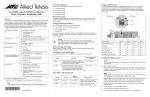
The following table lists the line card status and basic alarms LED’s provisioned on the Base Board and are viewable through the left side of the line card front panel. LED Color Description RDY Green The line card has passed diagnostics. OFF The line card has not passed diagnostics. Green The TX port has established a valid link. Blinking Green The TX port has detected TX/RX activity. Green The TX port is operating in full-duplex mode. OFF The TX port is operating in half-duplex mode (intermittently ON when there is collision). Green The TX port is operating at 100 Mbps speed. OFF The TX port is operating at 10 Mbps speed. Green The SFP port establishes a valid link. OFF The SFP port has no link. L/A FD 100 LK Green The line card is managed from its local console. OFF The line card is managed from the CPM module located in the rear of the chassis. OAM Green The OAM mode is enabled (visible or bypass) and can be set by the DIP switches. DIP Switches The AT-CM70S line card features only the Diagnostic Mode DIP Switch, which is located on the base board. DIP 1 DIP 2 Link Test (non-OAM) OFF X OAM Bypass ON OFF OAM Visible ON ON Manufacturing Default Settings OFF OFF 4 Caution Before installing an AT-CM70S line card, refer to the appropriate Converteon™ Series Chassis Installation Guide and/or the Converteon™ Media Converter Line Cards Reference Guide the for electrical safety and emission information. Caution Be sure to observe all standard electrostatic discharge (ESD) precautions, such as wearing an antistatic wrist strap, to avoid damaging the device. A line card can be damaged by static electricity. 1. Remove the Converteon™ line card from its shipping package and store the package in a safe place. 3. Select two empty line card slots adjacent to each other in the AT-CV5000 chassis for the card. 4. Remove the AT-CV5PNL1 blank slot covers from the selected slots. Keep the blank slot covers in a safe area in case you remove the line card. The blank slot covers are used to keep dust from getting into the chassis and maintain proper airflow, cooling, and ventilation throughout the chassis. 6. Align the back edge of the line card with the alignment guides located inside the slot. Avoid touching the line card components. –- For the AT-CV5000, align with the top and bottom alignment guides. –- For the AT-CV1200, align with the left and right alignment guides. 7. Slide the line card until the front of the card is flushed with the front of the chassis. The table below lists the positions of the DIP switch. “X” means the DIP switch position could be either ON or OFF. To install an AT-CM70S line card, perform the following procedure: 5. Locate the alignment guides in the chassis slot. The OAM mode is disabled. Operating Mode Note The Converteon™ line cards can be installed in any of the line card slots located on the front panel of the Converteon™ chassis. 2. You must use the original package if you need to return the unit to Allied Telesis. CONSOLE (applies to AT-CV5000 chassis only) OFF Installing an AT-CM70S Line Card 8. Use a Phillips screwdriver to tighten the captive screws on the line card. Note Always tighten the captive screws to secure the line card to the chassis. This help ensure that the connectors at the back of the line card are securely connected to the backplane. Caution When used in the AT-CV1200 chassis, make sure the ground lug is attached prior to operating the AT-CM70S line card. For grounding instruction, refer to the AT-CV1200 Chassis Installation Guide. 5 Removing an AT-CM70S Line Card To remove an AT-CM70S line card, refer to the Converteon™ Media Converter Line Cards Reference Guide for instructions. Technical Specifications Physical, Environmental, and Electrical Rating Dimensions (H x W x L) 1.71" x 2.89" x 5.1" (4.4 cm x 7.3 cm x 13.0 cm) Operating Temperature 0° C to 40° C (32° F to 104° F) Storage Temperature -25° C to 70° C (-13° F to 158° F) Operating Relative Humidity 5% to 90% RH (non-condensing) Storage Relative Humidity 5% to 95% RH (non-condensing) Operating Altitude Range Up to 3,048 m (10,000 ft) MTBF (Telcordia Standards) 670,000 hrs Power Consumption 8.5 watts Pluggable Slot Type SFP Electrical Safety and Emission Statement Standards: This product meets the following standards when installed in compliant host equipment. U.S. Federal Communications Commission RADIATED ENERGY Note: This equipment has been tested and found to comply with the limits for a Class A digital device pursuant to Part 15 of FCC Rules. These limits are designed to provide reasonable protection against harmful interference when the equipment is operated in a commercial environment. This equipment generates, uses, and can radiate radio frequency energy and, if not installed and used in accordance with this instruction manual, may cause harmful interference to radio communications. Operation of this equipment in a residential area is likely to cause harmful interference in which case the user will be required to correct the interference at his own expense. Note: Modifications or changes not expressly approved of by the manufacturer or the FCC, can void your right to operate this equipment. Industry Canada This Class A digital apparatus meets all requirements of the Canadian Interference-Causing Equipment Regulations. Cet appareil numérique de la classe A respecte toutes les exigences du Règlement sur le matériel brouilleur du Canada. Emission FCC Class A, EN55022 Class A, VCCI Class A, C-TICK, CE WARNING: In a domestic environment this product may cause radio interference in which case the user may be required to take adequate measures. Immunity EN55024 Electrical Safety UL60950-1 (cULus), EN60950-1 (TUV), CAN/CSA C22.2 No. 60950-1 Telecommunications: FCC Part 68 (TIA/EIA/IS-968); Industry Canada CS-03 ACTA Product ID – US: A5TDWNANAT-CM70S Industry Canada Registration – IC: 3336-ATCM70S Copyright 2006 Allied Telesis, Inc. All rights reserved. No part of this publication may be reproduced without prior written permission from Allied Telesis Inc. 6