1
Agilent 5500 SPM
User’s Guide
6
AC Modes
Acoustic AC Mode (AAC) 104
AAC Mode 104
Constant Height Mode 109
Magnetic AC (MAC) Mode 110
Standard MAC Mode 111
Top MAC Mode 112
Q Control 112
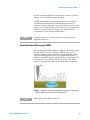
In AC Mode, introduced in “Intermittent Contact AFM" on page 24, a
sinusoidal voltage is applied to a piezo element or magnetic coil in the
nose assembly or sample plate. The piezo or magnetic coil causes the
probe tip to oscillate, typically at or near one of its resonance
frequencies, such that it taps gently on the surface. The tip is then
raster-scanned over the region of interest while the amplitude of
oscillation is monitored to produce images. Through this method, lateral
forces on the tip are virtually eliminated, enabling higher resolution
imaging than is possible with Contact Mode.
NOTE
This chapter references material in Chapter 4 and Chapter 5. Be sure to
review and understand Chapter 5 before continuing with AC Mode.
The process for imaging in AC Mode is similar to that of Contact Mode,
with one additional step: the cantilever must be tuned to near its
resonance frequency.
There are two methods for providing the oscillation: Acoustic (AAC)
and Magnetic (MAC). Both AAC and MAC Modes require the
additional MAC Mode or MAC III controller. The MAC controllers
utilize “lock-in amplifier” technology to precisely determine the
oscillation amplitude and phase response of the cantilever, resulting in
excellent force regulation and high-quality phase images.
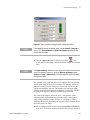
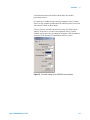
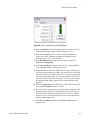
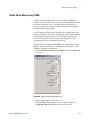
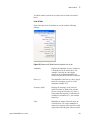
To use a MAC controller, choose Controls > Setup > Options
and verify that the Serial Port AC Mode Controller check box is
selected.
Agilent Technologies
103





















































































![Instalar y actualizar NetBSD-current [e] - Redes](http://vs1.manualzilla.com/store/data/006226705_1-100e74543fa3bea9f822ce307be8d1b9-150x150.png)