1
Storage Temperature
The netpad is designed to be stored within the temperature ranges of
-25°C to +70°C (-13°F to 158°F); and -25°C to +60°C (-13°F to
140°F) for scanner variants. Storage of the netpad outside of these
temperature limits may reduce its life.
To prolong the life of the netpad battery packs during normal storage, store the netpad (and the battery pack) between +10°C and
+35°C (+50°F and +95°F).
When storing the netpad for a long period of time, first back up all
the files stored in the netpad, then remove and store the main battery
when it’s at a 70% to 90% charge level.
Humidity
The netpad is designed to operate in humidity ranging from 0 to
95%. Use of the netpad in environments with condensing humidity
or humidity outside these limits may result in damage to the netpad.
Magnetic Fields And Static Electricity
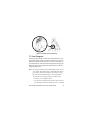
The magnet of the netpad speaker may corrupt data stored on magnetic media. Do not keep the netpad next to credit cards or other
magnetic media.
Avoid exposing the netpad to strong magnetic fields or static electricity. Such exposure may cause loss of data or result in damage to
the netpad.
Service
Do not attempt to dismantle the netpad. There are no user-serviceable parts inside, and any attempt to dismantle the netpad will invalidate the warranty.
Psion Teklogix netpad Windows CE .NET 4.2 Quick Start Guide
21