1
Installation
Installation
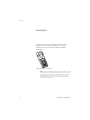
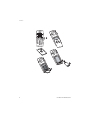
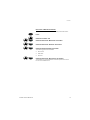
Turn off the phone by pressing NO until the display goes blank.
Cordless DT590 Bluetooth
1
Remove the battery cover.
2
Completely remove the foam on the inside of the battery
lid.
3
Connect the Bluetooth module connector to the largest
connector on the phone. As the connector is asymmetric
it is not possible to connect the module in the wrong way.
4
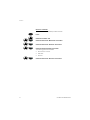
Remove the backing paper from the tape on the
Bluetooth module.
5
Place the Bluetooth module so that it is centred on the
battery and the support at the end of the battery.
6
Close the battery lid.
7
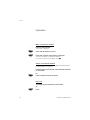
Turn on the phone by pressing NO until the display starts.
7