1
3/5/04
10:42 AM
Page 5
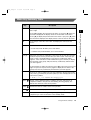
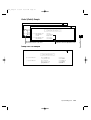
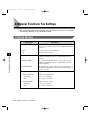
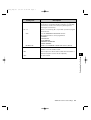
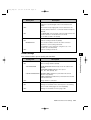
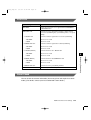
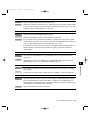
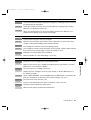
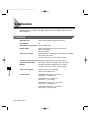
Setting Item
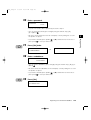
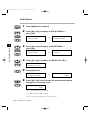
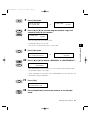
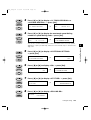
3.TX DONE TONE
Description
Adjusts the volume of the done tone sounded when sending is
complete.
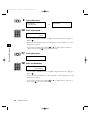
ON
1 to 3 (1 is the default)
ERROR ONLY (default)
1 to 3 (1 is the default)
OFF
The volume is turned off.
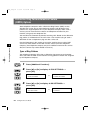
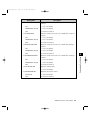
4.RX DONE TONE
Adjusts the volume of the done tone sounded when reception is
complete.
ON
1 to 3 (1 is the default)
ERROR ONLY (default)
1 to 3 (1 is the default)
OFF
The volume is turned off.
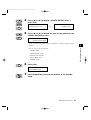
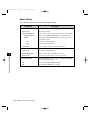
5.PRINTING END TONE
Adjusts the volume of the done tone sounded when printing is
complete.
ON
1 to 3 (1 is the default)
ERROR ONLY (default)
1 to 3 (1 is the default)
OFF
The volume is turned off.
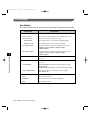
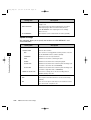
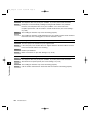
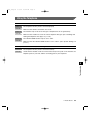
6.SCANNING END TONE
ON
1 to 3 (1 is the default)
ERROR ONLY (default)
1 to 3 (1 is the default)
OFF
The volume is turned off.
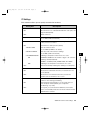
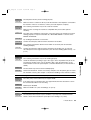
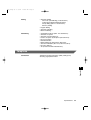
7.CALLING VOLUME
6
Adjusts the volume of the done tone sounded when scanning is
complete.
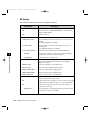
Adjusts the calling volume.
1 to 3 (2 is the default)
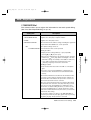
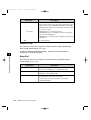
8.LINE MONITOR VOL.
Adjusts the line monitor volume.
ON (default)
1 to 3 (2 is the default)
OFF
The volume is turned off.
Additional Functions Fax Settings
6-5
Customizing Fax Settings
***FG_Chap 06