1
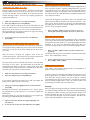
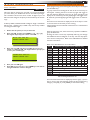
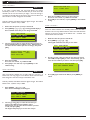
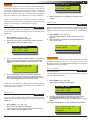
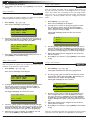
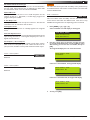
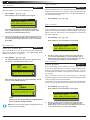
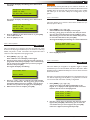
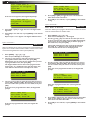
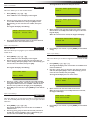
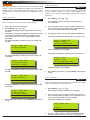
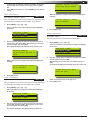
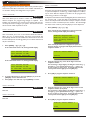
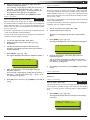
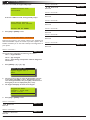
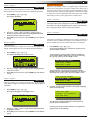
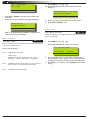
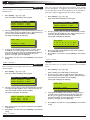
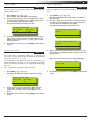
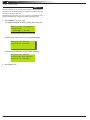
10 Vision-64 User Guide Access > PIN Codes > Change Other PIN If you have a master PIN, this command allows you change somebody ors PIN. It is recommended that you write down the old PIN and the new one before you begin. Once the change is complete you should destroy the written copy. The new PIN must have the same number of digits as the old PIN. At factory default, each PIN is fixed to 4 digits in length. The default PIN for User 1 (Master user) is 2580. Press OK or MENU 3. Enter the new PIN for the user you have selected. If an error tone sounds, try a different new PIN. 4. Press [OK] to save and exit, or press [MENU] to exit without saving. Access > PIN Codes > 1. Ensure that the system (or area) is turned off. 2. Press [MENU] + [1] + [1] + [1]. The keypad will display a list of available users that you can change their PIN. U001 JOHN SMITH U002 DEBBIE SMITH U003 USER 3 NAME Press , OK or MENU 3. Enter New PIN for User 3 Name U003 MENU 1-1-1 Delete PIN This menu allows a Master user the ability delete other users PIN’s. A Master user can only delete a PIN for those users that have been assigned to the same area(s) as the Master user. A Master user cannot delete their own PIN. 1. Make sure that the system is turned off. 2. Press [MENU] + [1] + [1] + [3]. The keypad will list all users that you can delete. Use the [↑] and [↓] keys to select the user that you want to change the PIN, then press [OK] to select. Alternatively, you can enter the user number you want to change, then press [OK ]. U001 JOHN SMITH U002 DEBBIE SMITH U003 USER 3 NAME Press , OK or MENU Please Enter PIN for DEBBIE SMITH U002, Then Press OK. 3. 4. Enter the new PIN. If an error tone sounds, try a different PIN. 5. Press [OK] to save and exit, or press [MENU] to exit without saving. Use the [↑] and [↓] keys to select the user that you want to add a PIN, then press [OK] to select. Alternatively, you can enter the user number you want to add, then press [OK]. Press OK to delete PIN For U002 DEBBIE SMITH Press OK or MENU Access > PIN Codes > Add PIN MENU 1-1-3 MENU 1-1-2 This menu allows a Master user to add a PIN to a new user. A Master user can only program a new PIN for those users that have been assigned to the same area(s) as the Master user. 4. Press [OK] again to delete the PIN, or press [MENU] to cancel. At factory default, each PIN is fixed to 4 digits in length. The default PIN for User 1 (Master user) is 2580. 1. Enter [MENU] + [1] + [1] + [2]. A list of users will display on the keypad. U001 JOHN SMITH U002 DEBBIE SMITH U003 USER 3 NAME Press , OK or MENU 2. Use the [] and [↓] keys to select the user that you want to add a PIN, then press [OK] to select. Alternatively, you can enter the user number you want to add, then press [OK]. The keypad will prompt you to enter the new pin. Issue 1.02 Copyright © 2002-2004 Digflex Pty Ltd