1
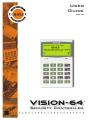
Vision-64 User Guide
3
Contents
Copyright Notice ......................................................... 2
Trademarks .................................................................. 2
Notice of Liability ........................................................ 2
Telepermit Note .......................................................... 2
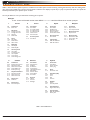
Program Menu Tree ......................................................... 4
Introduction ...................................................................... 5
Features ............................................................................ 5
User’s Guide ..................................................................... 5
Reporting Alarms ............................................................. 6
About the Keypad ............................................................ 6
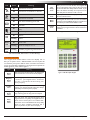
Keypad Keys ................................................................ 6
Status Icons / LED’s ..................................................... 6
Keypad Tones............................................................... 7
Basic System Operation ................................................... 8
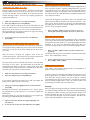
Turning An Area All On .............................................. 8
Turning An Area Part On / Part 2 On ......................... 8
Turning The System Off .............................................. 8
Silencing Alarms .......................................................... 8
Automatic Arming ...................................................... 8
System Programming ....................................................... 9
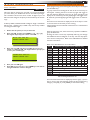
Change Own PIN ..................................................... 9
Programming Text Using The Keypad........................ 9
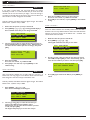
Change Other PIN ................................................. 10
Add PIN .................................................................. 10
Delete PIN.............................................................. 10
Tokens ........................................................................ 11
Add Token .............................................................. 11
Delete Token .......................................................... 11
Token Status ........................................................... 11
RF Keyfob .................................................................. 11
Add Keyfob ............................................................. 11
Delete Keyfob ......................................................... 12
User Name ............................................................. 12
Area Assignment .................................................... 12
User Options .......................................................... 12
Timer Group........................................................... 13
Access Assignment ................................................. 13
Areas .......................................................................... 13
Area Status ............................................................ 13
Turn Area On/Off ................................................... 14
Turn All Areas On .................................................. 14
Turn All Areas Off .................................................. 14
Move To Area ......................................................... 14
Chime On/Off ......................................................... 14
Area Name ............................................................. 15
Inputs ......................................................................... 15
Zone Status ............................................................ 15
Bypass Zones .......................................................... 15
Set Chime Zones .................................................... 16
Set Part 2 Zones .................................................... 16
Smoke Sensor Reset .............................................. 17
Zone Name ............................................................ 17
Walk Test All Zones................................................ 17
Walk Test A Single Zone ........................................ 17
Outputs ...................................................................... 18
Output Status ........................................................ 18
Turn Output On/Off ............................................... 18
Output Name ......................................................... 18
External Siren Test ................................................. 19
Internal Siren Test.................................................. 19
Strobe Test ............................................................. 19
Issue 1.02
Communication / Reporting...................................... 20
Call/Answer RAS .................................................... 20
Call Forward On/Off ............................................... 20
Check Web Email ................................................... 20
Email System Log ................................................... 20
Set Domestic Phone Number ............................... 20
Call Forward On Number ...................................... 21
Call Forward Off Number ...................................... 21
Customer ................................................................ 21
Send Test Report .................................................... 21
Devices and Optional Modules ................................. 22
Keypad Status ........................................................ 22
RF Status ................................................................ 22
Serial Status ........................................................... 22
X10 Status .............................................................. 22
LAN P/Supply ......................................................... 22
GSM Status ............................................................ 22
Ethernet Status ...................................................... 22
Access Status ......................................................... 23
X10 Status .............................................................. 23
Volume .................................................................... 23
Contrast.................................................................. 23
Backlight ................................................................. 23
System Events ........................................................... 23
Panel Status............................................................ 23
System Trouble....................................................... 23
History Log ............................................................. 24
Set Date & Time .................................................... 24
Name ...................................................................... 26
Time ........................................................................ 26
Day .......................................................................... 26
Name ...................................................................... 26
Start / Stop Day ..................................................... 27
Keypad Hi/Lo Temp ................................................ 27
Walk Test All Zones................................................ 27
Battery Test ............................................................ 28
Installation Details.......................................................... 29
Index ............................................................................... 30
Copyright © 2002-2004 Digflex Pty Ltd