1
Getting started
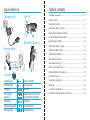
Charging the uMic
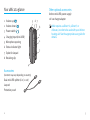
The system consists of three main elements:
• uMic
• Unitron hearing aids
• A streamer
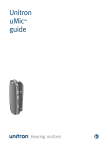
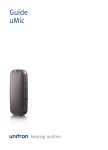
The uMic is compatible with three streaming
devices, uDirect 2, uDirect 3 and uStream.
The uMic transmits the speaker’s voice
wirelessly to your hearing aids via the streamer.
The hearing aid microphone level will
automatically be adjusted while the uMic signal
is received. The level of adjustment is set by
your hearing healthcare professional.
Your uMic has a built-in, non-removable
rechargeable battery. When the battery is low,
the indicator light will blink red.
hearing aid wearer
speaker
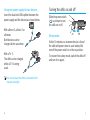
To charge:
1. Insert the Unitron
power supply
provided with
the uDirect 2 or
uDirect 3 into the
uMic mini-USB
socket.
2. Plug the power supply into a power outlet.
Typical charging time is two hours. Charging is
complete when the indicator light turns solid
green.
When charging your uMic for the first time, let
it charge for at least three hours, even if the
battery indicator is not lit or turns green earlier.
up to 20 meters
(65 ft)
audio
er
pow
uDirect 2, uDirect 3 or uStream
4
uMic
5