1
REFERENCE
REFERENCE
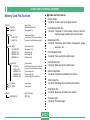
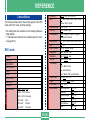
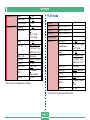
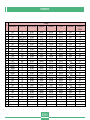
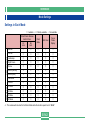
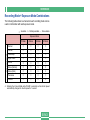
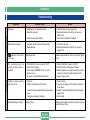
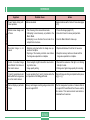
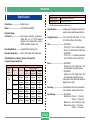
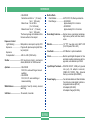
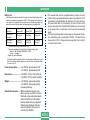
Camera Menus
The following shows lists of menus that appear in the REC
mode and PLAY mode, and their settings.
• The settings that are underlined in the following table are
initial defaults.
• “쑗” indicates items that can be included as part of a shortcut (page E-91).
FUNCTION
REC mode
NORMAL
PORTRAIT
LANDSCAPE
NIGHT SCENE
Sensitivity
ISO 80 / ISO 160 / ISO 320
쑗
Filter
Off / B/W / Sepia / Red / Green / Blue /
Yellow / Pink / Purple
쑗
Exposure Mode
Metering
P/A/S/M
Multi / Center / Spot
쑗
쑗
White Balance
Auto / Daylight / Shade / Tungsten /
Fluorescent / Manual
쑗
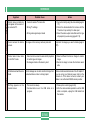
Enhancement
Grid
Off / Red / Green / Blue / Flesh Tones
Off / On
쑗
쑗
Flash Intensity
Sharpness
Strong / Normal / Weak
Hard / Normal / Soft
쑗
쑗
Saturation
Contrast
High / Normal / Low
High / Normal / Low
쑗
쑗
Time Stamp
Off
Year / Month / Day
Day Hour:Minutes
Year / Month / Day Hour:Minutes
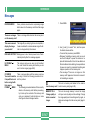
SCENE
MOVIE
MOVIE (PAST)
PANORAMA
FUNCTION
INTERVAL
Size/Quality
1600 x 1200 / Fine
1600 x 1200 / Normal
1600 x 1200 / Economy
800 x 600
800 x 600
/ Fine
/ Normal
800 x 600
/ Economy
쑗
E-136
쑗
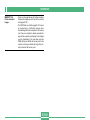
Digital Zoom
Sleep
Off / Auto / X2 / X4
Off / 30sec / 1min / 2min
쑗
쑗
Auto Power Off
Mode Memory
2min / 5min
쑗
쑗
Recording Mode
Sensitivity
Off / On
Off / On
Exposure Mode
Metering
Off / On
Off / On
White Balance
Flash
Off / On
Off / On
쑗
쑗
쑗
쑗
쑗