1
Wireless-G Broadband Router with 2 Phone Ports
Table of Contents
Chapter 1: Introduction
1
Welcome
What’s in this Guide?
1
2
Chapter 2: Planning Your Wireless Network
Network Topology
Ad-Hoc versus Infrastructure Mode
Network Layout
Chapter 3: Getting to Know the Wireless-G Broadband Router with
2 Phone Ports
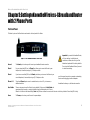
The Back Panel
The Front Panel
Chapter 4: Connecting the Wireless-G Broadband Router with 2 Phone Ports
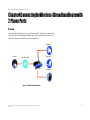
Overview
Connection Instructions
4
4
4
4
6
6
7
8
8
9
Chapter 5: Configuring the Wireless-G Broadband Router with 2 Phone Ports 10
Overview
How to Access the Web-based Utility
The Setup Tab - Basic Setup
The Setup Tab - DDNS
The Setup Tab - MAC Address Clone
The Setup Tab - Advanced Routing
The Wireless Tab - Basic Wireless Settings
The Wireless Tab - Wireless Security
The Wireless Tab - Wireless Network Access
The Wireless Tab - Advanced Wireless Settings
The Security Tab - Filter
The Security Tab - VPN Passthrough
The Voice Tab - Systems
The Voice Tab - Line1 Settings
The Voice Tab - Line2 Settings
The Applications & Gaming Tab - Port Range Forwarding
The Applications & Gaming Tab - Port Triggering
10
12
12
18
19
20
22
23
25
26
27
29
30
31
34
37
38